
Visual Booking for Call Centers, Receptionists, and Self-Scheduling
Overview: See Ideal Appointment Slots
Most scheduling workflows created in DayBack show schedulers the gaps in their schedules so they can find the right resources for each opportunity. But sometimes, gaps don’t tell the whole story.
You may have invisible constraints like skill-matching, cleaning requirements, or multiple resources to schedule at once. Or you’re on the phone with an opportunity and must suggest available times as quickly as possible.
In these cases, DayBack can suggest the best slots that match all of your requirements.
This article describes the various customizations we can make to DayBack that enable appointment slot recommendations in your Salesforce org.
In This Article
Appointment Slots in Online Booking
We started using slots for self-scheduling, where presenting customers with too many options didn’t make sense.
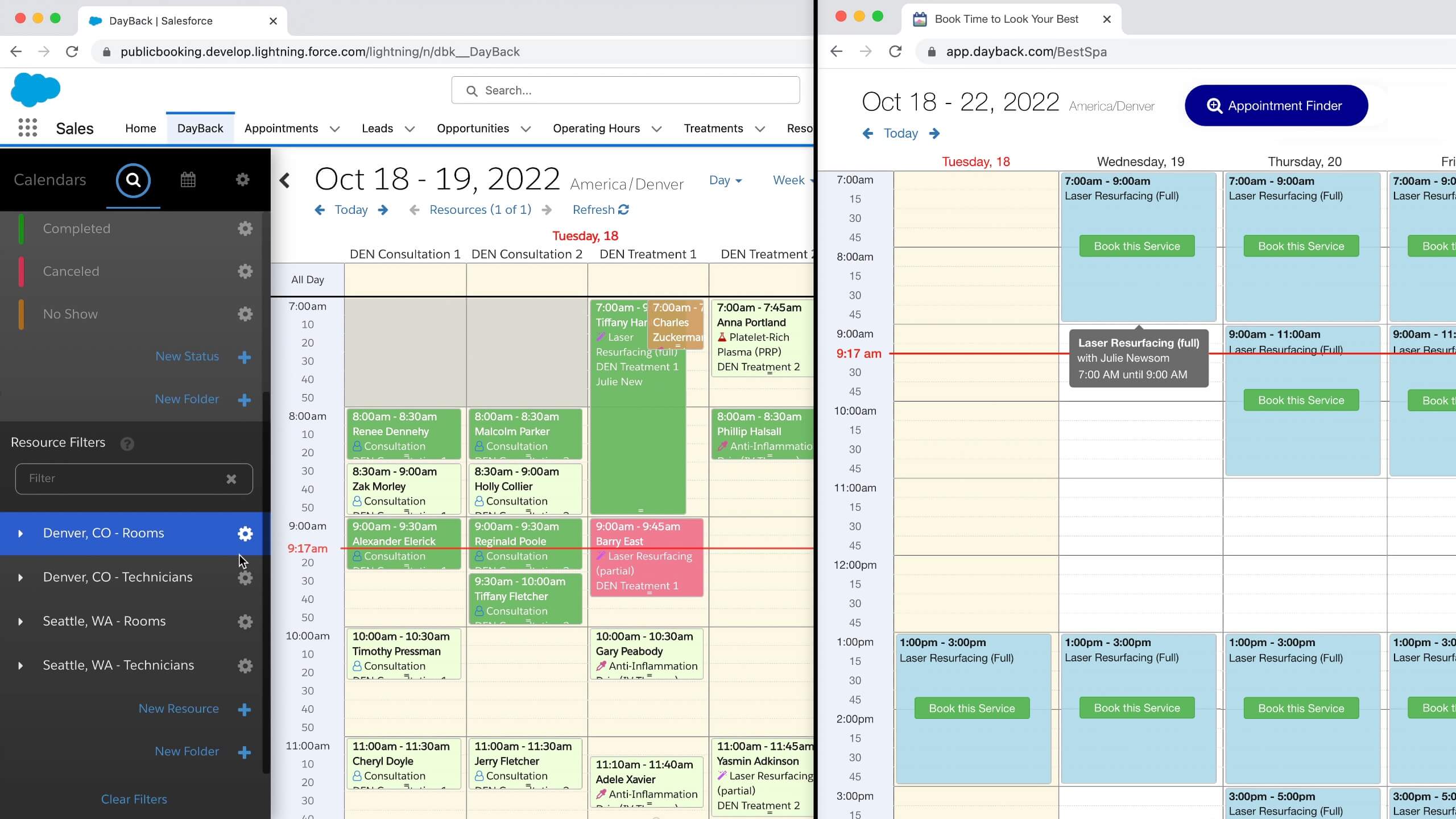
DayBack presents customers with a simple form to gather their requirements–usually their location and desired treatment or work type. Customers then select a slot from one or more locations that match their requests.
All the required resources are hidden from the customer but allocated in Salesforce when the customer selects a slot.
You can see this in action here: Online Booking for Salesforce.
Embedding Slots on an Opportunity or Contact Page
We found that call centers and other fast-paced schedulers also appreciate having slots suggested to them. DayBack lets schedulers be present in conversations with their clients instead of trying to decipher all the scheduling options ahead of them.
To accomplish this, we’ll often embed DayBack on the client or opportunity record so that it picks up the appointment criteria from that record and only suggests open slots that match. In the screenshot below, “Mandy” requires a therapist credentialed to work in Texas who speaks Spanish.

Schedulers can open the calendar’s left-hand sidebar to enter additional criteria, further restricting the number of qualified resources and the number of available slots.

Ranking Potential Slots
When there are lots of slots available, DayBack can rank them. Now, schedulers offer the most ideal slots to the client, only booking less desirable slots if they have to.
Less desirable slots might include those that create big gaps in a provider’s day or slots that call on overextended people. In the example below, DayBack has picked up the appointment criteria from a Salesforce flow and is presenting these options as the penultimate step in the flow. The light-green slots are the best fit, while the blue slots make for a more brittle schedule.

Showing Slots Amid Existing Appointments
DayBack can combine these approaches to create scheduling wizards that reflect your most complex requirements, like staggered start times, shared resources, or tentative appointment holds. The video below shows the recommended slots alongside existing appointments so schedulers can evaluate the best fit.
The video also illustrates how DayBack can walk schedulers through creating a new client in Salesforce, complete with a list of possible duplicates. Users never have to leave the calendar while on the phone with a prospect.

Available Slots for an Unassigned Appointment, Job, or Workorder
Often, the appointment you need to schedule has already been created. It sprang from a template of project tasks or work order line items. Or it was an existing appointment you need to reschedule or re-assign.
DayBack can be customized to highlight the best places for this event on your schedule.
Below, items in the right-hand unscheduled list already have a duration and additional criteria specified by their contract. When an item is clicked or dragged into the calendar, DayBack dims all but the matching slots.
This is a great example of events with lots of invisible constraints–where you need to know more than seeing the gaps in your schedule.
We’ve seen these requirements in drug trials, med-spas, and infusion centers where it’s not just about finding appropriate rooms and staff but understanding the date windows in which a treatment may be performed or a drug administered.
Best-Fit Scheduling
DayBack’s best-fit scheduling suggests the appointment slots that best adhere to your goals. See an example action below and learn more here.
Getting Started
We customize the recommendation of slots for each deployment as part of DayBack’s implementation packages. Please get in touch if you think DayBack might be able to make a big impact for your team.
Learn more about how we design customizations to reinforce your workflows.
Leave a Reply