Visual Resource Scheduling
Meet your deadlines without burning out your people. DayBack is a scheduling platform for field service, healthcare, sales, and creative teams.
Resource Scheduling
For field service, healthcare, and sales teams.
Schedule Balancing Grids
See All Your Events in One Place
Overlay all your calendars from different apps and quickly filter them to see just what you need in the moment.
Customize For Your Workflow
Add your own custom fields and change everything about the calendar, from its visual style to its vocabulary.
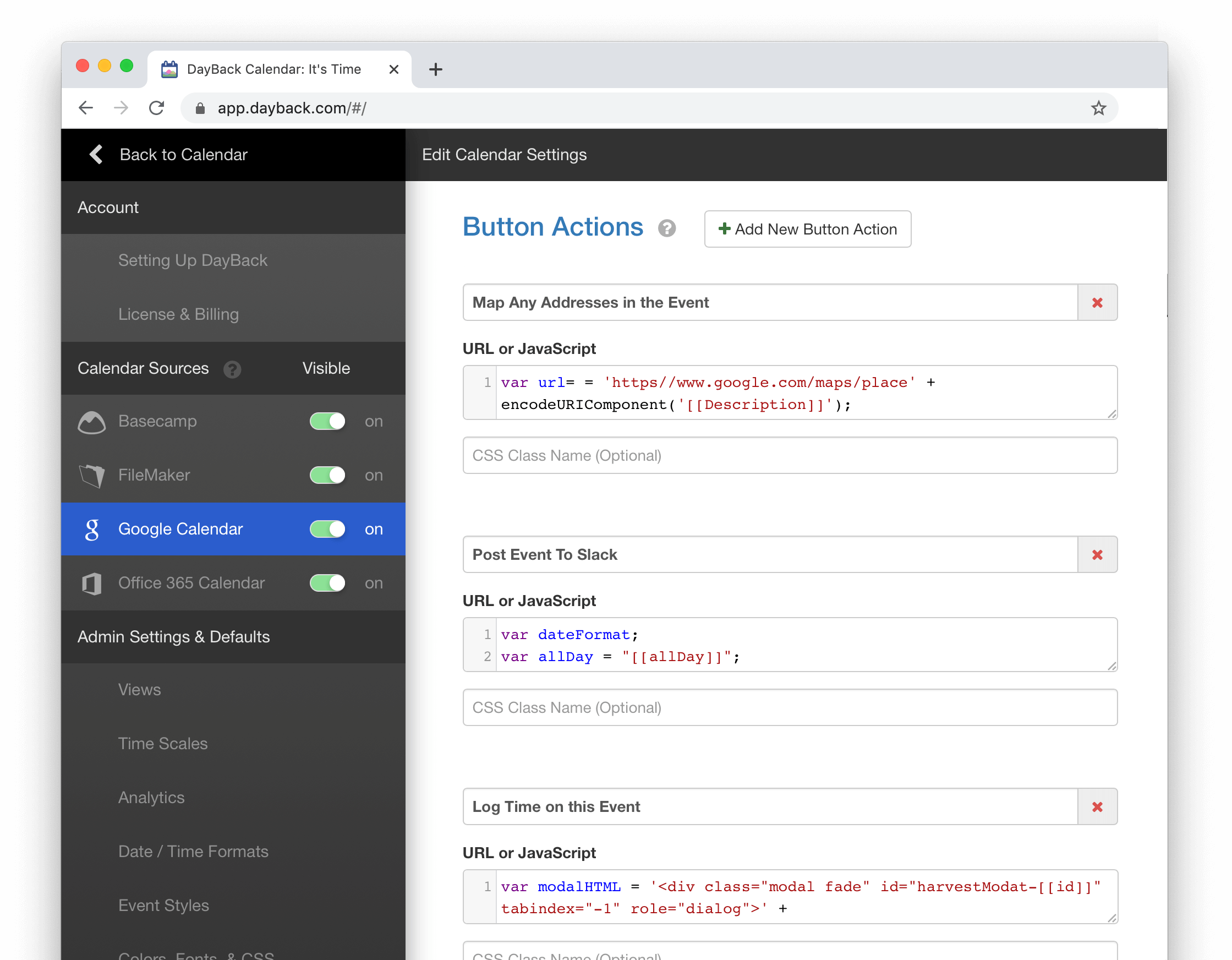
Even change the way it behaves by adding custom buttons or JavaScript behaviors to actions like dragging or deleting an event.
Make Better Decisions
Saying “Yes” to something means saying “No” to something else. We make the best decisions when we can clearly see all our commitments in one place. DayBack keeps everything in view so you’re making promises you can keep.

DayBack Calendar in 1 minute…
Visualize Capacity

Recommend Ideal Slots
Often, the appointment you need to schedule has already been created. It sprang from a template of project tasks or work order line items. Or it was an existing appointment you need to reschedule or re-assign.
DayBack can be customized to highlight the best places for this event on your schedule.
See Your Invisible Criteria
Just because you see an open slot for one of your resources, that doesn’t mean it’s a good fit. DayBack can highlight the slots that meet all the criteria you can’t see: buffers, skill matching, room availability, and adherence to treatment plans.
Defend Your Time®

Chart & Measure Your Schedule
Chart progress against your goals over time, balance your workload, and quickly see patterns that are invisible in traditional reports.
Count events, their duration, or any custom field–like net revenue– in your calendar.
Stop Deadlines from Sneaking Up on You
The one-week or one-month focus of traditional calendars keeps important deadlines just out of view. That’s why most of us have this dread that we’re always behind or always forgetting something important.
DayBack lets you work at longer timescales so your most important milestones are always in view. And if you’re working on long-term projects like climate change, you need a calendar that takes a long view.
Plot Routes & Drive Times
Visualize your schedule with drive times and distances right in your calendar.
See warnings in your calendar if people don’t have enough time to travel between appointments. Or ask DayBack to suggest rescheduling if another team member is closer to the job during the week.
Add Behaviors and Rules
Execute your own code at any point in your scheduling workflow. Browse our library of behaviors, buttons, and events. Write your own in JavaScript or ask our team to customize how your calendar behaves with an implementation package.

Your calendar is your future
Change it
See your own schedule in DayBack®
Select your sources, and stop deadlines from sneaking up on you.


DayBack is designed to be customized
Connect your events to other apps with custom actions

Post changes to Slack
Keep everyone informed as events get rescheduled and their status changes

Log time in Harvest
Log time against projects or start timers from within DayBack

Schedule Zoom Meetings
Create and reschedule Zooms from within the calendar to keep conflicts at bay

Publish to Google Calendars
Push events from other calendars to Google & MS365 or use DayBack’s built-in sharing

Write your own
Create your own workflows. Add JavaScript to almost any calendar action: examples.
Blog: Customizing DayBack
Changing the way we think about time
- Visual Buffers: See Your Actual CapacityMost calendars are optimistic. They show appointment start and end times, but they ignore the time you actually spend getting ready, traveling, wrapping up, or recovering. That hidden time is real, and… Read more: Visual Buffers: See Your Actual Capacity
- Visualize Skill Matching and SuitabilityWhat is the Best Day and Crew for this Work Order? When you have complex staff and equipment requirements for a job, you need a way to quickly see which of your… Read more: Visualize Skill Matching and Suitability
- Visually Control Your AvailabilitySee your availability windows in DayBack alongside your appointments and other commitments. What if you could make yourself available with the same confidence you have when making appointments–visually, right in your calendar,… Read more: Visually Control Your Availability
- Waitlists in DayBackIn this two-part blog series, we’ll explore two powerful ways to customize DayBack’s right-hand sidebar — first, to manage an appointment waitlist, and second, to schedule a series of follow-up appointments. Managing… Read more: Waitlists in DayBack
Contact Us
We’re here to help
DayBack is built by SeedCode
Learn more about us.
SeedCode, Inc.
1037 NE 65th St #81251
Seattle, WA 98115
+1 (855) 733-3263
[email protected]


This is by far the best calendaring app available and the support truly light years better than their competitors. Great work! We have been using Salesforce for over a decade and are very fussy about the apps that we recommend.
Michael Boyens
Streamline EdgeBest app for scheduling appointments for people or service trucks wish I had found it sooner. It was so easy to use that in a couple of weeks we had stopped using the old software we were using for scheduling jobs.
Brice Boorman
Texan WaterYou might not know, but your calendar is used to develop some of the coolest cars in the world: Lamborghini, Aston Martin are using your product on top of our software to manage the whole development process. The folder organization solves a huge headache we had with the previous version: now we can organize prototype vehicles per project… I can’t stop thinking about the opportunities we have.
Stefano Morandotti
KeeneightWe have already been able to take advantage of the new features like text search, and analytics. This is really going to help with our planning. The few people I have shown it to are really excited and found ways to help make decisions (good decisions) quicker.
Benjamin Poe
e4 Design – A Freeman CompanyThe team is thrilled with the new direction. Early testers described the layout as “easy and cool,” “simple and organized,” and “so much better than Activity Tracker.” The centralization of attachments, communication logs, and consent checkboxes on one screen is a huge win-especially for those toggling between field and admin roles. You’ve captured the spirit of our brand: clear, accessible, and proactive. This build allows us to retire high-risk technical debt, increase team confidence, and align our internal tools with the same clarity we promise to clients. You’re helping us move from patchwork systems to a purpose-built environment-one that lives up to our mission of developing confident workplace athletes. Thanks for designing something that reflects both our practical needs and our values.
Jeremy Verrillo
Comprehensive Injury Prevention SolutionsI have most people accessing the calendars only from their named bookmarks so they don’t have to fiddle with filters. LOVE the bookmarks. This app is just such a game-changer for us and what Salesforce calendars should be…just need to share my (and my users’) excitement!!
Diandre Langlais
Allteck Limited PartnershipMany thanks to you and your team for helping to get this set up for us. I published the changes to our org and so far, so good! Dayback is working like a charm for us now..
I’m sure that we will come up with more adjustments and additions to our solution as time goes on and as we work with it more and more, but right now we are beyond happy with the changes your team has implemented. Our Salesforce org now feels like a cohesive, living organizational tool for our team, and we owe a lot of that to your product.
From the start of this process to its end, your team has been nothing short of stellar when it comes to support, your communication, how quickly you were able to implement our requested changes, a pretty painless license transfer process, your well-explained video presentations, and your timeliness responding back to us. What I’m trying to say here is that we are very pleased to be DayBack customers and will continue to use and develop it for years to come. It’s been nothing but a positive experience.
Tyler Shannon
The Conco CompaniesSee Your Own Schedule in DayBack
Start a 30-day trial of the calendar designed to be customized. Follow our introduction to resource scheduling, or jump right in and start customizing your DayBack.
It will change the way you work.
