Search the Community
Showing results for tags 'timer'.
Found 15 results
-
Version 1.0.0
44 downloads
ServerPeriods.cs Description : - This plugin offers a complete periodic event system for your Rust server, allowing you to create structured game phases with customizable restrictions. Each period can independently control PvP, raiding, gathering, and building permissions, providing a dynamic gameplay experience. It includes a persistent, real-time user interface displaying the current period name and remaining time, with an automatic "Next Period" indicator, and the execution of custom server commands for each period. Settings : - HUD colors - Custom periods (name/perms/time/commands) F1 Commands : - p.start (to start the periods) - p.stop (to stop the periods) - p.next (to move on to the next period) - p.prev (to move on to the previous period) Permissions : - ownerid <steamID/user> WuyZar's Discord : https://discord.gg/NVwRcQwGwh Chat messages : Game interface :$6.50- 4 comments
-
- 2
-

-

-
- #event
- #tournament
- (and 17 more)
-

Version 1.0.0
30 downloads
TreasureEvent.cs Description : - This plugin offers a complete treasure hunt event system for your Rust server, with real-time distance tracking and customizable loot rewards. Settings : - HUD colors - Event duration (in F1 commands) - Server message (true/false) - Items (customize everything you want in the treasure, even the skins of the items) Server message = true (you need the ServerMessage.cs plugin, https://codefling.com/plugins/server-message) Server message = false (these messages will appear in the global chat, replacing the UI) F1 Commands : - t.start <x> <z> <time> (the treasure appear in a specific location) Permissions : - ownerid <steamID/user> WuyZar's Discord : https://discord.gg/NVwRcQwGwh Game interface :$3.50 -
Version 0.1.0
68 downloads
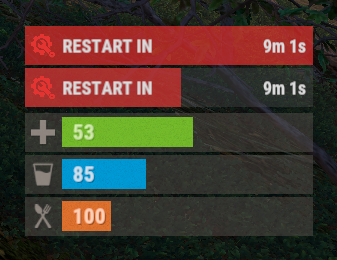
The plugin displays the time until restart in the status bar. Depends on AdvancedStatus plugin. The ability to to add and modify any restart plugins; The ability to automatically generate code for restart hooks; The ability to automatically generate language files for different languages(filled in English); The ability to choose between bar types(TimeCounter and TimeProgressCounter); The ability to specify the order of the bar; The ability to change the height of the bar; The abillity to customize the color and transparency of the background; The ability to set a material for the background; The ability to switch between CuiRawImageComponent and CuiImageComponent for the image; The ability to get images from the local folder(*SERVER*\oxide\data\AdvancedStatus\Images); The abillity to set own image and customize the color and transparency of the image; The abillity to set sprite instead of the image; The ability to customize the color, size, font and outline of the text. { "Is it worth generating restart hooks? 0 - disabled, 1 - one-time activation, 2 - always enabled": 2, "List of restart hooks": [ { "Hook triggered at the start of a restart": "OnSmoothRestartInit", "Argument position containing the number of seconds until restart(counting from 0)": 0, "Hook triggered at the cancellation of a restart": "OnSmoothRestartCancelled" } ], "Status. Bar - Type(TimeProgressCounter or TimeCounter)": "TimeCounter", "Status. Bar - Height": 26, "Status. Bar - Order": 10, "Status. Background - Color(Hex or RGBA)": "#E5423F", "Status. Background - Transparency": 0.7, "Status. Background - Material(empty to disable)": "", "Status. Image - Url": "https://i.imgur.com/rAiHloW.png", "Status. Image - Local(Leave empty to use Image_Url)": "RestartStatus_Restart", "Status. Image - Sprite(Leave empty to use Image_Local or Image_Url)": "", "Status. Image - Is raw image": false, "Status. Image - Color(Hex or RGBA)": "#E5423F", "Status. Image - Transparency": 1.0, "Status. Image Outline - Is it worth enabling an outline for the image?": false, "Status. Image Outline - Color(Hex or RGBA)": "0.1 0.3 0.8 0.9", "Status. Image Outline - Transparency": 1.0, "Status. Image Outline - Distance": "0.75 0.75", "Status. Text - Size": 12, "Status. Text - Color(Hex or RGBA)": "#FFFFFF", "Status. Text - Font(https://umod.org/guides/rust/basic-concepts-of-gui#fonts)": "RobotoCondensed-Bold.ttf", "Status. Text - Offset Horizontal": 0, "Status. Text Outline - Is it worth enabling an outline for the text?": false, "Status. Text Outline - Color(Hex or RGBA)": "#000000", "Status. Text Outline - Transparency": 1.0, "Status. Text Outline - Distance": "0.75 0.75", "Status. SubText - Size": 12, "Status. SubText - Color(Hex or RGBA)": "#FFFFFF", "Status. SubText - Font": "RobotoCondensed-Bold.ttf", "Status. SubText Outline - Is it worth enabling an outline for the sub text?": false, "Status. SubText Outline - Color(Hex or RGBA)": "0.5 0.6 0.7 0.5", "Status. SubText Outline - Transparency": 1.0, "Status. SubText Outline - Distance": "0.75 0.75", "Status. Progress - Background Color(Hex or RGBA)": "1 1 1 0.15", "Status. Progress - Background Transparency": 0.15, "Status. Progress - Reverse": true, "Status. Progress - Color(Hex or RGBA)": "#E5423F", "Status. Progress - Transparency": 0.7, "Status. Progress - OffsetMin": "0 0", "Status. Progress - OffsetMax": "0 0", "Version": { "Major": 0, "Minor": 1, "Patch": 0 } } EN: { "MsgText": "RESTART IN" } RU: { "MsgText": "РЕСТАРТ ЧЕРЕЗ" }$3.99 -

Version 1.0.0
169 downloads
Countdown.cs Description : - This plugin allows you to send a beautiful countdown visible to all players on your server, with the option to execute a command at the end of the countdown. Settings : - HUD colors F1 Commands : - c.start <time> <command> Example : (c.start 20 say HELLO) - c.stop Permissions : - ownerid <steamID/user> WuyZar's Discord : https://discord.gg/NVwRcQwGwh Game interface :Free -

Version 1.1.1
24 downloads
Advanced Timed Permission Management System for Groups Timed Group Permissions allows you to assign permissions to any group for a limited amount of time! You can easily give, revoke, or extend timed permissions — all fully controlled by simple commands. Discord Integration - You can log all permission grants, revokes, and extensions directly to a Discord channel. - Simply add your Discord webhook URL to the config file, then run the command: - oxide.reload TimedGroupPermissions That’s it! Your actions will now be logged automatically to Discord. Data Storage To check which groups currently have timed permissions assigned, open the file: data/TimedGroupPermissions.json Commands Section Chat & Console Commands: 1. givegroupperm <group> <permission> <time> → Give a timed permission to a group. 2. extendgrouptimeperm <group> <permission> <time> → Extend the duration of an existing timed permission. 3. revokegroupperm <group> <permission> → Revoke a permission from a group. 4. viewgroupperm <group> → View all active timed permissions for that group. Example output: [Timed Group Permissions] Permissions for group 'admin': - kits.donadiscord (Expires in 23 hour(s) 59 minute(s) 39 second(s)) Examples givegroupperm admin minicopter.infinitefuel 10d → Gives the group “admin” the permission “minicopter.infinitefuel” for 10 days. extendgrouptimeperm admin minicopter.infinitefuel 10d → Extends the permission “minicopter.infinitefuel” for the group “admin” by an additional 10 days. revokegroupperm admin minicopter.infinitefuel → Removes the permission “minicopter.infinitefuel” from the group “admin”. ------------------------------------------------------------ Default Configuration { "Send messages to Discord Webhook? (Requires DiscordAPI plugin)": true, "Discord Webhook URL": "https://discord.com/api/webhooks/..." } Summary: Timed Group Permissions is the perfect solution for managing temporary permissions on your server. Reward VIP groups, event teams, or temporary staff roles — all with automatic expiration and Discord logging.$10.00 -

Version 1.0.5
143 downloads
Introduction CustomRewards is a turnkey solution to reward player engagement. This plugin allows you to give a player any type of reward based on conditions you'll be able to configure. Whether you're a server admin aiming to boost player engagement or a developer creating complex reward systems, CustomRewards is your go-to solution. Main Features: Diversity of Rewards: Set up a huge variety of rewards for your players, ranging from items to special permissions, including server command execution. Reward Templates: Create different reward models for various events or scenarios, providing maximum flexibility to meet your server's needs. Award Conditions: Ensure only eligible players receive certain rewards by setting conditions based on groups, permissions, and more. Integration with Other Plugins: CustomRewards isn't just a standalone, it can also be seamlessly integrated with other externals plugins such as VoteSystem or PlaytimeTracker : Vote System : By using Custom Reward with VoteSystem, your players will be able to obtain rewards by voting. PlayTime Reward (free) : By using CustomRewards with PlaytimeTracker, your players will be able to obtain rewards based on their playtime. Interface Customization Provide your players with an appealing visual experience with a fully customizable user interface, custom reward images, and colorful themes. Expandability for Developers For those looking to delve deeper, CustomRewards offers a robust API, allowing you to integrate your own point system or even other plugins ! Plugin's Future: We always listen to the community! If you have a specific plugin you'd like to see integrated with CustomRewards, please let us know. Our goal is to make CustomRewards as versatile and useful as possible for all users. Support : I am very often available and will respond as quickly as possible to all your questions, here or on my Discord: https://discord.gg/JJnxFgP27G. Full Documentation : Feel free to check out the complete documentation here. Commands (chat) : - /CustomRewards_Give <type> <player name or id> <quantity> : available only for administrators or with permission CustomRewards.Admin - The commands to show the UI need to be implemented in the configuration. Permissions : - CustomRewards.Admin : enable admin commands if not administrator - CustomRewards.<Type>.Use : Permission linked to the type (rewards template), users without the permission will not be able to use the command to display the UI. Therefore, it's important to add the permission to your groups once the template is created! How To use API : private void Give_API(string rewardType, ulong playerId, int quantity) // Add quantity points for player (for referenced rewardType) private int Get_API(string rewardType, ulong playerId) // Get quantity points for player (for referenced rewardType) CustomRewards Configuration Tutorial Step 1: Initial Setup : - Ensure the CustomRewards_rewards folder is present in Oxide/Data. If not, the plugin will attempt to create it automatically, but it's good to check. - Ensure - For each reward type you want to configure, create a .json file in the CustomRewards_rewards folder. For instance, for a reward type called "VIP", you might have a VIP.json file. Step 2: Basic Configuration In your .json file: - "Enabled": Set this value to true to activate this reward type. - "Commands for show UI": List of commands that will display the user interface for this reward type. For example: ["rewards_vip", "vip_rewards"]. Step 3: User Interface Configuration Under "UI Settings": - Configure the appearance and layout of the user interface with properties like "Max Reward By Page", "Window Rect", etc. - Set the theme colors under "Theme" using properties like "Colors". Each color is defined by an RGBA value. - Configure rarity colors under "Rarity Colors". - To modify the window title or description (above the rewards), go through the lang files (Oxide/Lang/<lang>/CustomRewards_<type>). Example Lang file : { "Messages": { "Title": "Rewards", "Description": "Every time you earn points, you can claim your rewards here." } } Step 4: Reward Configuration Under "Rewards Settings": - "Rewards List": Here, you'll define each individual reward for this type. - "Rarity (Common - Rare - Epic - Legendary)": Set the reward's rarity. - "Quantity": If the reward is an item, set the quantity here. - "Item Shortname (optional)": If the reward is an item, set its short name here. - "Custom image URL (optional)": For a custom image for the reward. - "Server command (optional)": Commands to execute when this reward is claimed. - "Grant Permissions ": Permissions to grant when this reward is claimed. - "Grant Groups": Groups to grant when this reward is claimed. - "Nedded Permissions": Permissions needed to claim this reward. - "Nedded Group ": Groups needed to claim this reward. Step 5: Plugin Extensions Under PluginExtensions, you can configure integration with other plugins: - For PlaytimeTracker, use properties under "PlayTimeTracker" like "Count Afk Time?", "Added points", and "Add point every (in seconds)". Step 6: Save and Reload After completing your configuration, save the .json file and reload the plugin on your server. Here's a sample configuration file to help you get started:$5.99 -

Version 1.0.3
16 downloads
Want the locked crate timer to go faster but not for free? Trade bullets for time and shoot your timer down! Powerful and easy config to give you full control. Chat commands (only enabled with config): /slcspawn - Spawn a locked crate at your location /slcremove - Remove looked at crate Permissions Need permission to use commands: shootablelockedcrates.admin Config Default config includes most weapons, but it's highly recommended to at least look over and tweak it as needed. Note that DLC weapons count as a unique item and has to be added separately (look at rifle.ak as example) Default weapon damage - How many seconds to remove from timer when weapon not specified Weapon damage - {"weapon.short.name": seconds} How many seconds to remove from timer with specified weapon, overrides default weapon damage for this weapon Default bullet damage - How many seconds to remove from timer when bullet is not specified Bullet damage - {"bullet.short.name": seconds} How many seconds to remove from timer with specified bullet, overrides default bullet damage for this bullet Time removed from weapons and bullets are added together before the crate timer is changed, this gives some interesting options. Examples using default config: Using a rifle.ak (3.0) with ammo.rifle (1.0) will remove 4 (3.0 + 1.0) seconds from the timer each shot Using a rifle.ak (3.0) with ammo.rifle.hv (2.0) will remove 5 (3.0 + 2.0) seconds from the timer each shot Using a rifle.bolt (10.0) with ammo.rifle.hv (2.0) will remove 12 (10.0 + 2.0) seconds from the timer each shot Negative numbers also work. Using a pistol.nailgun (0.0 because of default weapon damage) with ammo.nailgun.nails (-1.0) will add 1 (0.0 - 1.0) second to the timer each shot { "Default weapon damage": 0.0, "Weapon damage": { "rifle.ak": 2.0, "rifle.ak.diver": 2.0, "rifle.ak.ice": 2.0, "rifle.lr300": 4.0, "rifle.m39": 7.0, "rifle.bolt": 10.0, "rifle.l96": 20.0, "rifle.semiauto": 3.0, "rifle.sks": 3.0, "shotgun.double": 0.5, "blunderbuss": 0.5, "shotgun.m4": 0.5, "shotgun.pump": 0.5, "shotgun.spas12": 0.5, "smg.2": 2.0, "smg.mp5": 0.5, "smg.thompson": 0.5, "pistol.m92": 2.0, "pistol.prototype17": 4.0, "pistol.python": 5.0, "pistol.revolver": 2.5, "pistol.semiauto": 2.0, "minigun": 0.5, "hmlmg": 1.0, "lmg.m249": 1.5 }, "Default bullet damage": 0.0, "Bullet damage": { "ammo.rifle": 1.0, "ammo.rifle.hv": 2.0, "ammo.rifle.explosive": 3.0, "ammo.pistol": 1.0, "ammo.pistol.hv": 2.0, "ammo.pistol.incendiary": 3.0, "ammo.shotgun": 0.2, "ammo.shotgun.fire": 0.3, "ammo.nailgun.nails": -1.0 } }$5.99-
- 1
-
-
- #locked
- #locked crate
- (and 3 more)
-

Version 1.0.2
58 downloads
Introducing Parkour Pro, the ultimate tool to elevate your server experience! What's better than a heart-pounding challenge? Bragging rights, of course. Engage your players with a thrilling parkour adventure that not only tests their skills but also lets them flaunt their victories. With Parkour Pro, setting up a captivating parkour area on your server is a breeze. Define the starting point, the exhilarating path, and the sweet taste of victory at the end—all at your fingertips. This plugin empowers you to craft unique parkour courses tailored to your server's theme and vibe. Why should you consider adding a parkour element to your server? Because it's the perfect recipe for increased player engagement and server popularity. As players tackle these dynamic courses, your server's metrics will soar, creating an environment that's not only fun but also competitive. To kickstart your parkour revolution, Parkour Pro comes complete with a demo prefab. Brace yourself—this challenging yet conquerable course is ready to captivate your players. Take the first step in transforming your server into a realm of excitement, skill, and, most importantly, epic bragging rights. With Parkour Pro; the thrill is in your hands! Video Walkthrough Permissions parkourpro.admin parkourpro.use - Required to run any parkour courses Console Commands pk_close_ui - Close the UI pk_leaderboard - Show the leaderboard UI pk_courses - List all the courses [Admin Only] pk_clear_course_data - Clear the course data for the given course pk_clear_all_course_data - Clear all course data. pk_wipe_leaderboard "Course_1" → Wipes leaderboard for a single course pk_wipe_leaderboard all → Wipes all leaderboard data Chat Commands /pk_close_ui - Close the UI /pk_leaderboard - Show the leaderboard UI /pk_courses - List all the courses /pk_end - End your current Parkour Run [Admin Only] /pk_clear_course_data - Clear the course data for the given course /pk_clear_all_course_data - Clear all course data. /pk_wipe_leaderboard "Course_1" → Wipes leaderboard for a single course /pk_wipe_leaderboard all → Wipes all leaderboard data For any issues please Reach out to me on Discord: http://discordapp.com/users/233662340179034112$10.00 -

Version 1.2.5
346 downloads
The plugin displays the time to wipe from the WipeTimer plugin Features: Shows the exact time before the wipe Ability to display the timer within the time specified in the config, after connecting the player Comprehensive setup of all aspects Option to tailor text for different languages to reach players from various countries Lang files for all languages are auto-generated, so you only need to write your text. Important! Time format for specifying the time to the second: "Time Format": "d\\d\\ hh\\h\\ mm\\m\\ ss\\s",$5.00 -

Version 1.1.1
238 downloads
SAVE 13% WHEN BUYING THE BUNDLE This plugin will allow you to run console commands at any given schedule. The syntax was inspired on the Unix's crontab format but ported to json for easy of use. Below you'll find some examples.. but sky is the limit. +------------- minute (0 - 59) | +------------- hour (0 - 23) | | +------------- day of the month (1 - 31) | | | +------------- month (1 - 12) | | | | +------------- day of the week (0 - 6) (Sunday to Saturday); | | | | | | | | | | | | | | | * * * * * <command to execute> { "Minute": "*", "Hour": "*", "Day": "*", "Month": "*", "DoW": "*", "Command": "ai.sleepwakestats" } New features "@forced" and "!forced" to be used on the Command field as conditionals: /* * > minute = 15, hour = 19, DoW = 4, command = @forced restart 60 * > minute = 15, hour = 12, DoW = 4, command = !forced restart 900 * > The special keys "@forced" and "!forced" will allow you to execute commands * > only of forced wipe days or only on non forced wipe days. This example will * > restart the server every thursday at 12:15 except forced wipe days were it * > will only execute at 19:15. */ New features "@wipe" and "!wipe" to be used on the Command field as conditionals: /* * > minute = @restart, command = @wipe my_command * > minute = @restart, command = !wipe my_other_command * > The special keys "@wipe" and "!wipe" will allow you to execute commands * > only if the map was wiped. This example will execute my_command on server * > restart if the map was wiped otherwise will execute my_other_command. */ Execute the command "ai.sleepwakestats" every 3m: { "Minute": "*/3", "Hour": "*", "Day": "*", "Month": "*", "DoW": "*", "Command": "ai.sleepwakestats" }, Execute the command "status" at 15m of every hour: { "Minute": "15", "Hour": "*", "Day": "*", "Month": "*", "DoW": "*", "Command": "status" }, Restart the server every day at 6:45: { "Minute": "45", "Hour": "6", "Day": "*", "Month": "*", "DoW": "4", "Command": "restart 60" }, Have a specific plugin running only during the weekends: { "Minute": "0", "Hour": "0", "Day": "*", "Month": "*", "DoW": "6", "Command": "oxide.load MyWeekEndPlugin" }, { "Minute": "0", "Hour": "0", "Day": "*", "Month": "*", "DoW": "1", "Command": "oxide.unload MyWeekEndPlugin" } Execute the command "oxide.version" every Tuesday between 10:15 to 10:25: { "Minute": "15-25", "Hour": "10", "Day": "*", "Month": "*", "DoW": "3", "Command": "oxide.version" } Sets the fps limit to 30 at every server restart: { "Minute": "@restart", "Hour": "*", "Day": "*", "Month": "*", "DoW": "*", "Command": "fps.limit 30" } Keeps the plugin MyWeekEndPlugin unloaded during weekend restarts: { "Minute": "@restart", "Hour": "*", "Day": "*", "Month": "*", "DoW": "1", "Command": "oxide.unload MyWeekEndPlugin" }, { "Minute": "@restart", "Hour": "*", "Day": "*", "Month": "*", "DoW": "6", "Command": "oxide.unload MyWeekEndPlugin" }$4.99 -

Version 1.0.3
117 downloads
Temp grants users VIP either randomly or by being one of the first X amount of people to join after wipe. A great incentive to get players to join right on wipe and a great way to reward players for joining and playing! FEATURES - Grant vip to random players on join based on a % chance - Grant vip to the first X amount of players to join after wipe - Options to remove the ranks on next wipe - Options to remove the ranks on a time basis - ETC* CONFIG { "VIP options on new wipe": { "Grant VIP on wipe to the first X amount of joiners (0 = disabled)": 10.0, "Oxide group to grant": "vip", "Remove rank after X minutes (0 = disabled)": 120.0, "Remove rank on new wipe": true, "Count as a free VIP rank if the user already has that VIP rank": false }, "Random VIP granter options": { "Random % chance of user getting a VIP rank on join (0 = disabled)": 5.0, "Oxide group to grant": "vip", "Max Random VIP's given per wipe (0 = inf)": 10.0, "Remove rank after X minutes (0 = disabled)": 120.0, "Remove rank on new wipe": true, "Allow user to randomly get VIP more than once a wipe": false } } Need support or want updates about what is coming to the plugin? Join the support discord here https://discord.gg/RVePam7pd7$4.99 -
Version 2.3.0
167 downloads
Provides timed/manual/disabled unlocking of workbenches. Introduction This plugin will allows the server owner to lock out any or all workbenches from being crafted until specified amounts of time have elapsed since start of wipe, or indefinitely / until manually unlocked. Also optionally supports blocking research of locked workbenches so that players can't then replicate them via industrial crafters. Supports the following notification method(s) on craft/research failure: Chat (up to once every 5 seconds), sound, toast. Tutorial Island players are exempted from lockouts, as completing that requires crafting a Level 1 Workbench. Important This plugin is based on "Timed Workbench" by DizzasTeR, but is a significant overhaul. The two plugins cannot coexist in a single server installation. The plugin will detect map wipes and will automatically refresh the workbench locks. To facilitate other forms of wiping, the server owner/maintainer may manually invoke the `twwipe` command. Permissions * `timedworkbenchunlock.skiplock` — Allows crafting workbenches regardless of lock status * `timedworkbenchunlock.admin` — Gives access to **all** commands below * `timedworkbenchunlock.broadcast` — Gives access to the `twbroadcast` command * `timedworkbenchunlock.info` — Gives access to the `twinfo` command * `timedworkbenchunlock.modify` — Gives access to the `twmodify` command * `timedworkbenchunlock.reload` — Gives access to `twreload` command * `timedworkbenchunlock.reset` — Gives access to `twreset` command * `timedworkbenchunlock.wipe` — Gives access to `twwipe` command Note: No permissions are granted automatically. Commands * `twbroadcast <value>` — Configure global status broadcast period to the specified number of seconds, or specify a non-positive number to disable * `twinfo` — Prints elapsed time since wipe, and unlock status and times for each workbench tier * `twmodify <tier> <value>` — Configure lockout for the given workbench tier, where a negative value is indefinite lockout, zero is unlocked, and a positive value is the number of seconds to unlock after start of wipe * `twreload` — Reload the config file to pick up manual changes while the server is running * `twreset` — Resets config to the default settings (**be careful with this!**) * `twwipe` — Resets the last wipe timestamp to the current time, effectively restarting the lockout timers Configuration Example config file: { "Block crafting of locked workbench(es)": true, "Block researching of locked workbench(es)": true, "Report craft failure as chat message": false, "Report craft failure as sound effect": true, "Report craft failure as toast message": true, "Global status broadcast interval in seconds (0 to disable)": 300, "Time that current wipe started (UTC)": "2024-12-10T01:05:57Z", "Workbench unlock times (seconds from start of wipe, or 0 for unlocked, or -1 for permanently locked)": [ 86400, 172800, 259200 ] } Except for detailed tweaks to wipe time, all of the config settings are modifiable via ingame comands. Credits * DizzasTeR for the original "Timed Workbench" plugin on which this is based * Umod.org documentation/forums/discord * Other plugins as examples of best practices and Oxide API usage * MrBlue for being patient with me lol * misticos for detailed feedbackFree -

Version 0.0.2
282 downloads
SimpleEvents allows scheduling console commands for in-game events and separate timed commands. Features: - Schedule custom console commands. - Schedule console commands for in-game events. - Configure independent timed commands. - Choose between sequential or simultaneous execution of timed commands. - Define minimum and maximum intervals for timed commands. - Set minimum player count requirements for timed commands. - In-game events, such as Patrol Helicopter, CH47 Helicopter, Cargo Ship, Cargo Plane, Easter Egg Hunt, Santa's Sleigh, Halloween Hunt, and Bradley APC. Default Config: { "Custom Commands Execution Mode | 1 = Sequentially, 2 = Simultaneously, 3 = Disabled": 1, "Custom Commands": [ { "Commands": [ "", "" ], "Min Interval (s)": 60, "Max Interval (s)": 120, "Min Players": 0 }, { "Commands": [ "", "" ], "Min Interval (s)": 180, "Max Interval (s)": 300, "Min Players": 0 } ], "Patrol Helicopter": { "Commands": [ "", "" ], "Min Players": 0, "Prefab": "assets/prefabs/npc/patrol helicopter/patrolhelicopter.prefab" }, "CH47 Helicopter": { "Commands": [ "", "" ], "Min Players": 0, "Prefab": "assets/prefabs/npc/ch47/ch47scientists.entity.prefab" }, "Cargo Ship": { "Noninitial LootRound Min Players": [], "Commands": [ "", "" ], "Min Players": 0, "Prefab": "assets/content/vehicles/boats/cargoship/cargoshiptest.prefab" }, "Cargo Plane": { "Commands": [ "", "" ], "Min Players": 0, "Prefab": "assets/prefabs/npc/cargo plane/cargo_plane.prefab" }, "Easter Egg Hunt": { "Commands": [ "", "" ], "Min Players": 0, "Prefab": "assets/prefabs/misc/easter/egghunt.prefab" }, "Santa's Sleigh": { "Commands": [ "", "" ], "Min Players": 0, "Prefab": "assets/prefabs/misc/xmas/sleigh/santasleigh.prefab" }, "Halloween Hunt": { "Commands": [ "", "" ], "Min Players": 0, "Prefab": "assets/prefabs/misc/halloween/halloweenhunt.prefab" }, "Bradley APC": { "Commands": null, "Min Players": 0, "Prefab": null } }Free -
Version 1.0.0
394 downloads
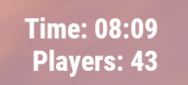
This plugin adds an extremely simple (non-invasive) ingame hud to the top right of your screen. /showhud - enable/disable the ingame hud (client-side, will only affect player that runs the command) I plan on updating and adding to this over time so feel free to make suggestions!Free -

Version 1.0.0
630 downloads
ComTimer is a plugin that runs console commands after an amount of time. Good for automating events quickly and easily Set the commands you want to run into the config list. Set a timer upper limit and a timer lower limit and the plugin will pick a number between and countdown... on completion it will run a command from the list and start the whole process over again. any command that you can run in rcon you can run with this. Configuration Default configuration is as follows: { "Command List": [], "Upper Time In Seconds": 500.0, "Lower Time In Seconds": 200.0 } Setting a single command: { "Command List": ["say Welcome to the server"], "Upper Time In Seconds": 500.0, "Lower Time In Seconds": 200.0 } Setting more then one command: { "Command List": ["say Welcome to the server","callheli","giveall scrap 1"], "Upper Time In Seconds": 500.0, "Lower Time In Seconds": 200.0 } Works well with plugins like CustomHeliTiers if the plugin doesn't have its own spawn timer: { "Command List": ["callheli 1","callheli 2","callheli 3","callheli 4","callheli 5","callheli 6"], "Upper Time In Seconds": 500.0, "Lower Time In Seconds": 200.0 }Free






.thumb.png.ccf8a947948c9eb1445ad21a7931247b.png)



.thumb.jpg.4abde6ce06035db4993ba98aa473b214.jpg)