Search the Community
Showing results for tags 'php'.
Found 5 results
-

Version 0.1.4
202 downloads
A plugin for collecting game statistics with database support, compatible with both SQL and web API methods. This functionality empowers website owners to display the desired statistics from the database on their sites. Moreover, it offers the capability to send data via API, which proves highly beneficial in scenarios where your gaming server and database reside on separate machines and the database restricts connections beyond localhost. Please note that an instruction manual will be included in the downloaded file and it is imperative for users to read it thoroughly. Collecting(The full list is available below in the section Collected Data) : Server information; Team information; Clan information(in future); Feedback(F7) information; Report(F7) information; Player information. Sending data through: direct MySQL; via API(POST query) to MySQL. { "Unique ID of the current server": 0, "Database upload method. 0 - disabled, 1 - via API, 2 - via MySQL": 1, "Interval in seconds at which an attempt to load changes into the database will occur": 300.0, "Is it worth logging messages to the console when uploading to the database?": true, "API - Service URL": "https://site.com/ExtendedStats/index.php", "API - Service access key": "GlBRw-elM6v-gjko3-cxSDk-Tsy7B", "MySQL - Host": "localhost", "MySQL - Port": 3306, "MySQL - Database name": "db_playrust", "MySQL - Username": "root", "MySQL - Password": "root", "Database table name - Servers": "db_servers", "Database table name - Teams": "db_teams", "Database table name - Clans": "db_clans", "Database table name - Feedbacks": "db_feedbacks", "Database table name - Reports": "db_reports", "Database table name - Players": "db_players", "Database table name - Players Balances": "db_players_balances", "Database table name - Players Stats": "db_players_stats", "Database table name - Players Farms": "db_players_farms", "Database table name - Players Gambling": "db_players_gambling", "Database table name - Players Kills": "db_players_kills", "Database table name - Players Explosions": "db_players_explosions", "Database table name - Players Raids": "db_players_raids", "Is it worth clearing saved statistics when a wipe is detected?": true, "Is it worth clearing the database when a wipe is detected?": true, "List of statistic categories to clear when a wipe is detected. Leave empty to recreate defaults": [ "players", "teams", "clans", "feedbacks", "reports" ], "Dictionary of display names for deployable entities by key": {}, "Wipe ID": null, "Version": { "Major": 0, "Minor": 1, "Patch": 4 } } ServerData: ServerName ServerIdentity ServerIP ServerPort QueryPort ServerDescription ServerHeader ServerURL ServerTime ServerTags GameTags MaxPlayers ServerEntities ServerFPS ServerAvgFPS ServerUptime ServerMap MapSize MapSeed FirstSave LastSave WipeID ServerVersion ServerProtocol RconPort RconPassword TeamData: TeamID TeamName CreatorID LeaderID TeamMembers ClanData(Temporarily not working) : ClanID ClanName CreatorID LeaderID ClanMembers FeedbackData(Since the corresponding Oxide hook has shifted, not all types of feedback are processed) : ID UserID Subject Type Message Time ReportData: ID UserID TargetID TargetName Subject Type Message Time PlayerData: Info: UserID DisplayName Flags Language GroupsList TeamID ClanID BanReason Connection: PlayedTime - requires the PlaytimeTracker/PlayTimeRewards plugins IdleTime - requires the PlaytimeTracker/PlayTimeRewards plugins Connections Ping FirstConnectionIP LastConnectionIP FirstConnectionDate LastConnectionDate Balance: Balance - requires the Economics plugin BankBalance - requires the BankSystem plugin Points - requires the ServerRewards plugin Experience Reputation - requires the ReputationMaster plugin Statistics: TimeAlive - updates only after the player's death TimeSleeping - updates only after the player's death DistanceWalked - updates only after the player's death DistanceRun - updates only after the player's death TimeWilderness - updates only after the player's death TimeInBase - updates only after the player's death TimeInMonument - updates only after the player's death TimeSwimming - updates only after the player's death TimeFlying - updates only after the player's death TimeBoating - updates only after the player's death TimeDriving - updates only after the player's death Wounded WoundsInflicted WoundAssisted WoundRecovered DamageInflicted DamageTaken - updates only after the player's death Healed - updates only after the player's death ShotsFired - updates only after the player's death ShotsHit ExcavatorStarts BearTrapInflicted BearTrapSteps MineInflicted MineSteps HandcuffsApplied Handcuffed PhoneCalls PhoneCallsTimeout MissionsStarted MissionsSucceeded MissionsFailed DeployedsList MonumentsList - requires the MonumentsWatcher plugin Farming: Barrels UnderWaterCrates ShreddedEntities DetectResourceFlags GreenDoors BlueDoors RedDoors FishAttempts Guts Supplies ExcavatorSupplies Chinooks Surveys ChickensHatched ChickenEggs BeehiveXP Blueprints CraftList GatherList RecycleList BuyerPurchaseList BuyerSpentList SellerSalesList SellerRevenueList CratesList FishList Gambling: BWG_Spins BWG_WinSpins BWG_SpendScraps BWG_WinScraps Slot_Spins Slot_WinSpins Slot_SpendScraps Slot_WinScraps Poker_Games - Placeholder Poker_WinGames - Placeholder Poker_SpendScraps - Placeholder Poker_WinScraps - Placeholder BlackJ_Games BlackJ_WinGames BlackJ_StandoffGames BlackJ_SpendScraps BlackJ_WinScraps RPS_Wins RPS_Losses RPS_Draws Kills: Kills FriendlyKills Deaths Suicides Beehives Chickens FarmChickens Snakes Boars Stags Horses Wolves Bears Polarbears Panthers Tigers Crocodiles Sharks PlayerNPCs Scientists Zombies Patrols Bradleys KillVehicles: PedalBikes MotorBikes Cars RowBoats RHIBs SubmarinesSolo SubmarinesDuo Tugs MiniHelis AttackHelis ScrapHelis Balloons Trains TrainWagons TrainCabooses Snowmobiles Ballistas BatteringRams Catapults SiegeTowers HitParts KillParts KillWeapons Explosions: Rockets RocketsHV RocketsIncendiary RocketsSmoke RocketsMissile RocketsMLRS Torpedoes ExplosiveAmmo Ammo40mmExplosive Ammo40mmSmoke GrenadesF1 GrenadesMolotov GrenadesFlash GrenadesSmoke GrenadesBean SatchelCharges C4Explosives PropaneBombs FireBombs Raids: Cupboards Doors Windows Foundations Ceilings Walls Doorways WindowFrames Stairs Hatches ExtWoodenGates ExtWoodenWalls ExtStoneGates ExtStoneWalls ExtIceWalls ExtIceShortWalls RaidedConstructionsList RaidedDeployableConstructionsList RaidableBases: RBEasy RBMedium RBHard RBExpert RBNightmare$19.99 -
Version 1.0.0
2 downloads
This is a web card-plugin that helps players quickly access the server's social networks Functions: - Going to the main page of the server's website - Going to the discord server - Going to the telegram channel - Going to the server store - Function name visibility when hover over Advantages from the regular version: - Added a VKontakte social network button - The button icons changed - Added (php) configuration file - Added a footer - Added a favicon The standard config file: // WEB $siteTitle = "Server-Card - Social Networks for your Server"; $siteFavicon = "/img/favicon.png"; $FaviconWidth = 32; $FaviconHeight = 32; // SERVER $servername = ""; $serverlink = "https://"; // DISCORD BUTTON $showDiscord = true; $discordlink = "https://"; // TELEGRAM BUTTON $showTelegram = true; $telegramlink = "https://"; // VK BUTTON $showVK = true; $vklink = "https://"; // STORE BUTTON $showStore = true; $storelink = "https://"; // FOOTER $footertext = "© 2025 Web-Card. All Rights Reserved"; Requirements: - Any hosting service Deploy: - Move all the contents of the zip folder to the PUBLIC_HTML folder on your hosting (this is how it works in 99% of hosting)$2.99 -

Version 2.2.1
83 downloads
This website provides a secure and user-friendly platform for managing images, files, videos, and Rust maps. Users can log in using their Discord accounts, with permissions controlling their ability to upload or delete content. Those with view-only access can browse photos without the risk of unauthorized uploads or deletions, ensuring a well-organized and secure environment. PHP-based website Discord bot (Node.js) A domain with web hosting to host the website. A Discord bot (though it does not need to be active for the website to function). 1.Download the .zip file from Codefling. 2.Extract the contents of the folder. 3.Upload the website files to your web hosting provider. 4.Configure the config.php file with your settings. 5.You're all set! 1. Retrieve the .zip file from Codefling. 2. Extract the contents of the folder. 3. Transfer the ImageHosting Bot files into your bot hosting service provide or if you are self hosting the bot you can skip this. 4. Fill out the config.json file. 5. Your main bot file is index.js so if you are using pterodactyl you will want to put that in the startup page depending on the host. 6. Start the bot. 7. Done! Image Management: /image-upload - Upload an image to the website. /image-list - List all uploaded images. /image-remove - Remove an image from the website. Video Management: /video-upload - Upload a video to the website. /video-list - List all uploaded videos. /video-remove - Remove a video from the website. Map Management: /map-upload - Upload a Rust map to the website. /map-list - List all uploaded maps. /map-remove - Remove a map from the website. File Management: /file-upload - Upload a file to the website. /file-list - List all uploaded files. /file-remove - Remove a file from the website. Ability to upload images, files, videos, and Rust maps. Option to remove images and other files. Quick copy feature for direct links to uploaded content. Permissions control for secure content management. RustForge is a Discord server dedicated to aiding both novice and seasoned server owners, as well as plugin developers. If you require assistance with any of my plugins or prefabs, I strongly advise joining the server to receive support. RustForge Invite Graphics: @Khakiz Inspiration: @Zand3rs Special Thanks: @Bojack$16.99 -
Version 1.0.0
597 downloads
Fancy a bit of Centralized Banning without paying for RustAdmin or similar. What is Centralized banning? Centralized banning is the ability to ban a player on one server and have that ban logged across all of your servers. If you have a web server that runs php and mysql you can easily set it up. This is literally a simplified version of the RustyBan Centralized banning system for use with the server end point system. Installation is easy: Setup a sql user, database and API table. (my sql rip is at the bottom) Edit the Database.php file in API/config folder with your Database name, User and password. Drop the API files into your webserver drop the CentralBan.cs plugin into all your servers. Set the API URL in the oxide config file and run the CentralFirstRun command in console. then set your server.bansserverendpoint as your check.php?steamId= address Done! confused? Watch my video SQL CREATE TABLE `API` ( `id` int(11) NOT NULL, `steamId` varchar(17) NOT NULL, `Reason` text NOT NULL, `expiryDate` timestamp NOT NULL DEFAULT current_timestamp() ON UPDATE current_timestamp() ) ENGINE=MyISAM DEFAULT CHARSET=latin1; ALTER TABLE `API` ADD PRIMARY KEY (`id`); ALTER TABLE `API` MODIFY `id` int(11) NOT NULL AUTO_INCREMENT; COMMIT;Free -
Version 2.9.1
81 downloads
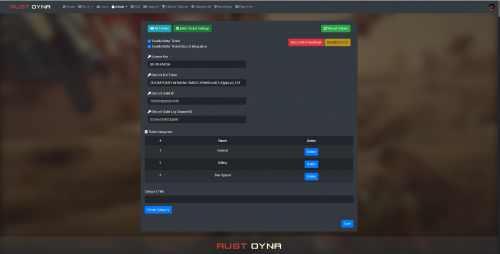
Better Ticket for Ember is a support tickets module with Discord integration for Ember script. With this module, your players will be able to create tickets. You can answer each ticket, delete the tickets, manage the tickets, change the server type, change the status. Also you can add Discord integration between this module and your Discord server. Each activity will be sent to your Discord channel and to ticket creator player's DM box. Features Ticket page. Ticket creation. Answering tickets. Discord integration. (Logging ticket creation, answers from players. Also players with Discord verified profiles will get a direct message about the ticket.) Category creation for tickets. Your servers will be listed under Manage Ticket - Server Installation Place the BetterTicket folder into Ember's modules folder. Go to your website, Go to Better Ticket Settings, Enter your License Key (You can get your licence key after purchasing the module. Send me a message after you buy it.) Enter your Discord Bot Token (If you want to use Discord Integration.) Enter your Discord Guild ID (If you want to use Discord Integration.) Enber your Discord Guild Log Channel ID (If you want to use Discord Integration) Click on SAVE button. Click on "Install Better Ticket v(current version)" It will be installed after all of these steps. Here is a video about it:$60.00