Search the Community
Showing results for tags 'techtree'.
Found 5 results
-
Version 2.0.2
50 downloads
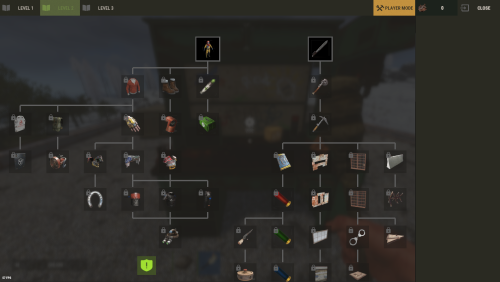
The plugin has been revamped. Customize the Techtree however you like. It will replace the vanilla one by default, but this option can be changed in the configuration. Data files from previous versions are not compatible with the new version. You have two options: Replace the vanilla tech tree and customize it. Keep the vanilla tech tree and create a completely customized tech tree. If you use Oxide, Carbon Aliases if required ! Else ignore this. Feature TechTree customizable TechTree by Workbenchlevel Multiple rewards (ChatCommand / ConsoleCommand / Economics) Item custom support Reward if tree is all unlocked (in datafiles) No command to open Automatic replace the vanilla tree or press the Use key R on the Workbench to open Multilingual support CUI Editor CUI Editor Permissions techtree.use // Grants permission to use the tech tree techtree.unlock.free // Grants permission to unlock everything for free techtree.unlock.instant // Grants permission to bypass unlock time techtree.unlock.path // Grants permission to unlock the entire branch up to the unlocked node Information Default vanilla tree are created on plugin load Automatic import of new nodes added by Facepunch If you want to remove a vanilla node from your TechTree, you must first backlist it, otherwise it will be automatically added back the next time the plugin is reloaded. An option is available for this. I recommend modifying the tree only when players are not using it to avoid synchronization issues. General Settings { "Settings": { "Wipe Player Data at Wipe": true, "Time For Unlock Node": 1.0, "Selected Theme": "Default", "Use Permissions ?": false, "Use Economics ?": false, "Replace tree vanilla ? Open with [R] if false": true } } Techtree Data ID: ID of the node. Vanilla ID: default ID for facepunch Parent: List of parent node required to unlock this node. Image URL or Item: Image used, via URL or in-game item (ID/Skin). Type: Type of Image (URL or Item). Value: Url (string) if URL or ItemID and SkinID if Item. Grid Position: Node position on the grid (x, y). Player Info: information displayed on the UI Name: In-game name for this node. Lang: Dictionary for multilingual support Description: Short description of the node. Lang: Dictionary for multilingual support Price: Cost to unlock this node. Curency: Resource needed to pay the price (ID/Skin). ItemID SkinID Rewards: List of rewards obtained after unlocking. Type: Type of reward (ChatCommand, ConsoleCommand or Economics). Value: Value or command associated with the reward (string). "TechTree": [ { "ID": 40046421, "Vanilla ID": 84, "Parent": [ 1865581242 ], "Image URL or Item": { "Type": "Item", "Value": { "Item ID": 2090395347, "Skin ID": 0 } }, "Grid Position": { "x": 3.5, "y": 6.5 }, "Player Info": { "Ingame Name": { "Lang": {} }, "Description": { "Lang": {} } }, "Price": 30, "Curency": { "Item ID": -932201673, "Skin ID": 0 }, "Rewards": [ { "Type": "ChatCommand", "Value": "say Congratulations!" }, { "Type": "ConsoleCommand", "Value": "c.grant user playerID perm.use" }, { "Type": "Economics", "Value": "6500" } ] }, ], "Extra": { "Reward On All Node Unlocked": [ { "Type": "ChatCommand", "Value": "say Congratulations, you all unlocked!" }, { "Type": "Economics", "Value": "20000" } ] } Image configuration exemple With URL : "Image URL or Item": { "Type": "Url", "Value": "https://imgur.com/SRGgaKX.png" }, With ITEM : "Image URL or Item": { "Type": "Item", "Value": { "Item ID": -1966748496, "Skin ID": 0 } }, Lang { "CLOSE": "Close", "EDITMODE": "Edit mode", "PLAYERMODE": "Player mode", "SAVE": "Save", "ADD": "Add", "REMOVE": "Remove", "MODIFY": "Modify", "CANCEL": "Cancel", "CONFIRM": "Confirm", "SELECT": "Select", "NONE": "None", "GRIDSETTING": "Grid Setting", "NOTAVAILABLE": "Not yet available", "TOTALREQUIRED": "Total required", "OPEN": "[R] OPEN", "Workbench_1": "LEVEL 1", "Workbench_2": "LEVEL 2", "Workbench_3": "LEVEL 3", "Engineering": "ENGINEERING", "NO PERM": "You don't have permission.", "EXCLUDE": "Exclude from vanilla sync", "EXCLUDED_NODES": "Excluded Nodes", "NO_EXCLUDED_NODES": "No excluded nodes", "EXCLUDE_RESTORED": "{0} nodes restored", "EXCLUDE_ADDED": "{0} nodes excluded", "EXCLUDE_ALL": "Exclude All", "CLEAR_ALL": "Clear All", "DELETE_ALL_NODES": "Delete All Nodes", "UPDATE_GRID": "Update Grid", "NODES_DELETED": "{0} nodes deleted", "RESET_TO_VANILLA": "Reset to Vanilla", "ARE_YOU_SURE": "Are you sure ?", "SAVING_APPLY_TOOLTIP": "Saving apply", "RESET_VANILLA_TOOLTIP": "Tech tree reset to vanilla defaults", "EXCLUDE_TOOLTIP": "Excludes this vanilla node from automatic imports. Useful for permanently removing a vanilla node from your tech tree.", "REWARD_TOOLTIP": "Use the “playerID” tag in your command if you need to specify a player. ex: c.grant user playerID perm.use.", "LANG_TOOLTIP": "“Default” will use the default text for the item; otherwise, the added language will be used." } Api (Dictionary<string, object>) GetPlayerUnlocked(BasePlayer player) // Return key "workbench" and Dictionary value { Workbench, List<int> } (List<int>) GetPlayerUnlocked(BasePlayer player, Workbench workbench) // Return List<int> Hook // Called before a tech tree node is unlocked. private object OnNodeUnlock(Workbench workbench, Dictionary<string, object> node, BasePlayer player) { Puts("OnNodeUnlock has been called!"); return null; } // Called before a tech tree node is unlocked. private object OnNodeUnlock(BasePlayer player, Dictionary<string, object> node, Dictionary<string, object> treeData) { Puts("OnNodeUnlock has been called!"); return null; } // Called when a tech tree node is unlocked. private void OnNodeUnlocked(Workbench workbench, Dictionary<string, object> node, BasePlayer player) { Puts("OnNodeUnlocked has been called!"); } // Called when a tech tree node is unlocked. // Same behavior as OnNodeUnlocked but returns the list of notes directly. private void OnPathNodeUnlocked(Workbench workbench, List<object> nodes, BasePlayer player) { Puts("OnPathNodeUnlocked has been called!"); } Api and Hook Doc Dictionary<string, object> node: "id" : int "vanillaId" : int? "price" : int "parents" : List<int> "isVanilla" : bool "currency" : Dictionary<string, object> => "itemId" : int "skinId" : ulong Dictionary<string, object> treeData: "workbench" : Workbench "nodes" : List<Dictionary<string, object>> Api GetPlayerUnlocked(BasePlayer player) : Dictionary<string, object> => "workbench", { Workbench, List<int> } Api GetPlayerUnlocked(BasePlayer player, Workbench workbench) : List<int> Contact Send me a private message on Codefling Send me a message on Discord: gd.kenni$14.99 -

Version 1.2.2
4 downloads
TechTreeTax – Wipe-Scaled Tech Tree & Research Taxes Early wipe scrap should hurt. Late wipe it should feel normal. TechTreeTax adds a dynamic scrap tax to the tech tree and research table, scaling automatically with the days since wipe. Prices start brutal and smoothly relax over time, keeping early progression slow and meaningful without punishing late joiners. You get clear UI, chat messages, and full control from config – including manual wipe time and external sync with RustWipeInfoPlus. Key Features Dynamic tech tree tax Scrap cost is multiplied based on days since wipe. Fully configurable start %, end %, and duration in days. Uses vanilla tech tree prices as the base (optional). Dynamic research table tax Same system for research table scrap cost. Separate curve for research vs tech tree if you want different scaling. Wipe-aware scaling Reads wipe age from RustWipeInfoPlus (optional). If RustWipeInfoPlus is not installed or disabled, you can: Use a manual wipe start timestamp in the config, or Let TechTreeTax auto-detect new map/seed/size and start from there. Player-facing UI and messages Top-screen HUD bar showing: Base price Tax amount Final price (base + tax = total) Connect message: “Taxes are currently X% (Day Y of the wipe).” Proximity message when entering a workbench area. All text is configurable through the plugin’s language file. Smart unlock handling When unlocking via tech tree: Checks total scrap needed (base + tax). If not enough scrap → denies unlock and shows red cost HUD. If enough scrap → takes the scrap and prints a summary: You paid {total} scrap (base {base}, tax {tax}) for {item}. Same flow for research table. Permissions and bypass Allow staff or VIP to bypass the tax. Enable/disable bypass permission in the config. Admin permission for config/testing commands. Clean config & data Separate sections for: General settings UI layout/colors Wipe scaling (tech tree + research) Notifications External wipe source (RustWipeInfoPlus / manual) Data stored in a dedicated data file: Last map, seed, size WipeStartUnix (used to compute days since wipe) Vanilla price cache stored in its own data file; auto-rebuilt when needed. Why Use TechTreeTax? Makes early wipe slow, harsh and meaningful without editing every item. Automatically relaxes the grind as the wipe ages. Gives clear, visual feedback so players understand why something is expensive. Plays nicely with wipe tracking plugins via RustWipeInfoPlus or manual config. Any questions or suggestions! Feel free to reach out$9.99 -
Version 1.0.4
769 downloads
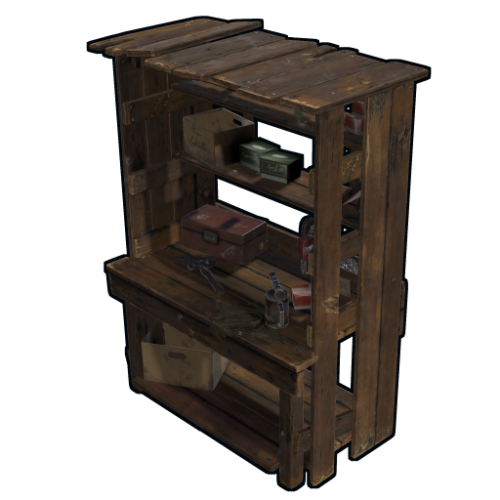
Removes the tech tree from workbenches, replacing it with the research table menu. hardcoreworkbench.use - Allows the player to use the workbench menu Information Use workbench menu - use the standard workbench menu to open the research table. Remove need for workbench - removes the need for a workbench when crafting items. Time to research item - changes the research time of the item. Add vehicles parts vending machine - Add a vending machine for vehicle parts in the Outpost. Use permission to open workbench - Use permission to open workbench menu. Configuration { "Use workbench menu | Use the workbench menu": true, "Remove need for workbench | Remove need for workbench in the workbench": false, "Time to research item | Time to research item": 10.0, "Add vehicles parts vending machine | Add vehicles parts vending machine": true, "Use permission open workbench | Open workbench with the following permissions": false }Free- 7 comments
- 1 review
-
- 3
-

-
- #techtree
- #workbench
- (and 1 more)
-
Version 1.0.7
46 downloads
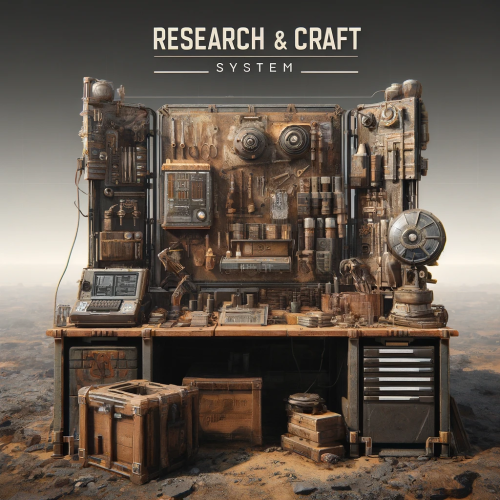
This plugin allows admins to control all about researching and crafting. With all default items ,and with custom ones! So what you chose to be researchable that players will be able to research and craft ,for prices what you chose . And with other options like Craft time, Wb Level , Display Name, Description, Category, Quantity. Researching is true research table ,crafting UI is similar to default rust crafting UI . You can block default crafting ,block researching in wb ,block tech tree ... You can combine what you will block what not ,. You can use it in full potential with research and craft UI ,with your own prices and stats ,blocking all default crafts/researchs! Or you will just use it for custom cost of research ,and default craft by rust , its all about you ! Best explanation is true config file : "Block Default Crafts": true/false, // You are able to block completely default craft system, so players can only craft items true plugin UI. "Block WB Tech Tree": true/false, // You are able to block completely researching true TechTree. "Block ResearchTable Research": true/false, // You are able to block completely default research true research table , so players can only research items true plugin UI . "Play Sound On Research Success": true, "Research Success Sound Asset": "assets/prefabs/deployable/research table/effects/research-success.prefab", "Play Sound On Research Fail": true, "Research Fail Sound Asset": "assets/prefabs/deployable/research table/effects/research-fail.prefab", //This is default config for one item ,but you will get all items in config with their default values. //As you can see rifle.ak is loaded with his default properties. "Items": { "rifle.ak": { //Shortname "0": { //SkinID "AllSkins": true, // if true ,player will be able to research rifle.ak no matter of his skin of item, if you put false ,then it will check for skinID of item(if you add custom items with same shortname ,then use false) "IsResearched": false, //if false, item will not be researched by default ,if true it will be researched ,so player will be able to craft it without reasrching it . "IsResearchable": true, //if true ,palyers can research this item , if false item is not researchable. "DisplayName": null, // if null default name of item will be , you can give custom name to item example: "mygun" . "Description": null, // if null it will be default description of item ,,you can use custom description ,example "this gun is best gun" . "ResearchCost": [ // price for research item ,you can add up to 4 items total ,you can use default rust items ,and custom ones . { "Shortname": "scrap", "Amount": 500, "SkinID": 0, "DisplayName": null } ], "RequiredCraftWBLevel": 3, // what workbench level item needs for craft ,0 is no workbench level "CraftTime": 45.0, // this is default craft time ,you can change it ,in seconds . "CraftCost": [ // price for craft item ,you can add up to 8 items total ,you can use default rust items ,and custom ones . { "Shortname": "metal.refined", "Amount": 50, "SkinID": 0, "DisplayName": null }, { "Shortname": "wood", "Amount": 200, "SkinID": 0, "DisplayName": null }, { "Shortname": "riflebody", "Amount": 1, "SkinID": 0, "DisplayName": null }, { "Shortname": "metalspring", "Amount": 4, "SkinID": 0, "DisplayName": null } ], "Category": "Weapon", // category of item ,where item will be placed in what tab,you can change this also ,to some custom ones or what ever name you like ! "CraftOutputQuantity": 1 // this is default output quantity of item (when you craft lowgradefuel you get for 1 craft 4 lowgrade) ,you can change output . } }, On first loading of plugin you will get in config all items ,with their default properties : Default items what are researched by default in game ,will be researched (lets say Sleeping Bag,Hammer,etc), items what are by default researchable they will be researchable (with their scrap cost), Those items will also have default craft prices , required workbench level ,time for craft ,craft quantity ,category. So it will be easy for you to change what you need to change for items. Categorie tabs are in config file : "Categories": [ "FAVORITES", "CUSTOM", "WEAPON", "ATTIRE", "TOOL", "MEDICAL", "AMMUNITION", "RESOURCES", // you can change all categories how you like ,,you can remove some ,add more ,rename them . "ITEMS", //if you rename category lets say "WEAPON" to "guns" dont forget to change on items also category ,so they can be placed in that new "gun" categorie . "COMPONENT", "CONSTRUCTION", "ELECTRICAL", "FOOD", "TRAPS", "MISC", "FUN" ], "Favorite Category Name": "Favorites", // this is core name for favorite items ,when change this be sure that you have in Categories that name what you put for favorite tab . Commands : Chat command : /q (configurable) - open craft ui . Console command : bind <key> craft.openui - in F1 players can bind <key> so they can open Craft UI with key (keyboard button) so they dont need to type shat command. Console command : wipe_research_data - wipe player researched items. Console command : wipe_favorite_data - wipe players favorite items. Permissions: "craftsystem.research" - without this perm player cant see UI for research. "craftsystem.craft" - without this perm player cant open Craft Ui . Data : you will see in data what player researched ,and his favorites . LangFile - you are able to change text ,on something else that you like ,on some different language . How to add custom or skined item : "box.repair.bench": { // this is default item "0": { // without SkinID "AllSkins": false, // We have here false ,so it will look for Shortname and SkinId "IsResearched": true, // Its researched. "IsResearchable": false, "DisplayName": null, "Description": null, "ResearchCost": [ { "Shortname": "scrap", "Amount": 10, "SkinID": 0, "DisplayName": null } ], "RequiredCraftWBLevel": 1, "CraftTime": 30.0, "CraftCost": [ { "Shortname": "metal.fragments", "Amount": 125, "SkinID": 0, "DisplayName": null } ], "Category": "Items", "CraftOutputQuantity": 1 } "1594245394": { // Here we add SkinID. We added SkinId to shortname what belongs to that custom item . "AllSkins": false, // We have here false ,so it will look for Shortname and SkinId "IsResearched": false, // Not researched , "IsResearchable": true, // But its researchable . "DisplayName": "Recycler", // we use custom name for item. "Description": "With this i can recycle home", // we use custom description for item. "ResearchCost": [ { "Shortname": "scrap", // some cost for research . "Amount": 1000, "SkinID": 0, "DisplayName": null }, { "Shortname": "gears", "Amount": 50, "SkinID": 0, "DisplayName": null } ], "RequiredCraftWBLevel": 3, // we need to be at level 3 workbench to craft it. "CraftTime": 60.0, // 60 sec craft time . "CraftCost": [ // craft cost. { "Shortname": "metal.fragments", "Amount": 2500, "SkinID": 0, "DisplayName": null }, { "Shortname": "rifle.ak", "Amount": 1, "SkinID": 2585539626, "DisplayName": null } ], "Category": "Custom", // we changed category to custom ,so recycler will be in custom tab . "CraftOutputQuantity": 1 // quantity is 1 ,we will get 1 recy per craft } }, For any questions fell free to join my discord channel !$20.00 -
Version 1.0.6
501 downloads
Research Table Options Custom Research Currency * Allows you to change the default research requirement which will be scrap as default. * Allows you to make money by repeatedly researching already researched items. * Converts players scrap into the selected currency system option. * Has a list of all default scrap cost amounts allows you to customize the cost/price of each research item! * Supports Separate Earned amount from researching amount costs. Random Custom Research Options * Supports Success Chance Values for each item being researched ( So you can make researching fail x percent of the time ) * You can set your own research times for each item (default is 10 seconds). * Allows you to block items from researching if they already unlocked the blueprint. "Already Researched Toggle": false, - If this is true it will block re-researching and show them a message response. * Allows you to change the research amount needed to research an item! But you will always need the default requirement on you for the research button to show up properly. This is because it is handled client side and cannot be fixed. * You can setup permissions to each individual Re-searchable Item. It's already Prefixed for you! "SetPermission": "vip" < Example Important notes about Tech Tree Support. "Block Tech Tree Researching": false, - Enabling this will fully lock out tech tree use! * If that ^^ is false it will check if a blocked item is in the blocked list and block that as well. * All Research-Table Permissions setup applies to the tech tree as well. * Supports First Time Research Cost ( if unlocking in TechTree ). XPerience Plugin Support version 1.1.6 & up! * Set the config option inside XPerience to true! and reload it! * Advanced Researching will take over and work together with it! * You can also change this inside the Admin Panel inside XPerience! TODO * Finish UI integration * Finish Multi Language Permissions advancedresearching.use - Only players that have permission are affected advancedresearching.bypass - Only players that have this permission can bypass any blocked item set. Configuration { "Chat Prefix": "<color=#32CD32>Advanced Researching</color>: ", "Research Requirement this is the type of resource used to research items (Expects Item Shortname)": "scrap", "Already Researched Toggle": false, "Block Tech Tree Researching": false, "Use Popup Notifications": false, "Use Notify Notifications (Mevents Version CodeFling)": false, "Notify Notification Type": 0, "Use CustomUI Overlay Notifications": true, "Research Table Currency": { "Enable Economics": false, "Enable ServerRewards": false, "Enable Custom Currency": true, "Custom Name": "", "Custom Item ID (Default is scrap -932201673": -932201673, "Custom SkinId": 0 }, "TechTree Currency": { "Enable Economics": false, "Enable ServerRewards": false, "Enable Custom Currency": true, "Custom Name": "", "Custom Item ID (Default is scrap -932201673": -932201673, "Custom SkinId": 0 }, "Research Table UI Options": { "CostColor": "#FFFFFF", "CurrencyColor": "#ff3333" }, "TechTree UI Options": { "CostColor": "#ff3333" }, "Blocked Items": [], "Custom Research Options": { "kayak": { "DisplayName": "Kayak", "EarnCurrencyAmount": 20.0, "TechTreeFirstUnlockCost": 20, "CostToResearchAmount": 20, "ResearchDuration": 30.0, "ResearchSuccessChance": 100.0, "SetPermission": "" }, "arrow.fire": { "DisplayName": "Fire Arrow", "EarnCurrencyAmount": 20.0, "TechTreeFirstUnlockCost": 20, "CostToResearchAmount": 20, "ResearchDuration": 3.0, "ResearchSuccessChance": 100.0, "SetPermission": "" }, "ammo.pistol": { "DisplayName": "Pistol Bullet", "EarnCurrencyAmount": 75.0, "TechTreeFirstUnlockCost": 75, "CostToResearchAmount": 75, "ResearchDuration": 3.0, "ResearchSuccessChance": 100.0, "SetPermission": "" }, } } ## Lang { "AlreadyUnlocked": "You already unlocked {0}", "AddedCurrency": "has deposited {0} coins into your account", "Blocked": "{0} is not researchable", "Requires": "New requirement for researching is now {0}", "NoPerm": "You do not have permission {0} to research {1}", "AmountTo": "{0} needs {1} {2} to research it", "TechTreeUI": "{0} requires {1} {2} to research", "ResearchedRolled": "Researching {0} Failed!", "InvalidShortname": "Not a valid item shortname {0} set for research requirement! \n List of valid item shortnames can be found at https://www.corrosionhour.com/rust-item-list/", "NowResearching": "Now Researching {0} for {1} {2}" }$24.99