Search the Community
Showing results for tags 'spawnable'.
Found 2 results
-
Version 1.0.12
469 downloads
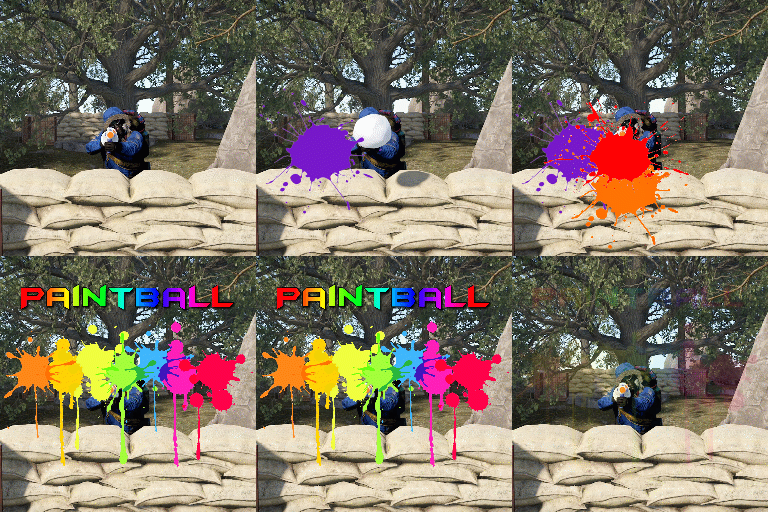
Paintball is a plugin that spawns an arena in the sky to host a paintball match using snowball launchers. Players have a set number of hits that they can take before they are eliminated. There are 2 game modes included with the plugin: Free-for-all: Everyone vs everyone. Team death-match: Players are split into 2 teams. Players can be awarded with items, economics, server rewards and custom commands if they win. The plugin comes with 2 dynamic arenas included, which will be selected randomly each game. EventHelper is used to automatically start the event and will also allow players to vote for the event manually. The only permission is paintball.admin. This is required to run all commands except for joining and leaving an event, or redeeming prizes. Command: pbstart Parameters: <optional: arenaFile, optional: heightMod, optional: startDelay> Type: Console & Chat Description: Manually starts the game. Command: pbend Parameters: none Type: Console & Chat Description: Manually stops the game. Command: pbjoin (configurable) Parameters: none Type: Console & Chat Description: Joins an active game. Command: pbleave (configurable) Parameters: none Type: Console & Chat Description: Leaves an active game. Command: pbprize (configurable) Parameters: none Type: Chat Description: Redeems a prize for winning. Command: pbsetcentrepoint Parameters: <arenaFile> Type: Chat Description: Sets the centre point of an arena at the players location. The arena will spawn from that location moving forward.$19.99 -
Version 1.0.1
17 downloads
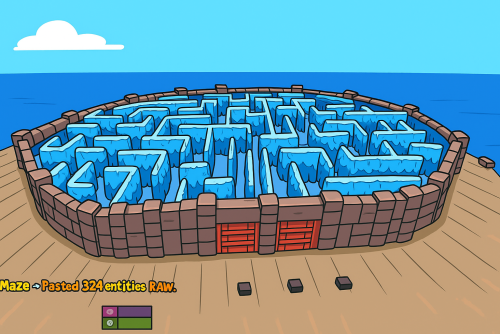
What's Maze Spawnable? The Maze spawnable plugin adds intensive pvp combat within a maze environment. Players navigate through the maze, engaging in intense battles to eliminate opponents and be the last man standing. Spawnable Maze Arena (No need for RustEdit to spawn the arena in the map) A Spawnable Maze Arena is included with the plugin for free Support for Both Solo & Team maze Configuration options for the maze Multiple arena setup Automatic schedule setup Setup winning rewards Spawns all the dead player's loot after the maze ends (Winner takes all) Discord Webhook Notification Just plug and play Commands Start & Stop Commands: /mazestart <ArenaName> - Starts the arena if it is available. /mazestop - Force stops the arena if it’s running (be cautious). Maze Admin Commands: /maze_admin create <ArenaName> - Creates a new arena with the specified name. /maze_admin edit <ArenaName> - Starts editing the specified arena. /maze_admin list - Shows all available arenas from data. /maze_admin remove <ArenaName> - Removes the arena from data. /maze_admin stopedit - Stops editing the current arena. /maze_admin copyarena <radius> - Copies entities around your position within the given radius to the selected arena. /maze_admin pastecopyraw - Pastes the copied arena data at your current position. /maze_admin pasterawclear - Clears all pasted entities from the world. /maze_admin drawarena_on - Draws the visual debug markers and outlines of the current arena. /maze_admin drawarena_off - Stops drawing the arena visualization. /maze_admin radius <value> - Sets the main arena radius (for visualization and bounds). /maze_admin wallradius <value> - Sets the wall radius around the arena center. /maze_admin meshheight <value> - Sets the vertical mesh height used for visualization and structure height. Permissions - MazeSpawnable.admin - Required to Start maze or editing arena Configuration Video Showcase Support$25.00