
Go to Windows platform Display platforms icon
Go to Windows platform Go to Mac platform Go to Android platform
Stellarium icon

Stellarium

25.4.0
4.2 6 reviews
515.8 k downloads
security security

Look at the sky with this impressive planetarium

Advertisement
Remove ads and more with Turbo
Advertisement
Remove ads and more with Turbo
Andrés López icon
Reviewed by
Andrés López
Content Editor
Andrés López is part of Uptodown's in-house Editorial Team. Translated by Uptodown Localization Team

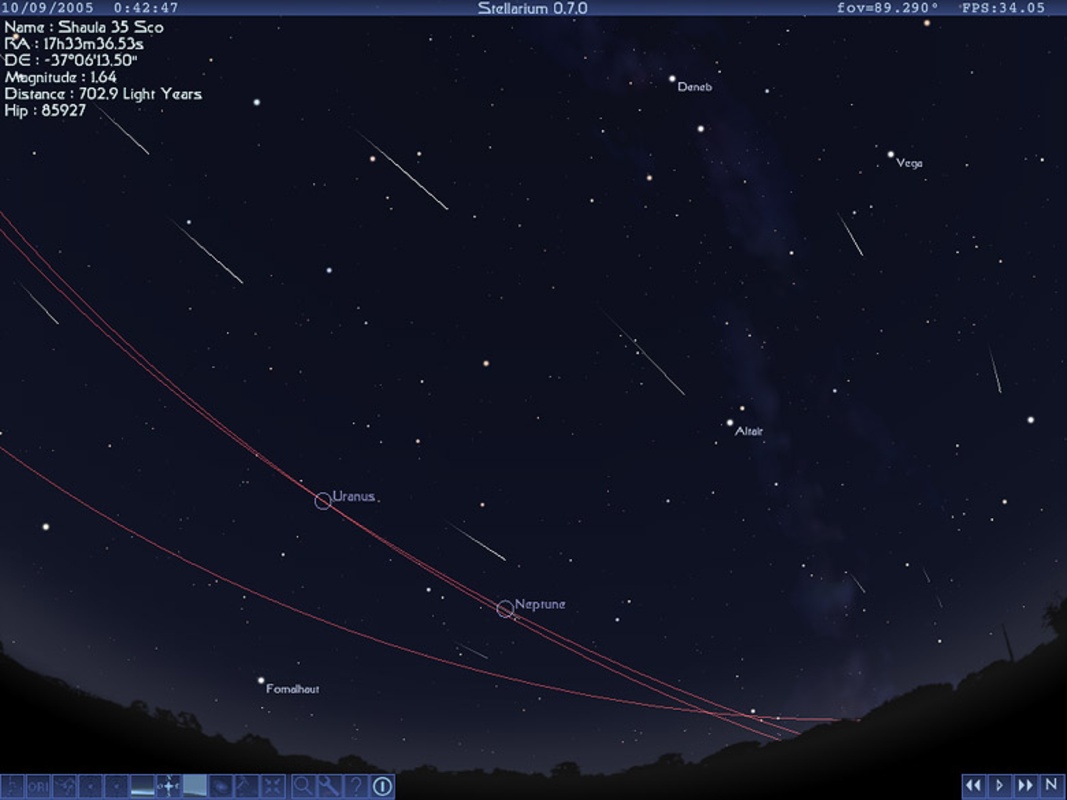
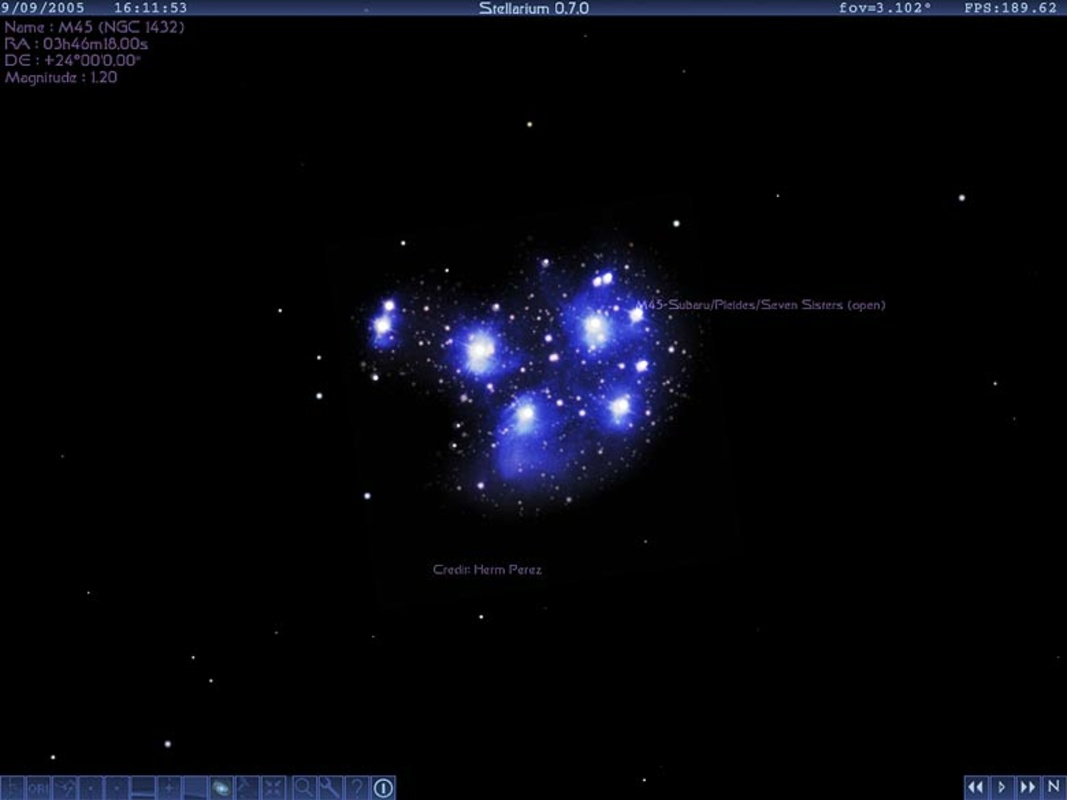
Stellarium is free and open source software which allows you to see a totally realistic representation of the sky from any point on Earth. The app's goal is to offer a very similar experience to using a real telescope, but from the comfort of your PC, without the need to leave home and spend a fortune on equipment.

The interface is much more convenient than it looks

The first time you open Stellarium, it can seem a bit confusing. You will only see four icons located in the upper right corner of the screen, which will allow you to use the Eyepiece view. Now, to access all the options you will have to move the mouse cursor to the lower left corner of the screen. The menu with all the options will be hidden there. If you want it to always be visible, just press the small buttons in the lower left corner. By doing so, this menu will be fixed there.

Advertisement
Remove ads and more with Turbo

Use Stellarium in windowed mode

By default, Stellarium will open in full screen and has no interface customization options. However, there is a way to use the app in windowed mode: You just need to press F11. Once in this mode, you can resize the window to your liking, making it as large or small as you need it to be.

See the sky from wherever and whenever you want

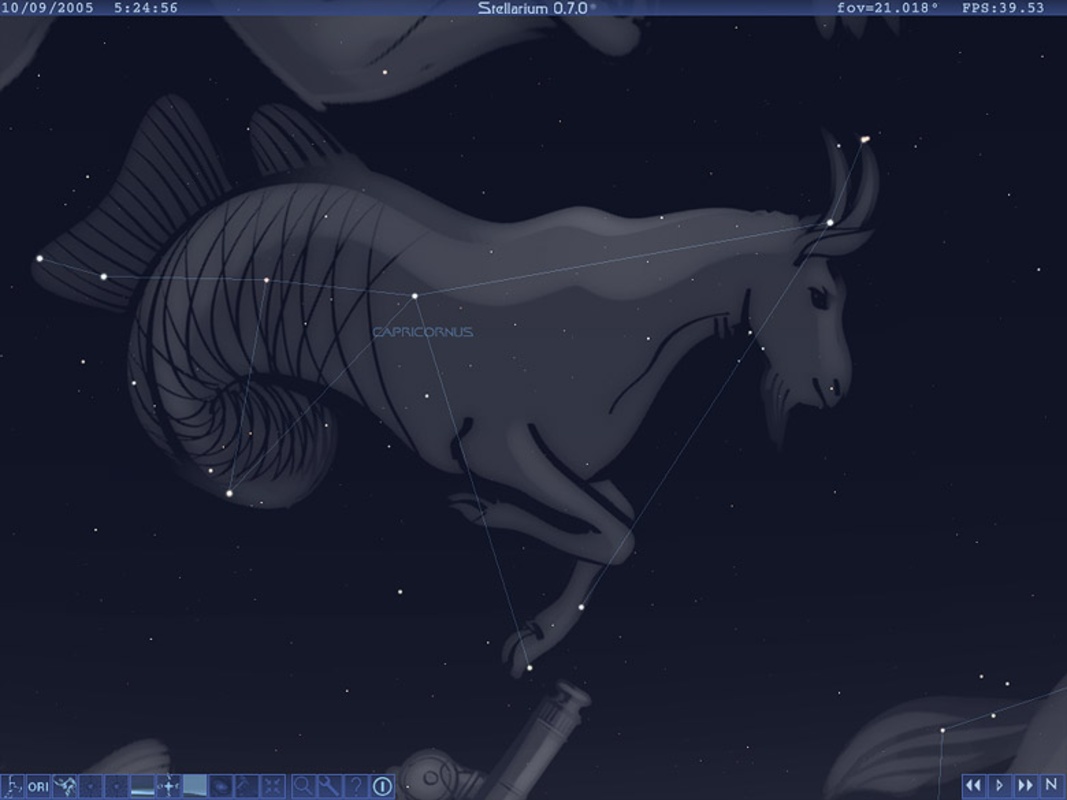
One of Stellarium's most impressive aspects is that not only can you look at the sky from your PC, but you can do so from anywhere on Planet Earth at any time. As a result, you can see how the moon looked exactly one week ago. Or you can see what the Milky Way looks like from a country other than your own. The options are virtually endless. Thanks to the Search tool, you can also quickly find any planet, star or constellation.

The best astronomy app ever

Download Stellarium and discover what is undoubtedly the best astronomy app available for Windows. Thanks to this program you can turn your PC into a giant telescope, capable of seeing any object in the Solar System. And with hundreds of different options, you can make the experience almost as realistic as using real equipment.

Information about Stellarium 25.4.0

Basic information

Developer Stellarium
License GNU
Category Astronomy
Rating All ages
Languages English
20 more

Security and privacy

Required permissions Not applicable
Advertising Not specified
See security and antivirus report
Why is this app published on Uptodown? (More information)

Download info

Downloads 515,835
Date Dec 29, 2025
File type EXE
Size 489.31 MB
SHA256 7628a371c88d74ff56980b00f100beef60a18aced23db5ca8cd7ce7679c3dc9f
Advertisement
Remove ads and more with Turbo

Older versions

See more
exe 25.3.0 Sep 30, 2025
exe 25.2 Jun 23, 2025
exe 25.1 Mar 26, 2025
exe 24.4 Dec 23, 2024
exe 24.3 Sep 23, 2024
exe 24.2 Jun 24, 2024
Available for other platforms

Rate this App

Review the app
Stellarium icon

Rating

4.2
5
4
3
2
1
6 reviews

Comments

slowsilveracacia71543 icon
slowsilveracacia71543
in 2024

Very good

1
Reply
sillypinklemon49103 icon
sillypinklemon49103
in 2020

Excellent app for learning about Astronomy and recognizing planets, stars, constellations, and more. The most complete.

10
Reply
modernpinkmouse68226 icon
modernpinkmouse68226
in 2019

I only have thanks and praise!!! Now I will delve deeper into the program and get to know you to see how I can reciprocate and compensate for how much I am receiving. Grateful for the generosity and t...See more

5
Reply
santadany icon
santadany
in 2010

This version is supposed to be for Windows 7... but it doesn't work... I mean, the program opens, but the graphics don't show, the stars are white squares, and the menu isn't visible.

20
1
jorditercaz icon
jorditercaz
in 2009

Your program is very good. However, I am not sure if the same thing happens to others as it does to me. The sky shifts from west to east, that is, in reverse. Is it a problem with my settings or is it...See more

77
Reply
Advertisement
Remove ads and more with Turbo
SkyChart icon
Patrick Chevalley
Luna icon
Dr. Software
Celestia icon
Explore the universe in 3D
Solar System 3D Simulator icon
Analyze the trajectory of the planets with this simulator
Satellite Antenna Alignment icon
Calculate the angles necessary for installing satellite dishes.
RegiStax V3 icon
Optimize the astronomical images you have
Solar Model 3D icon
3D modelling of the Solar System in real time
Stellarium Portable icon
Portable version of the excellent planetarium for PCs
FormatFactory icon
Conversion between video, sound and image formats
VLC Media Player icon
A powerful media player and streaming server
Lively Wallpaper icon
Bring your desktop computer's wallpaper to life
OP Auto Clicker icon
Automate mouse clicks on your computer
Psiphon icon
Much more than just a VPN
Kudu icon
The most complete Windows maintenance tool
AltSendme icon
Transfer files of any size with total convenience
livewinsize icon
Measure any interface in real time
SHAREit icon
Share files between Android, Apple and a PC without Internet
TypingMaster icon
Learn to type with this personal tutor
Everyone Piano icon
Turn your keyboard into a virtual piano
CADe SIMU icon
Simulate electrical circuits from your PC
Tux Typing icon
Learn typing playing with Tux
PictoBlox icon
Have a great time learning to code
Z-Library icon
Access a huge library from your desktop
Hot Potatoes icon
Tool to generate educational exercises for your website