Go to Mac platform Display platforms icon
Go to Mac platform Go to Windows platform Go to Android platform
Pixelmator icon

Pixelmator

3.9.1
3 3 reviews
103.1 k downloads
security security

A very complete and easy-to-use image editor

Advertisement
Remove ads and more with Turbo
Advertisement
Remove ads and more with Turbo
Álvaro Toledo icon
Reviewed by
Álvaro Toledo
Chief Content Officer
Álvaro Toledo is part of Uptodown's in-house Editorial Team. Translated by Uptodown Localization Team

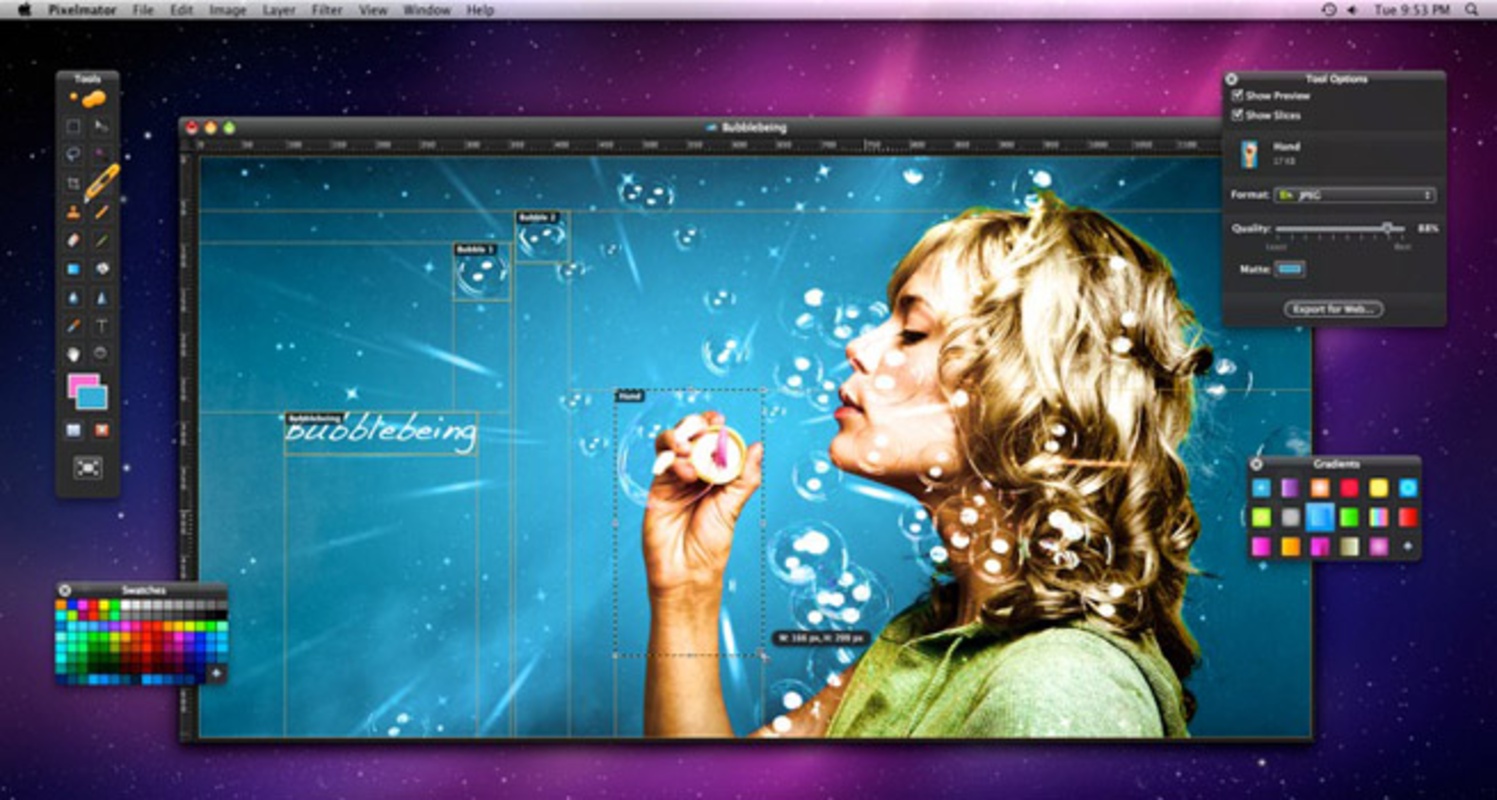
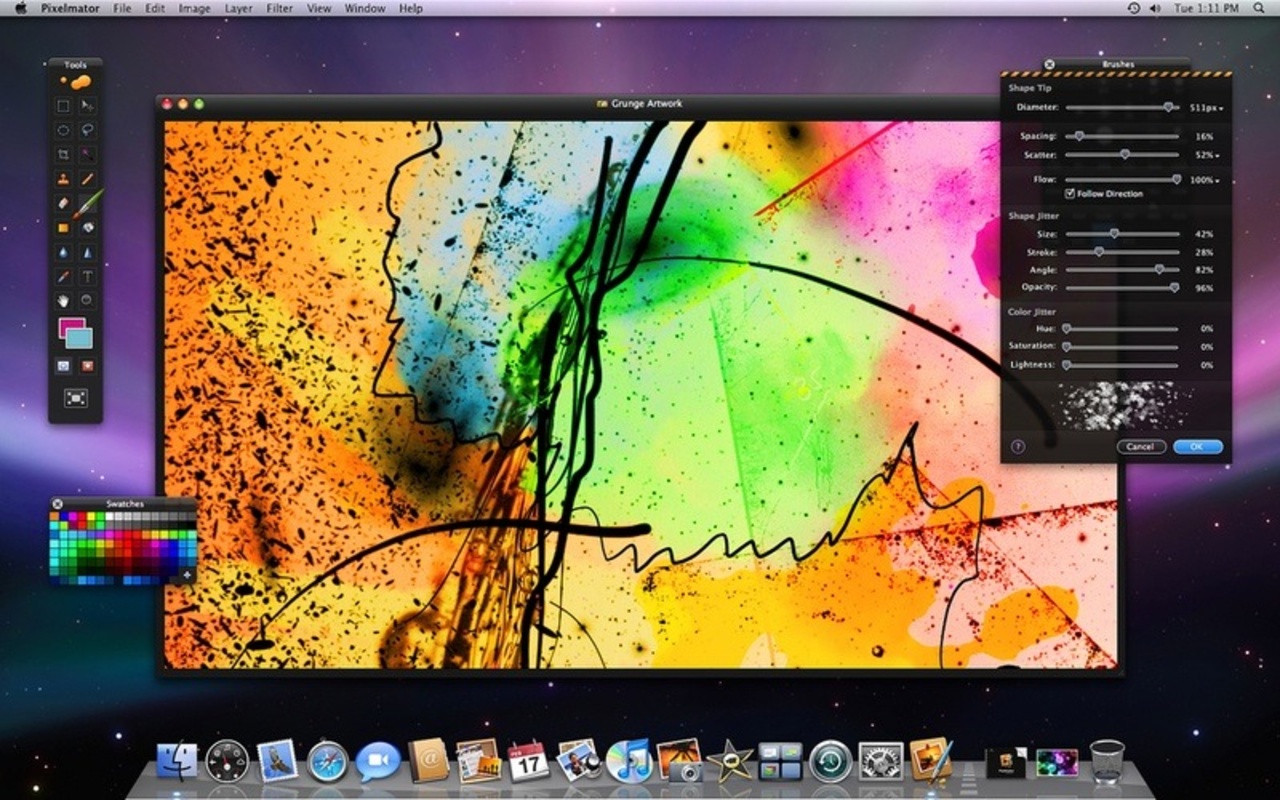
Pixelmator is an excellent image editor that has both basic and advanced features for creating and retouching photographs. Its interface is similar to Photoshop, and even shares some keyboard shortcuts, but its price is much more accessible.

Precise selection tools of all kinds that can be saved; a complete layer system that allows you to order layers, change the transparency, link or create masks; and drawing and retouching tools of different sizes and thickness; and gradients are just some of the features you'll find in this program.

Advertisement
Remove ads and more with Turbo

Pixelmator contains more than 130 filters and effects for adding style to your images, including: adjust color, hue, saturation, brightness, exposure, curves, brightness and contrast, channel mixer, distort, soften, midtones, and so on. Also present are the Quartz Composer effects.

Pixelmator is also compatible with 100 different formats, an added value to the program, which can open and save PSD Photoshop files and recognize the layers. Other formats with which it is compatible are: TIFF, JPEG, PNG, PDF, and EPS.

Information about Pixelmator 3.9.1

Basic information

Developer Pixelmator Team Ltd.
License Trial
Category Capture & editing
Rating Not specified
Languages English
5 more

Security and privacy

Required permissions Not applicable
Advertising Not specified
See security and antivirus report
Why is this app published on Uptodown? (More information)

Download info

Downloads 103,101
Date Mar 3, 2023
File type ZIP
Size 552.01 MB
SHA256 59d46f8588beb8b9ecd11a7a7d1fd9bea3d5fa25e3c1af5e55af5af8773f7fd1
Advertisement
Remove ads and more with Turbo

Older versions

See more
zip 3.7.2 Jul 16, 2018
zip 3.7.1 Jun 28, 2018
zip 3.6 Nov 16, 2016
zip 3.5.1 Aug 22, 2016
zip 3.4.2 Dec 16, 2015
zip 3.4 Oct 16, 2015

Rate this App

Review the app
Pixelmator icon

Rating

3.0
5
4
3
2
1
3 reviews

Comments

miguelsant icon
miguelsant
in 2015

Hello! What are the ways to open files created before updating Pixelmator? Thank you very much.

4
Reply
guemarei icon
guemarei
in 2015

Hello, I bought Pixelmator a few months ago. I am unable to work with EPS files; it does not recognize them. Can you help me? Thank you.

2
Reply
zeraus icon
zeraus
in 2009

For what we users actually use Photoshop for, it doesn't make such an expensive and large tool necessary. Pixelmator seems to me a more than acceptable value-for-money choice since it allows you to pe...See more

19
Reply
Advertisement
Remove ads and more with Turbo
Adobe Photoshop icon
The most famous image editor&creator, now for Mac
Adobe Photoshop Lightroom icon
An elegant tool to edit digital photos
GIMP icon
Free software to create and edit images
Adobe Camera Raw icon
Now you can work with your photos in RAW format
Nik Collection icon
The number one photo editing toolkit for Photoshop
Inkscape icon
Free software to create vector graphics
VueScan icon
From now on, Mac can support your scanner
SnagIt icon
Capture, organize and edit any picture
Adobe Photoshop icon
The most famous image editor&creator, now for Mac
DaVinci Resolve icon
Comprehensive video and audio editor used in Hollywood
Canva icon
Create designs from hundreds of resources
Adobe Photoshop Lightroom icon
An elegant tool to edit digital photos
Blender icon
Free 3D Model application to create 3D images
GIMP icon
Free software to create and edit images
Darktable icon
An incredibly powerful photo processing tool
Picasa icon
Upload images to Picasa and manage them