
Go to Windows platform Display platforms icon
Go to Windows platform Go to Mac platform Go to Android platform Go to iOS platform
PeaZip icon

PeaZip

11.0.0
Dev Onboard
4.4 7 reviews
138.8 k downloads
security security

Powerful file compression, encryption and file management

Advertisement
Remove ads and more with Turbo
Advertisement
Remove ads and more with Turbo
Merche Contreras icon
Reviewed by
Merche Contreras
Content Editor
Merche Contreras is part of Uptodown's in-house Editorial Team. Translated by Uptodown Localization Team

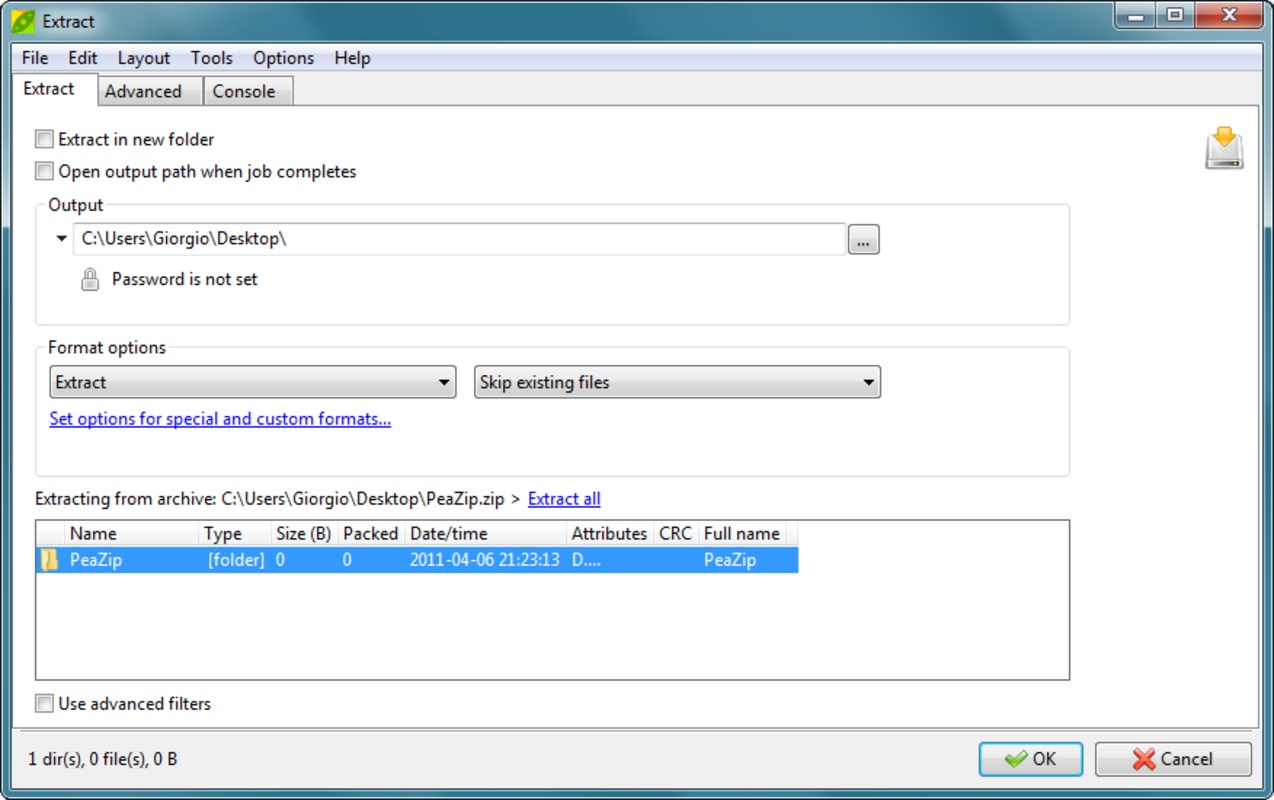
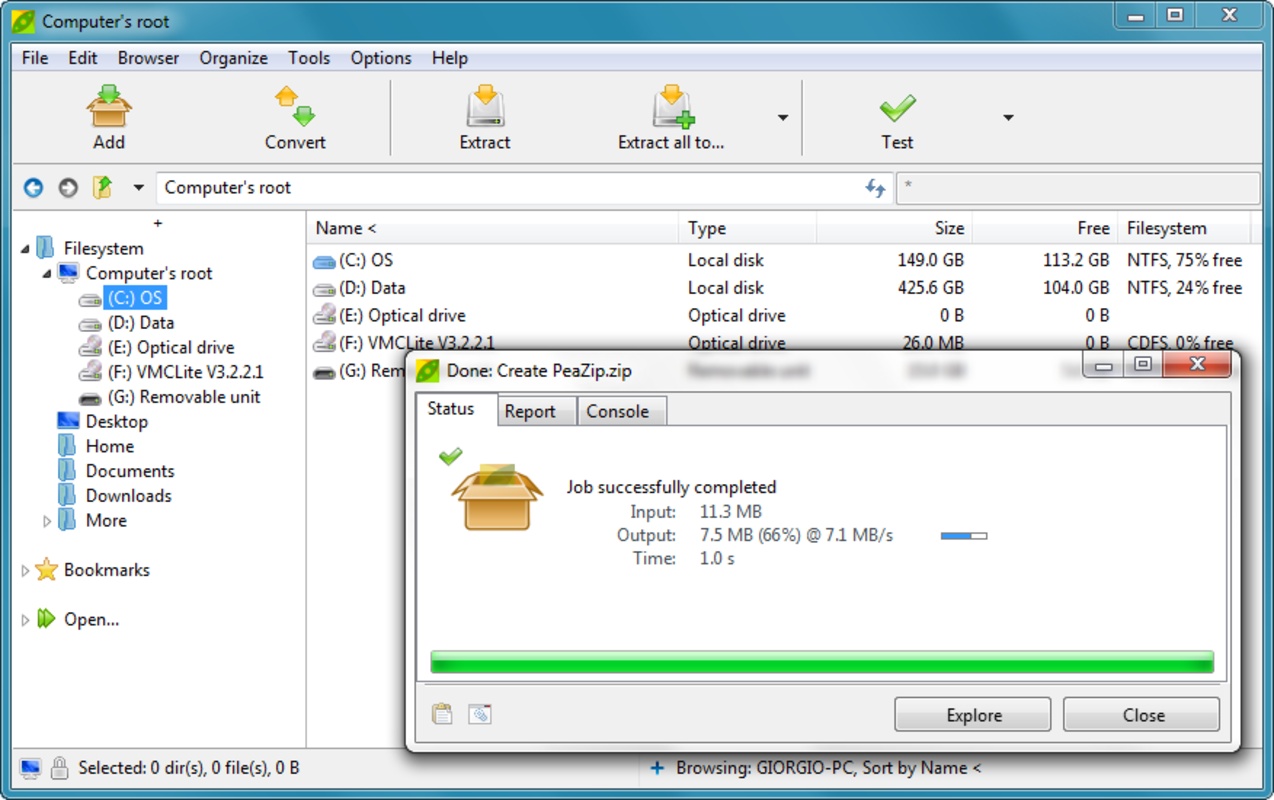
PeaZip is a free and open-source tool for managing compressed files that has dozens of features not typically found in other conventional decompressors. This tool supports over 200 archive formats, including ZIP, RAR, 7Z and TAR, and offers data compression and extraction, robust encryption, integrity checking, archive splitting and automation features. PeaZip is also a powerful, ethical and unrestricted alternative to proprietary software.

Over 200 compressed file formats supported

One of its most outstanding features is its wide compatibility with multiple formats. PeaZip can open and extract ZIP, 7Z, RAR, TAR, ISO, CAB, LZH, BZ2, GZ, ACE, ZST, XZ files and dozens of other formats, including less common disk files and containers. This makes it a sort of Swiss Army Knife for dealing with any type of compressed file you encounter on a daily basis, whether on Windows, Linux or even files from other systems.

Advertisement
Remove ads and more with Turbo

Create compressed files in any format you want

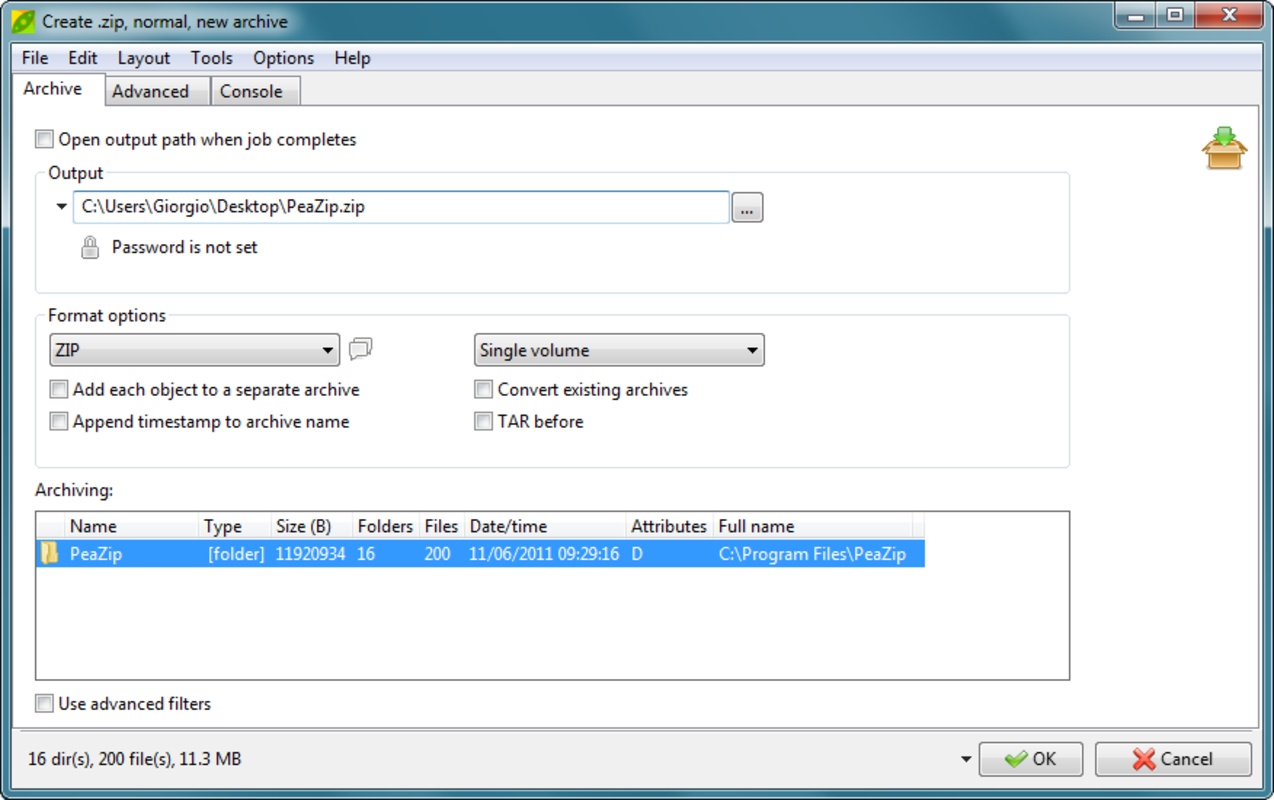
PeaZip not only opens files but also gives you the possibility to create them in formats such as ZIP, 7Z, ARC, PEA and TAR, with adjustable compression options ranging from maximum speed to the best size ratio. To create a compressed file, simply choose the level of compression you want, the algorithm used and the number of processor threads. You can even add a password to stop anyone from accessing its contents without your permission. In short, you can create a completely tailored compressed file that fits your needs.

Split and join large files

If you need to work with large files, PeaZip allows you to split them into smaller parts according to the size you need. Thanks to this, you can better manage their storage on physical media or their transfer via email or limited platforms. These small parts can be easily assembled from the same app later. You'll also be able to add comments or even self-extracting files if you're creating packages for other users.

In short, if you want to work with compressed files with all kinds of customizable features, download PeaZip for free and let the tool make your life easier.

Information about PeaZip 11.0.0

Basic information

Developer PeaZip
License Free
Category Compressors
Rating All ages
Languages English
8 more

Security and privacy

Required permissions Not applicable
Advertising Not specified
See security and antivirus report
Why is this app published on Uptodown? (More information)

Download info

Downloads 138,820
Date Apr 9, 2026
File type EXE
Size 10.82 MB
SHA256 d772318671dadc45c85ec66b2542b97a03971d9e8b8ce8aa47df9e99cacbdf63
Advertisement
Remove ads and more with Turbo

Older versions

See more
exe 10.9.0 Feb 9, 2026
exe 10.8.0 Dec 9, 2025
exe 10.7.0 Oct 20, 2025
exe 10.6.1 Aug 19, 2025
exe 10.6.0 Aug 11, 2025
exe 10.5.0 Jun 16, 2025
Available for other platforms

Rate this App

Review the app
PeaZip icon

Rating

4.4
5
4
3
2
1
7 reviews

Comments

See more
n_m icon
n_m
in 2021

Absolutely, the best compressor.

1
Reply
mumakiller icon
mumakiller
in 2010

It's not entirely bad, although it doesn't reach the level of WinRAR, which I find much faster.

4
Reply
Ricardette icon
Ricardette
in 2008

Fascinating compressor as it has formats that others lack. I like its user-friendly and configurable interface, easy to use and fast. I recommend it. Ricardo Alexis. Chile.

36
Reply
See more
Advertisement
Remove ads and more with Turbo
7-Zip icon
A file compressor with excellent performance
WinRAR icon
A fast and efficient file compressor
WinZip icon
One of the most popular and powerful compressors
KuaiZip icon
A compressor that supports any format
7-zip Portable icon
Compress your files everywhere you go
Cisdem Video Compressor icon
Compress video and audio files on Windows
NanaZip icon
Compress files with a more modern interface
Free Rar Extract Frog icon
Extract files from any compressed format
FormatFactory icon
Conversion between video, sound and image formats
VLC Media Player icon
A powerful media player and streaming server
Psiphon icon
Much more than just a VPN
Lively Wallpaper icon
Bring your desktop computer's wallpaper to life
Media Player Classic - Home Cinema (MPC-HC) icon
An all-round great multimedia player
SISR icon
Use your Steam Controller however you want
Lockbook icon
A safe to store your notes
Visual Pinball FX icon
Create your own pinball machines
Windows 10 icon
Download the latest Windows 10 ISO on your device
Microsoft Office 2021 icon
2021 versions of Word, Excel, PowerPoint and Outlook
Microsoft Word icon
The leading word processor for working with documents
AnyDesk icon
Faster remote desktop is possible
Microsoft Office 2019 icon
Install Word, Excel and PowerPoint with Office 2019
Microsoft Excel icon
The most complete spreadsheet tool on the market
Driver Booster icon
Update all the obsolete drivers on your PC
Windows 7 Home Premium icon
Download the latest Operating System by Microsoft