





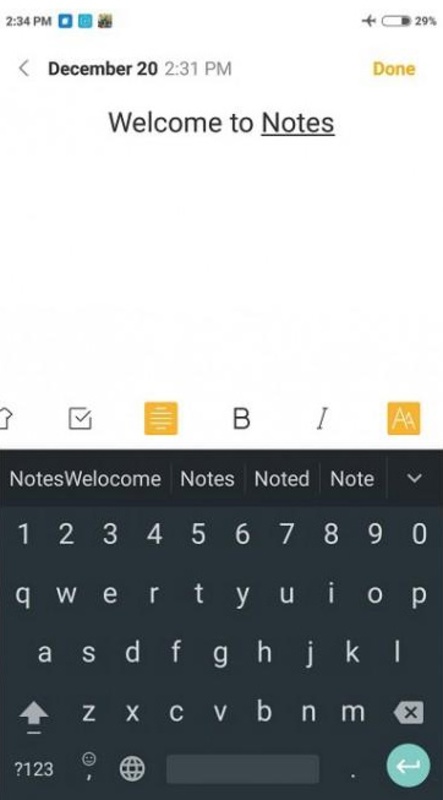


Xiaomi Notes is the official Xiaomi note-taking app. With it, you can take notes quickly and manage your everyday tasks. The native integration with Xiaomi devices makes it a convenient option for quickly jotting things down, as in addition to opening the app, you can add notes by swiping left on your home screen or via the widget.
Write down ideas, reminders, and lists in no time
Xiaomi Notes is divided into two sections: notes and tasks. The Notes section allows you to create a note quickly, ideal for getting some important information down in seconds or organizing your day-to-day. You can also organize your notes into folders to order them by theme or by project, great for when you are working on something creative and you want to have everything in order. As well as text, Xiaomi Notes allows you to add images, voice recordings, and freehand drawings, offering you a different approach when plain text just won't cut it. To link your notes, you can make use of the mind map option.
Organize every day with tasks
Xiaomi Notes's Tasks section allows you to add tasks with a checkbox on the left. Thanks to this, you can see when you have a pending task, and when complete, you can simply check it off. After doing so, you will see a celebratory animation, and the task will move to Completed. In the Tasks tab, you can't organize tasks into folders. So, if you want to use it to makeshopping lists, you can only use the Task section for that purpose.
Synchronization with the Xiaomi Cloud
One of the biggest fears surrounding a note-taking app is losing all your notes. To avoid losing them, you can sync your notes with Xiaomi Cloud. This means your notes and tasks will be synchronized with the cloud, and they can be accessed from any Xiaomi device you have. Bear in mind that Xiaomi Notes only works on Xiaomi devices.
Write quick notes
To quickly access your content, Xiaomi Notes has an option called "Quick Notes" that allows you to add a shortcut on the edge of the screen, ideal for creating notes, tasks, or simply copying URLs, text, or images. You can also create a widget on the home screen to see the latest pending notes and quickly access the app if you need to modify them.
Download the Xiaomi Notes APK and organize your day-to-day with a comprehensive note-taking app, with cloud synchronization, that works natively on your Xiaomi device.
Requirements (Latest version)
- Android 10 or higher required


 56 reviews
  Users find the app exceptional and very helpful
 This is an AI-generated summary based upon real user reviews.












Comments
thank you
After the update, I can't open notes! How can I restore them?
Very bad, after updating it no longer opens and I uninstall it, but it remains the same.
Sharing via mail, message, and others has only 2 modes: - txt: loses formatting, checked tasks - image: can no longer be edited in another app, or other device No possibility to print from the phone. ...See more
Exceptional
What is happening with the application that no longer works? No matter how hard I try, it won't open. I have uninstalled it several times, and the same error persists.