

What is Image Compressor?
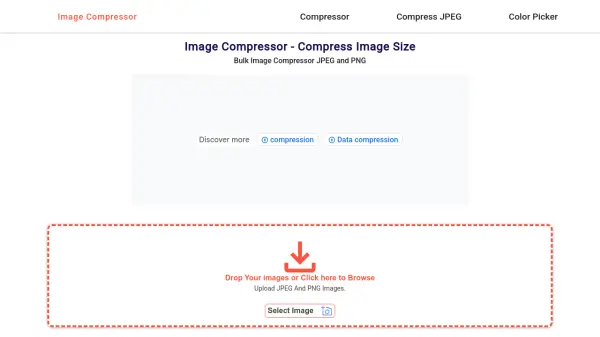
Image Compressor is a free online tool designed to reduce the file size of JPEG and PNG images through advanced compression algorithms. It operates directly in the user's browser, ensuring that all image processing happens locally without uploading files to external servers, which enhances security and privacy. The tool supports batch compression of up to 20 images simultaneously, making it efficient for handling large image libraries.
By compressing images, users can optimize website performance with faster loading times, save storage space, and facilitate quicker file transfers for email or social media sharing. The interface is user-friendly and requires no technical expertise, allowing seamless operation across all platforms and devices. This tool is ideal for anyone looking to maintain image quality while minimizing file size for digital applications.
Features
- Very Fast Compression: Drag and drop or select images for quick compression with immediate results
- Bulk Image Compress: Upload and compress up to 20 images simultaneously without waiting for previous uploads to complete
- User Friendly: Designed for all users with no technical expertise required for easy operation
- All Platforms Supported: Browser-based tool works independently from operating systems on any device like Android, Windows, Mac, or Linux
- Security: Images are processed locally in the browser without being uploaded to servers, ensuring privacy and data security
Use Cases
- Optimizing website performance by reducing image file sizes for faster loading times
- Saving storage space by compressing high-resolution images without losing quality
- Facilitating faster image transfer and sharing via email or social media
- Batch processing multiple images simultaneously for efficiency with large image libraries
- Maintaining image quality while meeting specific file size requirements for digital applications
FAQs
-
How many images can I compress at once?
You can compress up to 20 images simultaneously using the batch compression feature. -
Does the tool support compression level customization?
No, the tool uses an optimized compression algorithm that automatically provides the highest compression without quality loss, so compression levels cannot be modified. -
Are there any limits on how many images I can compress in total?
No, there are no limits on the total number of images you can compress, though you can only process 20 at a time. -
How does the tool ensure the security of my images?
All image processing occurs locally in your browser without uploading files to external servers, keeping your images secure and private. -
Can I use this tool on mobile devices?
Yes, the tool is browser-based and works on any device, including Android, iOS, Windows, Mac, and Linux.


