Search the Community
Showing results for tags 'task'.
Found 3 results
-
Version 1.0.2
39 downloads
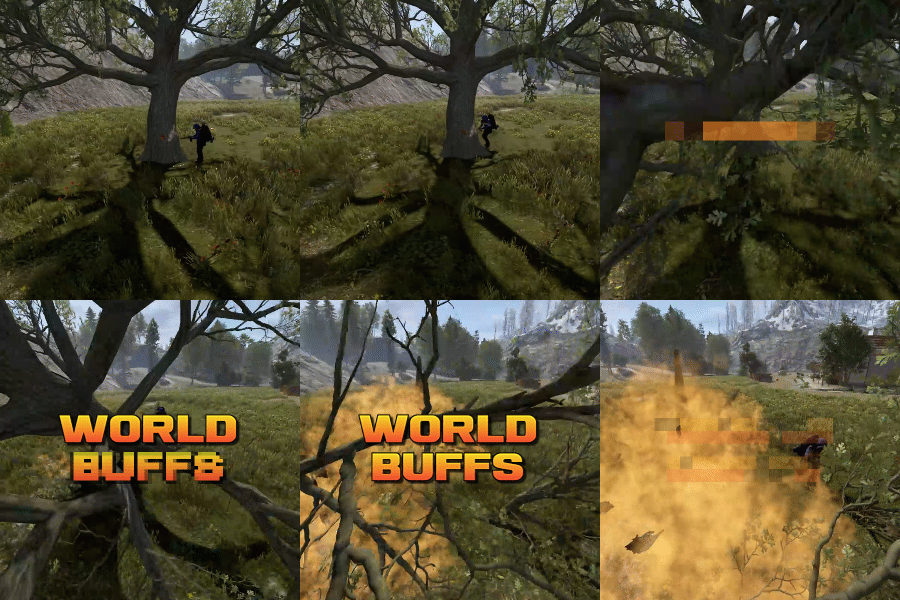
World Buffs is a plugin that allows for the creation of server-wide quests, allowing for players to work together to complete a common goal. Quests are comprised of any number of tasks, and will reward the entire server upon completion with a mixture of built-in buffs such as increased gather yields, bonus damage to NPCs etc, as well as the option for permissions and server commands. All players, regardless of their online status, will receive the built-in and permission based rewards. Tasks can be set based on the task type, along with a list of identifying features. For example, you can have a task that requires players to kill npcs using the KillNpc task type. If you only wanted certain npcs to count, you could then add further restrictions by listing the short prefab names of the npc, such as npc_tunneldweller & npc_underwaterdweller, if you only wanted Tunnel & Underwater dwellers to be considered towards the goal. The plugin supports the use of a quest queue (disabled by default). Quests in the queue are automatically started when the plugin loads. When the active quest is completed, the plugin will queue up the next quest after a short while. The identifier of a task depends on the task type itself. Some tasks work with item shortnames when considering quest progress, while others may use prefab shortnames.. Leaving the identifier field empty or set to null will consider any action that triggers the check to contribute towards the task. A list of item shortnames can be found here. A list of prefabs can be found here. TaskType: Woodcutting Identifier: Item shortname TaskType: Mining Identifier: Item shortname TaskType: Skinning Identifier: Item shortname TaskType: Collectible Identifier: Item shortname TaskType: Growable Identifier: Item shortname TaskType: Fishing Identifier: Item shortname TaskType: Growable Identifier: Item shortname TaskType: KillNpc Identifier: prefab shortname TaskType: KillNpcSpawn Identifier: Npc displayname [profile name] TaskType: KillAnimal Identifier: prefab shortname TaskType: KillBradleyApc Identifier: prefab shortname TaskType: LootCrates Identifier: prefab shortname TaskType: DestroyBarrels Identifier: prefab shortname TaskType: Dig Identifier: prefab shortname Reward types function similar to Task Types. They allow for identifiers to limit the sources that they impact. For example, you can specify "cloth" for the CollectibleYield RewardType, which would only boost the yield when collecting cloth, and not other items such as pumpkins or diesel. RewardType: WoodGatherBonus Identifier: Item shortname RewardType: MiningGatherBonus Identifier: Item shortname RewardType: SkinningGatherBonus Identifier: Item shortname RewardType: FishingBonus Identifier: Item shortname RewardType: CollectibleYield Identifier: Item shortname RewardType: GrowableYield Identifier: Item shortname RewardType: NpcDamageBonus Identifier: Prefab shortname RewardType: NpcSpawnDamageBonus Identifier: Prefab shortname RewardType: ScientistDefenceBonus Identifier: Prefab shortname RewardType: AnimalDefenceBonus Identifier: Prefab shortname RewardType: BradleyDamageBonus Identifier: Prefab shortname RewardType: BradleyDefenceBonus Identifier: Prefab shortname RewardType: NpcSpawnDamageBonus Identifier: Npc displayName [profile name] RewardType: XpBonus Identifier: None RewardType: UniversalSwipeCardsBonus Identifier: None RewardType: PvpDamageBonus Identifier: None RewardType: PvpDefenceBonus Identifier: None Command: wb.toggle Type: Chat command Description: Toggles the ui on and off. Command: wb.setquestqueueindex <index> Type: Console command Description: Set's the next quest in the queue to the specified index value Requires admin: Yes Command: wb.startnextquest Type: Console command Description: Starts the next quest in the queue if no quest is running. Requires admin: Yes Command: wb.cancelquest <true/false: start next quest in queue> Type: Console command Description: Cancels the current quest Requires admin: Yes Command: wb.completequest Type: Console command Description: Mark the current quest as complete (this gives players rewards from the quest) Requires admin: Yes Command: wb.startquest <quest name> <optional true/false: force cancel the current quest> Type: Console command Description: a Requires admin: Yes$19.99 -
Version 1.0.5
150 downloads
Adds various tasks to the game, for which you can get a reward. -------------------------------------------------------------------------------------------------------------------------- Features: Complete and convenient configuration of each task and each prize A beautiful and convenient design that will sink into the soul of everyone The ability to expose not only an item from the game, but also the issuance of a team, and the creation of custom items. -------------------------------------------------------------------------------------------------------------------------- Commands: /quest - Open Quest menu -------------------------------------------------------------------------------------------------------------------------- Settings Configuration: Type quest: 1 - Gather, 2 - Kill, 3 - Craft, 4 - BluePrint, 5 - Loot, 6 - CardUse (Swipe cards ), 7 - EBuilt ( Put a certain object ) Type Prize: 1 - Item, 2 - CustomItem, 3 - BluePrint, 4 - Command -------------------------------------------------------------------------------------------------------------------------- Configuration$15.00 -
Version 1.0.0
6 downloads
TaskEvent is an Event mode where you can keep your players busy by competing them with different tasks where they can compete and get amazing rewards which we can configure. The "TaskEvent" plugin enhances player engagement by introducing dynamic competition through a series of randomly generated tasks. Players participate in the event by completing these tasks, vying to be the first to accomplish a set number of tasks from the generated list. Successful participants are rewarded for their achievements. Randomly Generated Tasks: The plugin generates tasks at regular intervals, ensuring a diverse and constantly changing set of challenges. This randomness adds an element of surprise and excitement for players. Competitive Element: Players are pitted against each other in a race to complete the required number of tasks. This competitive aspect fosters a sense of urgency and camaraderie as players strive to outperform their peers. Engaging Gameplay: The plugin offers an engaging gameplay loop centered around completing tasks. This can help combat player boredom and retention issues by providing a consistent source of entertainment. Customize or add more tasks in oxide/data/TaskEvent/Task_data.json And many more! Commands: Player Commands: /task - Check all your tasks and task requirements when the event is running Admin Commands: /taskeventstart - Starts the TaskEvent /taskeventstop - Stops the TaskEvent (Without any winner) Console Commands: taskeventstart - Starts the TaskEvent taskeventstop - Stops the TaskEvent (Without any winner) Permission taskevent.admin - Needed to use Admin Commands Simple Configuration { "Enable Automatic Event Start": true, "Minimum players needed to Start Automatic Event": 1, "Repeat event between timer[In Sec]": 3600, "Time between event start chat message[In Sec]": 300, "Max total tasks": 25, "Task event duration[In Sec]": 1800, "Complete x number of task to choose winner": 10, "Enable Item remove on complete task": false, "Chat Avatar ID": 0, "Task view background image": "https://i.postimg.cc/rmFQMxCP/Untitled-design-3.png", "Winner Rewards": { "Give Rewards": true, "Commands to be executed when winner found[Use {player} for specific player]": [] } } Give Rewards Configuration "Winner Rewards": { "Give Rewards": true, "Commands to be executed when winner found[Use {player} for specific player]": [ "sr add {player} 100", //give reward from ServerRewards "deposit {player} 100", //give reward from Economy "inventory.giveto {player} scrap 100" //give rewards from console (https://www.corrosionhour.com/rust-item-list/) ] } //You can add many commands for winner player How to Install You will receive TaskEvent.cs & a Data file Put the .cs file to the oxide/plugins Folder Then Put the data folder in the oxide/ Folder or paste the "Task_data.json" to the oxide/data/TaskEvent/ folder Now please don't forget to reload the plugin For any Issues or Inquiries please knock me on Discord or open a Ticket Discord: iftebinjan Discord Server: Link Localization: { "Prefix": "<color=#886add>[ TaskEvent ] </color>", "Config_Corrupt": "Configuration file is corrupt! Check your config file at https://jsonlint.com/", "Task_already_started": "Event is already running!", "Task_start_chat_message": "Event is starting in <color=#008000>{ChatMessageTime}</color> seconds", "Task_not_running": "There is no Task Event running!", "Task_stopping": "Event stoping without any winner!", "Task_hasnt_started": "Event hasnt started yet, please wait!", "Task_start_messasge": "Event has started. Please complete <color=#008000>{Task}</color> tasks within <color=#008000>{Seconds}</color> seconds to win exclusive rewards.\nUsages: <color=#008000>/task</color>", "Task_complete_player": "You have completed <color=#008000>{TaskName}</color> Task", "Task_completed_broadcast": "<color=#008000>{PlayerName}</color> has completed <color=#008000>{Amount}</color> Task till now.", "Task_end_nowinner": "Event has ended. No winner found for Task Event", "Task_completed_task": "You have completed {CompletedTask} Tasks!", "Task_end_with_winner": "Event has ended. Event winner is <color=#008000>{WinnerName}</color> with most completed task.\nThanks everyone for participitaing in the event.", "Task_winner_reward": "You have won the TaskEvent. Here are your exclusive rewards!" }$14.99