Search the Community
Showing results for tags 'personal'.
Found 19 results
-
Version 1.1.0
164 downloads
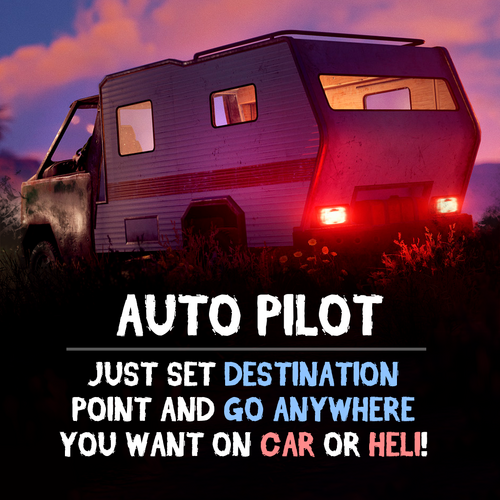
Give your players an autopilot, a feature that enables AI-controlled driving and flying! Players simply set a destination, sit back, and let the autopilot take them there! Features: Autopilot for Ground, Air and Water Vehicles • Works with cars, motorcycles, bicycles, helicopters and boats. Navigation System • AI determines the most efficient route to the selected destination. • Obstacle detection helps prevent car crashes. ⚙ Complete Customization & Control • Adjust maximum speed and AI behavior for ground vehicles. • Fine-tune altitude, pitch, and throttle strength for helicopters. How to Use: Type /autopilot in chat. Select a location on the in-game map. Your AI autopilot will take over and drive or fly you there! Permissions: Land Vehicles autopilot.modularcar – Grants access to autopilot for modular cars. autopilot.motorbike – Grants access to autopilot for motor bikes (motorcycles) autopilot.pedalbike – Grants access to autopilot for pedal bikes (bicycles) Air Vehicles autopilot.attackhelicopter – Grants access to autopilot for attack helicopters autopilot.scraptransporthelicopter – Grants access to autopilot for scrap transport helicopters autopilot.minicopter – Grants access to autopilot for minicopters Water Vehicles autopilot.motorrowboat – Grants access to autopilot for motor rowboats autopilot.rhib – Grants access to autopilot for RHIBs autopilot.tugboat – Grants access to autopilot for tugboats See It in Action! Watch the Video Configuration: { "Mini helicopter autopilot settings": { "Process control update timer(0 - 0.2)": 0.0, "Disable autopilot when trying to control the player": true, "Max speed": 20.0, "Distance to route control point to reach": 15.0, "Transport push force from obstacle in collision(0 - disables push)": 3.0, "Automatic supply of the specified amount of fuel from the player inventory (0 - disables supply)": 100, "Flight height setting": { "Min": 50.0, "Max": 150.0 } }, "Transport helicopter autopilot settings": { "Process control update timer(0 - 0.2)": 0.0, "Disable autopilot when trying to control the player": true, "Max speed": 20.0, "Distance to route control point to reach": 15.0, "Transport push force from obstacle in collision(0 - disables push)": 3.0, "Automatic supply of the specified amount of fuel from the player inventory (0 - disables supply)": 100, "Flight height setting": { "Min": 50.0, "Max": 150.0 } }, "Attack helicopter autopilot settings": { "Process control update timer(0 - 0.2)": 0.0, "Disable autopilot when trying to control the player": true, "Max speed": 20.0, "Distance to route control point to reach": 15.0, "Transport push force from obstacle in collision(0 - disables push)": 3.0, "Automatic supply of the specified amount of fuel from the player inventory (0 - disables supply)": 100, "Flight height setting": { "Min": 50.0, "Max": 150.0 } }, "Boat Auto Pilot Settings": { "Process control update timer(0 - 0.2)": 0.0, "Disable autopilot when trying to control the player": true, "Max speed": 20.0, "Distance to route control point to reach": 15.0, "Transport push force from obstacle in collision(0 - disables push)": 3.0, "Number of processes per cycle in 1 tick when searching for a route(increasing the parameter - reduces the time of searching for a route, but increases the load on fps)": 10, "Grid step for route search (increasing the parameter - increases the time of searching for a route, but makes it harder to lay out a route in narrow places)": 60, "Automatic supply of the specified amount of fuel from the player inventory (0 - disables supply)": 100, "Minimum depth for determining transport passability when searching for a route": 0.5, "Max speed on obstacle detection": 5.0 }, "RHIB Auto Pilot Settings": { "Process control update timer(0 - 0.2)": 0.0, "Disable autopilot when trying to control the player": true, "Max speed": 20.0, "Distance to route control point to reach": 15.0, "Transport push force from obstacle in collision(0 - disables push)": 3.0, "Number of processes per cycle in 1 tick when searching for a route(increasing the parameter - reduces the time of searching for a route, but increases the load on fps)": 10, "Grid step for route search (increasing the parameter - increases the time of searching for a route, but makes it harder to lay out a route in narrow places)": 60, "Automatic supply of the specified amount of fuel from the player inventory (0 - disables supply)": 100, "Minimum depth for determining transport passability when searching for a route": 0.5, "Max speed on obstacle detection": 5.0 }, "Tugboat Auto Pilot Settings": { "Process control update timer(0 - 0.2)": 0.0, "Disable autopilot when trying to control the player": true, "Max speed": 20.0, "Distance to route control point to reach": 15.0, "Transport push force from obstacle in collision(0 - disables push)": 3.0, "Number of processes per cycle in 1 tick when searching for a route(increasing the parameter - reduces the time of searching for a route, but increases the load on fps)": 10, "Grid step for route search (increasing the parameter - increases the time of searching for a route, but makes it harder to lay out a route in narrow places)": 60, "Automatic supply of the specified amount of fuel from the player inventory (0 - disables supply)": 100, "Minimum depth for determining transport passability when searching for a route": 0.5, "Max speed on obstacle detection": 5.0 }, "Car Auto Pilot Settings": { "Disable autopilot when trying to control the player": true, "Max speed": 20.0, "Distance to route control point to reach": 15.0, "Transport push force from obstacle in collision(0 - disables push)": 3.0, "Number of processes per cycle in 1 tick when searching for a route(increasing the parameter - reduces the time of searching for a route, but increases the load on fps)": 10, "Grid step for route search (increasing the parameter - increases the time of searching for a route, but makes it harder to lay out a route in narrow places)": 60, "Max speed on obstacle detection": 5.0, "Allow you to search for a route on roads (takes precedence over off-road)": true, "Allow you to search for an off-road route": true, "Automatic supply of the specified amount of fuel from the player inventory (0 - disables supply)": 100 }, "Motor Bike Auto Pilot Settings": { "Process control update timer(0 - 0.2)": 0.0, "Disable autopilot when trying to control the player": true, "Max speed": 20.0, "Distance to route control point to reach": 15.0, "Transport push force from obstacle in collision(0 - disables push)": 3.0, "Number of processes per cycle in 1 tick when searching for a route(increasing the parameter - reduces the time of searching for a route, but increases the load on fps)": 10, "Grid step for route search (increasing the parameter - increases the time of searching for a route, but makes it harder to lay out a route in narrow places)": 60, "Max speed on obstacle detection": 5.0, "Allow you to search for a route on roads (takes precedence over off-road)": true, "Allow you to search for an off-road route": true, "Automatic supply of the specified amount of fuel from the player inventory (0 - disables supply)": 100 }, "Pedal Bike Auto Pilot Settings": { "Process control update timer(0 - 0.2)": 0.0, "Disable autopilot when trying to control the player": true, "Max speed": 20.0, "Distance to route control point to reach": 15.0, "Transport push force from obstacle in collision(0 - disables push)": 3.0, "Number of processes per cycle in 1 tick when searching for a route(increasing the parameter - reduces the time of searching for a route, but increases the load on fps)": 10, "Grid step for route search (increasing the parameter - increases the time of searching for a route, but makes it harder to lay out a route in narrow places)": 60, "Max speed on obstacle detection": 5.0, "Allow you to search for a route on roads (takes precedence over off-road)": true, "Allow you to search for an off-road route": true } }$19.90- 24 comments
- 2 reviews
-
- 5
-

-

-
- #rust
- #walkinrey
- (and 9 more)
-

Version 1.0.3
7 downloads
Players can spawn their personal MLRS near a Computer Station and dismiss it when they're done -- - Personal to each player; no one else can take it - Simple controls: Spawn to call it in, Recall to send it away - Safe placement that avoids bad terrain and tight spaces - Optional timer between uses to keep things fair - Optional limit of one active MLRS per player Support Discord : @Khaled.7$7.49 -
Version 1.0.1
12 downloads
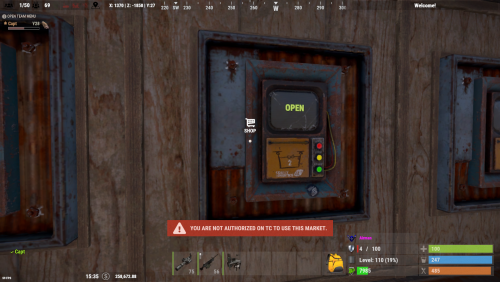
The Drone Market plugin allows players to conveniently place their own drone marketplace directly at their base, providing easy access to Rust's in-game marketplace without needing to travel. Each player can deploy a personal drone market, subject to optional permission and building rules. Configuration { "Sets Drone Market console command to give": "market", "Require permission dronemarket.pickup to pick up the Drone Market": false, "Require permission dronemarket.use to place": false, "Set Drone Market amount limit: 0 = Disabled": 2, "Log to file when a Drone Market is placed": false, "Force Build Requirement to be within a TC Radius": true, "Destroy when foundation is removed under it": true, "Require Building Auth to use/loot the Drone Market": true, "Only allow Team Members to use/loot the Drone Market": true, "Block all Damage to Drone Market": true, "Sets Drone Market Condition Level: HP": 100.0, "Nope Sound": "assets/prefabs/locks/keypad/effects/lock.code.denied.prefab", "Ok Sound": "assets/prefabs/locks/keypad/effects/lock.code.updated.prefab", "Breaking Sound": "assets/bundled/prefabs/fx/item_break.prefab" } Permissions dronemarket.pickup "Require permission dronemarket.pickup to pick up the Drone Market": true, dronemarket.use "Require permission dronemarket.use to place": true, Commands // Server Rcon Command: market Name-Or-SteamID amount ( amount is optional defaults to 1 ) //In Game F1 Command: market amount ( amount is optional defaults to 1 ) Click here for > Drone Market Skin$19.99 -
Version 1.1.1
277 downloads
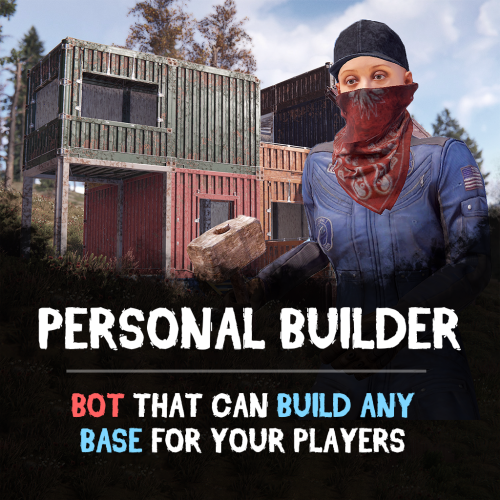
Looking for a fast and efficient way to build bases on your Rust server? The Personal Builder plugin introduces AI-powered builder bots that can construct any CopyPaste saved base design. Just assign a build location, and watch as your bot brings your base to life! Features: Automated Base Construction • Spawn a Personal Builder bot using /pbuilder. • Select a build location, and the bot will begin construction. • Works seamlessly with any CopyPaste base blueprint! Smart AI Building System • Performs terrain checks to prevent building in restricted areas. • Prevents construction near roads, monuments, or other tool cupboards. • Adjustable build speed for optimal server performance. Total Customization & Control • Configure bot name, spawn delay, and immortality settings. • Choose whether resources are required for construction, or make the bot purchasable via economics plugins. How It Works: Use /pbuilder to spawn a builder bot. Select a build point with the middle mouse button (or customize the keybind). The bot scans the area and begins constructing the base. Sit back and watch as the bot automates the entire building process! Requirements: • CopyPaste Plugin (must be installed and configured). • Build files must be stored in /oxide/data/copypaste/ See it in Action! Watch the Video Configuration: To make the default config work, you need to download the build file (link below) and place it in this directory "/oxide/data/copypaste". Link: https://drive.google.com/file/d/11nMTecwn2pZyiaECeRSPqDXacYq2a6iv/view?usp=sharing How to add your buildings: - Open the config, duplicate the standard bot setup - Change the permission to spawn - Change the short name of bot - Change the name of the build file - find the one you need in "/oxide/data/copypaste" directory and enter it without the file EXTENSION { "Controls": { "Button to assign build position (MIDDLE_MOUSE, SECOND_MOUSE, E, RELOAD, SPRINT)": "MIDDLE_MOUSE", "Range of the task assignment button": 25.0, "Display 3D arrows over a build position?": true, "Arrow display duration": 2 }, "Permissions": { "personalbuilder.bot1": { "The name of the bot to be selected through the command when spawning": "bot1", "Bot spawn delay": 300.0, "CopyPaste file name": "pbuilder_test", "Player (bot)": { "Bot display name": "Personal Builder", "Bot health": 1000.0, "Make bot immortal?": false }, "Resources": { "Require resources?": true, "Drop bot's resources on death?": true }, "Speed": { "Bot speed multiplier": 1.0, "Build speed multiplier": 1.0, "Time to check 1 foundation": 0.15, "Time to check 1 building block": 0.15 }, "Build": { "Checks": { "Check is close to road?": true, "Check is building blocked?": true, "Check for Prevent Building triggers": true, "Prevent Building check radius": 10.0 } }, "Effects": { "Enable effects on appear & disappear?": true, "Enable building block upgrade effects?": true }, "Clothes": [ { "Item name": "", "Item shortname": "shoes.boots", "Item skin": 0, "Item amount": 1 }, { "Item name": "", "Item shortname": "pants", "Item skin": 0, "Item amount": 1 }, { "Item name": "", "Item shortname": "hoodie", "Item skin": 0, "Item amount": 1 }, { "Item name": "", "Item shortname": "mask.bandana", "Item skin": 0, "Item amount": 1 }, { "Item name": "", "Item shortname": "hat.boonie", "Item skin": 0, "Item amount": 1 }, { "Item name": "", "Item shortname": "sunglasses", "Item skin": 0, "Item amount": 1 } ] } } }$29.90 -
Version 0.1.6
251 downloads
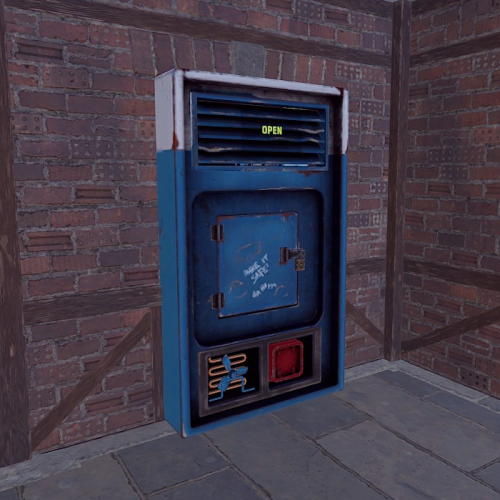
Allows you to add delivery drones to your vending machine through which you can order various items. Note: For transactions with a custom fee, you still need to have 20 scrap available, which will not be taken. Also, for the vending machines modified by CustomVendingSetup(umod), there is no custom fee. vDelivery.admin - Provides unrestricted access to the plugin's functionality. This includes the ability to add/remove or clear terminals from other players' vending machines. Note: In the configuration file, within the "Settings of Vending machines for each permission" section, you can specify limits for any existing permission by simply listing its name. "Settings of vending machines for each permission. Leave null or empty to recreate the default": { "vDelivery.default": { "Max ammount": 1, "Delivery fee item": "scrap", "Delivery fee amount": 20 }, ... } If you want to create a new permission, you can also include it in the list, but the name must begin with "vDelivery". { "Chat command": "vdelivery", "Is it worth enabling GameTips for messages?": true, "Is it worth ignoring the inaccessibility of drones?": false, "AutoModify - Default value for new players": true, "List of language keys for creating language files": [ "en" ], "Display position - Forward": -0.35, "Display position - Up": 1.8, "Display position - Right": 0.0, "Popup - Duration": 6.0, "Popup - Position AnchorMin": "0 0.9", "Popup - Position AnchorMax": "0.25 1", "Popup - Position OffsetMin": "20 0", "Popup - Position OffsetMax": "0 -30", "Popup - Icon Url": "https://i.imgur.com/4Adzkb8.png", "Popup - Icon Color(Hex or RGBA)": "#CCE699", "Popup - Icon Transparency": 0.8, "Popup - Text Font(https://umod.org/guides/rust/basic-concepts-of-gui#fonts)": "RobotoCondensed-Bold.ttf", "Popup - Text Font Size": 14, "Popup - Text Font Color(Hex or RGBA)": "#FFFFFF", "Popup - Description Font": "RobotoCondensed-Regular.ttf", "Popup - Description Font Size": 12, "Popup - Description Font Color(Hex or RGBA)": "#FFFFFF", "Popup - Text FadeIn": 1.0, "Popup - Sound Prefab Name": "assets/bundled/prefabs/fx/invite_notice.prefab", "Settings of vending machines for each permission. Leave null or empty to recreate the default": { "vDelivery.default": { "Max ammount": 1, "Delivery fee item": "scrap", "Delivery fee amount": 20 }, "vDelivery.vip": { "Max ammount": 3, "Delivery fee item": "scrap", "Delivery fee amount": 20 }, "realpve.vip": { "Max ammount": 5, "Delivery fee item": "scrap", "Delivery fee amount": 20 } }, "Version": { "Major": 0, "Minor": 1, "Patch": 6 } } EN: { "MsgNotAllowed": "You do not have permission to use this command!", "MsgNotOwner": "You are not the owner of this vending machine!", "MsgNotAccessible": "The vending machine is not accessible to drones!", "MsgNotVending": "You need to look at the vending machine or provide correct net ID!", "MsgNotVendingDelivery": "The vending machine does not have a terminal!", "MsgLimitReached": "You cannot add a terminal as you have reached your limit of {0}!", "MsgPopupText": "Add a terminal to the vending machine?", "MsgPopupSubText": "Click on the notification to confirm", "MsgMyAdded": "The terminal has been successfully added!", "MsgMyRemoved": "The terminal has been successfully removed!", "MsgMyAllRemoved": "All your terminals have been successfully removed!", "MsgPlayerAllRemoved": "All {0}'s terminals have been successfully removed!", "MsgAllRemoved": "All terminals have been successfully removed!", "MsgTerminalsNotFound": "No terminals found!", "MsgPlayerTerminalsNotFound": "{0}'s terminals not found!", "MsgNoHaveCustomFee": "To pay the personal fee, you need to have :{0}:(x{1}). Using default fee settings!", "MsgAutoModifyEntityEnabled": "Automatic entity modification is enabled!", "MsgAutoModifyEntityDisabled": "Automatic entity modification is disabled!" } RU: { "MsgNotAllowed": "У вас недостаточно прав для использования этой команды!", "MsgNotOwner": "Вы не являетесь владельцем данного торгового автомата!", "MsgNotAccessible": "Торговый автомат не доступен для дронов!", "MsgNotVending": "Вам необходимо смотреть на торговый автомат или указать корректный net ID!", "MsgNotVendingDelivery": "Торговый автомат не имеет терминала!", "MsgLimitReached": "Вы не можете добавить терминал, так как вы превысили свой лимит в {0}!", "MsgPopupText": "Добавить терминал к торговому автомату?", "MsgPopupSubText": "Нажмите на уведомление для подтверждения", "MsgMyAdded": "Терминал успешно добавлен!", "MsgMyRemoved": "Терминал успешно удалён!", "MsgMyAllRemoved": "Все ваши терминалы успешно удалены!", "MsgPlayerAllRemoved": "Все терминалы игрока {0} успешно удалены!", "MsgAllRemoved": "Все терминалы успешно удалены!", "MsgTerminalsNotFound": "Терминалы не найдены!", "MsgPlayerTerminalsNotFound": "Терминалы игрока {0} не найдены!", "MsgNoHaveCustomFee": "Для оплаты персональной комиссии вам необходимо иметь :{0}:(x{1}). Использование настроек комиссии по умолчанию!", "MsgAutoModifyEntityEnabled": "Автоматическая модификация сущностей включена!", "MsgAutoModifyEntityDisabled": "Автоматическая модификация сущностей выключена!" } add - Adding a terminal to the vending machine that you are looking at from a distance of no more than 10 meters. *netID* - Adding a terminal to a vending machine with the specified netID; remove - Removing a terminal from the vending machine that you are looking at from a distance of no more than 10 meters. *netID* - Removing a terminal from the vending machine with the specified netID; clear - Removing all of your terminals from vending machines. *userID* - Removing all of specified player's terminals from vending machines. Permission "vDelivery.admin" required. all - Removing all terminals from vending machines. Permission "vDelivery.admin" required. auto - Enabling/Disabling automatic modification of VendingMachines, if possible. Example: /vdelivery add /vdelivery clear all$4.99 -

Version 0.0.5
189 downloads
This addon for the PersonalNPC plugin allows bots to use rocket and grenade launchers to attack buildings, players and NPCs, making raids more intense and dynamic. Features: AI Raiding • Bots use rocket launchers and grenade launchers to destroy buildings and eliminate enemies. • Uses ammo from inventory or infinite ammo mode (configurable in settings). • Compatible with Multiple Grenade Launcher, Rocket Launcher, and even the Snowball Gun! Customizable Attack Settings • Adjust attack cooldowns for each weapon type. • Choose default projectiles for bots with infinite ammo mode enabled. • Setup bot behavior and efficiency in raids. How to Use: Spawn a bot from the PersonalNPC plugin. Equip it with a rocket or grenade launcher. The bot will attack buildings, players, or other NPCs! Requirements: • PersonalNPC Plugin See it in Action! Watch the Video Configuration: { "Permission to use this addon on all bots of player (not required)": "pnpcaddonraid.override-setup", "Multiple Grenade Launcher Setup": { "Attack Cooldown (leave 0 to use default cooldown for current weapon)": 0.0, "Default projectile prefab (used if infinite ammo is enabled)": "assets/prefabs/ammo/40mmgrenade/40mm_grenade_he.prefab" }, "Rocket Launcher Setup": { "Attack Cooldown (leave 0 to use default cooldown for current weapon)": 0.0, "Default projectile prefab (used if infinite ammo is enabled)": "assets/prefabs/ammo/rocket/rocket_basic.prefab" }, "Snowball Gun Setup": { "Attack Cooldown (leave 0 to use default cooldown for current weapon)": 0.0, "Default projectile prefab (used if infinite ammo is enabled)": "assets/prefabs/misc/xmas/snowball/snowball.projectile.prefab" } }$9.90 -

Version 0.0.3
161 downloads
Let your Personal NPCs drive for you with the Car AI Addon! This addon for Personal NPC enables your bots to take control of cars, allowing you to sit back and enjoy the ride while they drive to the destination. Features: Fully Automated Driving • Hop into the passenger seat, set your destination on the in-game map, and let your bot take the wheel. • Obstacle detection system ensures smooth and safe driving (can be disabled in settings). Smart Navigation System • AI calculates the route to your selected location. • Adjustable maximum speed and navigation accuracy. • Crossway search system to use all available roads How to Use: Spawn a bot using the PersonalNPC plugin. Take a seat in the passenger seat of any vehicle. Select your destination on the in-game map. Your AI driver will drive to the destination automatically! Requirements: • PersonalNPC Plugin (must be installed and enabled). • Driving Addon must be enabled in the PersonalNPC settings. See It in Action! Watch the Video Configuration: { "Permission to use this addon on all bots of player (not required)": "pnpcaddoncar.override-setup", "Search Mechanism settings": { "Max crossways amount for search method (0-2)": 2 }, "Driver settings": { "Max speed": 15.0 }, "Obstacle detection settings": { "Disable obstacle detection?": false, "Ray length": 5.0 }, "Minor settings": { "Enable visual debug?": false } }$9.90 -
Version 0.1.0
333 downloads
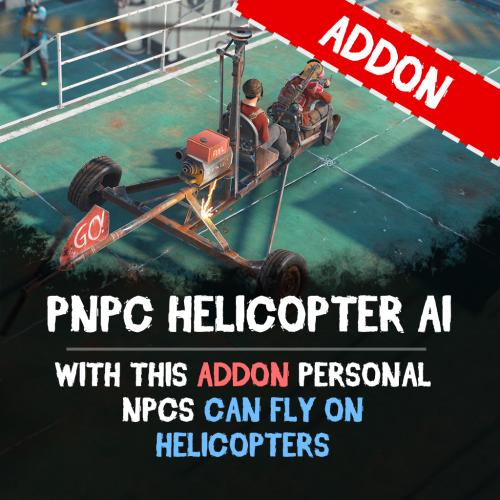
Let your Personal NPCs fly helicopters for you with the Heli AI Addon! This addon for Personal NPC enables your bots to take control of helicopters, allowing you to sit back and enjoy the flight while they fly to the destination. Features: Fully Automated AI Pilots • Spawn a Personal NPC bot • Select a point on the in-game map, and the bot will fly there. • Works perfect with all helicopters in Rust. Smooth Flight Controls • Adjustable altitude, flight speed, and maneuverability. • Setup pitch, throttle, and rotation for better control. • Automatically adjusts height above the ground to avoid obstacles. ⚙ Other Customization • Set minimum and maximum flight altitude. • Adjust landing speed, flight slope, and pitch strength. • Optimize rotation and throttle power for smoother navigation. How to Use: Spawn a bot using the PersonalNPC plugin. Enter the helicopter as a passenger. Mark your destination on the in-game map. Sit back and let your AI pilot handle the flight! Requirements: PersonalNPC Plugin (must be installed & enabled). Addon must be activated in bot settings. See It in Action! Watch the Video Configuration: { "Max height above the ground": 25.0, "Minimum height to fly forward/backward": 15.0, "Max slope by forward axis": 0.3, "Pitch strength": 0.2, "Throttle strength": 1.0, "Land throttle strength": 0.5, "YAW strength (rotation around its axis)": 1.0 }$9.90 -
Version 0.1.1
34 downloads
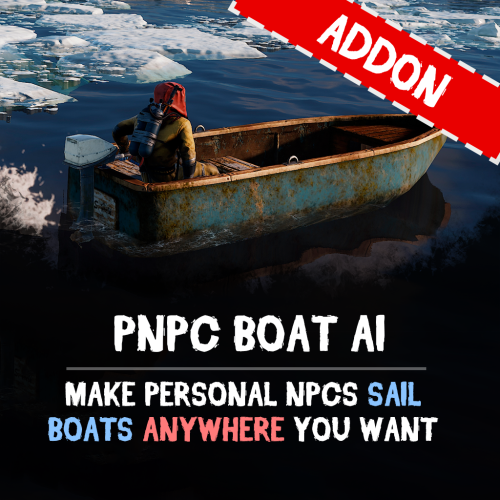
Let your Personal NPCs drive boats for you with Boat AI Addon! This addon for the Personal NPC plugin lets your NPCs navigate boats, while you sit back, relax, and enjoy the sea! Features: Fully Automated Boat Navigation • Just hop in, choose your destination on the in-game map, and your NPC captain takes the wheel. • Obstacle detection keeps your journey smooth and safe. Intelligent Navigation System • Smart AI dynamically calculates the most efficient route to your chosen location. • Customizable settings for maximum speed and navigation precision. • Utilizes waterways intelligently to provide the smoothest possible journey. How to Use: 1. Spawn your NPC and sit in the boat 2. Select your destination on the in-game map 3. Enjoy the ride ! Requirements: • Personal NPC Plugin (must be installed and enabled). • Boat AI Addon activated within the Personal NPC settings. Commands: • /pnpc tugboat - makes the bot a driver of the tugboat (owner should be on tugboat and authorized in it) See It in Action! Watch the Video Configuration: { "Permission to use this addon on all bots of player (not required)": "pnpcaddonboat.override-setup", "General settings": { "Automatic fuel supply from bot inventory (0 - disables supply)": 100, "Distance to route control point to reach": 15.0, "Number of processes per cycle in 1 tick when searching for a route(increasing the parameter - reduces the time of searching for a route, but increases the load on fps)": 10, "Grid step for route search (increasing the parameter - increases the time of searching for a route, but makes it harder to lay out a route in narrow places)": 60 }, "Boat motor settings": { "Max speed": 20.0, "Max speed on obstacle detection": 5.0, "Transport push force from obstacle in collision(0 - disables push)": 3.0, "Minimum depth for determining transport passability when searching for a route": 0.5 }, "RHIB settings": { "Max speed": 20.0, "Max speed on obstacle detection": 5.0, "Transport push force from obstacle in collision(0 - disables push)": 3.0, "Minimum depth for determining transport passability when searching for a route": 0.5 }, "Tugboat settings": { "Max speed": 20.0, "Max speed on obstacle detection": 5.0, "Transport push force from obstacle in collision(0 - disables push)": 3.0, "Minimum depth for determining transport passability when searching for a route": 0.5 } }$9.90 -
Version 1.1.3
144 downloads
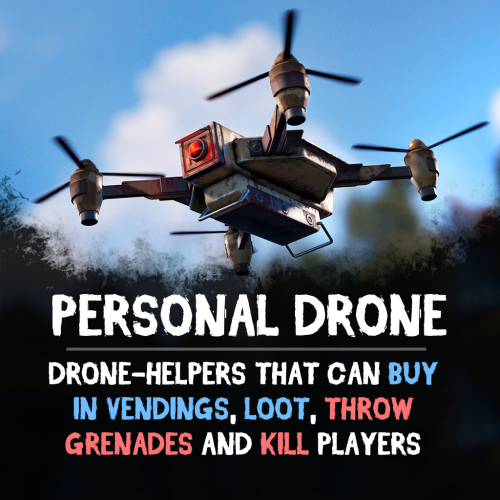
Adds an AI drone companion that can fight, collect, purchase items, and even be your own flying vehicle! Easy to use and fully customizable, this drone is perfect for players who want to dominate battlefields, automate resource gathering or travel. Features: Universal Companion • Attack enemies using turrets or drop grenades from above. • Purchase products via vending machines remotely • Collect wood, stone, and ore. • Store loot in its inventory for quick access. • Ride the drone for fast, tactical movement! Battle-Ready • Equip turrets and onboard weapons for defense. • Configurable grenade-dropping mechanics Resource Looting • Loot crates, boxes, and collectibles. • Retrieve your lost items from your body after respawning. • Make purchases from vending machines with controlled safezone access and purchase radius. Customization & Controls Controls & Commands • Assign custom buttons to execute tasks, access inventory, and mount the drone. • Adjust 3D targeting arrows for better tracking. • /pdrone – Spawn or remove your drone. • /pdrone vending – Send your drone to a vending machine for shopping. • /pdrone follow – Make your drone follow you. Drone Performance & Behavior • Set max altitude, acceleration, and movement speed. • Configure obstacle detection. Inventory & Looting System • Inventory with adjustable capacity limits. • Blacklist specific items from being stored in the drone. • Customize pickup rates and resource collection distances. See It in Action! Watch the Video IMPORTANT By default drone's max control range is limited by 500. To increase it, you can use drone.maxcontrolrange command in the server console. Configuration: { "Control setup": { "Which button will assign tasks to the drone, attack/fly to point, etc. (MIDDLE_MOUSE, SECOND_MOUSE, E, RELOAD, SPRINT)": "MIDDLE_MOUSE", "Button to open inventory if it exists (MIDDLE_MOUSE, SECOND_MOUSE, E, RELOAD, SPRINT)": "RELOAD", "Button to mount drone if this option enabled (MIDDLE_MOUSE, SECOND_MOUSE, E, RELOAD, SPRINT)": "E", "Range of action of the assignment button": 25.0, "Display 3D arrows over a target/point?": true, "Arrow display duration": 2 }, "GUI setup": { "How many seconds to update the GUI?": 6, "Panel layer (Hud, Overlay, Overall, Hud.Menu, Under)": "Overlay", "Panel position": { "type": "RectTransform", "anchormin": "1 1", "anchormax": "1 1", "offsetmin": "-170 -104", "offsetmax": "-10 -10" }, "Second position of the panel (used if the player has a personal bot/animal)": { "type": "RectTransform", "anchormin": "1 1", "anchormax": "1 1", "offsetmin": "-335 -104", "offsetmax": "-175 -10" }, "Third position of the panel (used if the player has a personal bot and a personal animal)": { "type": "RectTransform", "anchormin": "1 1", "anchormax": "1 1", "offsetmin": "-500 -104", "offsetmax": "-340 -10" }, "1 panel color": "#7f8c8d", "2 panel color": "#bdc3c7", "Health bar color": "#2ecc71", "Shortcut buttons": [ { "Text on button": "Land Drone", "Executable chat commands": [ "pdrone land" ] } ] }, "Drones Settings": [ { "Drone item": { "Item name": "Personal Drone", "Item skin": 2824523761, "Can pickup?": true }, "Command spawn": { "Can player spawn this drone using a chat command? (/pdrone {name})": true, "Permission to spawn": "personaldrone.drone1", "Spawn cooldown": 3600.0, "Name of this drone preset to spawn": "drone1", "Can player pickup this drone after spawn?": false }, "Drone Movement": { "Altitude acceleration": 30.0, "Movement acceleration": 30.0, "YAW acceleration": 5.0 }, "Obstacle Detectors": { "Forward obstacle detector": { "Obstacle detect distance": 5.0, "How many meters to fly up if an obstacle is detected": 5.0 }, "Backward obstacle detector": { "Obstacle detect distance": 5.0, "How many meters to fly up if an obstacle is detected": 5.0 } }, "Addons": { "Inventory Addon": { "Add inventory to drone?": true, "Inventory capacity": 12, "Black list of items that cannot be put into the inventory of the bot": [ "rocket.launcher" ] }, "Seat Addon": { "Add invisible seat for drone's owner?": true }, "Turret Addon": { "Add turret to drone? (more settings in DroneTurrets plugin's config)": true, "Default weapon shortname (not necessary)": "" }, "Grenade thrower Addon (requires inventory)": { "Enable feature to throw grenades to the target? (player will be need to put the grenades to drone inventory)": true, "Throw cooldown": 1.0, "Distance between target and drone to start throwing": 5.0 }, "Purchase in Vending Addon (requires inventory)": { "Purchase in vending enable? (requires inventory)": true, "Block buy in safezone vendings?": false, "Block buy in non-safezone vendings?": false, "Max distance to buy": 200.0 }, "Loot Collect Addon (requires inventory)": { "Can drone loot crates?": true, "Can drone pickup collectibles? (sulfur, metal, wood etc.)": true, "Collectibles pickup rate (shortname:rate)": {}, "Min distance to pickup": 5.0 } }, "Death marker": { "Show marker on drone's death position?": true, "Display name on map": "Drone's death marker", "Marker radius": 0.35, "Outline color (hex)": "00FFFFFF", "Main color (hex)": "00FFFF", "Alpha": 0.5, "Duration": 20 }, "Drone max. health": 1000.0, "Minimum fly height": 10.0, "Kill in water?": false, "Disable collision damage": true } ] }$29.90 -
Version 1.4.6
1,870 downloads
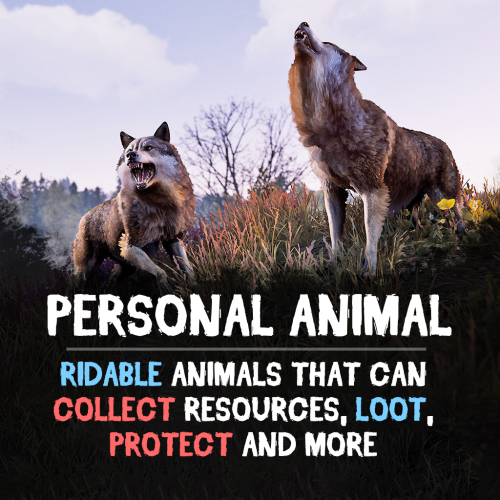
Bring these intelligent animal companions to your server! They can fight, gather resources, carry supplies, and even be ridden. Choose from various customizable animals: bear, boar, chicken, deer, wolf, crocodile, panther or tiger! (new gen2 animals are supported, but in beta) Features: Resource Gathering & Looting • Collect essential resources like wood, stone, and ore. • Automatically gather resources within 50 meters using auto-pickup. • Loot crates and boxes for valuable items. A True Companion • Command your animal to attack enemies, structures, or objects. • Ride your animal for faster travel. • Store items in the animal’s inventory (configurable up to 36 slots). • Keep your companion healthy with a nutrition system that restores health. Total Customization & Control Animal Settings • Select your preferred animal: Bear, Boar, Chicken, Deer, Wolf, Crocodile, Panther or Tiger. • Configure max health, respawn time, and combat abilities. • Adjust damage rates, player interactions, and looting permissions. User-Friendly Controls & UI • Assign commands with a customizable buttons. • Display 3D arrows over targets for better visibility. • Fully customize the GUI layout, colors, and refresh rate. • Blacklist specific items from your animal’s inventory bag. Feeding System • Enable nutrition settings to maintain your animal’s health. • Configure health restoration values for different food items. Useful Commands: /panimal – Spawn or despawn your animal. /panimal follow – Have your animal follow you. /panimal health – Check your animal’s current health. /panimal auto-pickup enable/disable – Turn resource auto-collection on or off. /panimal where – Locate your animal on the map. See It in Action! Watch the Video Configuration: { "Controls setup": { "Which button will assign tasks to the animal, attack / collect, etc. (MIDDLE_MOUSE, SECOND_MOUSE, E, RELOAD, SPRINT)": "MIDDLE_MOUSE", "Range of action of the assignment button": 25.0, "Display 3D arrows over a target?": true, "Arrow display duration": 2 }, "GUI setup": { "How many seconds to update the GUI?": 6, "Panel layer (Hud, Overlay, Overall, Hud.Menu, Under)": "Overlay", "Panel position": { "type": "RectTransform", "anchormin": "1 1", "anchormax": "1 1", "offsetmin": "-170 -104", "offsetmax": "-10 -10" }, "Second position of the panel (used if the player has a personal bot)": { "type": "RectTransform", "anchormin": "0.0 0.0", "anchormax": "1.0 1.0", "offsetmin": "0.0 0.0", "offsetmax": "0.0 0.0" }, "1 panel color": "#7f8c8d", "2 panel color": "#bdc3c7", "Health bar color": "#2ecc71", "Shortcut buttons": [] }, "Setting up personal animals by permission": { "personalanimal.wolf": { "The name of the animal to be selected through the command when spawning": "wolf", "Animal type (bear, boar, chicken, stag, wolf, polar-bear)": "wolf", "Maximum health": 200, "Animal spawn cooldown": 10.0, "Addons setup": { "Enable the ability to ride an animal?": true, "Add a bag to an animal to store resources?": true, "Number of available slots in the bag (maximum 36)": 12 }, "Functions setup": { "Can the animal attack objects?": true, "Can an animal loot boxes?": true, "Can the animal pick up resources?": true, "Does the animal have to defend itself?": true, "Should the animal protect the owner?": true, "Can an animal collect resources within a radius of 50 meters? (/panimal auto-collect)": true }, "Damage, interactions and loot setup": { "Animal damage rate": 2.0, "Damage rate receive for an animal": 1.0, "Can the animal damage players?": true, "Can players damage the animal?": true, "Despawn animal corpse after death?": false, "Setting up resource pickup rates": { "stones": 5.0 }, "Black list of items that cannot be put in the bag": [ "rocket.launcher" ] }, "Nutrition setup": { "Turn on the animal feeding system?": true, "Setting health for food eaten": { "corn": 5.0 } } }, "personalanimal.bear": { "The name of the animal to be selected through the command when spawning": "bear", "Animal type (bear, boar, chicken, stag, wolf, polar-bear)": "bear", "Maximum health": 200, "Animal spawn cooldown": 10.0, "Addons setup": { "Enable the ability to ride an animal?": true, "Add a bag to an animal to store resources?": true, "Number of available slots in the bag (maximum 36)": 12 }, "Functions setup": { "Can the animal attack objects?": true, "Can an animal loot boxes?": true, "Can the animal pick up resources?": true, "Does the animal have to defend itself?": true, "Should the animal protect the owner?": true, "Can an animal collect resources within a radius of 50 meters? (/panimal auto-collect)": true }, "Damage, interactions and loot setup": { "Animal damage rate": 2.0, "Damage rate receive for an animal": 1.0, "Can the animal damage players?": true, "Can players damage the animal?": true, "Despawn animal corpse after death?": false, "Setting up resource pickup rates": { "stones": 5.0 }, "Black list of items that cannot be put in the bag": [ "rocket.launcher" ] }, "Nutrition setup": { "Turn on the animal feeding system?": true, "Setting health for food eaten": { "corn": 5.0 } } }, "personalanimal.boar": { "The name of the animal to be selected through the command when spawning": "boar", "Animal type (bear, boar, chicken, stag, wolf, polar-bear)": "boar", "Maximum health": 200, "Animal spawn cooldown": 10.0, "Addons setup": { "Enable the ability to ride an animal?": true, "Add a bag to an animal to store resources?": true, "Number of available slots in the bag (maximum 36)": 12 }, "Functions setup": { "Can the animal attack objects?": true, "Can an animal loot boxes?": true, "Can the animal pick up resources?": true, "Does the animal have to defend itself?": true, "Should the animal protect the owner?": true, "Can an animal collect resources within a radius of 50 meters? (/panimal auto-collect)": true }, "Damage, interactions and loot setup": { "Animal damage rate": 2.0, "Damage rate receive for an animal": 1.0, "Can the animal damage players?": true, "Can players damage the animal?": true, "Despawn animal corpse after death?": false, "Setting up resource pickup rates": { "stones": 5.0 }, "Black list of items that cannot be put in the bag": [ "rocket.launcher" ] }, "Nutrition setup": { "Turn on the animal feeding system?": true, "Setting health for food eaten": { "corn": 5.0 } } }, "personalanimal.chicken": { "The name of the animal to be selected through the command when spawning": "chicken", "Animal type (bear, boar, chicken, stag, wolf, polar-bear)": "chicken", "Maximum health": 200, "Animal spawn cooldown": 10.0, "Addons setup": { "Enable the ability to ride an animal?": true, "Add a bag to an animal to store resources?": true, "Number of available slots in the bag (maximum 36)": 12 }, "Functions setup": { "Can the animal attack objects?": true, "Can an animal loot boxes?": true, "Can the animal pick up resources?": true, "Does the animal have to defend itself?": true, "Should the animal protect the owner?": true, "Can an animal collect resources within a radius of 50 meters? (/panimal auto-collect)": true }, "Damage, interactions and loot setup": { "Animal damage rate": 2.0, "Damage rate receive for an animal": 1.0, "Can the animal damage players?": true, "Can players damage the animal?": true, "Despawn animal corpse after death?": false, "Setting up resource pickup rates": { "stones": 5.0 }, "Black list of items that cannot be put in the bag": [ "rocket.launcher" ] }, "Nutrition setup": { "Turn on the animal feeding system?": true, "Setting health for food eaten": { "corn": 5.0 } } }, "personalanimal.stag": { "The name of the animal to be selected through the command when spawning": "stag", "Animal type (bear, boar, chicken, stag, wolf, polar-bear)": "stag", "Maximum health": 200, "Animal spawn cooldown": 10.0, "Addons setup": { "Enable the ability to ride an animal?": true, "Add a bag to an animal to store resources?": true, "Number of available slots in the bag (maximum 36)": 12 }, "Functions setup": { "Can the animal attack objects?": true, "Can an animal loot boxes?": true, "Can the animal pick up resources?": true, "Does the animal have to defend itself?": true, "Should the animal protect the owner?": true, "Can an animal collect resources within a radius of 50 meters? (/panimal auto-collect)": true }, "Damage, interactions and loot setup": { "Animal damage rate": 2.0, "Damage rate receive for an animal": 1.0, "Can the animal damage players?": true, "Can players damage the animal?": true, "Despawn animal corpse after death?": false, "Setting up resource pickup rates": { "stones": 5.0 }, "Black list of items that cannot be put in the bag": [ "rocket.launcher" ] }, "Nutrition setup": { "Turn on the animal feeding system?": true, "Setting health for food eaten": { "corn": 5.0 } } }, "personalanimal.polarbear": { "The name of the animal to be selected through the command when spawning": "polarbear", "Animal type (bear, boar, chicken, stag, wolf, polar-bear)": "polar-bear", "Maximum health": 400, "Animal spawn cooldown": 10.0, "Addons setup": { "Enable the ability to ride an animal?": true, "Add a bag to an animal to store resources?": true, "Number of available slots in the bag (maximum 36)": 12 }, "Functions setup": { "Can the animal attack objects?": true, "Can an animal loot boxes?": true, "Can the animal pick up resources?": true, "Does the animal have to defend itself?": true, "Should the animal protect the owner?": true, "Can an animal collect resources within a radius of 50 meters? (/panimal auto-collect)": true }, "Damage, interactions and loot setup": { "Animal damage rate": 2.0, "Damage rate receive for an animal": 1.0, "Can the animal damage players?": true, "Can players damage the animal?": true, "Despawn animal corpse after death?": false, "Setting up resource pickup rates": { "stones": 5.0 }, "Black list of items that cannot be put in the bag": [ "rocket.launcher" ] }, "Nutrition setup": { "Turn on the animal feeding system?": true, "Setting health for food eaten": { "corn": 5.0 } } } }, "List of prefabs that the animal can loot (useful if the animal attacks loot instead of looting it)": [ "foodbox", "vehicle_parts" ] }$29.90 -
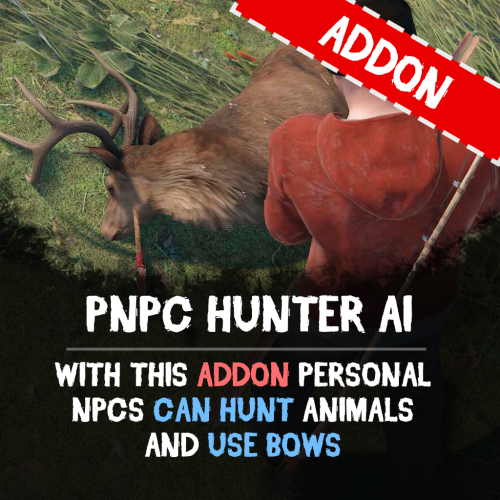
Version 1.0.0
4 downloads
Unleash the wild side of your NPCs with the PNPC Hunter AI Addon — it allows your NPCs to hunt, harvest animals and use bows/crossbows. Features: Automated Hunting • Activate hunting mode with "/pnpc hunting" command. • Your NPC will scan the area for animals within a set radius and start to hunt animals. Combat & Harvesting • Adds bow and crossbow support for PNPCs. • After the kill, bot will automatically harvest the animal if equipped with needed tools (e.g., bone knife, combat knife). Customization & Control • Configure hunt radius for target detection. • Specify which tools and weapons are allowed to use for hunting and harvesting. How to Use: Spawn your Personal NPC and equip it with allowed weapon. Optionally provide a harvesting tool for resource collection. Use /pnpc hunting to start the hunting mode. Your NPC will hunt, kill, and harvest nearby animals! Requirements: • PersonalNPC Plugin See it in Action! Watch the Video Configuration: { "Hunting radius": 100.0, "Allowed weapons for hunting (shortnames)": [ "bow.compound", "crossbow", "bow.hunting", "legacy.bow", "minicrossbow", "rifle.ak" ], "Allowed tools for hunting (shortnames)": [ "knife.bone", "knife.butcher", "knife.combat", "knife.bone.obsidian", "knife.skinning", "sunken.knife" ] }$9.90 -
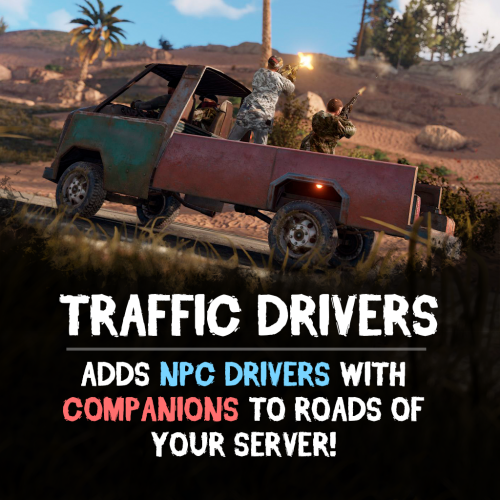
Version 2.0.7
1,842 downloads
Tired of driving on abandoned roads in Rust? Traffic Drivers adds AI-driven vehicles with armed companions ready to defend their drivers. Customize everything from vehicle setups to AI behavior, making each road feel more dynamic and unpredictable! Features: Dynamic AI Traffic • AI-powered vehicles patrol Rust’s roads with armed drivers and companions. • Customizable AI reactions – decide how they respond to attacks! • Companions will fiercely protect their driver. High-Speed Combat & Encounters • Bots fight back when their vehicle is attacked. • Drivers can temporarily accelerate when under fire. • Setup damage rates, loot tables, and AI health settings. Full Vehicle Customization • Set fuel limits or enable infinite fuel. • Adjust max speed, destroy rules, and car respawn times. • Optional locks for security Loot & Rewards System • Configure loot inside storage modules – control drop rates and item amounts. • Customize driver & companion inventory – weapons, clothes, and other supplies. ⚙ Spawn Control • Set limits on active traffic vehicles. • Adjust minimum road length • Configure auto-destruction for stuck cars. • Prevent AI from attacking friendly drivers and companions. Total Customization & Control: Vehicle Presets: • Adjust fuel, speed, engine durability, and others. • Define loot contents inside storage modules. Driver & Companion AI: • Set driver names, health, appearance, and clothing. • Configure damage resistance and response to attacks. • Equip companions with custom armor, health, and weapons to protect their driver. See It in Action! Watch the Video After downloading you’ll also get plugin called DriverController. It’s a single plugin to setup presets of bots and loot between all of my plugins. Configuration: { "Event settings": { "Allowed events (vehicle) count": { "Min": 3.0, "Max": 6.0 }, "Event restart delay": { "Min": 60.0, "Max": 120.0 }, "Prevent NPC from attacking drivers and companions?": true, "Block damage to transport from not players?": true, "Block damage to driver and companion from not players?": true, "Destroy events of this plugin when pause is enabled?": true, "Behavior when Convoy spawns": { "Pause events when Convoy starts?": true }, "Marker text color": { "Color (for HEX, put # at the beginning)": "0.2 0.21 0.62 1" }, "Event name for the marker": "EVENT CAR", "Route recording settings": { "Enable recorded routes usage?": true, "Clear saved routes after wipe?": true, "Minimum distance between points to record in route (used when recording route)": 20.0, "Minimum number of points to save (used when recording route)": 50.0 }, "Route generation": { "Enable route generation": true }, "Controller settings": { "Controller update timer (0 - 0.2)": 0.0 } }, "Car settings": [ { "Activate this event?": true, "Transport type for event (Random2Module, Random3Module, Random4Module, Module2, Module3, Module4)": "Module2", "Driver name (key) from driver settings in DriverController plugin": "DriverCar", "Companion name (key) from companion settings in DriverController plugin (list to occupy free seats in the vehicle)": [ "Companion1", "Companion2" ], "Engine settings": { "Engine parts level (1 - 3)": 1, "Drop the parts when destroying vehicle?": false }, "Loot container settings": { "Enable loot in vehicle container?": true, "Drop the loot when destroying the transport?": false, "Amount of slots": 1, "Name of loot set from loot settings in DriverController plugin (list loot sets for random selection)": [ "ResourcesCar" ] }, "Use Road Routes (has priority over off-road)": true, "Use Off-Road Routes (used if no road routes are available)": true, "Controller settings": { "Max speed (km/h)": 60.0, "Maximum speed when obstacles detected (km/h)": 5.0, "Chase mode settings": { "Chase attacking players?": true, "Max chase distance": 150.0, "Chase timer": 120.0 } }, "Turret Settings (will add the specified amount to each suitable module)": { "Enable Turrets on Vehicle": false, "Disable Turrets on Event End": true, "Maximum Attack Range": 50.0, "Player Damage Multiplier": 0.5, "Max turrets amount": 1, "At what percentage of the module's remaining health remove the turret installed on it": { "Min": 2.0, "Max": 5.0 } }, "Damage receive rate": 1.0, "Fuel settings": { "Enable automatic fuel refueling?": true, "Remove fuel when unlocking vehicle?": true, "Maximum fuel in vehicle": 500 }, "Vehicle headlight settings": { "Enable vehicle headlights?": true, "Use headlights only at night?": true }, "Detonator settings": { "Add C4 to the vehicle after the death of the driver (used to despawn vehicles)": true, "After how many seconds explosives will be blown up": 60.0, "Explosives position offset": { "x": 0.0, "y": 0.8, "z": 0.0 } } }, { "Activate this event?": true, "Transport type for event (Random2Module, Random3Module, Random4Module, Module2, Module3, Module4)": "Random3Module", "Driver name (key) from driver settings in DriverController plugin": "DriverCar", "Companion name (key) from companion settings in DriverController plugin (list to occupy free seats in the vehicle)": [ "Companion1", "Companion2" ], "Engine settings": { "Engine parts level (1 - 3)": 1, "Drop the parts when destroying vehicle?": false }, "Loot container settings": { "Enable loot in vehicle container?": true, "Drop the loot when destroying the transport?": false, "Amount of slots": 1, "Name of loot set from loot settings in DriverController plugin (list loot sets for random selection)": [ "ResourcesCar" ] }, "Use Road Routes (has priority over off-road)": true, "Use Off-Road Routes (used if no road routes are available)": true, "Controller settings": { "Max speed (km/h)": 60.0, "Maximum speed when obstacles detected (km/h)": 5.0, "Chase mode settings": { "Chase attacking players?": true, "Max chase distance": 150.0, "Chase timer": 120.0 } }, "Turret Settings (will add the specified amount to each suitable module)": { "Enable Turrets on Vehicle": false, "Disable Turrets on Event End": true, "Maximum Attack Range": 50.0, "Player Damage Multiplier": 0.5, "Max turrets amount": 1, "At what percentage of the module's remaining health remove the turret installed on it": { "Min": 2.0, "Max": 5.0 } }, "Damage receive rate": 1.0, "Fuel settings": { "Enable automatic fuel refueling?": true, "Remove fuel when unlocking vehicle?": true, "Maximum fuel in vehicle": 500 }, "Vehicle headlight settings": { "Enable vehicle headlights?": true, "Use headlights only at night?": true }, "Detonator settings": { "Add C4 to the vehicle after the death of the driver (used to despawn vehicles)": true, "After how many seconds explosives will be blown up": 60.0, "Explosives position offset": { "x": 0.0, "y": 0.8, "z": 0.0 } } } ] } DriverController Configuration: { "Drivers settings": { "DriverBike": { "Bot health": { "Min": 100.0, "Max": 150.0 }, "Prevent attacking players first?": true, "Damage receive rate": 2.0, "Damage rate": 2.0, "Spawn bag with items instead of corpse on death?": true, "In how many seconds remove bots, after destroying the vehicle? (0 - will not remove)": 120.0, "Clothes": [ { "Item": { "Item shortname or ID": "shoes.boots", "Item skin": 0 }, "Item custom name (if not needed leave empty)": null, "Amount": 1 }, { "Item": { "Item shortname or ID": "wood.armor.pants", "Item skin": 0 }, "Item custom name (if not needed leave empty)": null, "Amount": 1 }, { "Item": { "Item shortname or ID": "pants", "Item skin": 0 }, "Item custom name (if not needed leave empty)": null, "Amount": 1 }, { "Item": { "Item shortname or ID": "wood.armor.jacket", "Item skin": 0 }, "Item custom name (if not needed leave empty)": null, "Amount": 1 }, { "Item": { "Item shortname or ID": "hoodie", "Item skin": 0 }, "Item custom name (if not needed leave empty)": null, "Amount": 1 }, { "Item": { "Item shortname or ID": "riot.helmet", "Item skin": 0 }, "Item custom name (if not needed leave empty)": null, "Amount": 1 } ], "Weapons": [ { "Item": { "Item shortname or ID": "pistol.revolver", "Item skin": 0 }, "Item custom name (if not needed leave empty)": null, "Amount": 1 } ], "Bot loot": { "Enable loot after bot's death?": true, "Amount of slots": 5, "Loot set name (key) from loot settings (you can enter many sets for random selection)": [ "ResourcesDriver" ] } }, "DriverCar": { "Bot health": { "Min": 100.0, "Max": 150.0 }, "Prevent attacking players first?": true, "Damage receive rate": 2.0, "Damage rate": 2.0, "Spawn bag with items instead of corpse on death?": true, "In how many seconds remove bots, after destroying the vehicle? (0 - will not remove)": 120.0, "Clothes": [ { "Item": { "Item shortname or ID": "hazmatsuit", "Item skin": 0 }, "Item custom name (if not needed leave empty)": null, "Amount": 1 } ], "Weapons": [ { "Item": { "Item shortname or ID": "rifle.ak", "Item skin": 0 }, "Item custom name (if not needed leave empty)": null, "Amount": 1 } ], "Bot loot": { "Enable loot after bot's death?": true, "Amount of slots": 5, "Loot set name (key) from loot settings (you can enter many sets for random selection)": [ "ResourcesDriver" ] } }, "DriverBoat": { "Bot health": { "Min": 100.0, "Max": 150.0 }, "Prevent attacking players first?": true, "Damage receive rate": 2.0, "Damage rate": 2.0, "Spawn bag with items instead of corpse on death?": true, "In how many seconds remove bots, after destroying the vehicle? (0 - will not remove)": 120.0, "Clothes": [ { "Item": { "Item shortname or ID": "hazmatsuit", "Item skin": 0 }, "Item custom name (if not needed leave empty)": null, "Amount": 1 } ], "Weapons": [ { "Item": { "Item shortname or ID": "t1_smg", "Item skin": 0 }, "Item custom name (if not needed leave empty)": null, "Amount": 1 } ], "Bot loot": { "Enable loot after bot's death?": true, "Amount of slots": 5, "Loot set name (key) from loot settings (you can enter many sets for random selection)": [ "ResourcesDriver" ] } }, "PilotHeli": { "Bot health": { "Min": 100.0, "Max": 150.0 }, "Prevent attacking players first?": true, "Damage receive rate": 2.0, "Damage rate": 2.0, "Spawn bag with items instead of corpse on death?": true, "In how many seconds remove bots, after destroying the vehicle? (0 - will not remove)": 120.0, "Clothes": [ { "Item": { "Item shortname or ID": "jumpsuit.suit.blue", "Item skin": 0 }, "Item custom name (if not needed leave empty)": null, "Amount": 1 } ], "Weapons": [ { "Item": { "Item shortname or ID": "rifle.ak", "Item skin": 0 }, "Item custom name (if not needed leave empty)": null, "Amount": 1 } ], "Bot loot": { "Enable loot after bot's death?": true, "Amount of slots": 5, "Loot set name (key) from loot settings (you can enter many sets for random selection)": [ "ResourcesDriver" ] } } }, "Companion settings": { "Companion1": { "Bot health": { "Min": 100.0, "Max": 150.0 }, "Prevent attacking players first?": true, "Damage receive rate": 2.0, "Damage rate": 2.0, "Spawn bag with items instead of corpse on death?": true, "In how many seconds remove bots, after destroying the vehicle? (0 - will not remove)": 120.0, "Clothes": [ { "Item": { "Item shortname or ID": "hazmatsuit_scientist_nvgm", "Item skin": 0 }, "Item custom name (if not needed leave empty)": null, "Amount": 1 } ], "Weapons": [ { "Item": { "Item shortname or ID": "rifle.ak", "Item skin": 0 }, "Item custom name (if not needed leave empty)": null, "Amount": 1 } ], "Bot loot": { "Enable loot after bot's death?": true, "Amount of slots": 5, "Loot set name (key) from loot settings (you can enter many sets for random selection)": [ "ResourcesCompanion", "WeaponsCompanion" ] } }, "Companion2": { "Bot health": { "Min": 100.0, "Max": 150.0 }, "Prevent attacking players first?": true, "Damage receive rate": 2.0, "Damage rate": 2.0, "Spawn bag with items instead of corpse on death?": true, "In how many seconds remove bots, after destroying the vehicle? (0 - will not remove)": 120.0, "Clothes": [ { "Item": { "Item shortname or ID": "hazmatsuit.arcticsuit", "Item skin": 0 }, "Item custom name (if not needed leave empty)": null, "Amount": 1 } ], "Weapons": [ { "Item": { "Item shortname or ID": "rifle.ak", "Item skin": 0 }, "Item custom name (if not needed leave empty)": null, "Amount": 1 } ], "Bot loot": { "Enable loot after bot's death?": true, "Amount of slots": 5, "Loot set name (key) from loot settings (you can enter many sets for random selection)": [ "ResourcesCompanion", "WeaponsCompanion" ] } }, "Companion3": { "Bot health": { "Min": 100.0, "Max": 150.0 }, "Prevent attacking players first?": true, "Damage receive rate": 2.0, "Damage rate": 2.0, "Spawn bag with items instead of corpse on death?": true, "In how many seconds remove bots, after destroying the vehicle? (0 - will not remove)": 120.0, "Clothes": [ { "Item": { "Item shortname or ID": "hazmatsuit.lumberjack", "Item skin": 0 }, "Item custom name (if not needed leave empty)": null, "Amount": 1 } ], "Weapons": [ { "Item": { "Item shortname or ID": "rifle.ak", "Item skin": 0 }, "Item custom name (if not needed leave empty)": null, "Amount": 1 } ], "Bot loot": { "Enable loot after bot's death?": true, "Amount of slots": 5, "Loot set name (key) from loot settings (you can enter many sets for random selection)": [ "ResourcesCompanion", "WeaponsCompanion" ] } }, "Companion4": { "Bot health": { "Min": 100.0, "Max": 150.0 }, "Prevent attacking players first?": true, "Damage receive rate": 2.0, "Damage rate": 2.0, "Spawn bag with items instead of corpse on death?": true, "In how many seconds remove bots, after destroying the vehicle? (0 - will not remove)": 120.0, "Clothes": [ { "Item": { "Item shortname or ID": "hazmatsuit.spacesuit", "Item skin": 0 }, "Item custom name (if not needed leave empty)": null, "Amount": 1 } ], "Weapons": [ { "Item": { "Item shortname or ID": "rifle.ak", "Item skin": 0 }, "Item custom name (if not needed leave empty)": null, "Amount": 1 } ], "Bot loot": { "Enable loot after bot's death?": true, "Amount of slots": 5, "Loot set name (key) from loot settings (you can enter many sets for random selection)": [ "ResourcesCompanion", "WeaponsCompanion" ] } } }, "Loot settings": { "ResourcesBike": [ { "Item": { "Item shortname or ID": "wood", "Item skin": 0 }, "Item custom name (if not needed leave empty)": null, "Spawn chance (0-100%)": { "Min": 100.0, "Max": 100.0 }, "Amount": { "Min": 5000.0, "Max": 50000.0 } }, { "Item": { "Item shortname or ID": "stones", "Item skin": 0 }, "Item custom name (if not needed leave empty)": null, "Spawn chance (0-100%)": { "Min": 100.0, "Max": 100.0 }, "Amount": { "Min": 1000.0, "Max": 10000.0 } } ], "ResourcesCar": [ { "Item": { "Item shortname or ID": "wood", "Item skin": 0 }, "Item custom name (if not needed leave empty)": null, "Spawn chance (0-100%)": { "Min": 100.0, "Max": 100.0 }, "Amount": { "Min": 5000.0, "Max": 50000.0 } }, { "Item": { "Item shortname or ID": "stones", "Item skin": 0 }, "Item custom name (if not needed leave empty)": null, "Spawn chance (0-100%)": { "Min": 100.0, "Max": 100.0 }, "Amount": { "Min": 1000.0, "Max": 10000.0 } } ], "ResourcesBoat": [ { "Item": { "Item shortname or ID": "wood", "Item skin": 0 }, "Item custom name (if not needed leave empty)": null, "Spawn chance (0-100%)": { "Min": 100.0, "Max": 100.0 }, "Amount": { "Min": 5000.0, "Max": 50000.0 } }, { "Item": { "Item shortname or ID": "stones", "Item skin": 0 }, "Item custom name (if not needed leave empty)": null, "Spawn chance (0-100%)": { "Min": 100.0, "Max": 100.0 }, "Amount": { "Min": 1000.0, "Max": 10000.0 } } ], "ResourcesHeli": [ { "Item": { "Item shortname or ID": "wood", "Item skin": 0 }, "Item custom name (if not needed leave empty)": null, "Spawn chance (0-100%)": { "Min": 100.0, "Max": 100.0 }, "Amount": { "Min": 5000.0, "Max": 50000.0 } }, { "Item": { "Item shortname or ID": "stones", "Item skin": 0 }, "Item custom name (if not needed leave empty)": null, "Spawn chance (0-100%)": { "Min": 100.0, "Max": 100.0 }, "Amount": { "Min": 1000.0, "Max": 10000.0 } } ], "ResourcesDriver": [ { "Item": { "Item shortname or ID": "wood", "Item skin": 0 }, "Item custom name (if not needed leave empty)": null, "Spawn chance (0-100%)": { "Min": 100.0, "Max": 100.0 }, "Amount": { "Min": 1000.0, "Max": 10000.0 } }, { "Item": { "Item shortname or ID": "stones", "Item skin": 0 }, "Item custom name (if not needed leave empty)": null, "Spawn chance (0-100%)": { "Min": 100.0, "Max": 100.0 }, "Amount": { "Min": 100.0, "Max": 1000.0 } } ], "ResourcesCompanion": [ { "Item": { "Item shortname or ID": "wood", "Item skin": 0 }, "Item custom name (if not needed leave empty)": null, "Spawn chance (0-100%)": { "Min": 100.0, "Max": 100.0 }, "Amount": { "Min": 100.0, "Max": 1000.0 } }, { "Item": { "Item shortname or ID": "stones", "Item skin": 0 }, "Item custom name (if not needed leave empty)": null, "Spawn chance (0-100%)": { "Min": 100.0, "Max": 100.0 }, "Amount": { "Min": 10.0, "Max": 100.0 } } ], "WeaponsCompanion": [ { "Item": { "Item shortname or ID": "rifle.ak", "Item skin": 0 }, "Item custom name (if not needed leave empty)": null, "Spawn chance (0-100%)": { "Min": 40.0, "Max": 80.0 }, "Amount": { "Min": 1.0, "Max": 1.0 } } ] } }$29.90 -
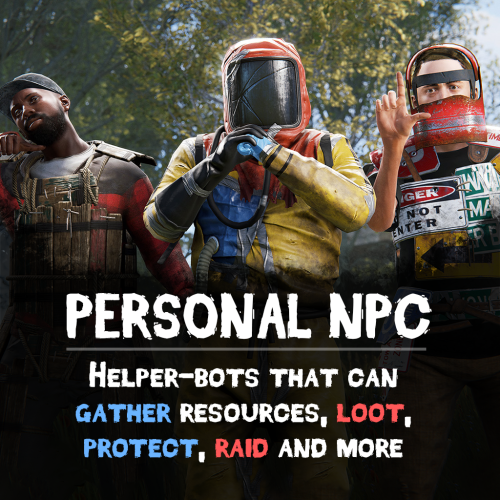
Version 1.9.8
3,307 downloads
Take your server experience to new level using Personal NPC companions that can fight, loot, gather, drive, fly, and assist! Whether combat, gathering resources, or traveling is on your to-do list, your bot is on hand to help out! Features: Battle-Ready AI • Command your bot to attack players, enemies, buildings, barrels, and more. • Protects you against enemies attacks. • Assist in combat by attacking targets that you engage with (/pnpc combat). • Raid using rocket/grenade launchers (addon required). Resource Collection • Auto-farm of wood, metal, sulfur, and stone. • Pick up dropped items and collectable resources. • Enable auto-pickup within a 50m radius along with auto-farm. Smart Assistant • Follow you or stay in position. • Loot containers. • Recovers you while wounded. • Travel with you in minicopters, cars, boats, and more. • Can drive cars, helicopters and boats (addon required). Full Control & Personalization Bot Setup: • Set bot name, health, speed, and appearance. • Enable unlimited ammo and on map visibility. • Setup bot abilities: combat, looting, resource gathering, and more. • Setup damage rates, player interactions, and turret targeting. Other Customization: • Adjust spawn delays, task buttons, and 3D arrow displays. • Personalize the GUI interface – refresh rate, position, colors, and shortcut keys. • Blacklist specific items from the bot’s inventory. Commands: /pnpc where (shows a location of the bot in chat) /pnpc health (shows current bot's health in chat) /pnpc follow (bot will follow you) /pnpc hover (hover over a place, for Heli AI Addon) /pnpc inventory (open inventory, if enabled "Can player open bot's inventory through '/pnpc inventory' command?' option) /pnpc farm {resource name} (bot will farm exactly this resource, no need to write a lot of /pnpc auto-farm commands to make him work) /pnpc pickup {resource name} (same as "farm" but bot will pickup resources) /pnpc auto-pickup {resource name}/enable/disable /pnpc auto-farm {resource name}/enable/disable /pnpc ignore (bot will ignore everybody who deal damage to him or the owner) /pnpc loot-all (bot will loot everything in radius) /pnpc pvp (bot will fight anybody who's in radius) /pnpc combat (bot will fight only players who attack him or owner) Expand with Addons! Enhance your bot’s features using add-ons: • PNPC Helicopter AI Addon • PNPC Car AI Addon • PNPC Boat AI Addon • PNPC Raid Addon See It in Action! Watch The Video Configuration: { "Control setup": { "Which button will assign tasks to the bot, kill/get/collect, etc. (MIDDLE_MOUSE, SECOND_MOUSE, E, RELOAD, SPRINT)": "MIDDLE_MOUSE", "Range of the task assignment button": 25.0, "Display 3D arrows over a target?": true, "Arrow display duration": 2 }, "GUI customization": { "How many seconds to update the GUI?": 6.0, "Panel layer (Hud, Overlay, Overall, Hud.Menu, Under)": "Overlay", "Panel position adjustment": { "type": "RectTransform", "anchormin": "1 1", "anchormax": "1 1", "offsetmin": "-170 -104", "offsetmax": "-10 -10" }, "1 panel color": "#7f8c8d", "2 panel color": "#bdc3c7", "Health bar color": "#2ecc71", "Shortcut buttons": [ { "Text on button": "Auto-Farm: Wood", "Executable chat commands": [ "pnpc auto-farm wood", "pnpc auto-farm enable" ] }, { "Text on button": "Auto-Farm: Stone", "Executable chat commands": [ "pnpc auto-farm stone", "pnpc auto-farm enable" ] }, { "Text on button": "Auto-Pickup: Wood", "Executable chat commands": [ "pnpc auto-pickup wood", "pnpc auto-pickup enable" ] }, { "Text on button": "Auto-Pickup: Stone", "Executable chat commands": [ "pnpc auto-pickup stone", "pnpc auto-pickup enable" ] } ] }, "Bot settings by permission": { "personalnpc.bot1": { "Bot spawn delay": 300.0, "The name of the bot to be selected through the command when spawning": "bot1", "Bot name": "Personal bot of player %OWNER_NAME%", "Bot appearance (0 - random)": 0, "Maximum health": 150.0, "Bot speed (slowest, slow, normal, fast)": "normal", "Enable infinite ammo for the bot?": true, "Enable display of the bot on the map? (frankenstein icon)": true, "Start kit": [ { "Item name": "", "Item shortname": "shoes.boots", "Item skin": 0, "Item amount": 1, "In which container to place? (belt, main, wear)": "wear" }, { "Item name": "", "Item shortname": "pants", "Item skin": 0, "Item amount": 1, "In which container to place? (belt, main, wear)": "wear" }, { "Item name": "", "Item shortname": "hoodie", "Item skin": 0, "Item amount": 1, "In which container to place? (belt, main, wear)": "wear" }, { "Item name": "", "Item shortname": "mask.bandana", "Item skin": 0, "Item amount": 1, "In which container to place? (belt, main, wear)": "wear" }, { "Item name": "", "Item shortname": "hat.boonie", "Item skin": 0, "Item amount": 1, "In which container to place? (belt, main, wear)": "wear" }, { "Item name": "", "Item shortname": "sunglasses", "Item skin": 0, "Item amount": 1, "In which container to place? (belt, main, wear)": "wear" } ], "Functions setup": { "Can a bot loot crates?": true, "Can the bot mine trees and stones?": true, "Can the bot pick up resources? (wood, sulfur and metal ore, stones)": true, "Should the bot protect the owner?": true, "Should the bot defend itself?": true, "Can the bot travel by car/copter and other vehicles?": true, "Can the bot pick up dropped items?": true, "Recover the owner from a wounded state": { "Can the bot recover the owner if he is in a wounded state?": true, "Recover time": 6.0 }, "Can the bot attack other people's buildings?": true, "Can a bot attack its owner's buildings?": false, "Can the bot collect resources within a radius of 50 meters? (/pnpc auto-pickup)": true, "Can the bot farm resources within a radius of 50 meters? (/pnpc auto-farm)": true }, "Gather setup": { "Shortname of items that can harvest trees": [ "hatchet", "chainsaw", "hammer.salvaged", "stonehatchet", "axe.salvaged" ], "Shortname of items that can mine stones and ore": [ "pickaxe", "stone.pickaxe", "hammer.salvaged", "jackhammer", "icepick.salvaged" ], "Setting up mining rates": { "stones": 2.0, "wood": 5.0 } }, "Damage and interactions setup": { "Bot damage rate": 2.0, "Bot recive damage rate": 0.5, "Can players damage the bot?": true, "Can the bot damage players?": true, "Can turrets target and kill a bot? (all turrets will not be able to damage the bot)": false, "Prevent bot owner turrets from aiming and killing the bot? (bot owner's turrets will not be able to damage the bot)": true, "Blacklist of objects that the bot will ignore when owner selecting a target (short prefab name)": [ "barricade.sandbags" ] }, "Black list of items that cannot be put into the inventory of the bot": [ "rocket.launcher" ] } }, "Bot install by item": [ { "Item name": "PersonalNPC", "Item shortname": "furnace", "Item skin": 2741314889, "Bot info": { "Bot spawn delay": 300.0, "The name of the bot to be selected through the command when spawning": "bot1", "Bot name": "Personal bot of player %OWNER_NAME%", "Bot appearance (0 - random)": 0, "Maximum health": 150.0, "Bot speed (slowest, slow, normal, fast)": "normal", "Enable infinite ammo for the bot?": true, "Enable display of the bot on the map? (frankenstein icon)": true, "Start kit": [ { "Item name": "", "Item shortname": "shoes.boots", "Item skin": 0, "Item amount": 1, "In which container to place? (belt, main, wear)": "wear" }, { "Item name": "", "Item shortname": "pants", "Item skin": 0, "Item amount": 1, "In which container to place? (belt, main, wear)": "wear" }, { "Item name": "", "Item shortname": "hoodie", "Item skin": 0, "Item amount": 1, "In which container to place? (belt, main, wear)": "wear" }, { "Item name": "", "Item shortname": "mask.bandana", "Item skin": 0, "Item amount": 1, "In which container to place? (belt, main, wear)": "wear" }, { "Item name": "", "Item shortname": "hat.boonie", "Item skin": 0, "Item amount": 1, "In which container to place? (belt, main, wear)": "wear" }, { "Item name": "", "Item shortname": "sunglasses", "Item skin": 0, "Item amount": 1, "In which container to place? (belt, main, wear)": "wear" } ], "Functions setup": { "Can a bot loot crates?": true, "Can the bot mine trees and stones?": true, "Can the bot pick up resources? (wood, sulfur and metal ore, stones)": true, "Should the bot protect the owner?": true, "Should the bot defend itself?": true, "Can the bot travel by car/copter and other vehicles?": true, "Can the bot pick up dropped items?": true, "Recover the owner from a wounded state": { "Can the bot recover the owner if he is in a wounded state?": true, "Recover time": 6.0 }, "Can the bot attack other people's buildings?": true, "Can a bot attack its owner's buildings?": false, "Can the bot collect resources within a radius of 50 meters? (/pnpc auto-pickup)": true, "Can the bot farm resources within a radius of 50 meters? (/pnpc auto-farm)": true }, "Gather setup": { "Shortname of items that can harvest trees": [ "hatchet", "chainsaw", "hammer.salvaged", "stonehatchet", "axe.salvaged" ], "Shortname of items that can mine stones and ore": [ "pickaxe", "stone.pickaxe", "hammer.salvaged", "jackhammer", "icepick.salvaged" ], "Setting up mining rates": { "stones": 2.0, "wood": 5.0 } }, "Damage and interactions setup": { "Bot damage rate": 2.0, "Bot recive damage rate": 0.5, "Can players damage the bot?": true, "Can the bot damage players?": true, "Can turrets target and kill a bot? (all turrets will not be able to damage the bot)": false, "Prevent bot owner turrets from aiming and killing the bot? (bot owner's turrets will not be able to damage the bot)": true, "Blacklist of objects that the bot will ignore when owner selecting a target (short prefab name)": [ "barricade.sandbags" ] }, "Black list of items that cannot be put into the inventory of the bot": [ "rocket.launcher" ] } } ], "How many seconds will the bot update the information? (affects the performance and operation of the bot)": 0.01, "Spawn a backpack with his items when a bot dies? (otherwise his corpse will spawn)": false, "List of prefabs that the bot can loot (useful if the bot attacks loot instead of looting it)": [ "vehicle_parts" ] }$44.90 -
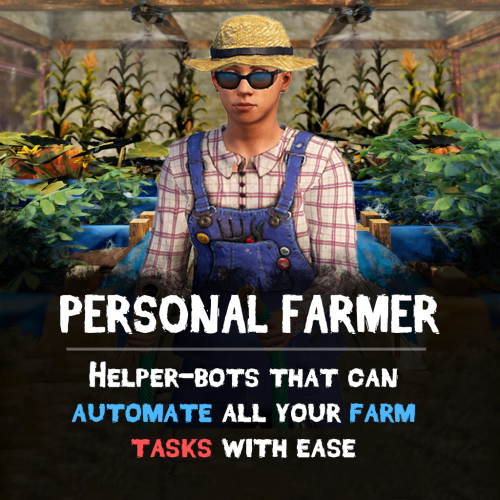
Version 0.1.8
85 downloads
Take your farms to the next level with Personal Farmer – your own AI-powered farmhand that automates planting, watering, harvesting, animal care, and more! Whether you’re running a massive plantation, maintaining a chicken coop, or managing bees, your bot is always ready to help. Features: Smart Farmhand AI • Automatically plants and harvests crops, or produces clones. • Waters crops and fetches water from barrels, water catchers, or rivers. • Collects resources (corn, pumpkins, etc.), puts them in composters, and spreads fertilizer. • Learns your farm layout – assign plantations, composters, water sources, and storage with ease. Chicken Coop Assistant • Feeds chickens and collects eggs. • Breeds and maintains your chicken population. • Gently interacts with chickens to boost their happiness. Beehive Support • Collects honeycombs from beehives. Fully Automated Workflow • Starts with its own inventory, but can optionally manage all resources autonomously. • Auto-stores items like eggs, resources, clones, honey and other loot into assigned containers. Persistent & Secure • Saves setup and assigned tasks across server restarts. • Use multiple farmers for different bases • Only allows interaction on player-owned or authorized buildings – no bots on enemy farms! How to Use • Receive farmer's sleeping bag by entering /pfarmer command, or give it to players using any other plugin that supports custom items (like shops and etc.) • Deploy the bag. Farmer will start to analyze current base. • Open tool cupboard and open farm manager. Enable functionality that you need. Commands • givefarmerbag <Steam ID> <Skin ID> <Amount> ("personalfarmer.admin" permission required) • /pfarmer <Config command> See It in Action! Watch the Video Plugin work demonstration: Configuration: { "Specify the ID of the farmer generator, the number of digits(8 - 15)": 9, "Farmer settings (key is a sleeping bag skin)": { "3480145757": { "Spawn": { "Permission to give/deploy farmer's sleeping bag (leave empty if allowed to everyone)": "personalfarmer.default", "Command argument to receive sleeping bag (works through the chat command /pfarmer, leave empty to disable)": "default", "Name": { "Localization key": "PersonalFarmer_default", "Localization value": "%OWNER_NAME%'s Farmer" }, "Maximum health": 100.0, "Clothes": { "Unlock container?": false, "List of items": [ { "Item": { "Item shortname or ID": "burlap.shirt", "Item skin": 0 }, "Custom item name (if not needed leave empty)": "", "Amount": 1 }, { "Item": { "Item shortname or ID": "burlap.trousers", "Item skin": 0 }, "Custom item name (if not needed leave empty)": "", "Amount": 1 }, { "Item": { "Item shortname or ID": "burlap.gloves.new", "Item skin": 0 }, "Custom item name (if not needed leave empty)": "", "Amount": 1 }, { "Item": { "Item shortname or ID": "burlap.shoes", "Item skin": 0 }, "Custom item name (if not needed leave empty)": "", "Amount": 1 }, { "Item": { "Item shortname or ID": "hat.boonie", "Item skin": 0 }, "Custom item name (if not needed leave empty)": "", "Amount": 1 } ] } }, "Controller": { "Controller tick (0 - 0.2f)": 0.1, "Brain tick (0.1 - 5f)": 0.1, "Farm zone size where farmer can work": { "x": 100.0, "y": 100.0 }, "Item for watering": { "Give item if there isn't any on farm?": false, "Item setup": { "Item shortname or ID": "bucket.water", "Item skin": 0 } }, "Allow to pickup dropped items?": true, "Can collect resources?": true, "Can mine resources?": true, "Item for mining": { "Give item if there isn't any on farm?": true, "Item setup": { "Item shortname or ID": "lumberjack.pickaxe", "Item skin": 0 } }, "Can the farmer heal himself?": true, "Item for heal": { "Give item if there isn't any on farm?": true, "Item setup": { "Item shortname or ID": "syringe.medical", "Item skin": 0 } }, "Allow drowning damage?": false, "Allow the farmer to route underwater?": true, "Allow the farmer to go underwater?": true }, "Storage": { "Can farmer use it?": true, "List of prefab entities that the farmer can use": [ "woodbox_deployed", "wicker_barrel", "box.wooden.large", "fridge.deployed" ] }, "Planters": { "List of prefab entities that the farmer can use": [ "planter.large.deployed", "planter.small.deployed", "planter.triangle.deployed", "bathtub.planter.deployed", "minecart.planter.deployed", "plantpot.single.deployed" ], "Can farmer use it?": true }, "Composters": { "Can farmer use it?": true, "List of prefab entities that the farmer can use": [ "composter" ] }, "Chicken coops": { "Can farmer use it?": true, "List of prefab entities that the farmer can use": [ "chickencoop.deployed" ] }, "Beehives": { "Can farmer use it?": true, "List of prefab entities that the farmer can use": [ "beehive.deployed" ] }, "Water tanks": { "Can farmer use it?": true, "List of prefab entities that the farmer can use": [ "waterbarrel", "water_catcher_small", "water_catcher_large" ] } }, "3480146242": { "Spawn": { "Permission to give/deploy farmer's sleeping bag (leave empty if allowed to everyone)": "personalfarmer.vip", "Command argument to receive sleeping bag (works through the chat command /pfarmer, leave empty to disable)": "vip", "Name": { "Localization key": "PersonalFarmer_vip", "Localization value": "%OWNER_NAME%'s VIP Farmer" }, "Maximum health": 150.0, "Clothes": { "Unlock container?": false, "List of items": [ { "Item": { "Item shortname or ID": "jumpsuit.suit.blue", "Item skin": 0 }, "Custom item name (if not needed leave empty)": "", "Amount": 1 }, { "Item": { "Item shortname or ID": "shoes.boots", "Item skin": 0 }, "Custom item name (if not needed leave empty)": "", "Amount": 1 }, { "Item": { "Item shortname or ID": "hat.boonie", "Item skin": 0 }, "Custom item name (if not needed leave empty)": "", "Amount": 1 } ] } }, "Controller": { "Controller tick (0 - 0.2f)": 0.1, "Brain tick (0.1 - 5f)": 0.1, "Farm zone size where farmer can work": { "x": 100.0, "y": 100.0 }, "Item for watering": { "Give item if there isn't any on farm?": true, "Item setup": { "Item shortname or ID": "waterjug", "Item skin": 0 } }, "Allow to pickup dropped items?": true, "Can collect resources?": true, "Can mine resources?": true, "Item for mining": { "Give item if there isn't any on farm?": true, "Item setup": { "Item shortname or ID": "lumberjack.pickaxe", "Item skin": 0 } }, "Can the farmer heal himself?": true, "Item for heal": { "Give item if there isn't any on farm?": true, "Item setup": { "Item shortname or ID": "syringe.medical", "Item skin": 0 } }, "Allow drowning damage?": false, "Allow the farmer to route underwater?": true, "Allow the farmer to go underwater?": true }, "Storage": { "Can farmer use it?": true, "List of prefab entities that the farmer can use": [ "woodbox_deployed", "wicker_barrel", "box.wooden.large", "fridge.deployed" ] }, "Planters": { "List of prefab entities that the farmer can use": [ "planter.large.deployed", "planter.small.deployed", "planter.triangle.deployed", "bathtub.planter.deployed", "minecart.planter.deployed", "plantpot.single.deployed" ], "Can farmer use it?": true }, "Composters": { "Can farmer use it?": true, "List of prefab entities that the farmer can use": [ "composter" ] }, "Chicken coops": { "Can farmer use it?": true, "List of prefab entities that the farmer can use": [ "chickencoop.deployed" ] }, "Beehives": { "Can farmer use it?": true, "List of prefab entities that the farmer can use": [ "beehive.deployed" ] }, "Water tanks": { "Can farmer use it?": true, "List of prefab entities that the farmer can use": [ "waterbarrel", "water_catcher_small", "water_catcher_large" ] } } } }$39.90 -
Version 1.5.0
908 downloads
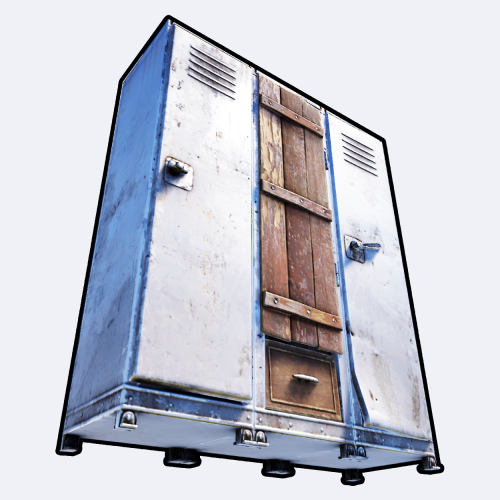
Portable locker offers your server a great addition for you and your players! Access your own private locker anywhere you want or need and set up your loadout! FEATURES Very simplistic and straight forward system. Use /locker (by default, can modify in the config) to open up your private locker. Group-based cooldown support in the config. Friendly integration with NoEscape by Calytic with configurable rules of behavior. Wipe locker on player death. Chat message custom icon Steam ID. Phrase support. Server wipe persistent support. PERMISSIONS PortableLocker.use: To allow anyone to open up their locker. RULES (NOESCAPE INTEGRATION) Can('t) use while building blocked. Can('t) use while combat blocked. Can('t) use while raid blocked. COMMANDS (CONFIGURABLE) Following commands are chat and console commands. locker: Opens up your own personal portable locker. CONFIG$4.99 -
Version 1.1.9
289 downloads
Portable workbench provides you and your population a satisfying addition to the server(s) you're hosting! With high levels of customization, this plugin allows you to access any levels of workbenches from any spot on the map for an amount of time— relative to groups players are in. FEATURES Highly customizable and simple-to-use system for admins and/or regular players. Use /workbench 1-3 (by default, can modify in the config) to start accessing a workbench. Craft bench-leveled items from anywhere in the game world! Intuitive config system, allowing custom chat icon and phrases. Option of requiring players to have placed the level of workbench somewhere they're willing to access. PERMISSIONS PortableWorkbench.use1: Allows you and the players to "wirelessly" access level 1 workbenches. PortableWorkbench.use2: Allows you and the players to "wirelessly" access level 2 workbenches. PortableWorkbench.use3: Allows you and the players to "wirelessly" access level 3 workbenches. RULES (NOESCAPE INTEGRATION) Can('t) use while building blocked. Can('t) use while combat blocked. Can('t) use while raid blocked. COMMANDS (CONFIGURABLE) Following commands are chat and console commands. workbench 1-3: Allows access to specified workbench - if there's no input, it auto-selects level 1 workbench. CONFIG$4.99 -
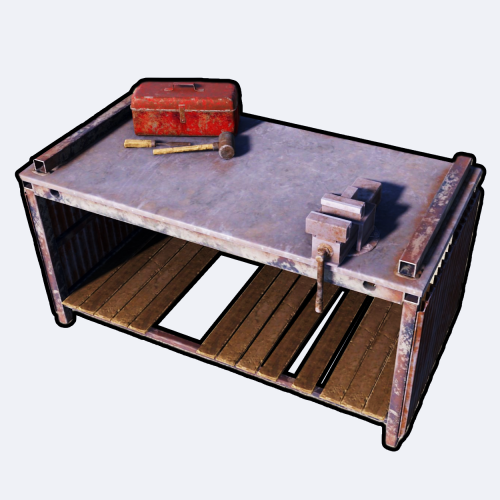
Version 1.0.6
289 downloads
Portable Repair Bench provides you and your servers' population cool-down-based Repair Benches accessible from anywhere in the world. FEATURES Use /rbench (by default, can modify in the config) to open up your private repair bench. Group-based cooldown support in the config. Friendly integration with NoEscape by Calytic with configurable rules of behavior. Chat message custom icon Steam ID. Phrase support. ROADMAP All done. If you have any suggestions, please let me know in the Discussions tab or interact with me directly on my Discord server: PERMISSIONS PortableRepairBench.use: To allow anyone to open up their repair bench. COMMANDS (CONFIGURABLE) Following commands are chat and console commands. rbench: Opens up your own personal portable repair bench. CONFIG DISCLAIMER The yellow and green buttons while using the Repair Bench in the GIF, does not come with the plugin. That's another plugin called Quick Sort by MONaH.$4.99 -
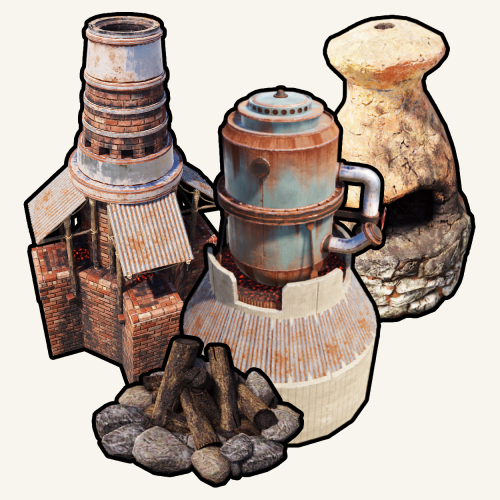
Version 1.0.6
162 downloads
Portable Furnaces provides you and your server's population a whole new level of fun and experience. Use any furaces from any spot on the map! FEATURES Use /furnace (by default, can modify in the config) to open up your private furnace. Use /setfurnace (by default, can modify in the config) to change your private furnace type. Group-based cooldown support in the config. Friendly integration with NoEscape by Calytic with configurable rules of behavior. Chat message custom icon Steam ID. 4 different types of ovens: Campfire, Furnace, Large Furnace and Small Oil Refinery. Phrase support. PERMISSIONS PortableFurnaces.use: To allow anyone to open up their furnace. COMMANDS (CONFIGURABLE) Following commands are chat and console commands. furnaces: Prints currently selected furnace and the according indexes for the furnaces to use setfurnace with. furnace: Opens up your current portable furnace. setfurnace: Removes and drops all previous furnace items before setting the type to ROADMAP All done. If you have any suggestions, please let me know in the Discussions tab or interact with me directly on my Discord server: CONFIG DISCLAIMER The yellow and green buttons while using the Furnaces in the GIF, does not come with the plugin. That's another plugin called Quick Sort by MONaH.$4.99