Search the Community
Showing results for tags 'modified'.
Found 5 results
-
Version 1.8.0
10 downloads
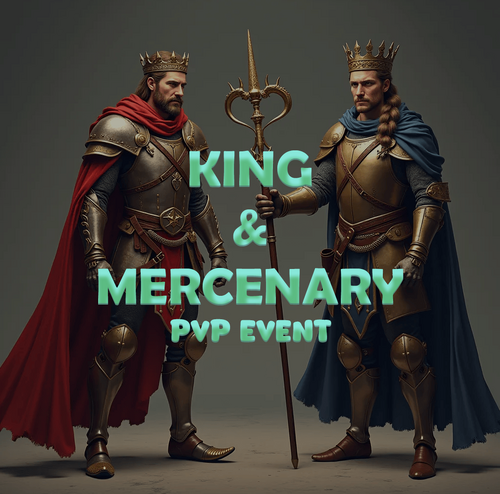
Take your Rust server to the next level with King and Mercenary, an immersive PvP event system that introduces a competitive battlefield where players fight to claim dominance. This plugin enhances player engagement by rewarding skill, survival, and strategy. Two Unique Roles: King & Mercenary ✦ King : Gains extra health and periodic rewards while holding the throne. Location is periodically revealed, challenging them to defend their title. ✦ Mercenary : Deals extra damage and earns rewards for hunting down the King and other opponents. ✦ Dynamic Role System – Players fight to become the King or Mercenary, each with unique buffs and rewards. ✦ Automated Events – Set custom intervals and conditions for role rotation, cooldowns, and eligibility. ✦ Killstreak Bonuses – Players earn extra rewards for consecutive eliminations. ✦ Clans Integration - Prevent players from swapping roles to maintain their position. ✦ Live Map & Location Broadcasts – The King’s position is periodically revealed to intensify the hunt. ✦ Death Markers - The king's or mercenary's death location will be displayed on the map using a vending machine marker. ✦ Customizable Rewards – Configure item and commands rewards, time intervals, and kill-based bonuses. ✦ Discord Integration – Send automated updates when players claim or lose a role. ✦ Compatible with PvE Servers - Full compatibility. ✦ Full Admin Control – Set permissions, debug settings, and event restrictions. ✦ Zone Management & Compatibility – Fully compatible with Zone Manager, allowing servers to restrict the event to specific areas. All Zone Flags from Zone Manager can be applied for complete control over event rules and mechanics. Perfect for high-action Rust servers looking to add competitive, role-based combat with real incentives. Get King and Mercenary today and create legendary battles on your server! ✦ /kam set <king | mercenary | all> <SteamID64> – Manually assigns a player the King or Mercenary role using their SteamID64. Use all to assign both roles at once. ✦ /kam reset <king | mercenary | all> – Resets the specified role, removing the King, Mercenary, or both from the server. ✦ /kam info – Displays current event details, including who holds the King and Mercenary roles. ✦ /kam stats – Shows player statistics related to the event, such as kill counts, survival time, and streaks. Available Placeholders for Discord Embed ✦ {victim} – Displays the name of the player who was defeated. ✦ {role} – Shows the role of the defeated player (e.g., King or Mercenary). ✦ {attacker} – Displays the name of the player who eliminated the victim. ✦ {kills} – Shows the total number of kills the victim had before dying. ✦ {killStreak} – Indicates the victim's current kill streak before they were eliminated. ✦ {duration} – Represents the total time the victim held their role before being defeated. ✦ {attribute} – Displays the special attribute of the role (e.g., extra health for King or damage multiplier for Mercenary). ✦ {position} – Shows the location where the battle took place. ✦ {hp} – Displays the remaining health of the attacker after defeating the victim. Available Placeholders for Command Rewards ✦ {player} – Displays the name of the player who will receive the reward. ✦ {steamid} – SteamID64 of the player who will receive the reward. ✦ {role} – Shows the role of the player who will receive the reward (e.g., King or Mercenary). If you need help setting it up or just want to clear up any doubts before making the purchase, you can contact me via discord All you will see is the default settings, you can change everything to your liking if you wish. Some of the chat notifications Simple Status Death Markers Zone Marker Discord Messages /* * Returns true if the specified user has the King role, otherwise false. */ public bool HasKingRole(string userID) /* * Returns true if the specified user has the Mercenary role, otherwise false. */ public bool HasMercenaryRole(string userID)$14.99 -
Version 1.3.3
198 downloads
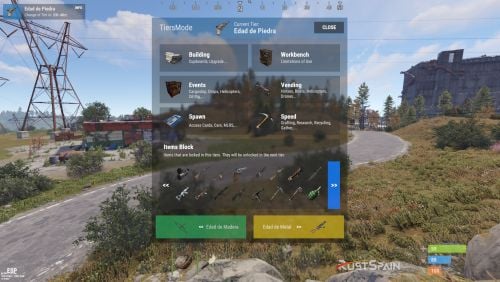
Integrate a complete tier/stage system into your mod server. Or just set up a new server with this game mode. By default the plugin will generate 4 Tiers, but you can create all the tiers you consider necessary and configure each tier to your liking. 1 Tier for each day? You can do it. I know, the price of this plugin may seem expensive. But it’s several weeks of work on the development of the plugin + all the time I’ll have to spend maintaining it. Below I will show you all the features that are included. Features GUI Screen Counter: It shows in the upper left part of the screen a counter with the current tier and time left for the tier to change. Windows Info: Turns the use of the information display on or off. You can block it completely or simply block the information of the next tiers from being consulted. Alert Modal: Enable or disable the plugin’s modal alerts that will notify players of blocked things. Alert Modal Changue Tier: Enable or disable modal alerts when changing tiers. Alert Modal Events: Enable or disable modal alerts when spawning or a server event occurs. Example when an airdrop comes out, the cargoship appears or the oil rig respawns. Custom Alert Modal: Activate or deactivate custom modal alerts that you can perform from the /tieralert msg command. MESSAGES Chat: Notifies by chat of the warnings of the server alerts. Welcome Message Chat: Welcome message in chat when a player connects explaining that they are on a server with Tiers Mode enabled. Discord Messages: Notify on Discord, using the Discord Messages plugin when a Wipe is started or a Tier is changed. OPTIMIZATION Hooks: The plugin contains more than 14 oxide hooks for the operation of all features. That is why optimization has been taken care of in the use of each hook. Likewise, those features that are deactivated in each tier and their corresponding hooks are not necessary to work will be automatically deactivated. LOCKED OBJECT EDITING INTERFACE The plugin has an administrative command /tier edit to edit the objects that will be locked by each tier in an intuitive and easy way. This way you won’t have to search for the name of the object and add it to the config. Tiers Features TIER CONFIG Tier Name: Sets the name of the Tier to be displayed. Tier Icon URL: Set a URL with the image of the Tier. Tier Color: Set a color to customize the tier. Duration of the tier in Minutes: Sets the duration of the tier in minutes. If you want it to last an hour you will have to specify 60 minutes. If you want it to be 1 day, 24h = 1440. BUILDING Cupboards: You can set a maximum of curpboards per player or leave it unlimited. Cupboards Alerts: Destruction alert system. When a player breaks another player’s locker, the server can be notified. (As long as it is configured like this) Maximum Upgrade Level: Sets the maximum upgrade level in each tier. WORKBENCH Research from Workbench: Allow or block research from the workbench depending on the tier. Place All Workbench: Allow or block placement of all Workbenchs or just the Workbenches you specify. EVENTS You will be able to activate or deactivate the automatic events of the Server according to the tier. For example: You will be able to disable the cargoship in the first tier. The events that you can configure are: Cargoship. Oil Rig. Chinook. Patrol Helicopter. Aidrop. Bradley APC. SELLERS You can activate or deactivate the different vendors on the map. As well as vending machines and the use of drones. Helicopter Sale. Boat Sales. Horse Sales. Use of Drones. Use of Public Vending Machine (Rads). SPAWNS Spawn Cards: Adjust the spawn of access cards. You can make only the green card appear in the first eras and as it progresses, the blue and red cards appear. Spawn Vehicles (Cars): Configure if you want cars to spawn around the map. You can specify the number of modules that can appear. For example: Make that in the first tier no cars come out, but in the second only cars of 2 modules come out and in the third tier that they come out of 3 modules. Use Vehicle MLRS: Allows or not, to use the MLRS vehicle. Use Vehicle Workcart: Allows or not, to use the Workcart. Use Vehicle Locomotive: Allows or not, to use the Locomotive. SPEED Crafting Rate: As the tiers progress, you can configure the crafting time to be faster, or always leave it vanilla. Research Seconds: As the tiers progress, you can configure the research time to be faster or leave it vanilla. You can also make it last longer than vanilla. Recycler Seconds: As the tiers progress, you can configure the recycling time to be faster or leave it vanilla. You can also make it last longer than vanilla. Gather System:A complete Gather system is integrated so that depending on the tier you can configure it in a different way. In this way the first tier can be vanilla and as you advance from tier the farming ratio will go up. Of course, if you activate it, make sure that you do not use any other similar plugin for this. You can configure the following parameters: Dispenser Gather. Dispenser Bonus. Collectible Pickup. Growable Gathered. Survey Gather. Quarry Gather. Excavator Gather. BLOCK Items lock Craft: Blocks the ability to craft items that are locked in the current tier. List of Blocked Items: You can easily edit the locked items in each tier with the /tier edit command. Deployable lock without Building Permissions: Blocks the ability to place certain items if the player does not have locker permission. Ideal to prevent players from placing certain items anywhere on the map. EXECUTION COMMANDS You will be able to set your own commands that will be executed when the tier loads. Both in tier changes, and in server restarts. Ideal for disabling certain plugins up to a certain tier. Or to execute another plugin’s command to trigger an event. Or any other idea you can think of. Permissions tiersmode.admin With this permission you will be able to use the /tier edit command and the /tieralert command. Do not grant this permission to players. tiersmode.bypass.use_workcart and tiersmode.bypass.use_locomotive Permission to bypass Workcart and Locomotive usage lock. tiersmode.bypass.use_mlrs Permission to bypass the MLRS usage block. tiersmode.bypass.limit_cupboard Permission to evade the maximum limit of TC. tiersmode.bypass.block_items Permission to evade blocking of all items. tiersmode.bypass.block_place_no_building Permission to bypass the build lock of specific items without cabinets. tiersmode.bypass.upgrade Permission to bypass the building improvement limit. tiersmode.bypass.block_place_all_workbench Permission to bypass the placement lock of any workbench. tiersmode.bypass.block_research Permission to bypass the workbench research lock. tiersmode.bypass.block_vending_helis Permission to evade vendor blocking (Helis, Boats, Horses) tiersmode.bypass.block_vending_boat Permission to evade vendor blocking (Helis, Boats, Horses) tiersmode.bypass.block_vending_horses Permission to evade vendor blocking (Helis, Boats, Horses) tiersmode.instant_research Permission for instant research. tiersmode.alerts.block Permission to block alerts to that player. tiersmode.instant_recycler Permission for instant recycling. Commands /tier Opens the info screen if enabled in the config. /tier edit Opens the edit screen for locked items for tiers. Only with Admin. /tieralert textmsg Send a message in alert format to all online players on the server. You can only do this if you have admin permission. Configuration DEFAULT CONFIGURATION WITH 4 TIERS Language Language support. By default it will be generated in English. If you are interested in the Spanish language, you just have to ask me privately. Bonus For any problem, doubt, suggestion or assistance do not hesitate to contact me by Discord ninco90#6219 If you need me to configure everything from scratch, according to your tastes, for your server I can also do it for an additional fee. Although you should be able to configure everything yourself.$45.00 -
Version 1.0.0
15 downloads
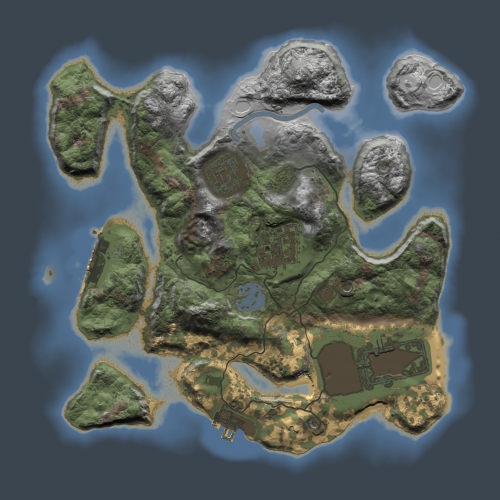
This map is originally a procedural one based. (map size 2500 - seed : 31410 ) I added Launchsite monument, boosted a little bit spawn around road, removed satellite monument to gain player building place. This small map with Large monuments added are perfect to fit on small low-pop server to increase interaction between players and enjoy puzzle like Launchsite Monuments. Monuments: Launch Site Bandit Town Compound Harbor (2) Oil Rig (2) Sphere Tank Water Treatment Plant Small Caves (2) Medium Caves Gas Stations Supermarkets Lighthouses (2) Quarries (3) Water Wells I can customize map like you want, add or remove some monuments, etc.. Don't hesitate to send me a message with your needs.$4.00 -
![More information about "FancyOrb Trench MAP BUNDLE [ OT Arena Event + Vanilla Compatible ]"](https://codefling.com/uploads/monthly_2022_04/A1.thumb.jpg.2c8460d710e1c8d36da330c25c25d331.jpg)
Version 1.0.0
4 downloads
FancyOrb Trench MAP BUNDLE [ OT Arena Event + Vanilla Compatible ] - Made in Collaboration with @Gluman & FancyOrb <- Click to visit his YT - Map Size: 1900 / Small - Medium This map contains two version of the same map. > OT Arena Event variant: [ Map used during the OT Rematch Event] - 5 Custom Monuments - Spawn Camp - Tents Camp - Trench FOB - Bradley Operation Camp - SS MAMA Aircraft Carrier [Made by: @Gluman ] > Vanilla Compatible variant: [ Adds all necessary features for a Vanilla Experience ] - Vanilla Adaptation & Includes a few custom monuments & vanilla monument additions - Modified Harbor [ Added Abandoned Cargo Ship ] - Modified Sewer Branch - Modified Power Plant [ Bradley APC will traverse through the Monument ] - Custom Sewer Outpost Monument [ Made by: @Brollow ] - Bandit Camp + Fishing Village - Large Oil Rig + Small Oil Rig - Mining Outpost + Gas Station + Super Market + Lighthouse x2 Custom Inclusions: This BUNDLE includes two custom prefabs made by @Brollow & @Gluman - Sewer Outpost & Aircraft Carrier:$25.00 -
Version 0.1.1
736 downloads
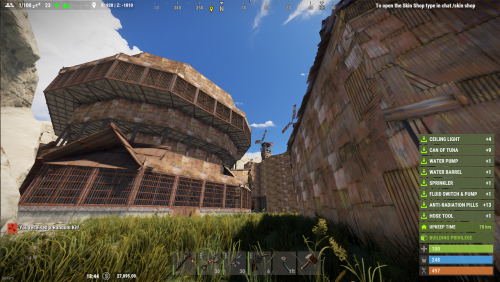
This mod will allow you to give up to 8 items as Random Kits to your players with cooldown options you can set in the config. You can make it daily, hourly, weekly, or monthly when the kits maybe redeemed...the option is up to you. This mod will automatically and randomly apply selected kits established within the config when a player claims them. In the config you have options for Items (clothing/items/electrical/so on), Weapons, Ammo (with a variable to give a min and max), Resources (also with a variable to give a min and max amount), and Food (plus a variable to give a min and max set amount). Items will drop on the ground if the player's inventory is full so they don't lose their kit. An item pop up will also show on the right side of the screen when kit items are recieved. Also added is a personal chat message to let them know that they have received a kit at the same time. (NOTE: You may delete lines in the config for items you may want to remove to shrink the kit size. You can't add more than 8 items per kit...this maybe expanded on later) Commands for use: /random.kit - Players can use this chat command to redeem their random kit bind <whateverkeyyouwish> chat.say /random.kit - To bind the redemption command to a key Permissions: randomkits.use - Allows player to use the /random.kit chat command randomkits.cooldown - Allows player to ignore the command cooldown Example Config: { "1. Command cooldown": 86400.0, //Initially set to 24 hours but you can set it to whatever amount in seconds you wish "2. List of weapons": [ { "Item1 shortname": "burlap.shirt", "Item2 shortname": "burlap.shoes", "Item3 shortname": "burlap.trousers", "Item4 shortname": "burlap.gloves.new", "Weapon shortname": "pistol.eoka", "Ammo shortname": "ammo.handmade.shell", "Minimal ammo that be given": 10, "Maximal ammo that be given": 100, "Resource shortname": "wood", "Minimal resource that be given": 10, "Maximal resource that be given": 10000, "Food shortname": "pumpkin", "Minimal food that be given": 5, "Maximal food that be given": 50 } //add a , and you can copy the list above and insert after to add more kits to make it more random ] }Free