Reuse same query across multiple group-bys?

I have a DB query that matches the desired rows. Let’s say (for simplicity):

select * from stats where id in (1, 2);

Now I want to extract several frequency statistics (count of distinct values) for multiple columns, across these matching rows:

-- `stats.status` is one such column
select status, count(*) from stats where id in (1, 2) group by 1 order by 2 desc;

-- `stats.category` is another column
select category, count(*) from stats where id in (1, 2) group by 1 order by 2 desc;

-- etc.

Is there a way to re-use the same underlying query in SqlAlchemy? Raw SQL works too.

Or even better, return all the histograms at once, in a single command?

I’m mostly interested in performance, because I don’t want Postgres to run the same row-matching many times, once for each column, over and over. The only change is which column is used for the histogram grouping. Otherwise it’s the same set of rows.

Solution:

User Abelisto‘s comment & the other answer both have the correct sql required to generate the histogram for multiple fields in 1 single query.

The only edit I would suggest to their efforts is to add an ORDER BY clause, as it seems from OP’s attempts that more frequent labels are desired at the top of the result. You might find that sorting the results in python rather than in the database is simpler. In that case, disregard the complexity brought on the order by clause.

Thus, the modified query would be:

SELECT category, status, count(*)
FROM stats
WHERE id IN (1, 2)
GROUP BY GROUPING SETS ( 
  (category), (status) 
)
ORDER BY 
  category IS NULL, status IS NULL, 3 DESC

It is also possible to express the same query using sqlalchemy.

from sqlalchemy import *
from sqlalchemy.ext.declarative import declarative_base

Base = declarative_base()
class Stats(Base):
    __tablename__ = 'stats'
    id = Column(Integer, primary_key=True)
    category = Column(Text)
    status = Column(Text)

stmt = select(
    [Stats.category, Stats.status, func.count(1)]
).where(
    Stats.id.in_([1, 2])
).group_by(
    func.grouping_sets(tuple_(Stats.category), 
                       tuple_(Stats.status))
).order_by(
    Stats.category.is_(None),
    Stats.status.is_(None),
    literal_column('3').desc()
)

Investigating the output, we see that it generates the desired query (extra newlines added in output for legibility)

print(stmt.compile(compile_kwargs={'literal_binds': True}))
# outputs:
SELECT stats.category, stats.status, count(1) AS count_1 
FROM stats 
WHERE stats.id IN (1, 2) 
GROUP BY GROUPING SETS((stats.category), (stats.status)) 
ORDER BY stats.category IS NULL, stats.status IS NULL, 3 DESC
Export big data from PostgreSQL to AWS s3

I have ~10TB of data in the PostgreSQL database. I need to export this data into AWS S3 bucket.

I know how to export into the local file, for example:

CONNECT DATABASE_NAME;
COPY (SELECT (ID, NAME, ADDRESS) FROM CUSTOMERS) TO ‘CUSTOMERS_DATA.CSV WITH DELIMITER '|' CSV;

but I don’t have the local drive with 10TB size.

How to directly export to AWS S3 bucket?

Solution:

When exporting a large data dump your biggest concern should be mitigating failures. Even if you could saturate a GB network connection, moving 10 TB of data will take > 24 hours. You don’t want to have to restart that due to a failure (such as a database connection timeout).

This implies that you should break the export into multiple pieces. You can do this by adding an ID range to the select statement inside the copy (I’ve just edited your example, so there may be errors):


COPY (SELECT (ID, NAME, ADDRESS) FROM CUSTOMERS WHERE ID BETWEEN 0 and 1000000) TO ‘CUSTOMERS_DATA_0.CSV WITH DELIMITER '|' CSV;

You would, of course, generate these statements with a short program; don’t forget to change the name of the output file for each one. I recommend picking an ID range that gives you a gigabyte or so per output file, resulting in 10,000 intermediate files.

Where you write these files is up to you. If S3FS is sufficiently reliable, I think it’s a good idea.

By breaking the unload into multiple smaller pieces, you can also divide it among multiple EC2 instances. You’ll probably saturate the database machine’s bandwidth with only a few readers. Also be aware that AWS charges $0.01 per GB for cross-AZ data transfer — with 10TB that’s $100 — so make sure these EC2 machines are in the same AZ as the database machine.

It also means that you can perform the unload while the database is not otherwise busy (ie, outside of normal working hours).

Lastly, it means that you can test your process, and you can fix any data errors without having to run the entire export (or process 10TB of data for each fix).

On the import side, Redshift can load multiple files in parallel. This should improve your overall time, although I can’t really say how much.

One caveat: use a manifest file rather than an object name prefix. I’ve run into cases where S3’s eventual consistency caused files to be dropped during a load.

bash list postgresql databases over ssh connection

I am doing some work on a remote Postgresql database.

When I log into the server this command works on bash:
$ psql -c “\l”

Remote login over ssh is possible using:

ssh user@server -C "cd /tmp && su postgres -c psql"

But why doesn’t it work from this command?

ssh user@server -C " cd /tmp && su postgres -c psql -c '\l' "
→   bash: l: command not found

This is working, also “psql -l” but I don’t understand why I have to use backslash 3 times here?

ssh user@server -C " cd /tmp && su postgres -c 'psql -c \\\l' "

Solution:

Use several levels of quoting:

ssh user@server -C "cd /tmp && su postgres -c 'psql -c \"\\l\"'"

What AWS service can help speed up slow Django view functions

I have a Django application with a Postgres DB that has kind of run away from my client as the database has millions of records. That being said there are some view functions that make several database queries, and because of that, it is glacier slow. Here is an example of one of my view functions It is kind of messy because I was playing around with things to look for query optimizations, my apologies.

def get_filters(request):
    try:
        post_data = request.body.decode("utf-8")
        post_data = json.loads(post_data)
    except Exception as e:
        logging.error('There was an issue getting filter post data')
        logging.error(e)

        return HttpResponse(
            json.dumps({'filters': {'makes': [], 'models': [], 'years': [], 'transmissions': [], 'fuel_types': []}}),
            content_type='application/json')

    dealer = post_data['dealer'] if 'dealer' in post_data else None
    make_ids = post_data['make_ids'] if 'make_ids' in post_data else []
    model_ids = post_data['model_ids'] if 'model_ids' in post_data else []
    years = post_data['years'] if 'years' in post_data else []
    condition = post_data['condition'] if 'condition' in post_data else None
    price_min = post_data['price_min'] if 'price_min' in post_data else 0
    price_max = post_data['price_max'] if 'price_max' in post_data else 10000000

    # Catch Critical Error Where There Is No Dealer
    if not dealer:
        logging.error('Unable to find a Dealer')
        return HttpResponse(
            json.dumps({'filters': {'makes': [], 'models': [], 'years': [], 'transmissions': [], 'fuel_types': []}}),
            content_type='application/json')
    else:
        try:
            dealer = Dealer.objects.get(id=dealer)
        except Exception as e:
            logging.error(e)
            return HttpResponse(
                json.dumps({'filters': {'makes': [], 'models': [], 'years': [], 'transmissions': [], 'fuel_types': []}}),
                content_type='application/json')


    current_year = datetime.datetime.now().year
    start_year = current_year - 30

    # First get the make filters
    vehicles = Vehicle.objects.filter(dealer=dealer)

    if years:
        vehicles = vehicles.filter(year__in=years)

    filtered_make_names = vehicles.values_list('vehicle_make__name', flat=True)
    filtered_makes = VehicleMake.objects.filter(name__in=filtered_make_names)

    makes_map = [{
            'name': make.name,
            'count': vehicles.filter(vehicle_make=make, dealer=dealer).count(),
            'id': make.id
        } for make in filtered_makes
    ]

    # Second get the model filters

    filtered_model_names = vehicles.values_list('vehicle_model__name', flat=True)
    filtered_models = VehicleMake.objects.filter(name__in=filtered_model_names)

    dealer_models = VehicleModel.objects.filter(
        name__in=filtered_models)

    new_dealer_models = VehicleModel.objects.filter(name__in=vehicles.values_list('vehicle_model__name', flat=True))


    if len(make_ids) > 0:
        dealer_models = dealer_models.filter(make__id__in=make_ids)

    # Get the actual filters
    year_map = [{
        'year': yr,
        'count': Vehicle.objects.filter(year=yr, dealer=dealer).count()
    } for yr in range(start_year, current_year) if Vehicle.objects.filter(year=yr, dealer=dealer).count() > 0][::-1]

    models_map = [{
        'name': model.name,
        'count': Vehicle.objects.filter(vehicle_model=model, dealer=dealer).count(),
        'id': model.id
    } for model in dealer_models]

    filter_map = {
        "makes": makes_map,
        "models": models_map,
        "years": year_map,
        "transmissions": [],
        "fuel_types": []
    }

    return HttpResponse(json.dumps({'filters': filter_map}), content_type='application/json')

I want to launch and AWS EC2 instance, and migrate my code from the server I have now to there, and was wondering what AWS services I could use in conjunction with that to make those view functions faster, and why ? Does autoscaling assist with that, or does autoscaling only kick in when the CPU has hit a certain point ?

Solution:

You need to figure out if the bottleneck is in your database layer, or in your web layer.

If the bottleneck is you database layer, than a bigger db instance on its own server or the introduction of a caching layer such as memcache or redis might be appropriate (django has plugs for both of these)

If the bottleneck is your website, than a combination of a load-balancer, multiple ec2 instances running you website, and an autoscaling group might be appropriate.

But first, you really need to figure out where the bottleneck is so you don’t spend time and money optimizing the wrong thing.

Sphinx search issues

    1. Access sphinx database:
      The sphinx indexes can be accessed with the following command:
      mysql -P 9306 -h 0
      Execute show tables;
      This will display the indexes. To see the data in the index execute:
      select * from index_name;
    2. WARNING: Attribute count is 0: switching to none docinfo
      Add the following to sphinx.conf source configuration.
      sql_attr_string = title # will be stored but will not be indexed
    3. ERROR: duplicate attribute name
      Check that you do not have sql_attr and sql_field pointed to the same column in sphinx.conf
      If you want the column to be a field and attribute then add it in sql_field else add it as sql_attr
    4. query error: no field ‘first_name’ found in schema\x0
      Add the following in sphinx.conf
      sql_field_string = title # will be both indexed and stored
    5. Overrriding sphinx.conf settings with SphinXql in django:
      Add the following in your settings.py

      'index_params': {
      'type': 'plain',
      'charset_type': 'utf-8'
      }
      'searchd_params': {
      'listen': '9306:mysql41',
      'pid_file': os.path.join(INDEXES['sphinx_path'], 'searchd.pid')
      }
    6. ERROR 1064 (42000): index : fullscan requires extern docinfo
      Add the following in sphinx.conf in the index section:
      docinfo = extern


AWS Kinesis Stream In Detail Review

I am new to AWS. I have implemented some functionalities in aws using java. My requirement is to insert a csv of 50MB to RDS PostgreSQL instance at a time.

I tried with aws lmabda service. But after 5 minutes lambda will be stopped so i dropped that way.(Limitation of lambda function)

The second step I followed I wrote a java lambda code of s3 event which will read the csv file falls on s3 to a kinesis stream using putrecord command. According to my understanding, kinesis is capable of read csv file record by record. This kinesis stream will invoke a second lambda function which is saving data to postgreSQL.

Everything was fine. But my confusion is that only 32000 record is inserting. I have 50000 records in my csv. according to kinesis stream it will reading each row as a record so each time it will invoke lambda separately right? so why it is not saving completely?

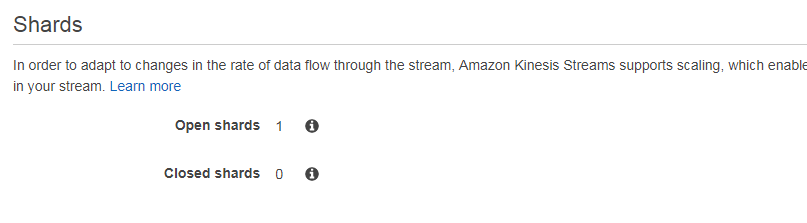
One more question in my kinesis stream configured like below.
enter image description here

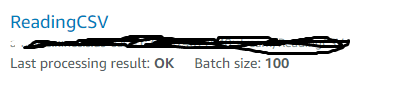
Also in my lambda i configured kinesis as

enter image description here

Is this the correct configuration for my requirement? if I give batchsize as 1 will my function insert the complete record?Please let me know ur knowledge about this. It would be a great help from you thanks in advance!!!!

Solution:

You are exceeding your limits for a single shard.

Review the following document:
Amazon Kinesis Data Streams Limits

Make sure that your code is checking for errors on each AWS call.

Trying to connect to database using Postgres but it isn't able to translate the address on Amazon server to Amazon database

Getting this error when trying to connect to a database on Amazon. This is from an Amazon server.

psycopg2.OperationalError: could not translate host name “domain-stg-postgres.caxdkvuertc9.us-west-1.rds.amazonaws.com/projectname_dev” to address: Name or service not known

I’m setting this here:

db["host"] = parser['ebean.datasource.databaseUrl'].replace("${ebean.datasource.name}", db_name)

Why would my host name not be working? Am I missing something obvious here?

This seems to be an Amazon specific problem?

Solution:

This is your hostname: domain-stg-postgres.caxdkvuertc9.us-west-1.rds.amazonaws.com this is your database name projectname_dev. You shouldn’t have /projectname_dev as part of the hostname.

Ruby/PG – Cannot connect to PostgreSQL

I’ve setup a new Linux Subsystem (Ubuntu) on Windows to run Ruby scripts, but the PG gem cannot connect to my PostgreSQL server. It seems like I can connect just fine using psql in the terminal (I think), but not using irb.


Problem:

If I run the following in IRB (within the Linux subsystem shell):

require 'pg'
PG.connect(:dbname=>"postgres")

I get the following error:

PG::ConnectionBad: could not connect to server: No such file or directory
Is the server running locally and accepting connections on Unix domain socket “/var/run/postgresql/.s.PGSQL.5432”?

However, if I use psql to to select the version(), it returns that just fine:

psql -p 5432 -h localhost -U postgres
postgres=# select version();

Returns:

PostgreSQL 10.1 on x86_64-pc-mingw64, compiled by gcc.exe (Rev5, Built by MSYS2 project) 4.9.2, 64-bit (1 row)

I should mention that I installed Postgres in my Windows environment, and not within the Linux subsystem – however, due to limitations in the subsystem, this seems to be the only way to do it from what I’ve read online.


I’m not sure if this belongs here or on Superuser or the unix/ubuntu SE, but my basic troubleshooting indicates that this is a problem with Ruby/pg gem, not the subsystem, so I’m posting my question here first.

Solution:

The default connection is UNIX socket (a quasi-file, as you can see by the error message, /var/run/postgresql/.s.PGSQL.5432), not TCP socket (host:port). Pass your host/port explicitly to PG.connect.

PG.connect(dbname: "postgres", host: 'localhost', port: 5432)

Syntax Error at or near "00" at Position: 138

So I am trying to extract information from a PostgreSQL Database. Below is the method which extracts the data :

public ResultSet dashboardQuerySurveyWithSelectedActions(String startDate, 
        String endDate, String agents) throws SQLException {
    Connection connection = super.getNewConnection();
    Statement statement = connection.createStatement();
    String query = String.format("SELECT surveys_nps_rating, survey_agent_name, surveys_stream_item_key "
            + "FROM public.surveys "
            + "WHERE surveys_response_date BETWEEN %s AND %s"
            + "AND survey_agent_name IN %s", startDate, endDate, agents);
    ResultSet resultSet = statement.executeQuery(query);
    connection.close();
    return resultSet;
}

following is the error what i get when i call this method:

('Honorine') - Parameter for Agent
2017-12-19 18:30:00 UTC - Start Date
2017-12-21 18:29:59 UTC - End Date


org.postgresql.util.PSQLException: ERROR: syntax error at or near "00"
  Position: 138
    at org.postgresql.core.v3.QueryExecutorImpl.receiveErrorResponse(QueryExecutorImpl.java:2455)
    at org.postgresql.core.v3.QueryExecutorImpl.processResults(QueryExecutorImpl.java:2155)
    at org.postgresql.core.v3.QueryExecutorImpl.execute(QueryExecutorImpl.java:288)
    at org.postgresql.jdbc.PgStatement.executeInternal(PgStatement.java:430)
    at org.postgresql.jdbc.PgStatement.execute(PgStatement.java:356)
    at org.postgresql.jdbc.PgStatement.executeWithFlags(PgStatement.java:303)
    at org.postgresql.jdbc.PgStatement.executeCachedSql(PgStatement.java:289)
    at org.postgresql.jdbc.PgStatement.executeWithFlags(PgStatement.java:266)
    at org.postgresql.jdbc.PgStatement.executeQuery(PgStatement.java:233)
    at application.repository.SpredfastSurveysRepository.dashboardQuerySurveyWithSelectedActions(SpredfastSurveysRepository.java:48)
    at application.controller.ReportController.getDashboardOutput(ReportController.java:261)
    at sun.reflect.NativeMethodAccessorImpl.invoke0(Native Method)
    at sun.reflect.NativeMethodAccessorImpl.invoke(NativeMethodAccessorImpl.java:62)
    at sun.reflect.DelegatingMethodAccessorImpl.invoke(DelegatingMethodAccessorImpl.java:43)
    at java.lang.reflect.Method.invoke(Method.java:498)
    at org.springframework.web.method.support.InvocableHandlerMethod.doInvoke(InvocableHandlerMethod.java:205)
    at org.springframework.web.method.support.InvocableHandlerMethod.invokeForRequest(InvocableHandlerMethod.java:133)
    at org.springframework.web.servlet.mvc.method.annotation.ServletInvocableHandlerMethod.invokeAndHandle(ServletInvocableHandlerMethod.java:97)
    at org.springframework.web.servlet.mvc.method.annotation.RequestMappingHandlerAdapter.invokeHandlerMethod(RequestMappingHandlerAdapter.java:827)
    at org.springframework.web.servlet.mvc.method.annotation.RequestMappingHandlerAdapter.handleInternal(RequestMappingHandlerAdapter.java:738)
    at org.springframework.web.servlet.mvc.method.AbstractHandlerMethodAdapter.handle(AbstractHandlerMethodAdapter.java:85)
    at org.springframework.web.servlet.DispatcherServlet.doDispatch(DispatcherServlet.java:967)
    at org.springframework.web.servlet.DispatcherServlet.doService(DispatcherServlet.java:901)
    at org.springframework.web.servlet.FrameworkServlet.processRequest(FrameworkServlet.java:970)
    at org.springframework.web.servlet.FrameworkServlet.doGet(FrameworkServlet.java:861)
    at javax.servlet.http.HttpServlet.service(HttpServlet.java:635)
    at org.springframework.web.servlet.FrameworkServlet.service(FrameworkServlet.java:846)
    at javax.servlet.http.HttpServlet.service(HttpServlet.java:742)
    at org.apache.catalina.core.ApplicationFilterChain.internalDoFilter(ApplicationFilterChain.java:231)
    at org.apache.catalina.core.ApplicationFilterChain.doFilter(ApplicationFilterChain.java:166)
    at org.apache.tomcat.websocket.server.WsFilter.doFilter(WsFilter.java:52)
    at org.apache.catalina.core.ApplicationFilterChain.internalDoFilter(ApplicationFilterChain.java:193)
    at org.apache.catalina.core.ApplicationFilterChain.doFilter(ApplicationFilterChain.java:166)
    at org.springframework.web.filter.RequestContextFilter.doFilterInternal(RequestContextFilter.java:99)
    at org.springframework.web.filter.OncePerRequestFilter.doFilter(OncePerRequestFilter.java:107)
    at org.apache.catalina.core.ApplicationFilterChain.internalDoFilter(ApplicationFilterChain.java:193)
    at org.apache.catalina.core.ApplicationFilterChain.doFilter(ApplicationFilterChain.java:166)
    at org.springframework.web.filter.HttpPutFormContentFilter.doFilterInternal(HttpPutFormContentFilter.java:108)
    at org.springframework.web.filter.OncePerRequestFilter.doFilter(OncePerRequestFilter.java:107)
    at org.apache.catalina.core.ApplicationFilterChain.internalDoFilter(ApplicationFilterChain.java:193)
    at org.apache.catalina.core.ApplicationFilterChain.doFilter(ApplicationFilterChain.java:166)
    at org.springframework.web.filter.HiddenHttpMethodFilter.doFilterInternal(HiddenHttpMethodFilter.java:81)
    at org.springframework.web.filter.OncePerRequestFilter.doFilter(OncePerRequestFilter.java:107)
    at org.apache.catalina.core.ApplicationFilterChain.internalDoFilter(ApplicationFilterChain.java:193)
    at org.apache.catalina.core.ApplicationFilterChain.doFilter(ApplicationFilterChain.java:166)
    at org.springframework.web.filter.CharacterEncodingFilter.doFilterInternal(CharacterEncodingFilter.java:197)
    at org.springframework.web.filter.OncePerRequestFilter.doFilter(OncePerRequestFilter.java:107)
    at org.apache.catalina.core.ApplicationFilterChain.internalDoFilter(ApplicationFilterChain.java:193)
    at org.apache.catalina.core.ApplicationFilterChain.doFilter(ApplicationFilterChain.java:166)
    at org.apache.catalina.core.StandardWrapperValve.invoke(StandardWrapperValve.java:199)
    at org.apache.catalina.core.StandardContextValve.invoke(StandardContextValve.java:96)
    at org.apache.catalina.authenticator.AuthenticatorBase.invoke(AuthenticatorBase.java:478)
    at org.apache.catalina.core.StandardHostValve.invoke(StandardHostValve.java:140)
    at org.apache.catalina.valves.ErrorReportValve.invoke(ErrorReportValve.java:81)
    at org.apache.catalina.core.StandardEngineValve.invoke(StandardEngineValve.java:87)
    at org.apache.catalina.connector.CoyoteAdapter.service(CoyoteAdapter.java:342)
    at org.apache.coyote.http11.Http11Processor.service(Http11Processor.java:803)
    at org.apache.coyote.AbstractProcessorLight.process(AbstractProcessorLight.java:66)
    at org.apache.coyote.AbstractProtocol$ConnectionHandler.process(AbstractProtocol.java:868)
    at org.apache.tomcat.util.net.NioEndpoint$SocketProcessor.doRun(NioEndpoint.java:1459)
    at org.apache.tomcat.util.net.SocketProcessorBase.run(SocketProcessorBase.java:49)
    at java.util.concurrent.ThreadPoolExecutor.runWorker(ThreadPoolExecutor.java:1142)
    at java.util.concurrent.ThreadPoolExecutor$Worker.run(ThreadPoolExecutor.java:617)
    at org.apache.tomcat.util.threads.TaskThread$WrappingRunnable.run(TaskThread.java:61)
    at java.lang.Thread.run(Thread.java:748)

I have ran this query in PGadmin and the query runs fine. I cannot find any syntax error in the query. Any help is highly appreciated.

Solution:

Don’t use statement like this, it can cause syntax errors or SQL Injection instead use PreparedStatement :

// (I assume that agents is a list)
//this will define placeholders for example (?, ?, ?) if you have 3 agents
String inClause = "(" + String.format("%0" + agents.size() + "d", 0)
    .replace("0", "?, ").replaceFirst(", $", ")");

String query = String.format("SELECT surveys_nps_rating, survey_agent_name, surveys_stream_item_key "
                + "FROM public.surveys "
                + "WHERE surveys_response_date BETWEEN ? AND ? "
                + "AND survey_agent_name IN %s", inClause);

The query should return something like this :

SELECT surveys_nps_rating, survey_agent_name, surveys_stream_item_key 
FROM public.surveys WHERE surveys_response_date BETWEEN ? AND ? 
AND survey_agent_name IN (?, ?, ?)

try (PreparedStatement pst = con.prepareStatement(query);) {
    pst.setDate(1, startDate);
    pst.setDate(2, endDate);
    //Then Iterate over the agents list and set the values to the placeholders
    for (int i = 0; i < agents.size(); i++) {
        pst.setString(i + 3, agents.get(i));//Why (i+3)? because you already set 2 params
    }

    //get your results
    ResultSet rs = pst.executeQuery();
}

Chef: Services

The service-list subcommand is used to display a list of all available services. A service that is enabled is labeled with an asterisk (*).

This subcommand has the following syntax:

$ chef-server-ctl service-list

The output will be as follows:

bookshelf*
nginx*
oc_bifrost*
oc_id*
opscode-chef-mover*
opscode-erchef*
opscode-expander*
opscode-pushy-server*
opscode-reporting*
opscode-solr4*
postgresql*
rabbitmq*
redis_lb*

bifrost

The oc_bifrost service ensures that every request to view or manage objects stored on the Chef server is authorized.

status

To view the status for the service:

$ chef-server-ctl status bifrost

to return something like:

$ run: bifrost: (pid 1234) 123456s; run: log: (pid 5678) 789012s

start

To start the service:

$ chef-server-ctl start bifrost

stop

To stop the service:

$ chef-server-ctl stop bifrost

restart

To restart the service:

$ chef-server-ctl restart bifrost

to return something like:

$ ok: run: bifrost: (pid 1234) 1234s

kill

To kill the service (send a SIGKILL command):

$ chef-server-ctl kill bifrost

run once

To run the service, but not restart it (if the service fails):

$ chef-server-ctl once bifrost

tail

To follow the logs for the service:

$ chef-server-ctl tail bifrost


bookshelf

The bookshelf service is an Amazon Simple Storage Service (S3)-compatible service that is used to store cookbooks, including all of the files—recipes, templates, and so on—that are associated with each cookbook.

keepalived

The keepalived service manages the virtual IP address (VIP) between the backend machines in a high availability topology that uses DRBD.

nginx

The nginx service is used to manage traffic to the Chef server, including virtual hosts for internal and external API request/response routing, external add-on request routing, and routing between front- and back-end components.

opscode-erchef

The opscode-erchef service is an Erlang-based service that is used to handle Chef server API requests to the following areas within the Chef server:

  • Cookbooks
  • Data bags
  • Environments
  • Nodes
  • Roles
  • Sandboxes
  • Search


opscode-expander

The opscode-expander service is used to process data (pulled from the rabbitmq service’s message queue) so that it can be properly indexed by the opscode-solr4 service.

opscode-solr4

The opscode-solr4 service is used to create the search indexes used for searching objects like nodes, data bags, and cookbooks. (This service ensures timely search results via the Chef server API; data that is used by the Chef platform is stored in PostgreSQL.)

postgresql

The postgresql service is used to store node, object, and user data.

rabbitmq

The rabbitmq service is used to provide the message queue that is used by the Chef server to get search data to Apache Solr so that it can be indexed for search. When Chef Analytics is configured, the rabbitmq service is also used to send data from the Chef server to the Chef Analytics server.

redis

Key-value store used in conjunction with Nginx to route requests and populate request data used by the Chef server.

To stop all chef services execute the following:
chef-server-ctl stop bookshelf
chef-server-ctl stop nginx
chef-server-ctl stop oc_bifrost
chef-server-ctl stop oc_id
chef-server-ctl stop opscode-chef-mover
chef-server-ctl stop opscode-erchef
chef-server-ctl stop opscode-expander
chef-server-ctl stop opscode-pushy-server
chef-server-ctl stop opscode-reporting
chef-server-ctl stop opscode-solr4
chef-server-ctl stop postgresql
chef-server-ctl stop rabbitmq
chef-server-ctl stop redis_lb