I currently have a static web app which is hosted on AWS S3 bucket hosting. The backend APIs are running on Lambda/API Gateway. I have a continuous development pipeline set up which automatically builds (using CodeBuild) and deploys (using CodeDeploy) my code from my GitHub repo onto S3.
The problem I have right now is that the code which is deployed serverlessly is different from the code I need to run on my local environment.
For example I want my local environment to call the API from localhost, but I want my production environment to call the API from a site like api.example.com. Also there is some code which is different in order to deploy to Lambda, which won’t run locally without reverting the change.
Another example: locally the APIs run on an Express server, but on AWS the code needs to be wrapped in
exports.handler = async (event, context, callback) => {...} to run serverlessly on Lambda.
My question is, how do I handle these differences between local and serverless in my Git repository?
Solution:
It would seem to me that using Codepipeline, CodeBuild and Cloudformation for this could be a good option. You didn’t specify what you are already using so I’m offering this as an example.
It will require some up-tooling to work. To get started you could have a look at CodeStar, which can get you set-up with a sample of this – that you could edit for your own purposes – in minutes. It can poll a github repo for changes on a particular branch to kick off builds.
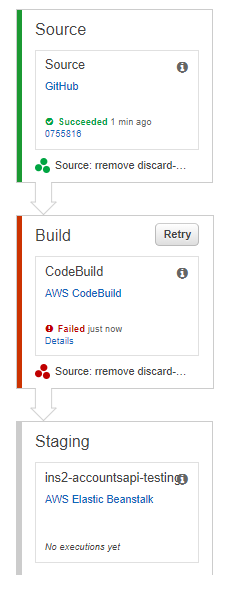
In the pipeline you could have say 4 stages: Source (pull source from git), Build (CodeBuild to create the build artifacts), Dev/Test environment and finally Production.
The non-sensitive configuration you could keep in the git repo in different parameter files (for the cloudformation app stacks) for each different development and production configuration. You inject a different (json) parameter file for development and production (e.g. from the github repo) into the cloudformation stack as part of the deployment stage. Some of it you can also inject via parameter overrides (the come in handy where for instance you want to use “build tags” like commit id or whatever).
Consider using Secrets Manager for the sensitive bits like username/password pairs etc (or maybe all config – that’s an option too). Use a Secrets Manager key per environment. Send the Secrets Manager key (dev or prod) to the given app stack as an input parameter (cloudformation). Pull the Secrets Manager key/values from the app code (use an IAM role to grant privileges to for the Lambda’s to specific Secrets Manager keys) and use secret caching.
Also, as an aside – consider using AWS SAM (local) if you are not already.
The purpose of this is to:
- Separate configuration from code
- Automate your builds and deployments
- Minimise scope for human error
- Help reduce or outright eliminate downtime during deployments
- Easy way to rollback (git revert for instance)
 A Passionate Techie