Commerce Unlocked #4: How did Stadium drive 17.3% higher RPV? Hear it from their Digital CX leader. Register Free →
Algonomy is a portmanteau formed by combining the word ‘algorithm’ with the suffix ‘nomy’, which signifies knowledge in a particular domain. And that precisely is who we are; we know algorithms and we know how to make it to create great customer experiences for consumer-facing businesses.
Just like the pioneers of modern digital retail, Algonomy as a brand believes that it is time to do away with fragile rules, guesswork and static segments and power ourselves with the ability to act in real time. It is time to be bold in digital transformation, creative in strategy and agile in decisions.
Algonomy is confident, knowledgeable and bold with an inherent spirit of discovery. We go first where others would prefer to follow. And if we keep a poker-face, it is not because we lack a sense of humour. Think of Algonomy as a young Indiana Jones.
The brand takes on a standard visual expression, but it also adapts to the environment such as taking the colors of an important day or holiday, supporting a cause, celebrating an event or person. The full logo or icon (flare) can be used to achieve this dynamic visual expression.
Check out their applications and permissions. We would appreciate it if you could follow these guides to make sure it always looks its best.
The safe area amplifies the impact of the logo and also ensures legibility. It guarantees the logo’s visual integrity without it having to compete with text or graphics.
The safe area is the assured by the height of the first O, without the flare.
This should be considered the minimum space required around the logo.
The flare can be used for dynamic visual representation of the brand. But always, only in keeping with the values, purposes and character of the brand.
Its use where images resemble the O in Algonomy can lead to a dramatic visual representations. We have purposely limited its usage so that it creates a simple yet unique brand signature.
The flare can be used with the wordmark, but the wordmark should never be applied without the flare. When using the wordmark instead of the logo, please remember that the same safe area rules apply.
To preserve legibility, the logotype never appears smaller than the following sizes:
If color is not an option for technical reasons, you are allowed to use the black or white logo options.
The black or white logo is used on noisy background photography to ensure the logo is readable.
The primary colors are three – Red, blue, Yellow, – as well as black and white for the logo. All the product categories have been color coded to use the respective shades for creating a consistent visual look.
Red – Omnichannel Marketing
Blue – Merch + supply chain
Yellow – DXP
Our linear gradients primarily on background fills for cards and page
sections. Each gradient is color-coded to represent a specific product category.
These frames act as background images for showcasing any illustrations or UI elements.
Use a translucent white layers on top of these to achieve a frosted glass effect.
They also work as backgrounds for icons as well as carousel cards.
Avoid using the same background in close proximity unless they are representing a common idea (not a strict guideline). Instead cycle between the three to avoid monotony.
The circular arcs within them are optional.
Use the colored frames from above as the background
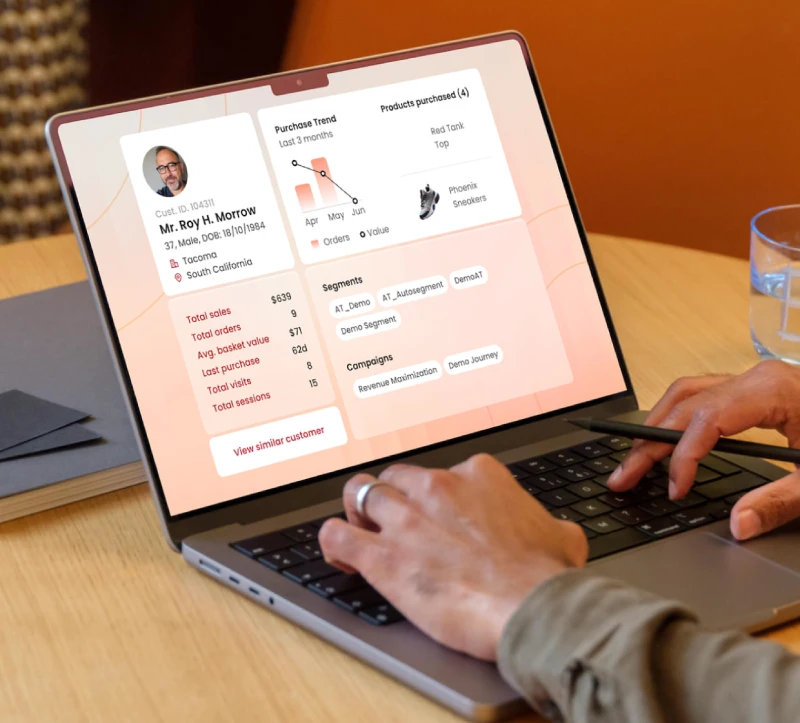
Try and use a person with clothing matching the respective product vertical colors. Eg. yellow, red, blue. Can also use white/black apparel colors .
Use a transparent background for human photos
UI Elements can have a transparency/glass effect or an opaque fill for emphasis.
Try to keep the person either on the left/right edges. USe the rest of the space to focus on the UI elements.
Keep elements in proximity to the image used. For eg. the search popup near the laptop (where applicable and practical)
Poppins is our primary typeface. It is a geometric sans- serif typeface that has been designed for legibility across digital and print applications.
Buttons and CTA are always in blue
Icons and its variations