
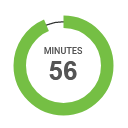
Àpèjúwe
It is proven that Countdown Timer can increase the conversion up to 400% & business revenue up to 9%. (note- based on facts and stats.)
✅ Then what’s stopping you from benefiting your business?
✅ Checkout demo for better understanding
Download Now the countdown timer ultimate now and enjoy the benefits.
You have to make customers believe that you are running out of stock/ products or services and that they are running out of time. There we use the countdown timer ultimate to make your product more desirable among your customers.
Download Now Countdown Timer Ultimate this tool can be used to create scarcity and urgency of your product. To create and represent this in order to convey that you have limited offers and deals and your customer has to grab them as fast as possible, you put a Countdown Timer on your website/ landing page.
On the back end, Countdown Timer Ultimate offers a complete WordPress countdown timer management system with the ability to:
- Create unlimited timer
- Expiry Date & Time
- Timer Label
- Timer content and designing
✅ It Benefits in:
- Driving more clicks
- Boosting the sales
- Making customer take fast & positive decision
- Generating high revenue
- Scheduling the time
Download Now Countdown Timer Ultimate which is the easier and the simpler way to attract more customers and persuade them to make a quick positive response about your product.
We got your back here! We serve both free and pro Countdown Timer Ultimate which you can easily install and use for your business.
✅ Overview
A very simple plugin to add countdown timer to your website. Countdown timer allow you to create nice and functional Countdown timer just in a few minutes. This is the best way to create beautiful Countdown for your users. You can use our Countdown timer in your posts/pages.
Also work with Gutenberg shortcode block.
You can create multiplate countdown timer and display them with shortcode. The easiest way to place your full customizable HTML5 Countdown Timer.
✅ Complete shortcode with all parameters:
[wpcdt-countdown id="1"]
- ID: [wpcdt-countdown id=”1Ìtumọ̀ Yorùbá: ″] (timer id for which you want to display timer. This parameter is required.)
✅ Template code is
<?php echo do_shortcode('[wpcdt-countdown id="1"]'); ?>
You must be thinking, why us?
Checkout these features to know your answer-
- Fully Responsive WordPress Countdown timer.
- Ability to create unlimited Countdowns timer.
- Ability to create Countdown in pages/posts.
- Also work with Gutenberg shortcode block.
- Ability to change background color and width.
- Ability to change rotating circle background color and width.
- Option change the text of Days, hours, minutes and seconds OR show/hide Days, hours, minutes and seconds.
- Option to set difftent background colors for Days, hours, minutes and seconds.
- Elementor, Bevear and SiteOrigin, Divi, Fusion Page Builder Native Support.
Then why wait to put a Countdown Timer Ultimate on your website to generate high sales and revenue.
And your time starts now… Download Now.
PRO Features Include
- 12+ stunning cool designs for clock and timer.
- Fully customized clock.
- Custom css
- Fully Responsive WordPress Countdown timer.
- Ability to create unlimited Countdowns timer.
- Ability to create Countdown in pages/posts.
- Template code.
- Schedule Timer
- Recurring Timer
- Timer works perfectly when any cache plugin is active.
- Ability to change background color and width.
- Ability to change rotating circle background color and width.
- Option to show/hide Days, hours, minutes and seconds.
- Option to set difftent background colors for Days, hours, minutes and seconds.
- Easy to integrate with e-commerce coupons like WooCommerce and Easy Digital Downloads.
- Gutenberg Block Supports.
- WPBakery Page Builder Support
- Elementor, Beaver and SiteOrigin Page Builder Support (New).
- Divi Page Builder Native Support (New).
- Various parameters for clock like background color, text color and etc.
- Clock expiration event. Display your desired text on complition of timer.
- Light weight and fast.
- Fully responsive
- 100% Multi language
✅ Checkout demo for better understanding
✅ Essential Plugin Bundle Deal
Annual or Lifetime Bundle Deal
Privacy & Policy
- We have also opt-in e-mail selection , once you download the plugin , so that we can inform you and nurture you about products and its features.
Àwọn àwòrán ìbòjú

Front end display 
Front end display 
Setting 
Also work with Gutenberg shortcode block.
Ìgbéwọlẹ̀
- Upload the ‘Countdown Timer Ultimate’ folder to the ‘/wp-content/plugins/’ directory.
- Activate the “Countdown Timer Ultimate” list plugin through the ‘Plugins’ menu in WordPress.
- Add a new page and add desired short code in that.
Àwọn àgbéyẹ̀wò


Àwọn Olùkópa & Olùgbéejáde
“Countdown Timer Ultimate” jẹ́ ètò ìṣàmúlò orísun ṣíṣí sílẹ̀. Àwọn ènìyàn wọ̀nyí ti ṣe ìkópa sí plugin yìí.
Àwọn Olùkópa
A ti túmọ̀ “Countdown Timer Ultimate” sí èdè agbègbè 1 kan. Ọpẹ́lọpẹ́ fún àwọn atúmọ̀ èdè fún àwọn ìkópa wọn.
Túmọ̀ “Countdown Timer Ultimate” sí èdè rẹ.
Ṣe o nífẹ̀ẹ́ sí ìdàgbàsókè?
Ṣàwárí koodu, ṣàyẹ̀wò ibi ìpamọ́ SVN, tàbí ṣe àgbékalẹ̀ sí àkọsílẹ̀ ìdàgbàsókè nípasẹ̀ RSS.
Àkọsílẹ̀ àwọn àyípadà
2.6.9 (17, Nov 2025)
- [*] Fixed code conflict issue affecting widget saving.
2.6.8 (12, Nov 2025)
- [*] Check compatibility with WordPress version 6.8.3
2.6.7 (08, Aug 2025)
- [*] Check compatibility with WordPress version 6.8.2
2.6.6 (16, May 2025)
- [*] Updated some URLÌtumọ̀ Yorùbá: ’s
2.6.5 (14, May 2025)
- [*] Check compatibility with WordPress version 6.8.1
2.6.4 (11, January 2024)
- [*] Check compatibility with WordPress version 6.7.1
2.6.3 (11, January 2024)
- [*] Check compatibility with WordPress version 6.7.1
2.6.2 (05, Nov 2024)
- [*] Check compatibility with WordPress version 6.6.2
2.6.1 (30, July 2023)
- [*] Check compatibility with WordPress version 6.6.1
2.6 (27, Nov 2023)
- [*] Updated analytics SDK.
- [*] Check compatibility with WordPress version 6.4.1
2.5 (18, Aug 2023)
- [*] Tested up to: 6.3
- [*] Tested with leading pagebuilder and themes.
2.4.1 (7, Aug 2023)
- [*] Fixed popup content issues.
- [*] Tested up to: 6.2.2
2.4 (16, May 2023)
- [*] Tested up to: 6.2
2.3.1 (09, March 2023)
- [*] Fixed Ìtumọ̀ Yorùbá: – Fixed some issues like design, UI of admin side, optin screen.
2.3 (06, March 2023)
- [*] Fixed Ìtumọ̀ Yorùbá: – Fixed one undefined PHP variable warning.
- [*] Update Ìtumọ̀ Yorùbá: – Improve escaping functions for better security.
2.2 (24, Feb 2023)
- [*] Fixed Ìtumọ̀ Yorùbá: – Fixed one undefined PHP variable warning.
- [*] Update Ìtumọ̀ Yorùbá: – Improve escaping functions for better security.
2.1 (09, Dec 2022)
- [*] Tested up to: 6.1.1
2.0.9 (03, Nov 2022)
- [*] Tested up to: 6.1
2.0.8 (17, May 2022)
- [*] Tested up to: 6.0
2.0.7 (29, March 2022)
- [+] Tested up to: 5.9.2
2.0.6 (08, March 2022)
- [*] Tested up to: 5.9.1
- [-] Removed some unwanted code and files.
2.0.5 (11, Feb 2022)
- [-] Removed some unwanted code and files.
2.0.4 (03, Feb 2022)
- [*] Tested up to: 5.9
2.0.3.1 (15, Dec 2021)
- [*] Minor fix.
2.0.3 (12, Nov 2021)
- [*] Fix Ìtumọ̀ Yorùbá: – Resolve Gutenberg WP-Editor script related issue.
- [*] Update Ìtumọ̀ Yorùbá: – Add some text and links in Readme file.
- [*] Minor change in CSS.
2.0.2 (25, Oct 2021)
- [*] Updated opt-in screen links.
- [*] Updated Ìtumọ̀ Yorùbá: – Updated some important links.
2.0.1.1 (16, Sep 2021)
- [*] Fixed some issues.
- [*] Fixed a variable name issue.
2.0.1 (15, Sep 2021)
- [*] Tested up to: 5.8.1
- [*] Updated Demo Link.
2.0 (17, Aug 2021)
- [*] Updated all external links
- [*] Tweak Ìtumọ̀ Yorùbá: – Code optimization and performance improvements.
1.5 (14, May 2021)
- [+] New Ìtumọ̀ Yorùbá: – Added Elementor page builder native support.
- [+] New Ìtumọ̀ Yorùbá: – Added Beaver page builder native support.
- [+] New Ìtumọ̀ Yorùbá: – Added SiteOrigin page builder native support.
- [+] New Ìtumọ̀ Yorùbá: – Added Divi page builder native support.
- [+] New Ìtumọ̀ Yorùbá: – Added Fusion page builder native support.
- [*] Update Ìtumọ̀ Yorùbá: – Minor JS and CSS file updated.
- [*] Tweak Ìtumọ̀ Yorùbá: – Code optimization and performance improvements.
1.5.1 (31, May 2021)
- [*] Tested up to: 5.7.2
- [*] Added Ìtumọ̀ Yorùbá: – https link in our analytics code to avoid browser security warning.
1.4 (15, March 2021)
- [*] Tested up to: 5.7
1.3 (29, Oct 2020)
- [+] New Ìtumọ̀ Yorùbá: – Click to copy the shortcode.
- [*] Update Ìtumọ̀ Yorùbá: – Regular plugin maintenance. Updated readme file.
- [*] Added Ìtumọ̀ Yorùbá: – Added our other Popular Plugins under Countdown Timer Ìtumọ̀ Yorùbá: –> Install Popular Plugins From WPOS. This will help you to save your time during creating a website.
1.2.5 (14-07-2020)
- [*] Follow WordPress Detailed Plugin Guidelines for Offload Media and Analytics Code.
- [*] Tested up to: 5.4.2
1.2.4 (27, 12 2019)
- [*] Updated features list.
- [*] Resolved timer clear color option issue on update.
1.2.3 (13, August 2019)
- [*] Updated demo link on website.
1.2.2 (09, Feb 2019)
- [*] Minor change in Opt-in flow.
1.2.1 (27, Dec 2018)
- [*] Update Opt-in flow.
1.2 (06, Dec 2018)
- [*] Tested with WordPress 5.0 and Gutenberg.
- [*] Fixed some CSS issues.
1.1.5 (22, Aug 2018)
- [*] Fix Ìtumọ̀ Yorùbá: – Countdown goes incremental when time is finished. Now it will stop at zero.
- [*] Update Ìtumọ̀ Yorùbá: – Updated plugin sanitize function for better storage.
- [*] Update Ìtumọ̀ Yorùbá: – Updated plugin translation code. Now user can put plugin languages file in WordPress ‘language’ folder so plugin language file will not be loss while plugin update.
1.1.4 (11, June 2018)
- [*] Follow some WordPress Detailed Plugin Guidelines.
1.1.3 (20-7-17)
- Fixed conflict with third party js issue.
1.1.2
- [+] Added ‘How it Work’ page for better user interface.
1.1.1
- [+] Added change the text option for Days, hours, minutes and seconds.
- [+] Added width option for Countdown Timer
1.1.0
- [+] Added UI slider to adjust the width.
- Made some changes on setting page.
- Fixed some bug.
1.0
- Initial release.