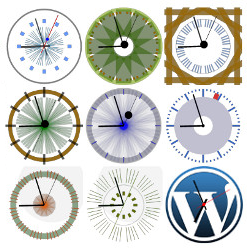
Hi Stine,
If you want to insert clocks into a page or post content, you can use the shortcode [coolclock] which has many parameters you can add. Read more on https://wordpress.org/plugins/coolclock/faq/ near the end starting at “Can I insert a clock in posts or pages?”.
If you want to add the clock to a theme template php file then there is a code example at the bottom of that same FAQ’s page. The php code uses the same shortcode and all its parameters as above.
For custom skins in combination with shortcodes, you’ll need to add the Advanced extension available at https://premium.status301.net/downloads/coolclock-advanced/
–Rolf
Hi again.
Thank you for your reply. I have now tried to insert a clock, but i simply can’t make it work. As I said previously, I do not know much about coding – If this is a must, please just let me know.
I tried to insert the example from the page you linked me; [coolclock skin=”chunkySwissOnBlack” radius=”140″ showdigital=digital12 align=”left” /]
When I insert this code, nothing appears. A clock only appears when inserting: [coolclock /]
This only displays a default time and it does not have the skin i want (the simple skin).
Another problem is: I would like to have 3 to 4 clock on one horizontal row. In the questions from others, i can see that other have had the same problem; but they all want multiple clocks to be displays in a vertikal row.
Hope you can help – and again, please let me know if this is way too advanced for a non-coder.
– Stine
Hi Stine, it sounds like a problem with the quote characters used in the shortcode. Try this: switch to the Text tab (top-right of the post editor toolbar) and find the working shortcode
[coolclock /]
Make sure this code is on a new line (no text right before or after it) and then manually add the parameters gmtoffset=2 subtext=Copenhagen align=left (using no quotes for now)
Then save and check the resulting page.
If that works, then go back to edit the page and copy the shortcode and paste it 4 more times, each on a new line below the first one, every time with a blank line between each shortcode. Then modify the gmtoffset and subtext for each one to match the other cities.
Be aware that you will have to manually adjust the gmtoffset as soon as daylight saving time has passed. For Copenhagen, this will be on the 30th of this month: gmtoffset must then be 1 instead of 2.
To change the skin, add the parameter skin= followed by the skin name as instructed here on https://premium.status301.net/coolclock-skins/ (only the minimal skin is not available in the free version)
Hi Rolf.
Thank you so much for the great answer. I made i work, and I am very happy with the result!
Have a great day.
– Stine