Hello @dowista,
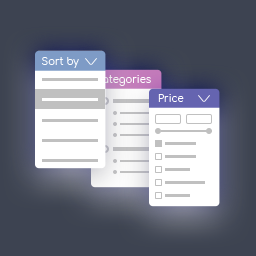
Yes, the filter can be switched to horizontal mode by changing the value of its block width in the design settings: https://woobewoo.com/documentation/how-to-create-horizontal-product-filter/
hello @woobewoo you dont undarstand my question. Its not a same. I see you have horizontal filter. But look at my examples. Title like a buttons. Or filter content for example 100% width. Now i see your title same width as content in same div box.
Hello @dowista,
Add these styles to the filter design settings.
It should look like this: https://i.imgur.com/N9MA379.png
.wpfMainWrapper .wpfFilterContent {
position: absolute;
width: 180px;
background: white;
border-radius: 5px;
padding: 15px;
border: 1px #d8dfe3 solid;
margin-top: 3px;
}
.wpfMainWrapper .wpfFilterWrapper {
width: fit-content !important;
margin-right: 10px;
min-width:0;
}
.wpfMainWrapper .wpfTitleToggle {
display: none !important;
}
.wpfMainWrapper .wpfFilterTitle {
border: 1px black solid;
border-radius: 5px;
padding: 5px;
}
.wpfHide {
display:none;
}
@woobewoo ohh very thank you, its working good. I have two more questions. It is possible make filter content 100% width, now its 180px.
and second thing, it is possible write jquery to close all filters if clicked on body on somewhere, becouse now you have to click close manual on filter.
Hi @dowista,
Please contact our support team https://woobewoo.com/contact-us/
Regarding these questions.