Description
65–75% of local business website traffic comes from mobile — yet most WordPress themes bury the phone number in the header and hide the “Book Now” button at the top of the page. Once a visitor scrolls, your most important CTA disappears.
ButtonFlow fixes this in minutes.
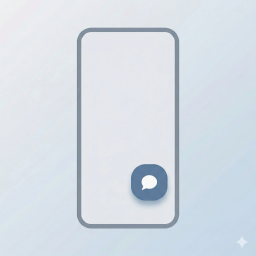
Install the plugin, set your button label and action, and a beautiful floating button will appear at the bottom of every mobile screen — staying permanently visible as the user scrolls. One tap to call. One tap to book. One tap to start a WhatsApp conversation.
No page builder. No theme editing. No code.
Who is this for?
- Aesthetic clinics & medspas
- Restaurants & cafes
- Law firms & consultants
- Real estate agents
- Any local business that gets mobile traffic and wants more leads
Core Features
- Click-to-Call — Tapping the button instantly dials your phone number.
- Open URL — Send visitors directly to your booking page, menu, or any link.
- WhatsApp Chat — Opens WhatsApp with a pre-filled message (fully customizable).
- Smooth Scroll — Scrolls the page to a specific section using an anchor ID (#contact).
- Custom Label & Icon — Set any button text and choose from preset icons (phone, calendar, WhatsApp, message).
- Appearance Control — Customize background color, text color, and choose from 3 button sizes (Small, Medium, Large).
- Live Preview — See exactly how your button looks in real-time as you edit the settings.
- Mobile-Only Display — The button is never shown on tablets or desktops (CSS + JS dual enforcement).
- Page-Level Hide Rules — Suppress the button on specific pages (e.g., the contact page itself) using slugs or IDs.
- Entrance Animation — Button slides up from the bottom after a configurable delay.
- Performance Optimized — Total asset size under 5kb. No jQuery. No React. No bloat.
Privacy First
This plugin is built with privacy as a priority. No tracking, no external scripts, and no “Powered by” branding. No personal data is collected, stored, or transmitted. Full GDPR compliance out of the box.
Coming in Pro (v2)
- Multi-button dock (Call + WhatsApp + Book fan-out on tap)
- A/B testing — test two CTA labels and auto-promote the winner
- Session frequency control — hide for visitors who already clicked
- Click analytics dashboard — clicks, click rate by page, device breakdown
Screenshots

The settings page with Live Preview. 
The floating CTA button as seen by a mobile visitor.
Installation
- Upload the
buttonflowfolder to the/wp-content/plugins/directory, or install via Plugins Add New in your WordPress dashboard. - Activate the plugin through the Plugins menu.
- Go to Settings ButtonFlow to configure your button.
- Set your button label, choose an action type, and enter the action value.
- Customize colors, size, and entrance delay to match your brand.
- Click Save Settings and visit your site on a mobile device to see the button in action.
FAQ
-
No. The button is hidden on all screens wider than 767px using both CSS media queries and JavaScript. Desktop visitors will never see it.
-
Does it work with Elementor, Divi, or Astra?
-
Yes. The plugin injects directly into the page footer and is fully theme-agnostic. It has been tested with Astra, GeneratePress, OceanWP, and Elementor-based themes.
-
Yes. In the settings page, you can enter a comma-separated list of page IDs or slugs where the button should be hidden (for example: your contact page or checkout page).
-
How do I set up the WhatsApp action?
-
Select “WhatsApp” as the action type, then enter your phone number in international format (e.g.,
628123456789). You can also customize the pre-filled message text. -
Is this plugin free?
-
Yes. The core plugin is 100% free and always will be. A Pro version with advanced features is planned for a future release.
-
Will it slow down my site?
-
No. The CSS and JS files combined weigh less than 5kb and are only loaded on the frontend. The plugin uses no external dependencies.
Reviews
There are no reviews for this plugin.
Contributors & Developers
“ButtonFlow – Sticky Floating Mobile Button for Call, Messaging & Booking” is open source software. The following people have contributed to this plugin.
Contributors
Interested in development?
Browse the code, check out the SVN repository, or subscribe to the development log by RSS.
Changelog
1.2.0
- Modernized JavaScript codebase with ES6+ standards (const/let, arrow functions).
- Fixed case-sensitivity issue in WhatsApp color auto-selection.
- Improved code consistency and safety checks in admin settings.
1.1.0
- Fixed version sync across core files.
- Added uninstall.php for proper data cleanup on deletion.
- Improved mobile detection using matchMedia for better consistency.
- Readiness audit and final refinements for WordPress.org submission.
1.0.1
- Rebranded the plugin to ButtonFlow.
- Minor UI/UX refinements.
- Code cleanup and consistency improvements.
1.0.0
- Initial release.
- Features: Action types (Phone, URL, WhatsApp, Scroll), Custom Colors, Icons, Button Sizing, and Page Exclusion.
- Includes: Live Preview and Reset to Defaults functionality.