New Integrated App: Lightmass Tweaker
Next version of Unreal X-Editor includes Lightmass Tweaker which is a small application that lets you modify Lightmass settings (Medium Quality, High Quality, Production Quality) inside UDK.
NOTE: This application is aimed at Expert users only. Beginners should never modify these settings!

Lightmass Tweaker
New Integrated App: Clean UDK Leftovers
A new integrated application will be available in the next version of Unreal X-Editor which deletes junk files.
Here is a screenshot:

UDK Clean Tool
New Feature: Find Function
I added a new feature called Find Function in Unreal X-Editor which lists function usages. The way it works is when you right click on any function name and select “Find Function”, you will see a list that shows where this function is used or overrided.
Screenshots:
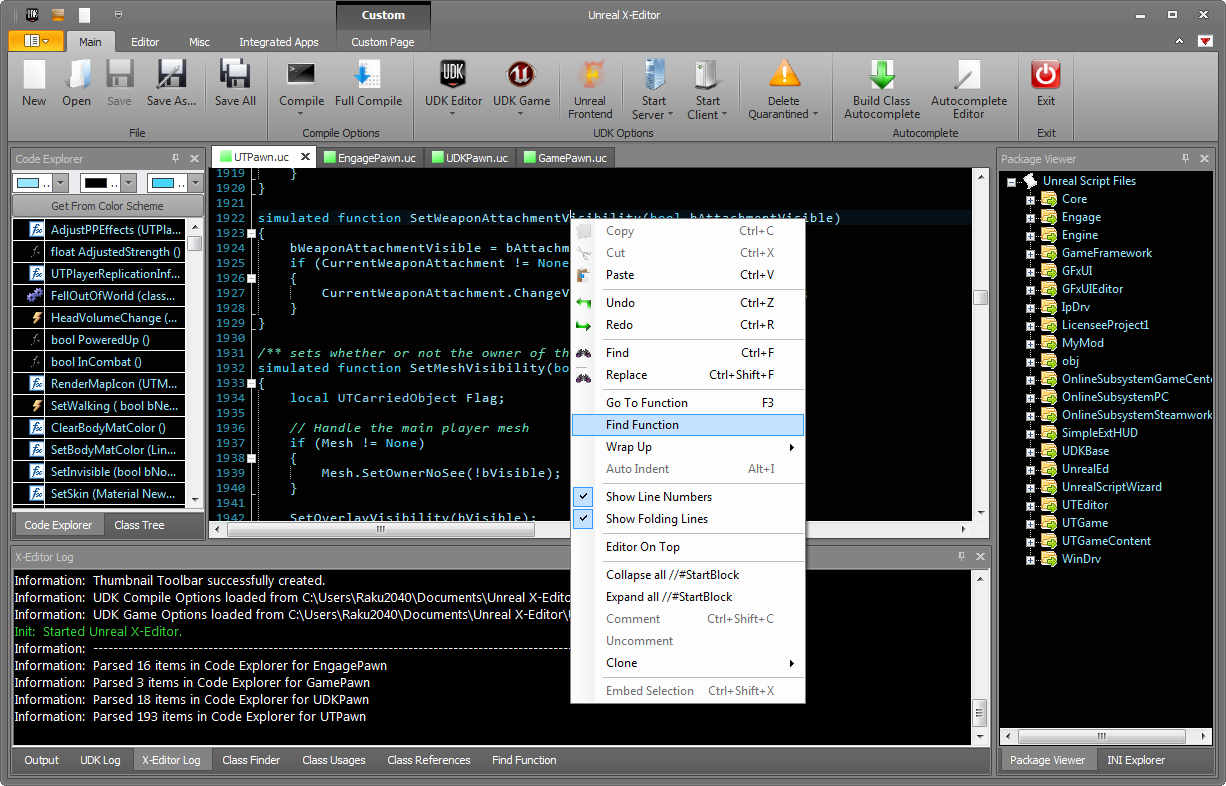
Click for larger image

Click for larger image
[TIP] Change Player Models based on Team for Multiplayer Team Deathmatch
In my game i implemented Team Deathmatch a few days ago but was struggling to update player mesh based on Team. But today i finally managed to do it and decided to share incase if anyone else is facing the same problem.
In your custom Team Deathmatch Game class add the below code:
function class<Pawn> GetDefaultPlayerClass(Controller C)
{
    if (C.PlayerReplicationInfo.Team.GetTeamNum() == 0)
    {
        return class'Team0PawnClass';
    }
    return class'Team1PawnClass';
}
Thats it! We just override the GetDefaultPlayerClass function to get the player model based on Team.
Hope you find this useful.
New Feature: Toast Notifications
I included Toast Notifications in Unreal X-Editor. They will appear on certain events such as Compiling, Launching Game and Editor, Launching Frontend and more. Here is a example screenshot.

Clicking for larger view.

Click for larger view.
And for those who dont like Toast dont worry. You will be able to disable this by “-notoast” commandline.
Package Viewer – Copying Class Name
Hey everyone,
I have added two new options under the right click menu inside Package Viewer. They are Copy as Class Name and Copy as Full Class Name.

So what do they do?
Well clicking on Copy as Class Name will copy the class name to clipboard. Eg: class’UTPawn’
Clicking in Copy as Full Class Name will copy the class name to clipboard with location. Eg: class’UTGame.UTPawn’
Sagittarius by Willyg302 Now Available
Hey everyone,
Willyg302 has released the very first version of Sagittarius which is available at Sagittarius Wiki.

So what exactly is Sagittarius?
Sagittarius is a powerful and free online game service built with Google App Engine. That means you get all the scalability and reliability of Google’s products right out of the box. And what’s more, Sagittarius is designed to be deployed on your own App Engine account, giving you full control over your game’s backend.
My game Engage uses Gemini (now am porting everything to Sagittarius) and i gotta say it was pretty easy to setup (of-course Willy was there to help me out :)) and the result was great (server browser is pretty nice!)

 Unreal X-Editor