An inline social sharing button enhances the content of your posts, pages, or other custom post types on your website. It can be added to positions on the pages like above the content, below the content, or both. Discover how to seamlessly integrate inline content share buttons within your narrative, enhancing reach and engagement across social platforms. Let’s amplify your content!
Enable inline content share buttons #
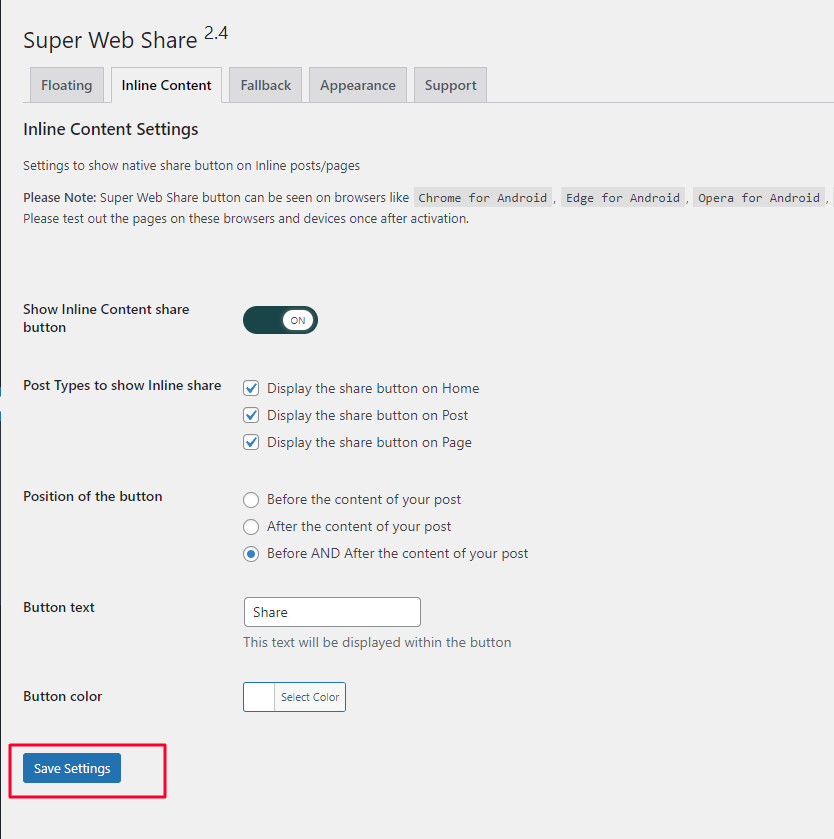
1) Navigate to your admin dashboard > and click on the SuperWebShare menu.

2) Then click on the Inline Content sub-menu

3) Toggle ON the Inline Social sharing button

4) Scroll to the bottom of the settings page and click on the “Save settings” button.
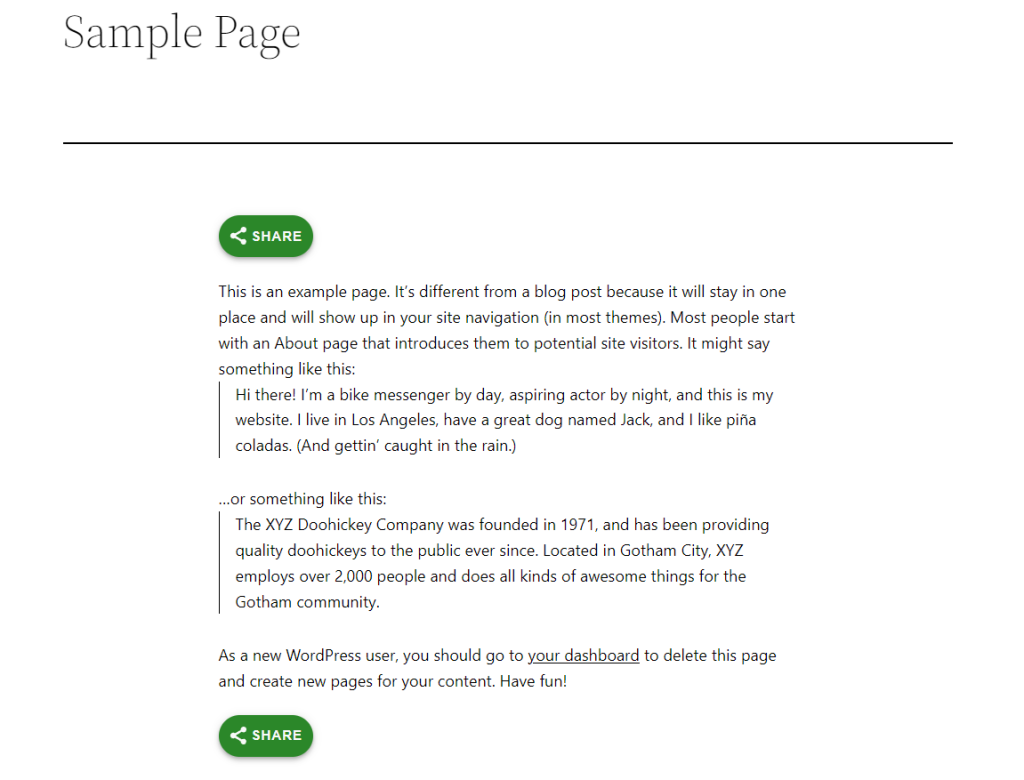
5) Tada! The social sharing button will be visible on your selected pages, posts, and other content types.
Disable inline content share buttons #
If you want to disable showing the inline sharing button, toggle off the settings and click on Save settings.


