Lists are one of the fondamental tools of Python. They are what arrays are for other languages.
You can create a list simply like this:
mylist = [1,2,3]
But you can put everything in a list: strings, objects… anything.
names_list = [“John”, “Peter”, “Mary”]
There are different ways to add elements to a list. Let’s take a look at them.
Two different methods…
extend vs append
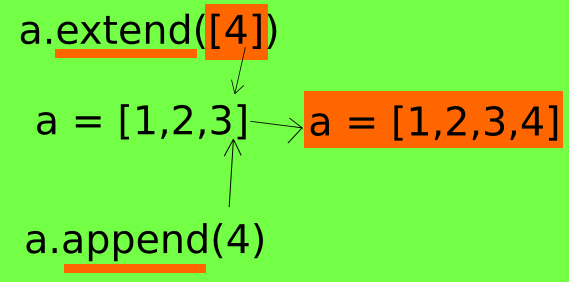
With append you can append a single element that will extend the list:
>>> a =[1,2]>>> a.append(3)>>> a
[1,2,3]
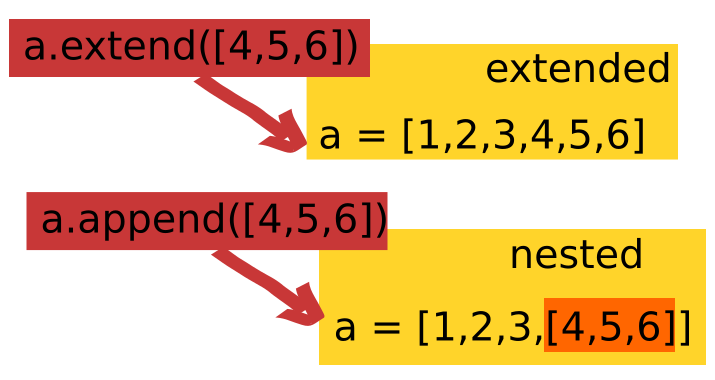
If you want to extend more than one element you should use extend, because you can only append one elment or one list of element:
>>> a.append([4,5])>>> a
>>>[1,2,3,[4,5]]
So that you get a nested list
Instead with extend you can extend a single element like this
>>> a =[1,2]>>> a.extend([3])>>> a
[1,2,3]
Or, differently from append, extend more elements in one time without nesting the list into the original one (that’s the reason of the name extend)
>>> a.extend([4,5,6])>>> a
[1,2,3,4,5,6]
Adding one element with both methods
append 1 element
>>> x =[1,2]>>> x.append(3)>>> x
[1,2,3]
extend one element
>>> x =[1,2]>>> x.extend([3])>>> x
[1,2,3,4]
Adding more elements… with different results
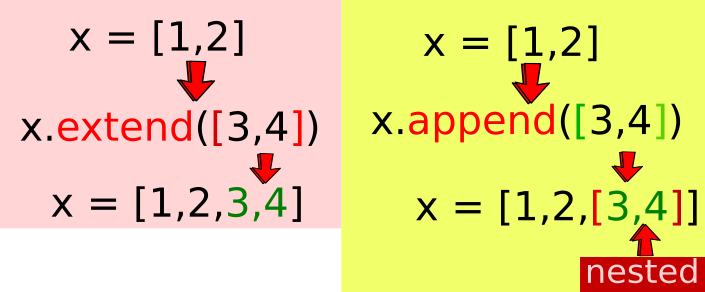
If you use append for more than one element, you have to pass a list of elements as arguments and you will obtain a NESTED list!
>>> x =[1,2]>>> x.append([3,4])>>> x
[1,2,[3,4]]
With extend, instead, you pass a list as argument, but you will obtain a list with the new element that are not nested in the old one.
>>> z =[1,2]>>> z.extend([3,4])>>> z
[1,2,3,4]
So, with more elements, you will use extend to get a list with more items. You will use append, to append not more elements to the list, but one element that is a nested list as you can clearly see in the output of the code.