
Opis
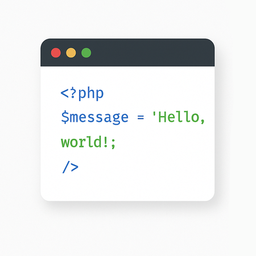
The „Light Code Block” plugin is a simple and lightweight solution for inserting and displaying code snippets in posts and pages.
It works by adding a custom „LC” button to the TinyMCE (Classic) editor or a code block in the Gutenberg editor.
The inserted code will be shown on the front end in a clean, readable format.
Usage
- Install and activate the plugin.
- Go to the post or page edit screen.
- In the TinyMCE (Classic) editor, click the „LC” button in the toolbar.
- In the popup window that opens, paste or write your code, and click OK.
- Save or update your post.
The code will be saved inside a special block and displayed on the front end within a <pre> tag with the class mce-simple-code-block (i.e., <pre class="mce-simple-code-block">...</pre>).
To insert code using the Gutenberg editor, you first need to add a Classic (TinyMCE) block, and then use it to insert your code.
Zrzuty ekranu

The „LC” button in the Classic editor toolbar. 
Popup window for inserting/editing code (Classic version). 
Popup window for inserting/editing code (Gutenberg version). 
Example of a rendered code block on the front end.
Instalacja
- Install the „Light Code Block” plugin through the standard WordPress plugin installer.
- Or unzip and upload the „light-code-block” folder to the
/wp-content/plugins/directory. - Activate the plugin through the 'Plugins’ menu in WordPress.
Recenzje
Wtyczka nie ma jeszcze żadnej recenzji.
Kontrybutorzy i deweloperzy
„Light Code Block” jest oprogramowaniem open source. Poniższe osoby miały wkład w rozwój wtyczki.
Zaangażowani
Wtyczka „Light Code Block” została przetłumaczona na 1 język. Podziękuj tłumaczom za ich wkład.
Przetłumacz wtyczkę “Light Code Block” na swój język.
Interesuje cię rozwój wtyczki?
Przeglądaj kod, sprawdź repozytorium SVN lub czytaj dziennik rozwoju przez RSS.
Rejestr zmian
1.0.2
- Tested up to WordPress 6.9
1.0.1
- For backward compatibility, the class „mce-simple-block-code” has been added.
1.0.0
- Init release.