About Mini Timetable
Mini Timetable is an easy to use study timetable app. You can create more than one timetable, course, period with no limitation. For creating timetable, you can give it a title and decide if the weekend is included. For...
Mini Timetable is an easy to use study timetable app. You can create more than one timetable, course, period with no limitation. For creating timetable, you can give it a title and decide if the weekend is included. For creating course, you can fill course name, id, credit, description, instructor and give it a color. For now, we provide you 10 nice colors which will make your timetable looks colorful but not hurt your eyes. For creating period, you can fill a place, select a day, start time and end time.
Creating period with Mini Timetable is very flexible, you can select a time range for the period with no boundary, you can choose whatever time in 24 hours (no day crossing).
More than that, you can write a memo quickly. Just write everything you want e.g. homework, project, assignment, exam appointment, etc.
Mini Timetable is not for studying only, you can use it as any timetable with a little adaptation, for example, movie/series program, transportation, working out, etc.
*******************
Hope this app is useful for everyone. If you have any comment, tell me or encourage us by giving 5 stars. :]
*******************
Features:
*******************
Permission Requires:
INTERNET: sending app usage for analysis and improvement only, your personal data including app data are not touched
STORAGE: saving images when add to memo
Previous Versions
Here you can find the changelog of Mini Timetable since it was posted on our website on 2016-10-29 18:34:27.
The latest version is 3.2 and it was updated on 2026-06-18 04:44:15. See below the changes in each version.
Mini Timetable version 3.2
Updated At: 2017-11-05
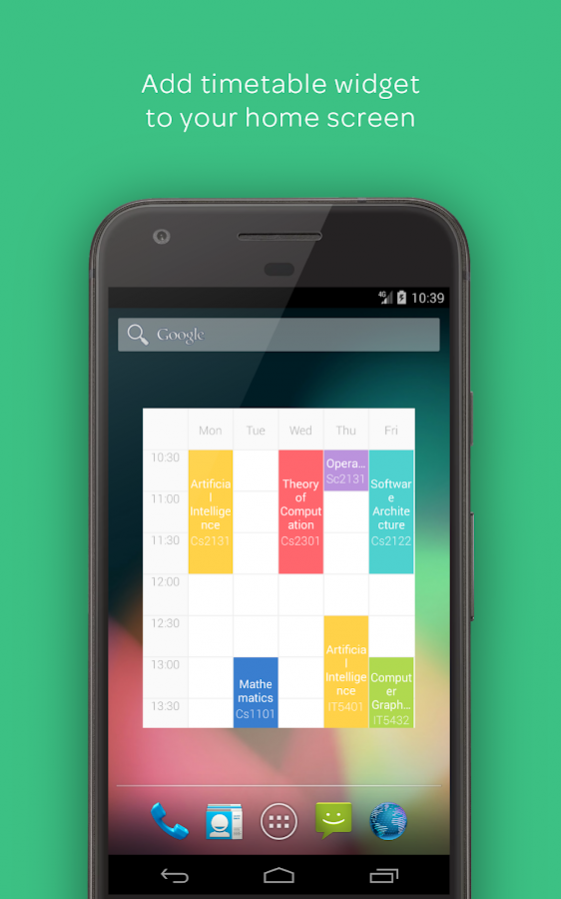
Changes: - Timetable widget for your home screen
- Improve app appearance
- Minor bugs fixed
Mini Timetable version 1.2
Updated At: 2015-01-27
Changes: => Add edit course & period buttons on timetable popup,=> Add choice for adding at timetable,=> Add Thai translation,=> Remove empty fields on timetable popup,=> Fix period editing,=> Fix notification for periods
Disclaimer
Official Google Play Link
We do not host Mini Timetable on our servers. We did not scan it for viruses, adware, spyware or other type of malware. This app is hosted by Google and passed their terms and conditions to be listed there. We recommend caution when installing it.
The Google Play link for Mini Timetable is provided to you by apps112.com without any warranties, representations or guarantees of any kind, so access it at your own risk.
If you have questions regarding this particular app contact the publisher directly. For questions about the functionalities of apps112.com contact us.