
ຄຳອະທິບາຍ
This plugin addresses the need for a simple way to add HTTP headers to outbound HTTP responses in your site.
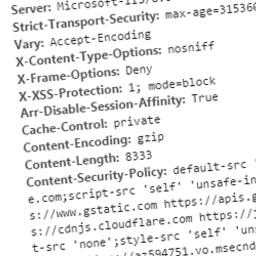
These headers can include custom ones specific to your application, or can be security related. Some you may wish to specify to protect your site may include:
- Public-Key-Pins
- Strict-Transport-Security
- X-Frame-Options
- X-XSS-Protection
- X-Content-Type-Options
- Content-Security-Policy
- Content-Security-Policy-Report-Only
Related Links
ພາບໜ້າຈໍ

The plugin should appear in your plugins list when installed. Note the ‘Settings’ link where you can configure for Headit. 
This is the settings window for Headit.
ການຕິດຕັ້ງ
This section describes how to install the plugin and get it working.
- Upload the plugin files to the
/wp-content/plugins/headitdirectory, or install the plugin through the WordPress plugins screen directly - Activate the plugin through the
Pluginsscreen in WordPress - Use the Settings->Headit screen to configure the plugin
ຄຳຖາມທີ່ພົບເລື້ອຍ
- Can I set dynamic headers using Headit?
-
Currently Headit can only be used to add static headers to your site.
- Can I override existing headers?
-
All headers added using this plugin will not replace existing headers present in the response.
ການຣີວິວ
ບໍ່ມີການຣີວິວສຳລັບປລັກອິນນີ້.
ຜູ້ຮ່ວມພັດທະນາ ແລະ ຜູ້ພັດທະນາ
“Headit” ແມ່ນຊອຟແວໂອເພັນຊອດ (Open Source). ບຸກຄົນຕໍ່ໄປນີ້ໄດ້ມີສ່ວນຮ່ວມໃນການພັດທະນາປລັກອິນນີ້.
ຜູ້ຮ່ວມພັດທະນາ
ສົນໃຈຮ່ວມພັດທະນາບໍ່?
ເບິ່ງລະຫັດ, ກວດເບິ່ງ ຄັງເກັບ SVN, ຫຼື ຕິດຕາມ ບັນທຶກການພັດທະນາ ຜ່ານ RSS.
ບັນທຶກການປ່ຽນແປງ
1.0
- Able to set custom static response headers