
Descrizione
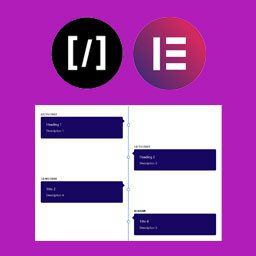
A Vertical Timeline Responsive is a very simple plugin to show vertical timeline to your website. It support shortcode and elementor page builder.
Screenshot

Shortcode 
Frontend 
Using with Elementor
Installazione
Step 1. Upload “A Vertical Timeline Responsive” folder to the /wp-content/plugins/ directory
Step 2. Activate the plugin through the Plugins menu in WordPress
Step 3. There is a menu named “V Timeline”.
Step 4. Create timelines as more as you can.
For Elementor, just install, activate and use it in the page builder.
Recensioni


Contributi e sviluppo
“A Vertical Timeline Responsive” è un software open source. Le persone che hanno contribuito allo sviluppo di questo plugin sono indicate di seguito.
Collaboratori
Traduci “A Vertical Timeline Responsive” nella tua lingua.
Ti interessa lo sviluppo?
Esplora il codice segui il repository SVN, segui il log delle modifiche tramite RSS.
Changelog
2.0.1
- Change of readme file and re-arranged the folders
2.0.0
- Improved design, native metaboxes, Elementor support
1.0.2
- Design fix
1.0.1
- Massive design change
1.0.0
- First stable release