Conversation
This is automated check which relies on |
 jeherve
left a comment
jeherve
left a comment
There was a problem hiding this comment.
Since you are adding a new shortcode, I would recommmend that you place it with the other shortcodes in Jetpack, as part of the Shortcodes module in modules/shortcodes.
jeherve
left a comment
There was a problem hiding this comment.
A few more remarks about things that could be improved.
|
@jeherve I implemented all changes here :) If anything else needs improvement - please let me know :) |
jeherve
left a comment
There was a problem hiding this comment.
A few more changes I would recommend.
Co-Authored-By: artpi <artur.piszek@gmail.com>
Thank you for catching that! |
|
I implemented following fixes from @jeffersonrabb comments:
Yes, this is true. When I think about it its not actually the error - end state should be the same as success. User is on the list.
good point. I made title an optional parameter and don't include a default one, so its not showing.
Yes. I fixed that. |
|
I have included recent changes in this PR to D22833-code . I dont want to merge D22705-code until we are sure that we want this fix for SSR to be merged. |
| * | ||
| * @return array | ||
| */ | ||
| public function prevent_jetpack_register_block( $blocks ) { |
There was a problem hiding this comment.
We are doing something wrong here. We should always register the block using jetpack_register_block
If you have specific visibility requirement that depend blog info (options, plan etc) You will need to use the callback. See https://github.com/Automattic/jetpack/blob/master/modules/simple-payments/simple-payments.php#L61 as an example.
jeherve
left a comment
There was a problem hiding this comment.
Works well for me now. Merging.
This PR introduces 2 things: 1. Mailchimp shortcode 2. Mailchimp gutenberg block. More details in the master thread: p5uIfZ-8BV-p2 **The code behind this is already merged for WPCOM simple. If you want to test the UX - any simple site will work for proxied a12s** ## How this works This enables visitors to sign up for a MailChimp list. User needs to establish a Mailchimp connection in sharing section in calypso. There, they can use oauth flow to establish the connection and then select a list where subscribers will be saved. ( We imagine that this feature may be gated behing a plan - more info in the master thread ) ### Shortcode Once connection is established, shortcode `[jetpack-email-subscribe]` will display this signup form. 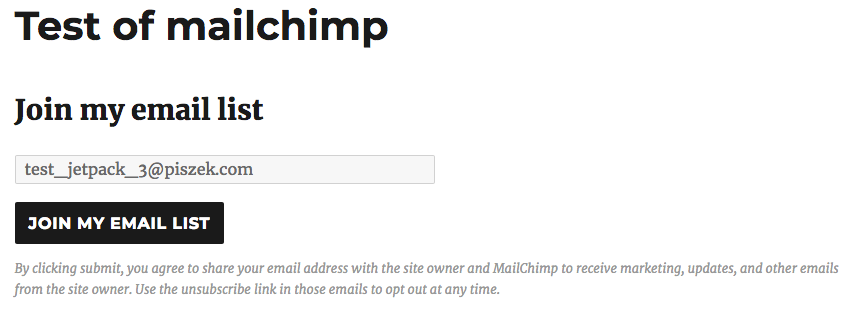 Once visitor signs up, her email is saved to a previously selected emaiil list in Mailchimp. We don't use it ourselves. All email comes from the site owner through mailchimp ### Block Once connection is established, site owner can use `jetpack/gutenberg` block. If connection is NOT established, they get a prompt with the link to go to /sharing. ## Screenshots ### Block 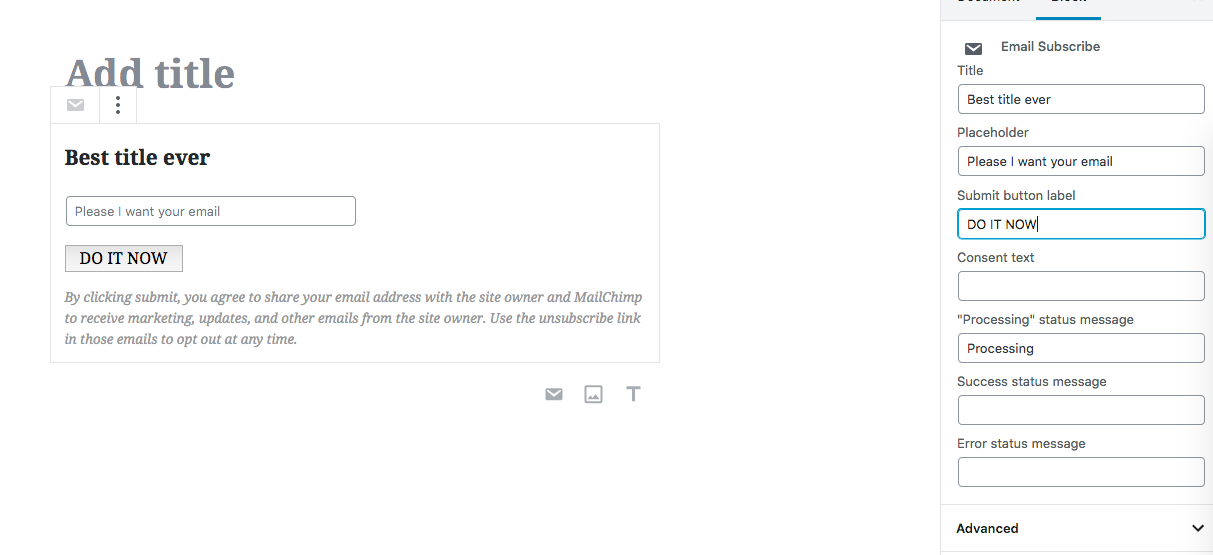 ### Block, connection not set up 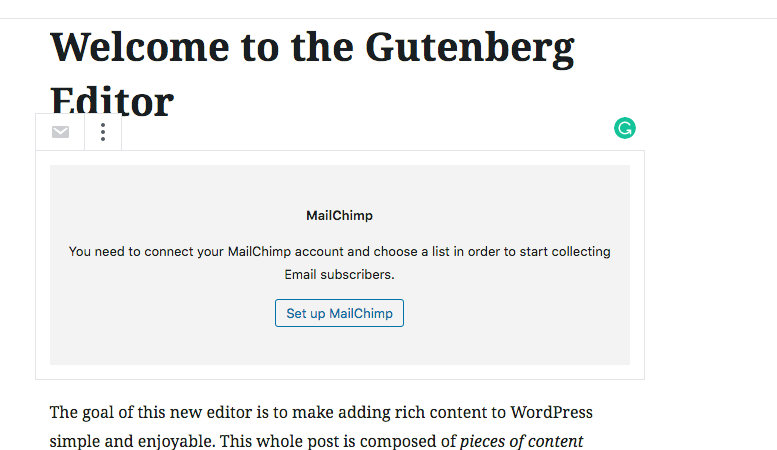 ## Testing instructions 1. Check out this PR on your Jetpack 2. Build blocks from calypso, the UI code is already merged 1. You need to log in as an Automattician 2. In /sharing you need to set up mailchimp connection and choose a list: 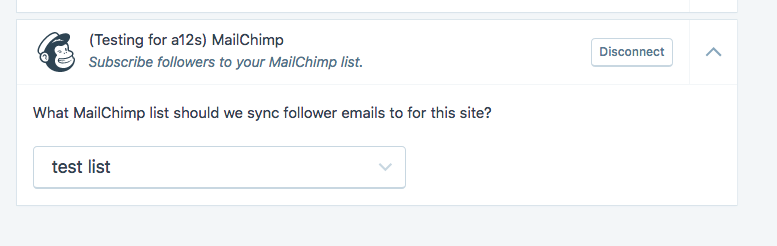 3. Drop a `[jetpack-email-subscribe]` shortcode anywhere to test shortcode 4. Use `mailchimp` block for testing block. 5. Once you subscribe, your email will end up in the list set up in point 2.


|
Cherry-picked to |
|
Proposed change to the block here: Automattic/wp-calypso#29929. Removes Server-Side Rendering, could simplify some of the registration questions. |
This PR introduces 2 things:
More details in the master thread: p5uIfZ-8BV-p2
The code behind this is already merged for WPCOM simple. If you want to test the UX - any simple site will work for proxied a12s
How this works
This enables visitors to sign up for a MailChimp list.
User needs to establish a Mailchimp connection in sharing section in calypso. There, they can use oauth flow to establish the connection and then select a list where subscribers will be saved.
( We imagine that this feature may be gated behing a plan - more info in the master thread )
Shortcode
Once connection is established, shortcode
[jetpack-email-subscribe]will display this signup form.Once visitor signs up, her email is saved to a previously selected emaiil list in Mailchimp. We don't use it ourselves.
All email comes from the site owner through mailchimp
Block
Once connection is established, site owner can use
jetpack/gutenbergblock.If connection is NOT established, they get a prompt with the link to go to /sharing.
Screenshots
Block
Block, connection not set up
Testing instructions
[jetpack-email-subscribe]shortcode anywhere to test shortcodemailchimpblock for testing block.