
EPFO Login: UAN Login, PF Balance Check, EPFO Passbook & Claim Status
Step-by-step 2026 guide – log in, check PF balance, download passbook, fix errors, and use every EPFO 3.0 feature without visiting an office.
Every salaried worker in India has a provident fund account quietly growing every month. Most people only notice it during a job change, an emergency, or a discrepancy in their records. That is exactly why knowing the EPFO login process — and using it without confusion — makes a real difference to your financial security.
The EPFO portal login at epfindia.gov.in gives you direct access to your entire PF account history. Check balance. Download statements. File claims. Transfer funds. Update KYC. Every major task happens here — no queues, no office visits.
This guide covers every login type — epf login for members, employer access, pensioners, and NRIs — along with every 2026 change under EPFO 3.0. Let us get into it.
What is the EPFO Login Portal?
The epfo member portal is the official online platform of the Employees’ Provident Fund Organisation, a statutory body under the Ministry of Labour and Employment, Government of India. It handles retirement savings for the country’s salaried workforce through three schemes:
- EPF – Employees’ Provident Fund Monthly contributions from employee and employer, your primary retirement corpus.
- EPS – Employees’ Pension Scheme Monthly pension after 10 years of eligible service, starting at age 58.
- EDLI – Deposit Linked Insurance Life insurance coverage up to ₹7 lakh for every active EPF member.
The epfo india system manages 7.67 lakh registered establishments and serves 8.2 million pensioners. The EPF interest rate for FY 2025-26 stands at 8.25% per annum, credited annually to all active accounts.
Official EPFO Portal URLs – Verify Before You Click
Phishing Warning: Dozens of fake websites replicate the EPFO interface to steal UAN credentials. Always check the URL ends with .epfindia.gov.in before typing anything on any login screen.
| Portal | Purpose | Official URL |
|---|---|---|
| EPFO Main Site | General information hub | epfindia.gov.in |
| Unified Member Portal | Member login, claims, KYC | unifiedportal-mem.epfindia.gov.in |
| Employer Portal | ECR, contributions, compliance | unifiedportal-emp.epfindia.gov.in |
| PF Passbook Login | Direct passbook and balance access | passbook.epfindia.gov.in |
| Pensioner Portal | EPS pension and PPO status | epfindia.gov.in → Pensioner Portal |
| EPFO e-Sewa portal | Grievance and service requests | epfigms.gov.in |
| International Workers | IW portal and CoC applications | epfoiwu.epfindia.gov.in |
What You Need Before EPFO Login
Keep these ready before opening the epfo website. A missing item at the wrong moment locks you out mid-process.
UAN not found? Send EPFOHO UAN ENG to 7738299899 from your registered mobile. Your UAN arrives via SMS within 30 seconds.
EPFO Member Login
The epf login portal uses your UAN and password for every session. Here’s the exact process for epfo member login:
- Open your browser and go to epfindia.gov — the official epfo unified portal.
- Hover over “Our Services” in the navigation menu → click “For Employees.”
- Under the Services section, click “Member UAN/Online Service (OCS/OTCP).” You land on the unified member portal.
- Alternatively, go directly to unifiedportal-mem.epfindia.gov.in for the epfo unified member portal.
- Enter your UAN, password, and the on-screen CAPTCHA.
- Click “Sign In.”
- An OTP arrives on your registered mobile number. Enter it to complete two-factor authentication.
- Your epfo employee login dashboard opens with full access to all member services.
If Chrome shows errors on the login page, switch to Mozilla Firefox. EPFO’s portal performs better on Firefox for most users, especially during high-traffic hours.
What You Can Do After Member Login
| Feature | Location on Dashboard |
|---|---|
| View pf balance and download passbook | Dashboard → View Passbook (New) |
| EPF online claim — Form 19/31/10C/10D | Online Services → Claim |
| EPFO claim status tracking | Online Services → Track Claim Status |
| EPFO KYC update (Aadhaar, PAN, bank) | Manage → KYC |
| EPFO Aadhaar link | Manage → KYC → Aadhaar |
| e-Nomination update | Manage → e-Nomination |
| PF transfer online — Form 13 | One Member – One EPF Account |
| Date of Exit self-update | Manage → Member Profile |
How to Activate UAN
The old OTP-based UAN activation method stopped on August 1, 2025. The only way to activate UAN online now is through Aadhaar Face Authentication on the UMANG app.
Two apps required: (1) UMANG App — Google Play or App Store. (2) Aadhaar Face RD App — mandatory for the face scan. Here’s how to complete uan activation:
- Open UMANG app → search “EPFO” → tap the EPFO service tile.
- Select “For Employees” → tap “UAN Allotment” or “Activate UAN.”
- Enter your mobile number → receive and type in OTP.
- Allow camera access. The Aadhaar Face RD App launches automatically for the biometric scan.
- Complete the face scan — your identity verifies against Aadhaar in real time.
- UAN activates instantly. Set your EPFO portal password now.
- Log in using your UAN and new password at the uan portal.
Why this is better: No employer dependency, no manual data entry, no fraudulent account creation. The Aadhaar face scan resolves how to activate uan number queries for new joiners in under 5 minutes.
EPFO Passbook Login & PF Balance
The EPFO passbook login is the most-used feature on the portal. Your EPF passbook records every month’s employee contribution, employer contribution, and annual interest — a complete picture of your pf account balance.
01
Member Portal
UAN member portal login → View Passbook (New)
02
Passbook Portal
passbook.epfindia.gov.in → UAN + Password
03
UMANG App
EPFO → Employee Centric Services – View Passbook
04
SMS Balance
EPFOHO UAN
ENG – to 7738299899
05
Missed Call
Missed call
to
011-22901406
Passbook Login via Dedicated Portal
- Go to passbook.epfindia.gov.in — the dedicated PF passbook login address.
- Enter your UAN number and password. Type the CAPTCHA.
- Click Login.
- Select your Member ID (your PF account number) from the dropdown.
- Your uan passbook login opens showing every contribution, transfer, and interest credit.
How to Download EPF Statement
Inside the passbook view, click Download at the top right. Your epf statement download saves as a PDF — accepted by banks and visa offices as proof of employment history and savings.
Passbook not updating? Updates happen 3 to 7 business days after the employer files ECR. During EPFO system upgrades, the delay can stretch to 2 weeks. As of May 2026, EPFO confirmed processing delays for Sept–Oct 2025 wage months due to revamped ECR ledger posting.
For epfo login passbook balance check without full login: give a missed call to 011-22901406 from your registered mobile and your epf balance check result arrives via SMS in seconds — no password needed.
EPFO Employer Login — ECR, Contributions
The epfo employer login portal runs separately from the member portal. HR teams, payroll managers, and business owners use it for all compliance responsibilities.

- File ECR (Electronic Challan cum Return) — due 15th of every month
- Deposit monthly PF contributions for all employees
- Approve employee KYC documents on the epfo unified portal
- Verify and update employee service history and exit dates
- Register DSC (Digital Signature Certificate) for claim approvals
- Generate compliance and contribution reports for audits
- Go to epfindia.gov → click “Services” → select “For Employers.”
- Click “Online ECR/Challan Submission/OTCP.”
- Redirected to unifiedportal-emp.epfindia.gov.in.
- Select “Employer’s Sign In” — not “Establishment Sign In.”
- Enter username and password → click Sign In.

Missing the 15th ECR deadline triggers 12% annual interest under Section 14B of the EPF Act, plus penalties. The Vishwas Scheme on the portal lets employers settle penalty disputes online without litigation — register DSC, file the dispute, resolve it digitally.
Pensioner Login – EPS Pension Portal & Jeevan Pramaan Patra
The epfo pension portal serves over 8.2 million EPS pensioners across India. It works as a service-based access system — you use your PPO number to reach each service individually, not a single dashboard login.

Who Qualifies for EPS Pension?
A minimum of 10 years of eligible EPS service and retirement at age 58 qualifies a member for superannuation pension. Early pension starts at 50 at a reduced rate. The scheme also covers widow pension, children pension, and disablement pension for active EPF members.
- Go to epfindia site → click “Services” → select “For Employees.”
- Scroll to “Pensioner’s Portal” and click it.
- Enter your PPO number (12-digit Pension Payment Order), office code, and office ID.
- Click “Get Status” to view pension and payment history.
Don’t know your PPO number? Enter your PF number or bank account number on the portal — your PPO details display immediately. Alternatively call the EPFO helpline: 1800-118-005.
Jeevan Pramaan Patra
Pensioners no longer travel to a bank or EPFO office to submit their annual life certificate. Face Authentication Technology (FAT) on UMANG handles the entire process in two minutes:
- Download UMANG app and Aadhaar Face RD App on your smartphone.
- Open UMANG → search EPFO → tap “Pensioner Services.”
- Select “Digital Life Certificate” → complete the face scan.
- The Jeevan Pramaan Patra submits instantly — confirmed on screen and sent to your pension disbursing bank.
EPFO Login for NRI
If you contributed to EPF before moving abroad, your pf account stays live and fully accessible online. NRIs use the standard epf account login at the Unified Member Portal — the same process as resident members.
Key Things NRIs Must Know
- Use an NRO bank account for EPF credit — NRE accounts do not receive domestic PF credits
- Enable international roaming on your Indian SIM or check DND filters — OTP delivery fails otherwise
- Ask your former employer to update your Date of Exit before filing a full settlement claim
- TDS applies on pf withdrawal before 5 years of service — NRIs cannot submit Form 15G/15H
- Withdrawals after 5 years of continuous service are tax-exempt in India
International Workers Portal
India holds Social Security Agreements with 19 countries including Germany, France, Japan, South Korea, Canada, and Australia. Workers from SSA countries use the IW portal at epfoiwu.epfindia.gov.in — using the same login credentials as the Unified Employer Portal — to apply for a Certificate of Coverage (CoC) and avoid double social security contribution.
EPFO 3.0
EPFO 3.0 Quick Reference
- Auto-Settlement Limit: ₹5 Lakh
- Claim Settlement Time: 3–5 working days
- UAN Activation Method: Aadhaar Face Auth only
- New Withdrawal Modes: UPI + ATM Card
- Interest Rate FY26: 8.25% per annum
- Employer Attestation: Removed for most claims
EPFO 3.0 rewrites how the epfo online services work at every touchpoint. Here is what each change means for your account:
Auto-Settlement at ₹5 Lakh: Members with complete KYC skip manual review entirely. The pf claim settlement for claims up to ₹5 lakh processes automatically within hours, not days.
UPI & ATM Card Withdrawals: The UMANG app now links UPI for instant epfo online withdrawal advances. EPFO is also rolling out dedicated ATM cards — withdraw up to 50% of your corpus at any ATM in India without touching the epfo claim login section at all.
No Employer Dependency for Most Claims: The biggest quality-of-life change in EPFO 3.0. You file epf online claim directly after KYC verification — your employer’s sign-off is no longer a bottleneck for standard withdrawal and transfer claims.
Self-Service Profile Updates: Update your Date of Exit, correct name spellings, and fix basic KYC details directly on the uan member portal using OTP — no HR intervention needed.
Supreme Court Wage Ceiling Update: The EPF wage ceiling currently sits at ₹15,000 per month. The Supreme Court set a 4-month deadline from February 2026 for the government to decide on raising this limit to ₹25,000. A positive decision would bring millions more workers under mandatory EPF, directly affecting employee contribution and employer contribution calculations across every industry.
Common EPFO Login Errors
The pf login process fails for specific, predictable reasons. Here are the eight most common problems and their direct fixes:
| Problem | Fix |
|---|---|
| Wrong UAN or password | Ensure your UAN is a 12-digit number without spaces. If you’ve forgotten your password, use the “Forgot Password” option on the EPFO portal. |
| OTP not received | Verify that your registered mobile number is active. Disable DND services if enabled and click “Resend OTP” after 60 seconds. |
| Account locked after failed attempts | Wait for 24 hours for automatic unlocking or contact the EPFO helpdesk at 1800-118-005 for manual assistance. |
| Portal not loading | Use Mozilla Firefox, clear browser cache, disable ad blockers, and try accessing the portal during non-peak hours. |
| Aadhaar/PAN mismatch in KYC | Navigate to Manage → KYC, update the correct details, and request employer approval for the changes. |
| UAN not activated | Activate your UAN using the UMANG App along with the Aadhaar Face RD App. OTP-based activation is no longer available after August 1, 2025. |
| Mobile number not registered | Request your employer to update your current mobile number in the UAN records or visit the nearest EPFO office. |
| EPFO passbook shows no entries | Wait up to 7 days after salary credit. Ensure KYC is completed and your employer has filed the Electronic Challan-cum-Return (ECR). |
How to Reset Your EPFO Password
The forgot epfo password reset takes under 3 minutes with your Aadhaar ready. Here is the exact process:

- Go to unifiedportal-mem.epfindia.gov.in → click “Forgot Password.”
- Enter your UAN and CAPTCHA → click Submit.
- Enter Name, Date of Birth, and Gender → click Verify.
- Enter your Aadhaar number and give consent for Aadhaar authentication → click Verify.
- Enter your registered mobile number → click Get OTP.
- Enter the OTP → create a new strong password (uppercase, lowercase, number, symbol).
- Log in with the new password. Your epfo login with uan works immediately.
Never share your UAN password or OTP with anyone — including people claiming to be HR or EPFO representatives. The real Employees’ Provident Fund Organisation never calls asking for passwords or OTPs.
EPFO KYC Update Online
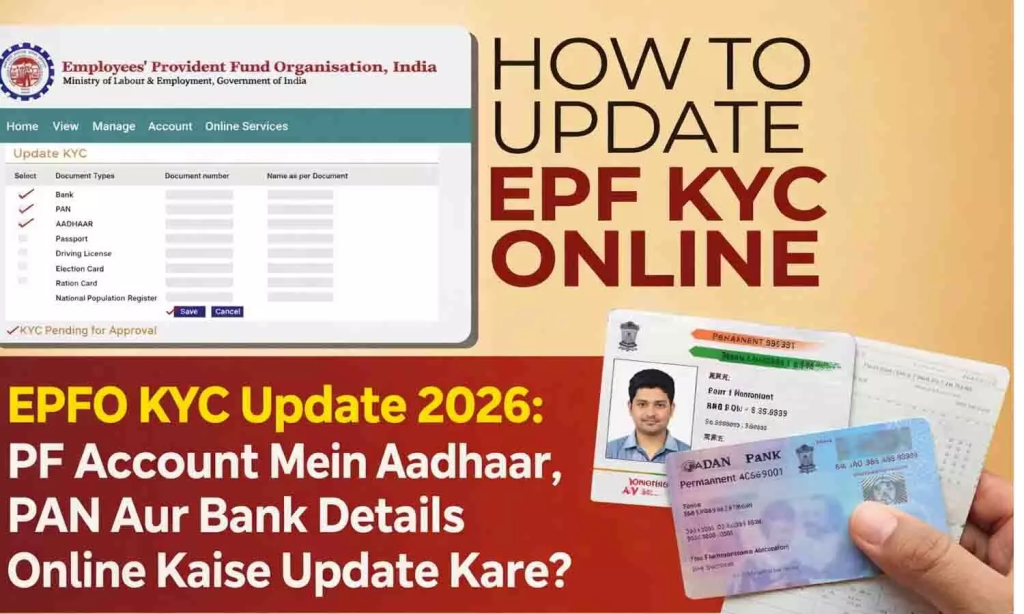
KYC status controls everything on your account — claim approvals, auto-settlement eligibility, and passbook visibility. Completing epfo kyc update online takes 10 minutes:
- Log in to the epf member portal at unifiedportal-mem.epfindia.gov.in.
- Click “Manage” in the top navigation → select “KYC.”
- Choose the document: Aadhaar, PAN, or Bank Account.
- Enter the document number and details → click Save.
- Your employer sees the pending KYC request on their dashboard and approves it — typically within 2 working days.
- Once employer-approved, EPFO completes back-end verification and marks your KYC as “Digitally Approved.”
💡
2026 Change: Minor KYC corrections — name spelling, date of birth — now work through self-service OTP on the portal. No employer sign-off required for small corrections. This is the new epfo kyc online self-correction feature under EPFO 3.0.
For the epfo aadhaar link specifically: enter your Aadhaar number in the KYC section → an OTP goes to your Aadhaar-registered mobile → confirm the OTP → the link completes within 24 hours and shows as Approved in your KYC status.
EPFO Grievance Portal
File complaints about rejected claims, stuck KYC, or employer disputes at epfigms.gov.in — the official epfo grievance portal. You receive a registration number and can track resolution progress online. Most grievances get a response within 15 working days.
Nidhi Aapke Nikat 2.0 Camps
EPFO organizes free help camps called Nidhi Aapke Nikat 2.0 on the 10th of every month at regional offices across India. These camps resolve KYC disputes, claim rejections, UAN problems, and employer-related issues face to face — no appointment needed, no charges. Find your nearest camp location at epfindia portal → Notifications.
EPFO Social Media
Follow @EPFINDIA on YouTube, Instagram, Twitter, and Facebook for maintenance schedules, service alerts, and policy updates before attempting to access the india pf portal during peak periods.
Frequently Asked Questions
What is the official EPFO login website for members?
The official epfo login india address for members is unifiedportal-mem.epfindia.gov.in. The main EPFO information site is epfindia site . Always confirm the URL ends in .gov.in before entering credentials.
Can I do pf login with uan only, without a password?
No. Both UAN and password are mandatory for uan member portal login. For balance checking without a password, use the missed call service at 011-22901406 or the SMS method to the same number used for pf balance check queries.
How do I do epf balance check online without login?
Give a missed call to 011-22901406 or send EPFOHO UAN ENG to 7738299899 from your registered mobile. Your pf balance check online result arrives via SMS in seconds — no login or password required.
How do I check epf withdrawal status and pf claim status?
Log in to the epfo member portal → Online Services → Track Claim Status. You can also check pf claim status without login under the “Know Your Claim Status” section using your UAN and bank account number.
What is the pf withdrawal online process with epfo online claim?
Log in → Online Services → Claim → select Form 19, 31, or 10C → verify bank account → submit. The epfo online withdrawal or pf withdrawal online process requires active KYC and settles in 3 to 5 working days with EPFO 3.0.
How does epfo online services work for pf online claim filing?
After epf account login, go to Online Services → Claim. Select Form 19 (full EPF settlement), Form 31 (partial advance), or Form 10C (pension). Fill details, verify OTP, and submit. EPFO credits the settlement directly to your linked bank account.
How do I use the epfo mobile app for account access?
Download UMANG from the Play Store or App Store — this is EPFO’s official government mobile gateway. It covers uan passbook access, claim filing, pf account management, and Jeevan Pramaan Patra submission. UMANG works on both Android and iOS and supports face authentication for secure access.