


Loved by 300,000+ big and small brands. World-famous and local


Why embed a Facebook feed widget on your website?
A Facebook feed widget centralizes your latest Page content and improves page experience without cluttering your layout. Publish a responsive feed that is easier to update and easier to browse.
Increase watch time
Connect your Facebook Page and keep your website updated with fresh posts without manual copy-paste.
Build trust with real Facebook posts
Turn Facebook Page posts and mentions into a structured feed that highlights your most useful social proof.
Improve page design and conversion flow
Use one dynamic feed section instead of multiple manual embeds to keep pages cleaner and more conversion-focused.

Everything you need to scale
Facebook feed publishing
API integrations
Put your Facebook feed widget on autopilot
Connect supported social sources and sync Facebook content into one publishing workflow. Keep your Facebook feed widget fresh without manually replacing embeds on every page.
✔️ Connect Facebook Page sources and additional supported social sources
✔️ Mix connected content with manually added custom posts
✔️ Reuse one feed across multiple pages and campaigns
Business impact: More fresh reviews and UGC -> higher trust -> stronger conversion rates.

AI editor
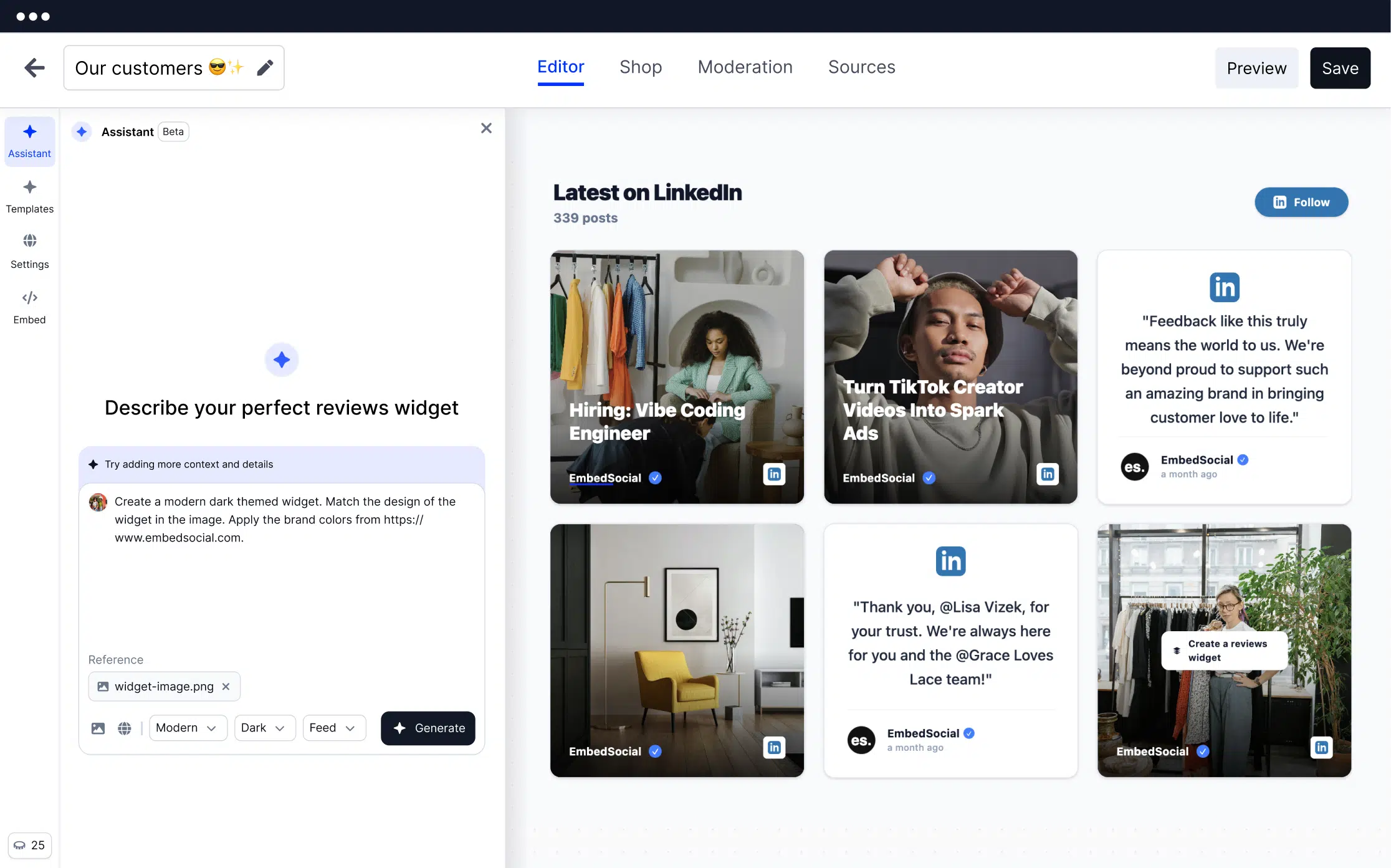
Create responsive Facebook feed widget layouts in seconds
Start from a template, then customize the feed with visual controls and AI-assisted editing. Build feed, slider, and conversion-focused social sections without custom development.
✔️ 200+ templates (widgets, sections, and components in the EmbedSocial platform)
✔️ AI-assisted styling and layout generation
✔️ Design controls and custom CSS for brand consistency

AI curation
Curate faster with AI scoring, moderation, and tagging
As your library grows, curation becomes the bottleneck. EmbedSocial platform AI capabilities help teams score, moderate, and tag posts faster so only the right content goes live.
✔️ AI-powered scoring to prioritize stronger content
✔️ Moderation controls before publishing
✔️ AI tagging for categories, campaigns, and filters

Rights requests
Scale rights-safe publishing workflows
If you use customer or creator posts, permissions matter. EmbedSocial helps you request and track usage rights so approved content moves into your feed workflow faster.
✔️ Rights request automation workflow
✔️ Approval tracking before publishing
✔️ Better coordination for teams handling UGC

200+ templates for any website
Choose templates for e-commerce stores, SaaS landing pages, agencies, and personal brands


Embeddable code / iframe
Publish on CMS, builders, and custom websites.

Responsive design
Mobile-friendly Facebook feed widget layouts for all screen sizes.

Multiple sources
Combine content from more than one source/workflow.

AI editorPopular
Use AI-assisted editing and templates to build layouts faster.
Browse Facebook Feed templates


Widget analytics
Track what your Facebook feed widget actually drives
Use widget analytics to understand how visitors interact with your feed and improve content selection, placement, and layout over time.
✔️ Measure views, clicks, and engagement signals
✔️ Compare performance by placement or content type
✔️ Optimize galleries with data instead of guesswork

Shoppable
Turn your Facebook feed into a conversion surface
For ecommerce and product-focused pages, connect posts to product discovery workflows and guide visitors from social proof to purchase.
✔️ Product tagging and clickable links (where supported)
✔️ Shoppable Facebook feed layouts
✔️ Shorter path from feed interaction to product page

More than a simple Facebook feed widget

Multiple sources

Auto-Sync
Unlimited widgets

Embeddable code / iframe

Localization

Filters

Team accounts
ISO Certified
Add posts manually
How to create and embed a Facebook feed widget in minutes
Launch your Facebook feed widget in a few simple steps. No developers required for standard setups.

Step 1: Connect your Facebook Page source
Step 2: Customize your layout
Step 3: Copy and paste the embed code
FAQs about our Facebook feed widget
Have a specific question about using EmbedSocial’s Facebook feed widget? Start here.