What is Mailparser?
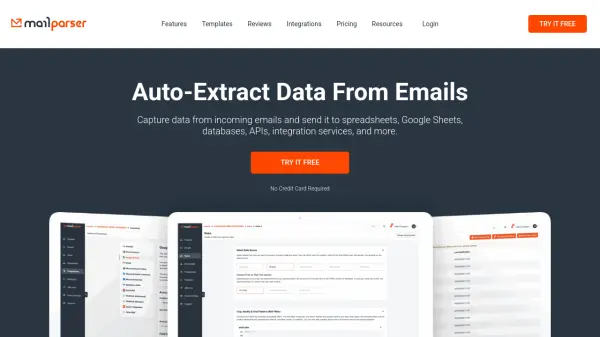
Mailparser is an email parser software that automatically extracts important data from recurring emails based on custom parsing rules. When a new email is processed, the extracted data gets transferred to business applications already in use, such as Salesforce or other integrations. Users can also create custom integrations using webhooks or download parsed email data in formats like Excel, CSV, JSON, and XML.
The platform supports processing text from email attachments in various file formats, including PDF, DOC, DOCX, XLS, XLSX, CSV, TXT, and XML. It offers over 1,500 integrations through Zapier, enabling seamless data transfer to favorite applications. Mailparser helps streamline workflows by reducing human error and automating data extraction from emails, making it a reliable tool for businesses.
Features
- Custom Parsing Rules: Define rules to extract specific data fields from emails and attachments
- Multiple Output Formats: Export parsed data to Excel, CSV, JSON, XML, and Google Sheets
- Attachment Processing: Extract text from PDF, DOC, DOCX, XLS, XLSX, CSV, TXT, and XML files
- Extensive Integrations: Connect with over 1,500 applications through Zapier for automated workflows
- Webhook Support: Send parsed data to any API or application using advanced webhook integration
- Duplicate Detection: Identify and handle duplicate emails to maintain data integrity
- Auto Retry Failed Webhooks: Automatically retry failed webhook deliveries to ensure data transfer
Use Cases
- Extracting order details from confirmation emails and importing them into a spreadsheet
- Parsing lead information from emails and automatically adding it to a CRM like Salesforce
- Processing shipping notifications to update inventory management systems
- Capturing data from email attachments and sending it to Google Sheets for analysis
- Automating data entry from recurring reports received via email
- Sending parsed email notifications to Slack channels for team alerts
- Integrating email data with business applications through Zapier for workflow automation
FAQs
-
How does Mailparser handle email attachments?
Mailparser can parse supported email attachments including CSV, XLSX, DOCX, PDF, and TXT files, extracting text data from them, but it does not support images or scanned documents. -
What happens if I exceed my email credit limit?
If you run out of credits on a paid plan, emails will still be imported but paused in the parsing queue until additional credits are available; you can purchase more, upgrade your plan, or wait for the reset date. -
Can I integrate Mailparser with my existing CRM?
Yes, Mailparser integrates directly with popular CRMs like Salesforce, and through platforms like Zapier or Power Automate, or to any API via webhook integration. -
Is there a free trial available?
Yes, Mailparser offers a 30-day free trial with 30 credits, requiring no credit card to start. -
How secure is Mailparser with my data?
Mailparser takes data security seriously, complying with the latest web security standards to ensure safe data handling and processing.