 Play Play
 Murph
Murph Yer Stack
 Block Party Weekend
 Apple Music Profile
 YouTube Channel
AppleScript for iTunes
iPod Lyrics To Notes v1.0
This script will copy the lyrics of the selected iPod tracks (if the selected iPod tracks contain any lyrics, that is) as Notes to that iPod's "Notes" folder.
Lyrics Notes will be organized in Artist/Album folders in a "Lyrics" folder created in the iPod "Notes" folder. Additionally, a link at the beginning of each Lyrics Note will allow you to play that particular track from the iPod. (The idea for this script was originally suggested by Adam Wiseman at Mac OS X Hints, who created a similar script.)
Latest version:
Further:
|
download ⬇
Current v1.0 |
Info:
|

Perhaps Also of Interest...
- More recommendations by task
Popular Now


downloaded 8m 25s ago
For Music Batch-change/clear the Album Rating for albums of selected tracks

downloaded 44m 20s ago
For Music Manage a folder of exported Playlist XML files
downloaded 56m 48s ago
Enter Long Description Text for Selected v2.0
For iTunes Enter text for the selected tracks' Long Description tag
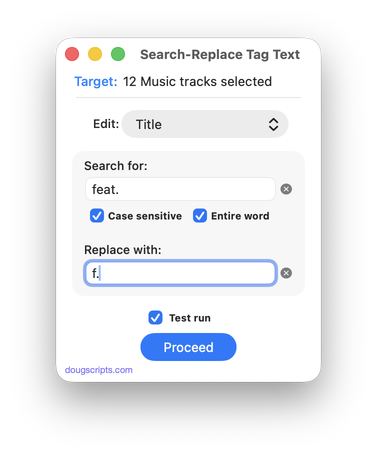
downloaded 1h 33m 43s ago
For Music/TV Perform search-and-replace on text in your choice of tags

downloaded 1h 34m 12s ago
For Music/TV Append user-entered text to beginning or ending of selected tag of each selected track
10 Most Recently Added
- UPDATED March 22, 2026:
Playlist XML Librarian v1.3
[ For Music ] Manage a folder of exported Playlist XML files - UPDATED March 1, 2026:
A Space Between v3.5
[ For Music ] Applet plays tracks with a user-set duration of silence between each track - UPDATED March 1, 2026:
Playlist XML Viewer v2.0
[ For Music ] View/play contents of exported playlist XML files - UPDATED December 14, 2025:
Side Splitter v3.0
[ For Music ] Split an album of tracks into playlists by LP side and auto-play them - UPDATED December 11, 2025:
Track CPR v5.0
[ For Music ] Re-associate batch of dead tracks with files dropped from Finder - UPDATED December 9, 2025:
No Lyrics to Playlist v3.2
[ For Music ] Gather tracks that do not have lyrics text - UPDATED December 9, 2025:
Find Empty Media Folders v3.4
[ For Music/TV ] Finds any empty or obsolete folders in the Media folder - UPDATED December 8, 2025:
Albumizer v1.1
[ For Music ] Incrementally re-number tracks and add album tags to a selection - NEW December 5, 2025:
Tracks by Name Length to CSV v1.0
[ For Music ] Create a CSV file listing tracks sorted by title length - UPDATED December 5, 2025:
Albums Amiss v1.4
[ For Music ] Finds album tracks that are a few short or over an Album - the 10 most recent in detail...
- the 30 most recent as list...
- Doug's Check For All Updates Applet
 30 Most Recent RSS Feed
