Leaderboard



Popular Content
Showing content with the highest reputation since 03/16/2026 in all areas
-
Hello, Nice to see to interest on my old stuff; but I'm not sure if I still have all of this on one of my older hard drives... I haven't done anything on Kotor in ages. And, yes, many of these models where compiled with an older tool. Plus I always worked in 3Ds Max, not certain if this makes things worse or not. Also, as I've mentioned before, anyone can use my stuff. No need to ask. Kotor is ancient, it's beyond ludicrous to still have the demand for permission. Giving a line in the credits is nice, but also... Not needed really. Fun to see people still care about this old stuff So, I've packed up a big WIP folder I still had for Scrapyard games: https://www.mediafire.com/file/ar29fe99qxrjrlg/WIP_ScrapYard.zip/file Mind, it might have lots of stuff in it you already have from my other uploads. It's a horrible mess... And I don't remember much... Sorry about that. Added a few more zips to the mediafire Sellout Folder, I found floating about in an old WIP folder. https://www.mediafire.com/folder/eveve4fybr24n/Q_SellOut A new uploaded zip named NarShadda, should have the models and modules you're looking for. Most of these where also compiled with Kaurora Editor. I still have this tool and some of its versions. Would that help?4 points
-
Version 1.0.0
68 downloads
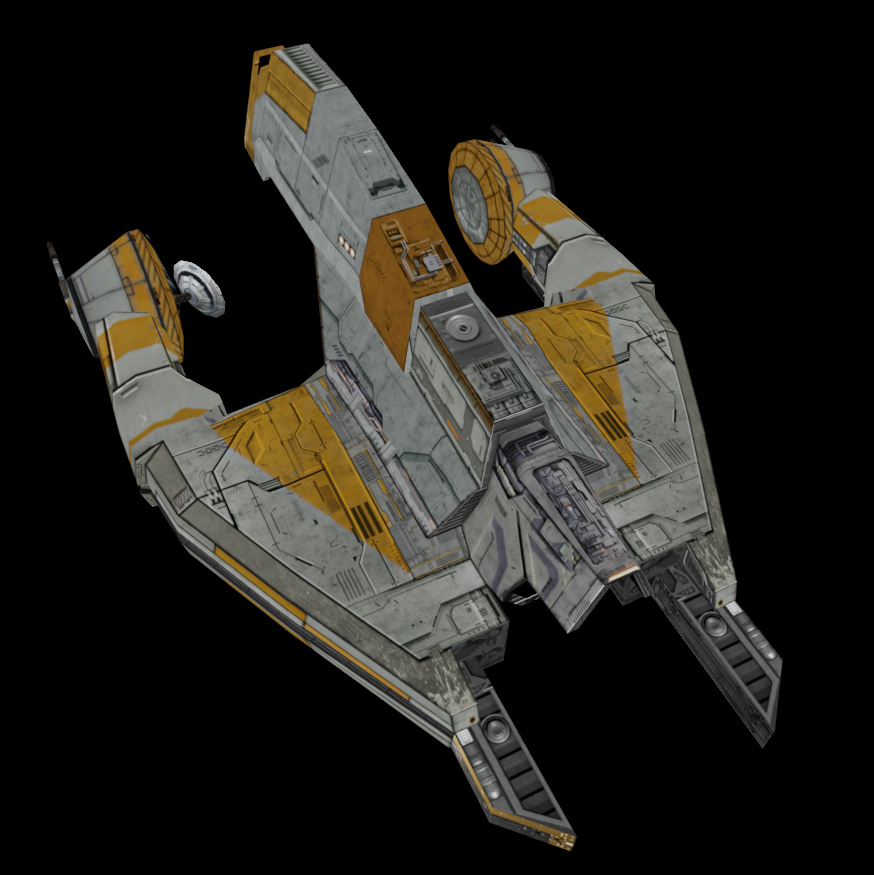
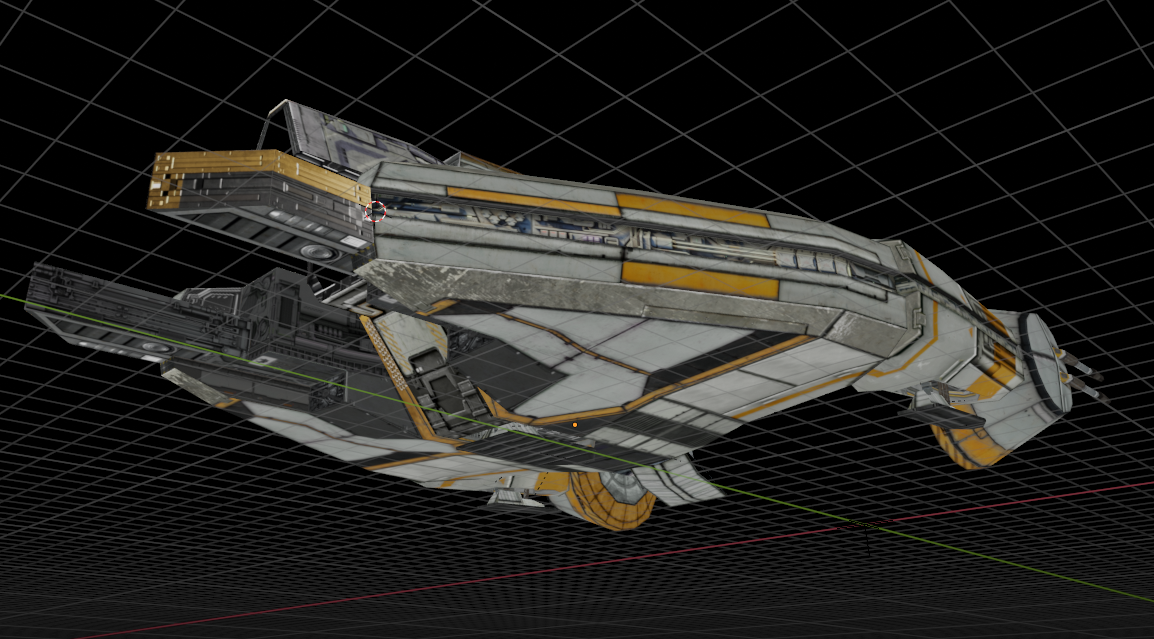
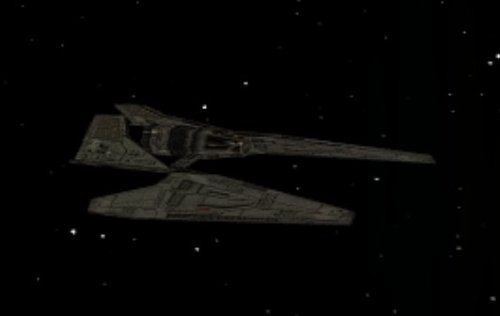
New textures for Sith fighter. To Install 1. Download: Sith fighter.rar 2. Copy all files to the Knights of the Old republic's Override folder. (Example location - C:\Program Files (x86)\Steam\steamapps\common\swkotor\Override) 3. When/if prompted to overwrite files, press okay. 4. If you like the mod; leave a comment or endorse! (It would be much appreciated) Made with love4 points -
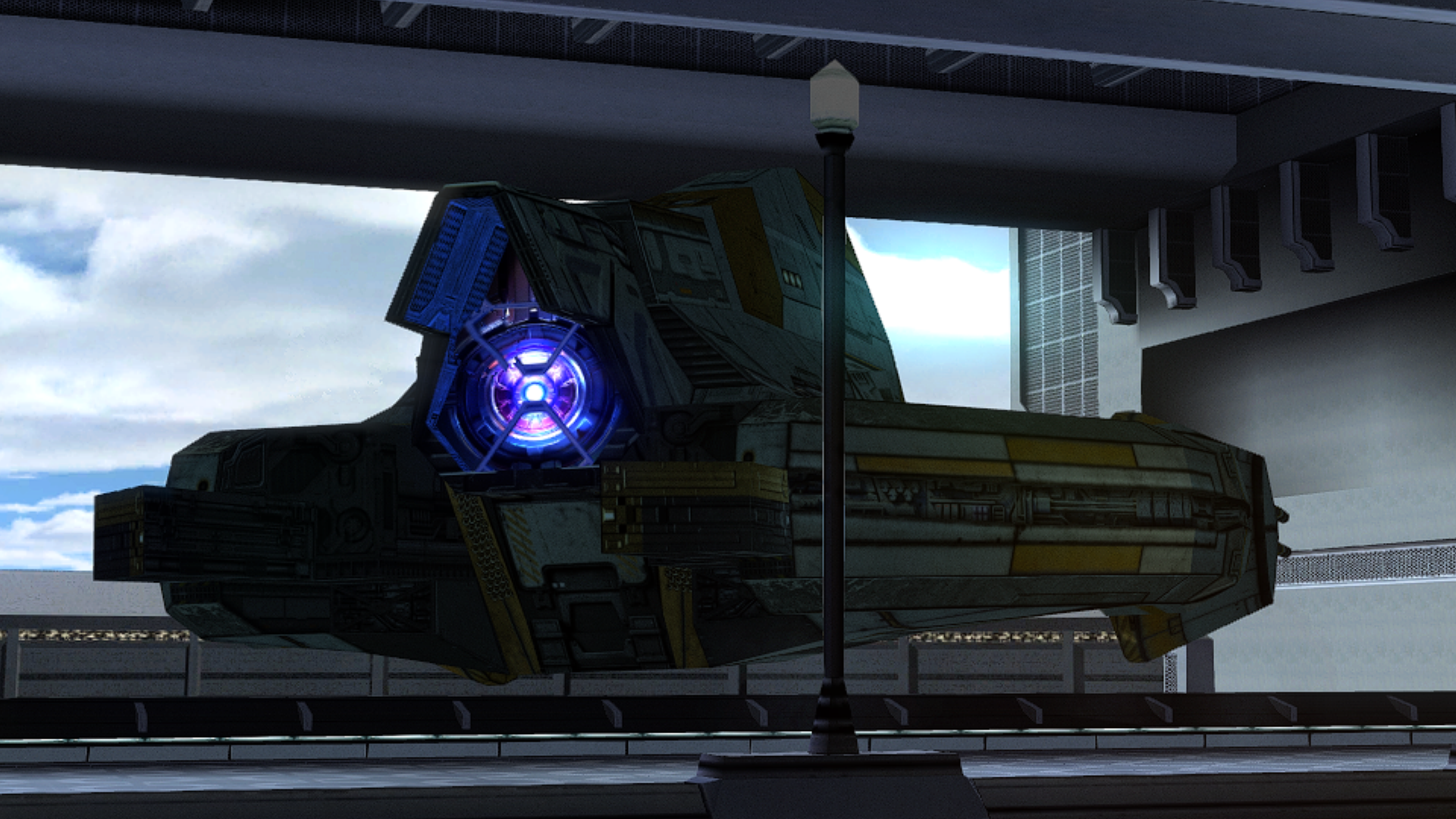
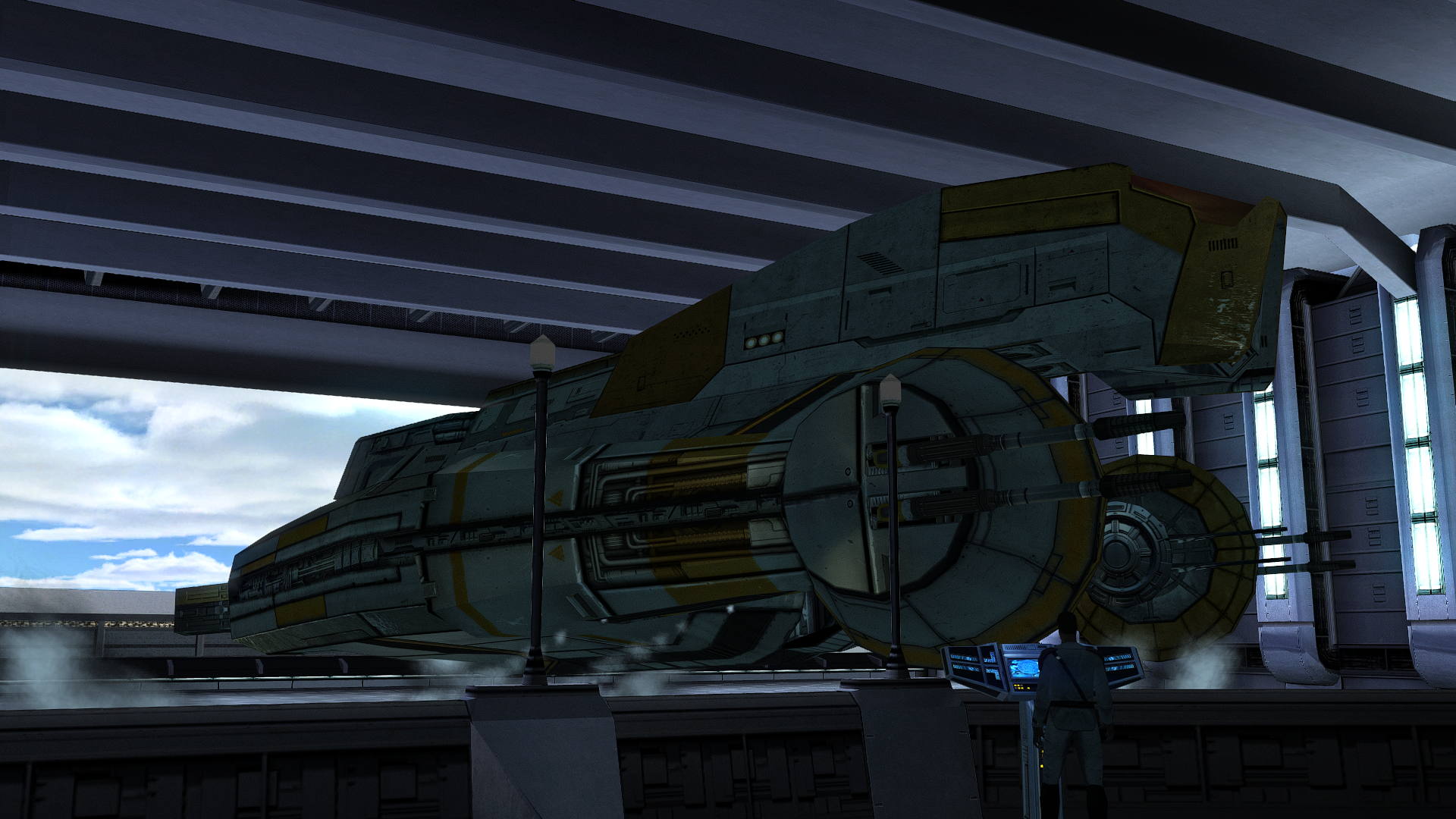
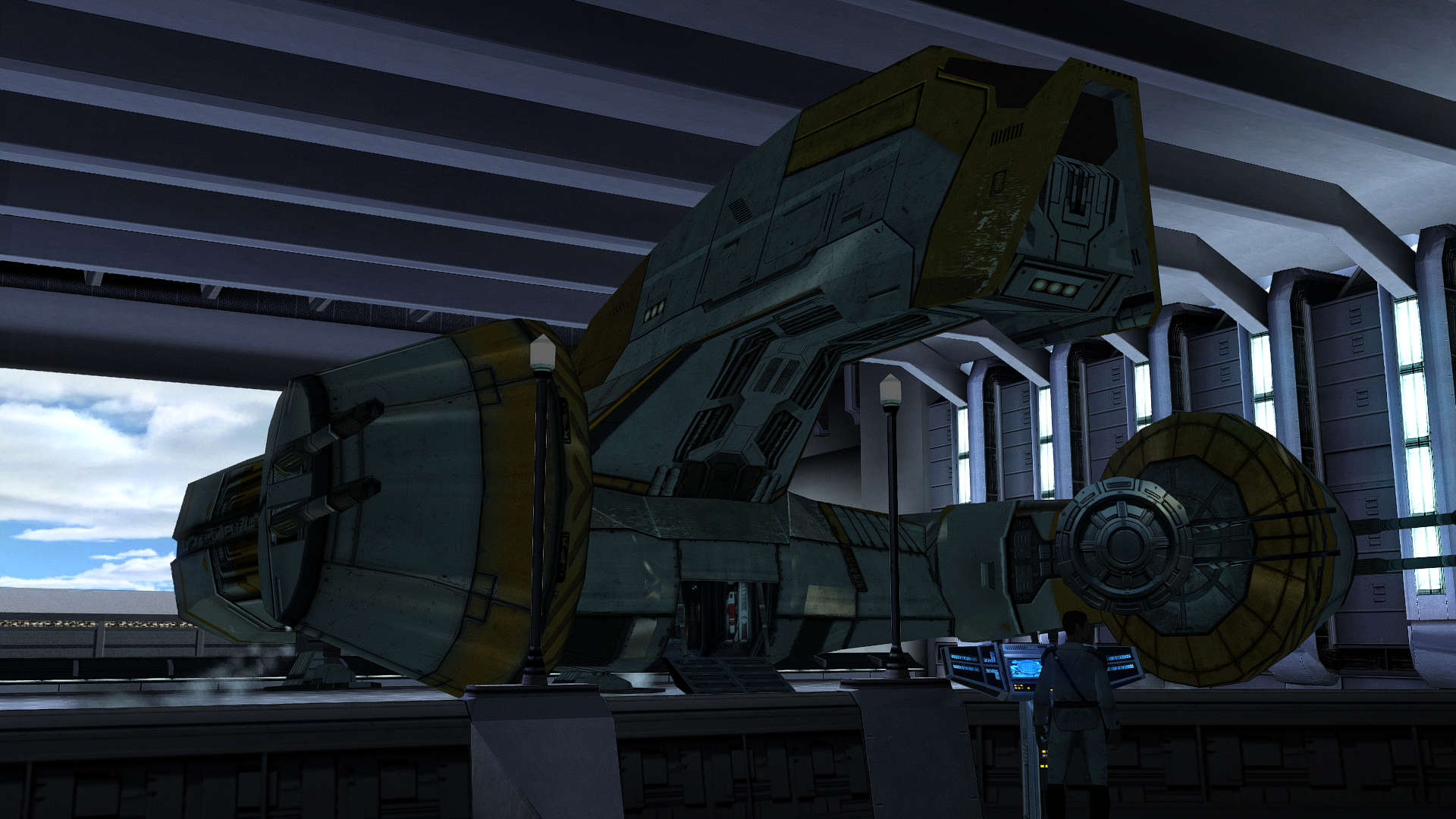
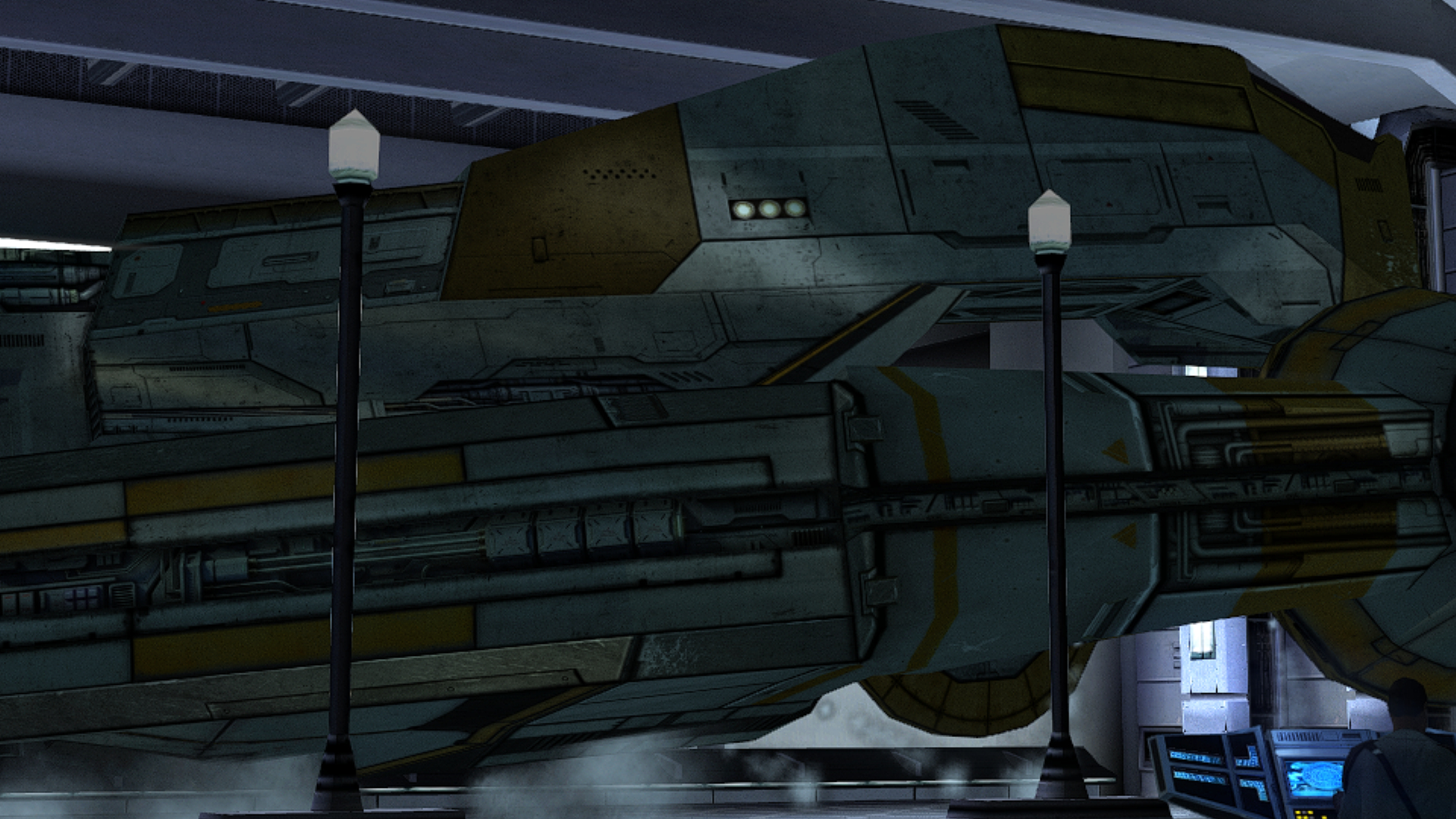
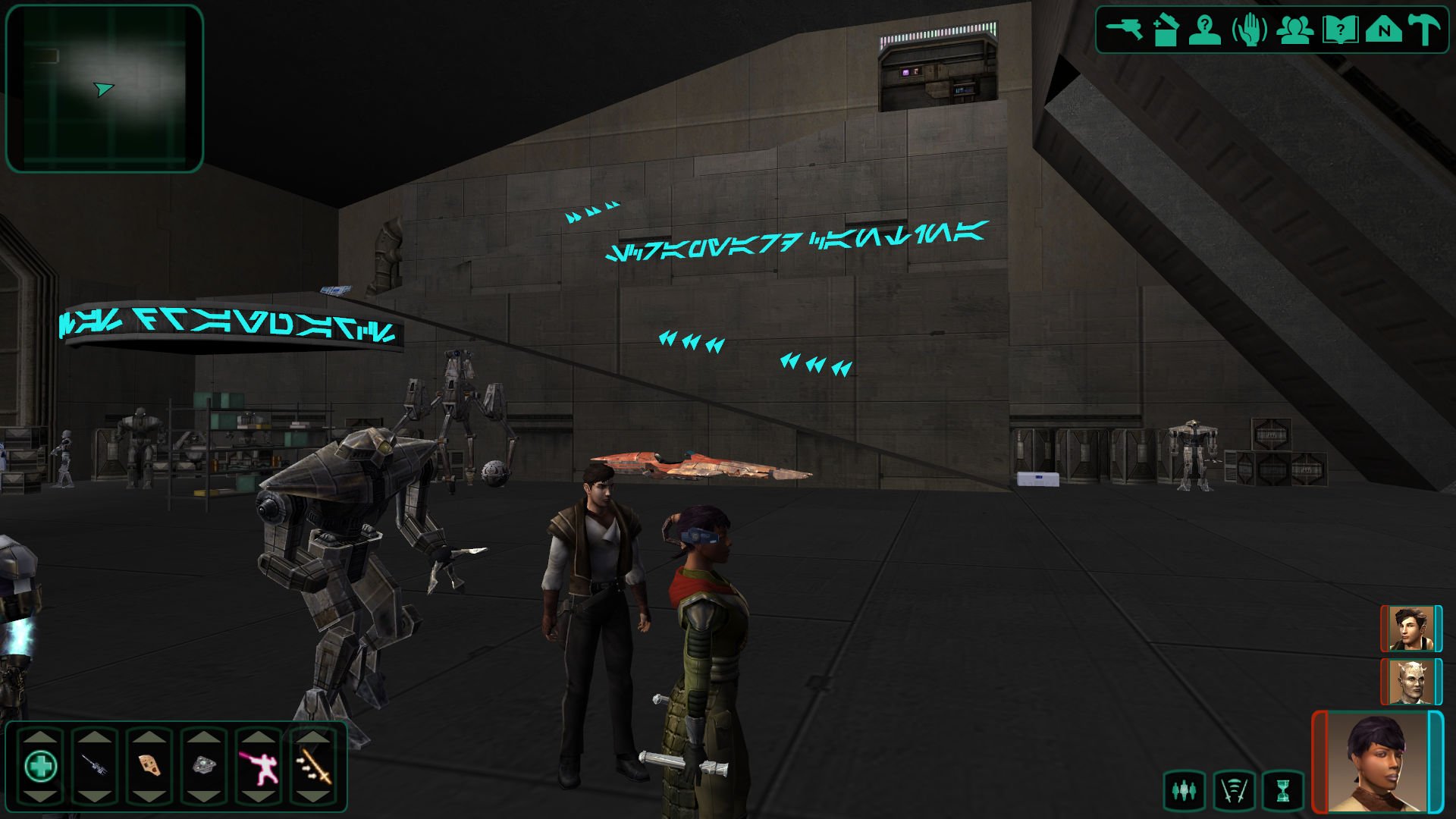
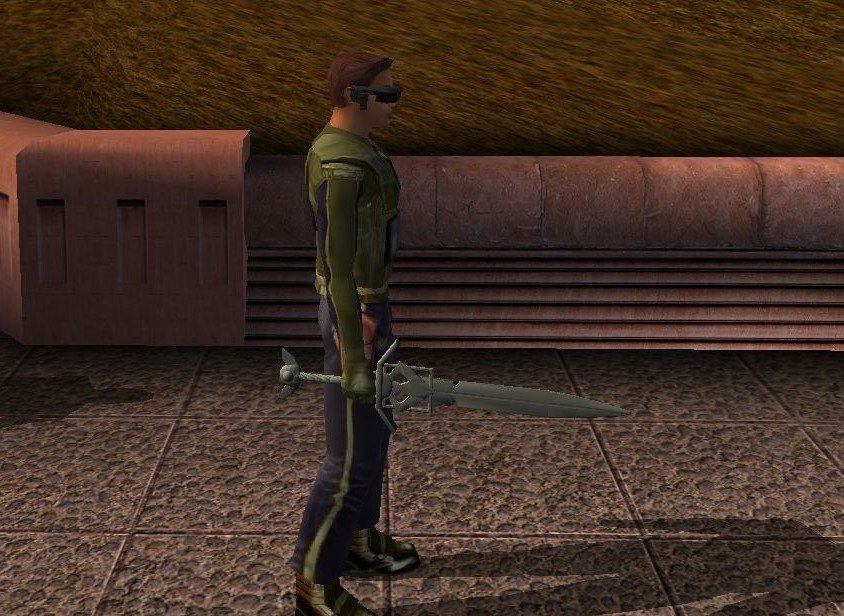
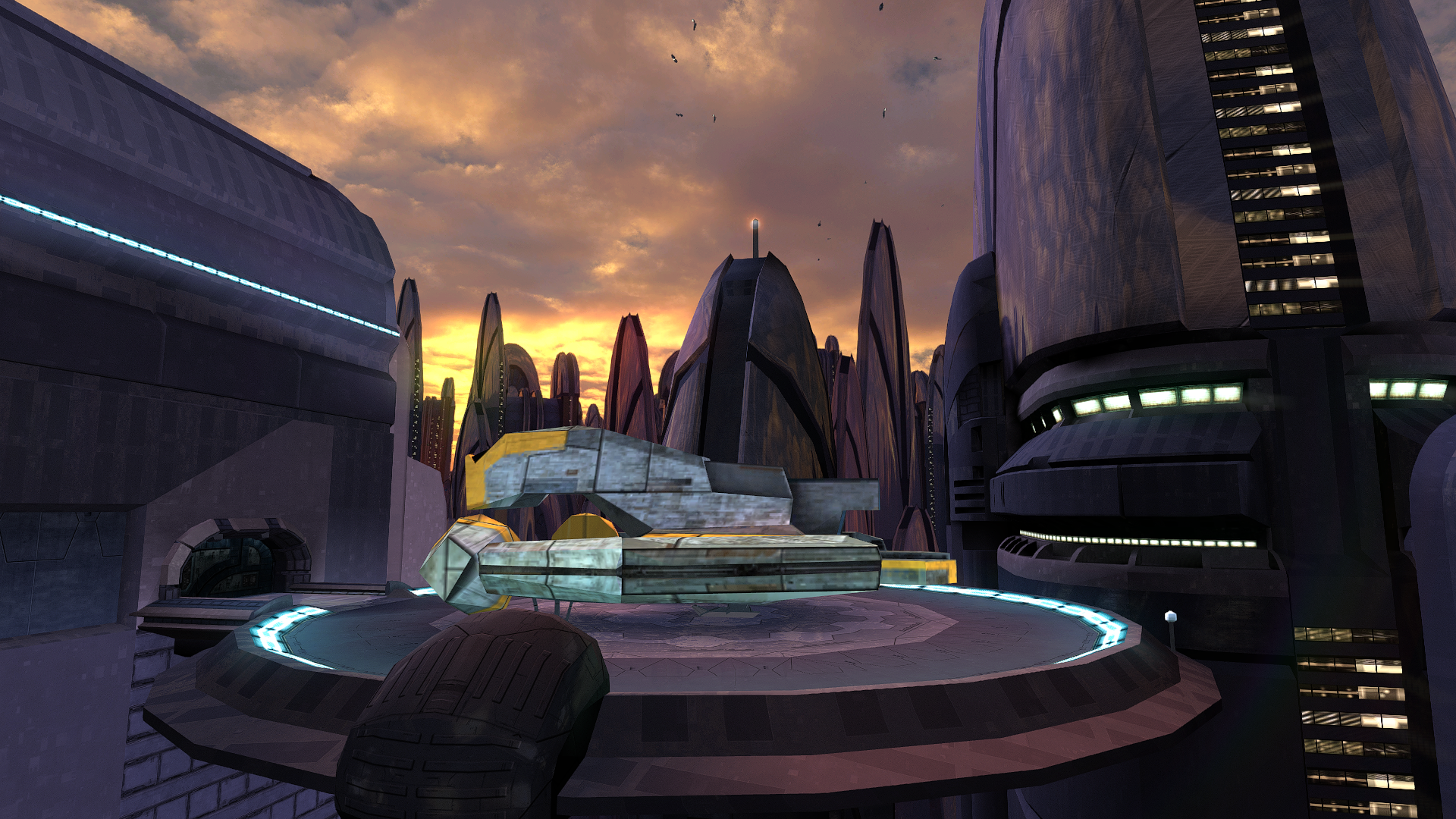
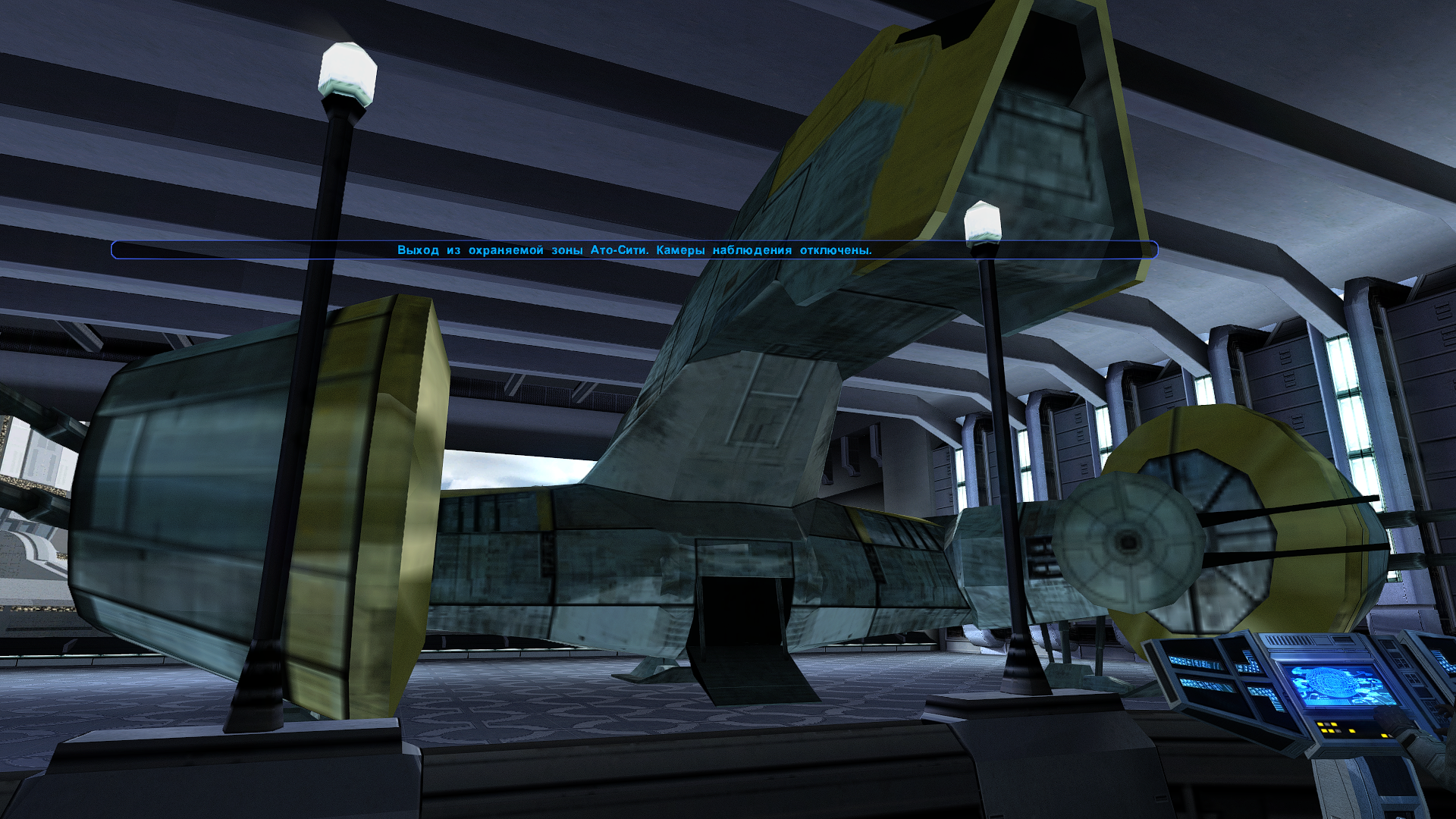
Many years ago in the late 2000s, @Quanon and Glovemaster started working on a mod called Scrapyard Games, aiming to add a space station in orbit around Nar Shaddaa where you could do combat minigames against droids, with some unique rewards. This mod, despite being passed through many talented modders throughout the years, was never finished. In 2011, Quanon created a thread on Lucasforums he called his "Big Sellout" where he posted download links to all of his WIP mods and assets, including Scrapyard Games, so people could use the assets in their own mods. It is through the Big Sellout (and other download links Quanon has sent in more recent years) that a little bit of a KOTOR modding renaissance has popped up over the past few months, due to Quanon's unique talents in creating custom modules for KOTOR. People have been clamoring to use these custom level models to create new mods that don't break immersion by reusing the meshes of existing areas in either game, which is what the majority of KOTOR mods have had to resort to for a long time. Nobody really makes fully custom modules outside of Quanon. (and also Sithspecter.) Because of this, @90SK and I have decided to dig into the Big Sellout, and clean up the assets inside to create a proper modder's resource of all of Quanon's custom modules, as was the original intention of the Big Sellout. A lot of the modules in the Big Sellout are incomplete or non-functional, and the ones that do function in KOTOR a lot of the time have trouble loading in applications like MDLedit, Holocron Toolset, and KOTORBlender due to them being compiled in beta versions of MDLOps. 90SK and I plan to take all the modules in the Sellout (of which we currently estimate around 20 are recoverable), compile/recompile them so they function in all the modern modding tools, fix up texture and walkmesh issues, and potentially port each module to both games so that this utterly invaluable modding resource is more readily useable. Which brings us back to Scrapyard Games, and why I'm making this thread. Several years ago, @Sith Holocron made a video on Scrapyard Games, which I highly recommend watching, as its a great showcase of what the mod was meant to be, and also features a more complete version of the mod than was released in the Sellout. He even commissioned voicelines on Fiverr for the unvoiced NPCs, something astounding for a video that ended up getting such little attention after 7 years. There was, however, a little oddity in the video. The hangar bay of the Scrapyard Games Station is different in this video compared to the version released in the sellout, most notably in the ramp up to the door that takes you to the cantina. The video link I have sent is timestamped to the part of the video showing the hangar, but I have also provided screenshots that show the ramp / upper area. In comparison, this is what the ramp looks like in the version of the module seen in the Big Sellout. As you can see, the version of the ramp in the Sellout is far more cramped and uncomfortable in comparison to the wider ramp seen in the video. Thus, when I noticed the disparity, I decided that I wanted the alternative version for the modder's resource, and contacted Sith Holocron myself to see if he could send it over. But Sith Holocron didn't have it anymore. The version of Scrapyard Games he sent to 90SK had the hangar design seen in the last screenshot, the one in the Sellout. He directed me to Fair Strides, who was able to send a newer version of the module dated 2015, as opposed to the Sellout version which was dated 2008, but this also was the same hangar design, albeit with slightly different textures and lightmaps. Fair Strides clarified that the version in the video was actually an older version of the module, and sent over the earliest version of the module she had on hand. ...Which was the exact one in the Sellout, same date modified and everything. Everyone has been incredibly helpful in trying to track this potentially almost 20 year old file down for me, and I'm more than grateful for that, but things were starting to feel like that scene in The Good Place where Michael is telling Janet to give him the file on Eleanor but she keeps on handing him a cactus instead, especially considering Sith Holocron had it in his video, and he got the build of Scrapyard Games from Fair Strides, but it seems to have at no fault of their own vanished from both of their computers since then. Not keen to give up, and recognizing that every day we waited, the more likely a hard drive would fail and the module would be lost forever, Sith Holocron suggested we contact Quanon himself to see if he still has it. At first the plan was for me to contact him on the Lucasforums Facebook group, but then we decided it would be better if I made a post on Deadlystream which he would send to Quanon, detailing with screenshots exactly what I want, and what I plan to do with it. Which is this post. It's come a little bit later than Sith Holocron wanted, and is also maybe longer than it should be, which I apologize for. I'm not 100% sure this is the right channel for this, considering I'm looking for something which was never publically released, if it's not, then my apologies to the staff here for making my first post a misstep. The main purpose of this post is so Sith Holocron can send it to Quanon, but from what he's said, pretty much every notable modder from this era had their hands on Scrapyard Games at some point in time, so its also a public invitation for anyone who worked on Scrapyard Games to check their old hard drives to see if they've got the version of the module I'm looking for, and also to sound off so I can eventually credit you as part of the Scrapyard Games Team when 90SK and I have the modder's resource finished. P.S. to Quanon, if/when you do end up seeing this, I figure I should also ask about the Nar Shaddaa street module seen in this video. From what I gathered on the Lucasforum Archives, this module was made years after the Sellout, and I think it'd be a very cool addition to the archive of your modules, so I figure I'd ask if you have it on hand as well.
.png.e8528763d6fd4fb97f76dca9a145e822.png)
.png.e4cd4cef90035786cf4156a96776d0c9.png)
.png.c4690931625cb1f3a8683f5b3b9def1b.png)
.png.d5b464d0d38e1201124a4186f043236c.png)
 2 points
 -
Nice to see there's still interest in finishing this mod. As far as I know (and recall), after Q and GM, the mod passed to @Stoney, who shared it with me. I did some work on it (in early 2011, according to my old DMs from LucasForums). So far as I remember (and the files say), I wrote some descriptions for the masks (and probably corrected typos etc in the rest), and Stoney and I set up the merchant to work. Stoney, I think, added SG to the Galaxy Map (I remember experimenting with this, too, and with adding an item to Goto's Yacht to allow access). I also worked on the Scrapyard Skirmish scripting, though I don't think we ever sorted it out. Eventually we passed the files on to @Fair Strides. This is the archive I shared with FS in early 2012-ish, which, amazingly, is still there: https://www.box.com/s/c6mxh8h5epzp6jwaeh74 The model files are almost certainly out of date, and the scripts are likely a mess, but if they're of interest, they're here. Stoney and I also talked about potentially adding some gameplay where you took control of a droid to fight, and gradually got access to upgrades and equipment to improve your droid as you went on, but we never got further than vaguely talking about it. Life got in the way, as it does.2 points
-
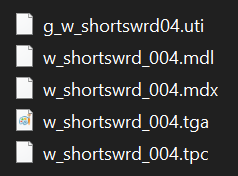
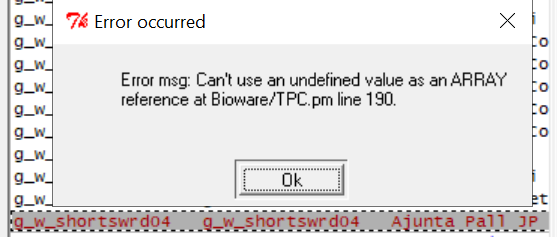
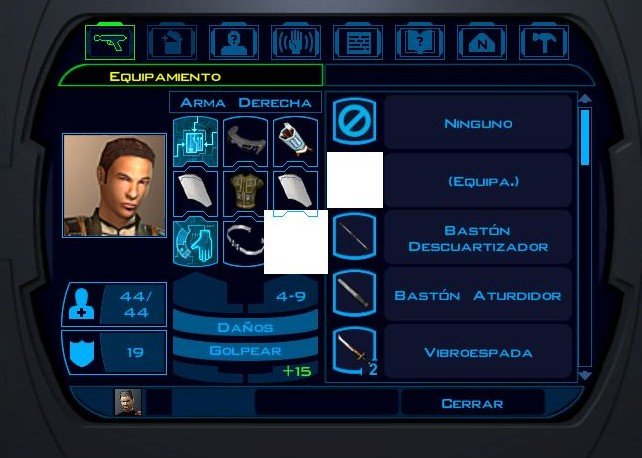
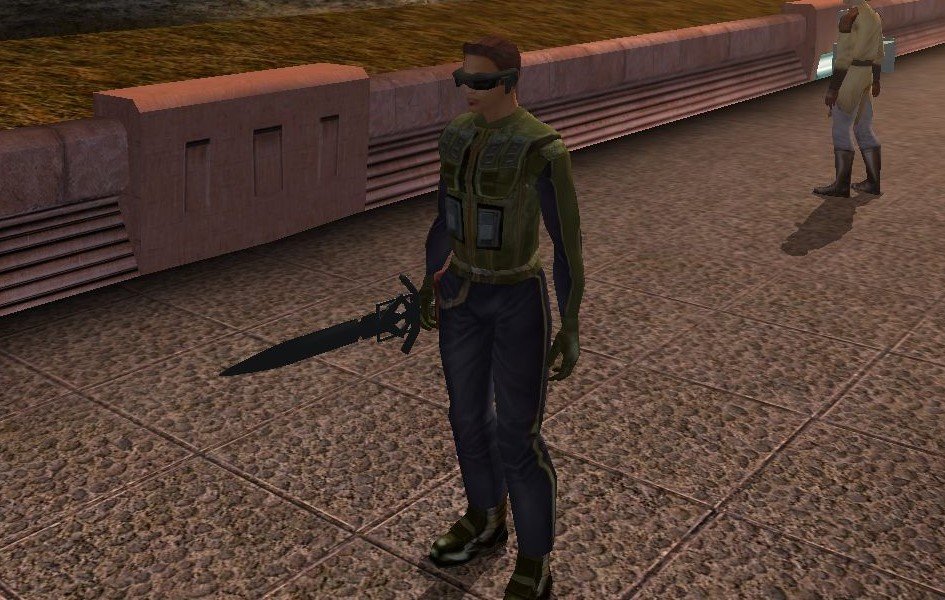
Hey there, I've finally had had the time to start making the mod, and I would like to know if someone could give some help. With Blender and KotorBlender I could import the .glb model, used an .mdl short-sword file extracted with HolocronTool to match the correct size and position of this new sword model, and changed the texture/color of every single component with some simple colors instead, and I obtain something like this: Then I create the "square" .tga for the texture (both raw .tga and normal .tga) on 1024x1024, and with tga2tpc transform it to .tpc. The final texture looks like this: And like this without those lines (I know it doesn't look really good, but it works) Then I created an .uti file with with HolocronTool that looks like this: So I have all of this files on the Overide folder (hadn't done the little icon, nor establish the "power"/"stats" of the sword/items, cause don't know how to do it yet) And with Kotor Save Editor I add this sword to an saved game, although while doing it, seems there's a problem with the textures (.tpc), as you can see here: But still I could add the sword item on save. Then played the game and used it on my character, it's the white square you can see over there with no name: And I can use it during gameplay with the short sword movements (I think), but for some reason it has no texture (which I think is related with the TPC warning I mentioned before). So I would like to know if someone could help me with this, to see were's the moment that the texture doesn't load or give me any advice of how to make this new item work on the game. If anyone could help me with this, I would be reallly grateful!
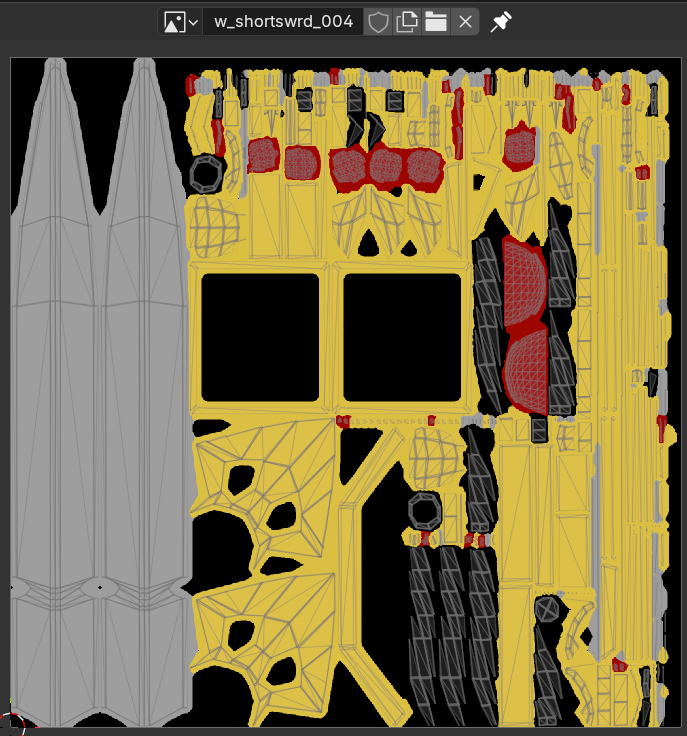
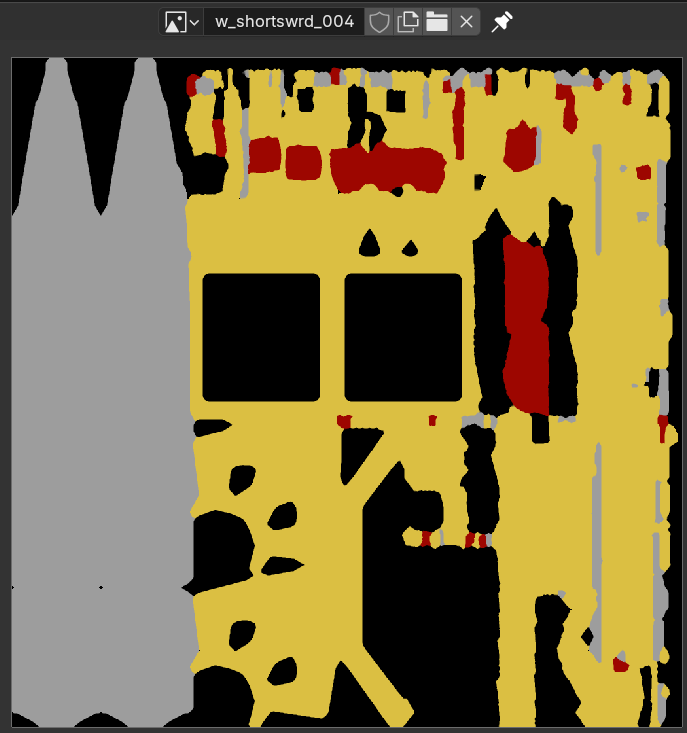
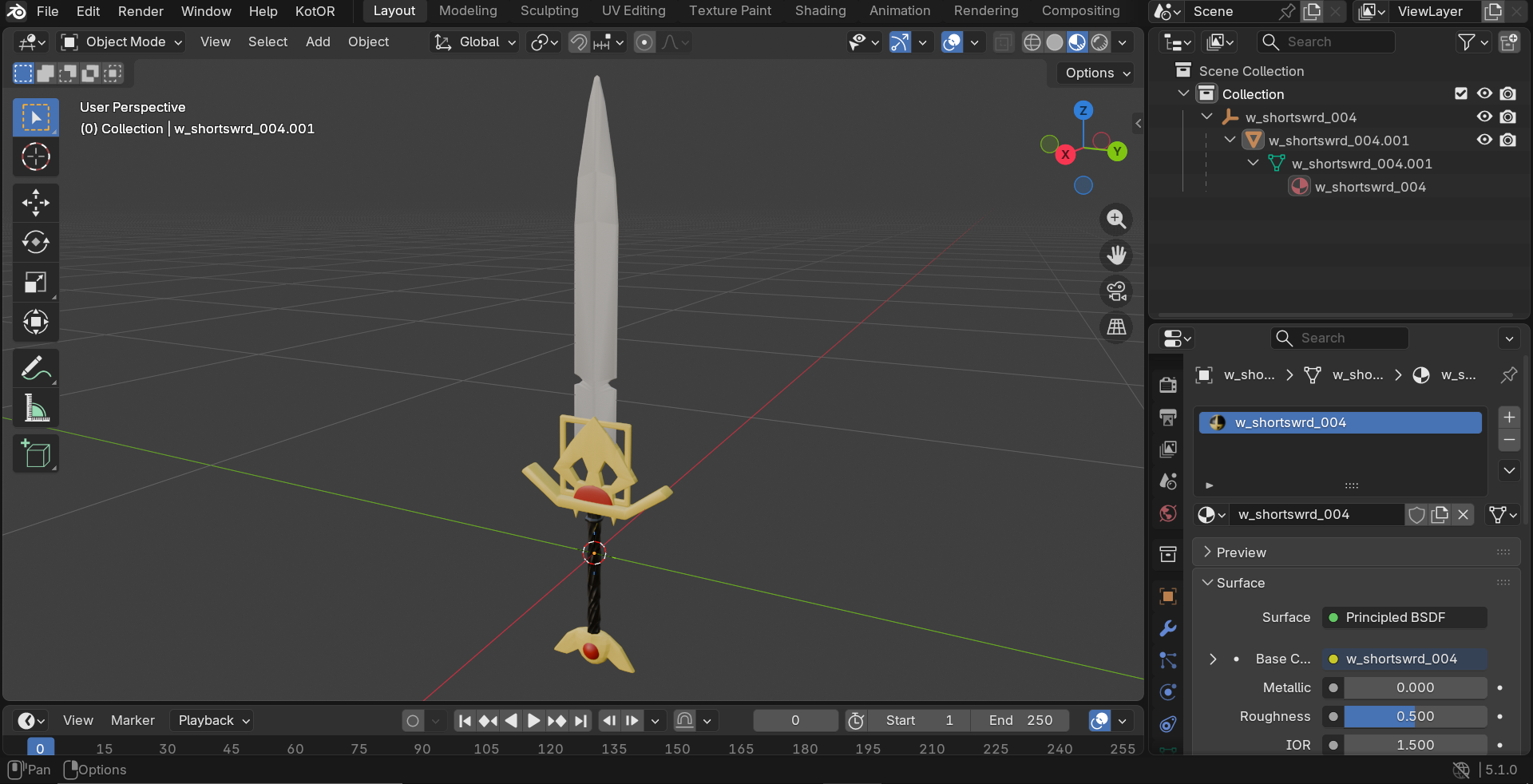
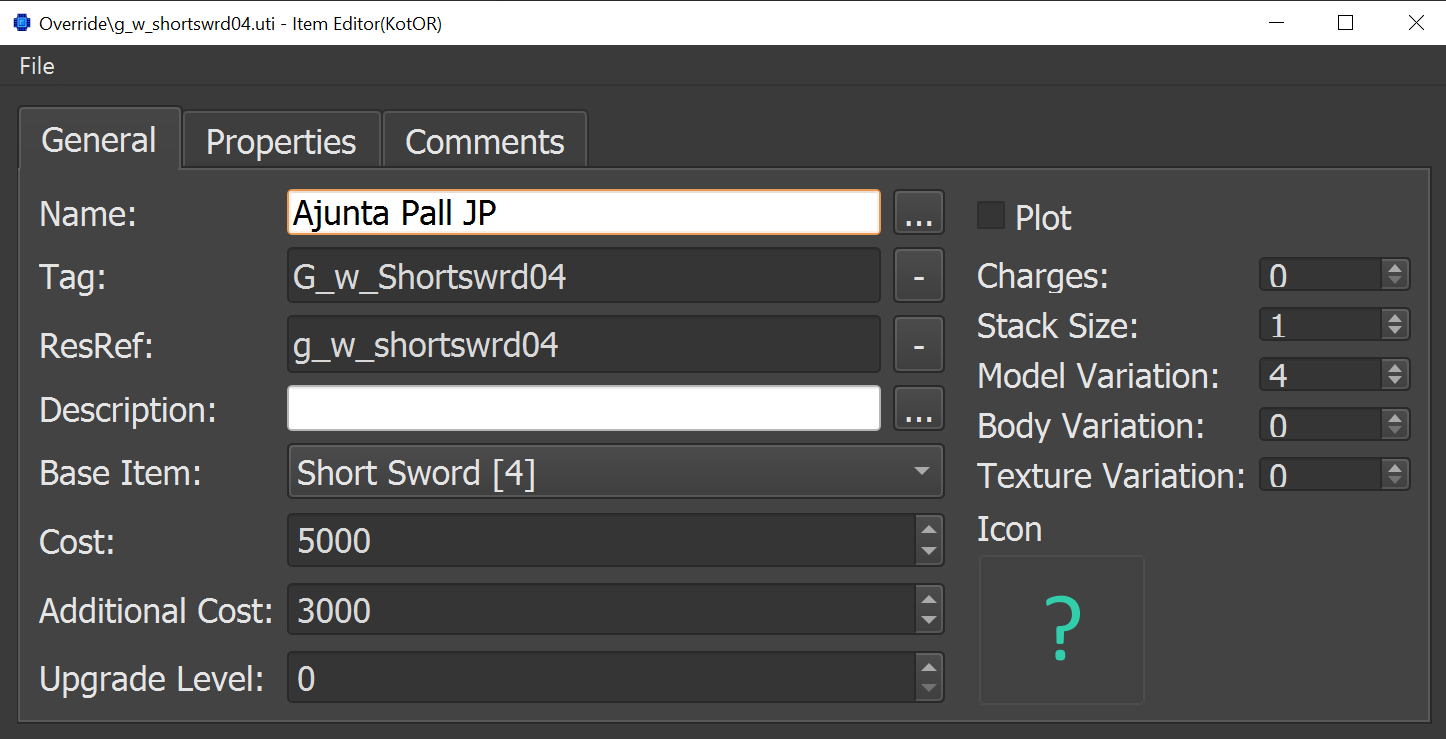
 2 points
 -
2 points
-
The short answer is: you can't. Saves consist of more than just that. Every module you visit has its own separate archive that tracks the changes in the module state like opened doors, looted containers, dead enemies, etc. Without that, the game would think you're entering every module for the very first time. You have two options. Suck it up and start a fresh playthrough, or look at one of the available save collections to use as a jumping off point and modify with KSE as needed.2 points
-
2 points
-
 Where is your TJM installation? You would absolutely have to extract Sith Holocron's upscaled textures to a folder and then copy its contents manually into your TJM Installation directory which, if I may, could be either a Workshop installation folder for Steam, or your steam directory on your Hard Drive. Also, that invalid bumpmap error can be resolved presumably by deleting that texture and omitting it or finding another texture to replace it with and renaming that other texture to the problem file's old filename. Dxn_Tmp2b.tga should probably be removed from Override if its throwing errors in-game. I've gotten invalid bumpmap errors before and its unclear what causes the issue, but it will drop you out of game for the invalid bumpmap popup, although it doesn't crash the game.2 points
 -
Almost a year ago now, the first Episode of the Revenge of Revan mod was released to the public - allowing you to play the first visit to Corellia. Now, in the Big 2026, I am here with an update to the mod's ongoing development. Despite the silence here on Deadlystream and, sadly, in the ROR Community's Discord server, development of the mod is going well. ROR Episode 1.5 is slated to appear on Deadlystream at some point this year. This will be a ROR Addon which will be uploaded here on Deadlystream and will be installed after ROR Episode One. ROR Episode 1.5 will add bug fixes, quality of life changes, and even the much requested side quest, into ROR Episode One. The content which will shall experience in the ROR Episode 1.5 Addon will be included in ROR's Episode Two update which will add Nar Shaddaa to ROR which can be played after the Party leaves Corellia, instead of end credits as there is now you shall be teleported to Nar Shaddaa and the game will continue with new areas, NPCs, and side quests to play. In the mean time, I am displeased to announce that the current Revenge of Revan Community Discord Server is going to be discontinued. In its wake, I am pleased to announce that I shall be making a new Revenge of Revan Community Discord Server to replace the old one. The problem with the original ROR Discord Server, the one that Logan launched with the release of ROR Episode One, is that Logan was both the sole Admin and didn't use Discord meaning it is vulnerable to spam attacks as no one active in the Discord dev team can do anything to stop the intrusions. This new Discord Server is obviously the best solution I can implement to curtail the spamming problem in the ROR Community as I, and active member of the community, shall be at the helm as Administrator. I do hope that, with the launch of the new server, that players like yourselves shall be able to engage with the community without having to deal with spammers. It is advised to all users in the original Discord Server to leave and join the new one. I shall get around to posting the old screenshot leaks from the old Discord Server and into the new one, alongside some brand new screenshots previewing the current work. Here is the link to the Discord Server, please let me know if the link is not working for you.2 points
-
Not particularly difficult for the most part, if you know what you're doing, but not the ideal first mod for someone who has no experience. This would require multiple script edits, dialogue creation, cutscene creation, and the ever-thorny issue of dealing with adding/replacing vanilla companion/NPC dialogue.1 point
-
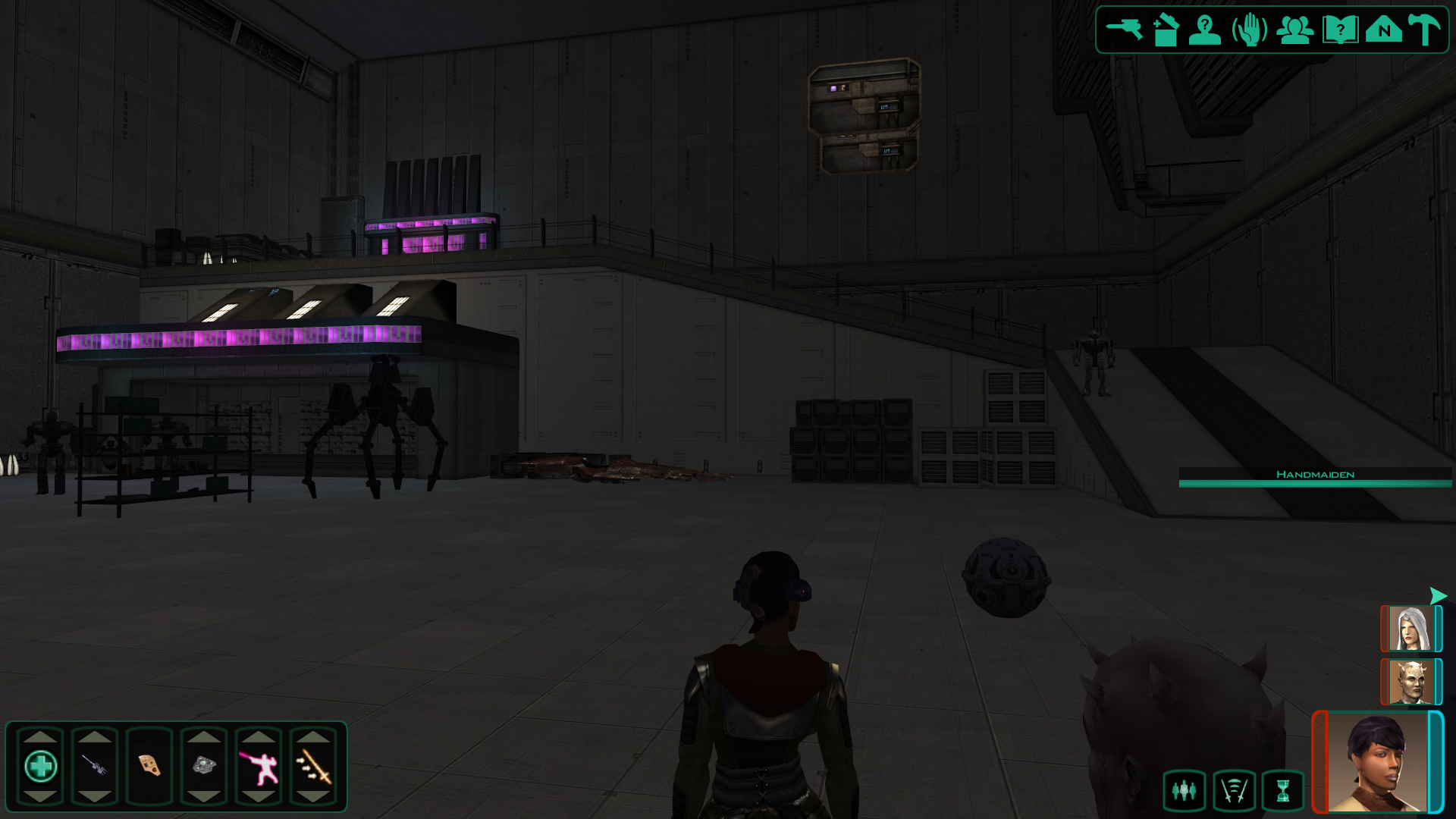
Quanon, you have nothing to be sorry for, you have fully proven yourself a legend. At last, we have the alternative hangar. The files are dated August 2020, two years after Sith Holocron's video, and it's evident in the fact that the module looks even better than it did in that video. I had a feeling that this version of the hangar wasn't older like Fair Strides said, and my feeling was clearly correct. This module is absolutely beautiful, and I'm so glad to finally have it in my collection. I haven't fully looked through everything in the new downloads, and I imagine there's some very cool stuff in there that I'm yet to find, but I did take a look at the Nar Shaddaa folder. I was not expecting there to be three whole modules! The street module is gonna take some extra work on my part to get in game (there's no .lyt file), but I was able to get the two club modules to load and they also look amazing. I'm very much going to enjoy cracking open everything in here for the rest of today, I just wanted to get a quick post out to thank you for coming in clutch to such an insane degree. I know you said you don't care about being credited for all this, but I fully believe you deserve recognition for the work that you put into this game that is incredible by today's standards and absolutely mind boggling to think about almost two decades ago for some of these files. When I was talking to Fair Strides about all this, she was of the mind that when I do release the polished up versions of all these that the upload here on Deadlystream should show up under your username, and I am fully willing to agree to that if you do decide you want primary credit for all this. Again, your "old stuff" is at the forefront of a new era of ambitious modding and you more than deserve to see some recognition when these modules get used in expansions and total conversions and such. I can't thank you enough for going through the effort to dig up all this stuff despite your apparent retirement from KOTOR modding. Now, I'm gonna go see what hidden treasures are in these new folders, I may make a separate thread showcasing the cool stuff I find / progress on fixing broken stuff.
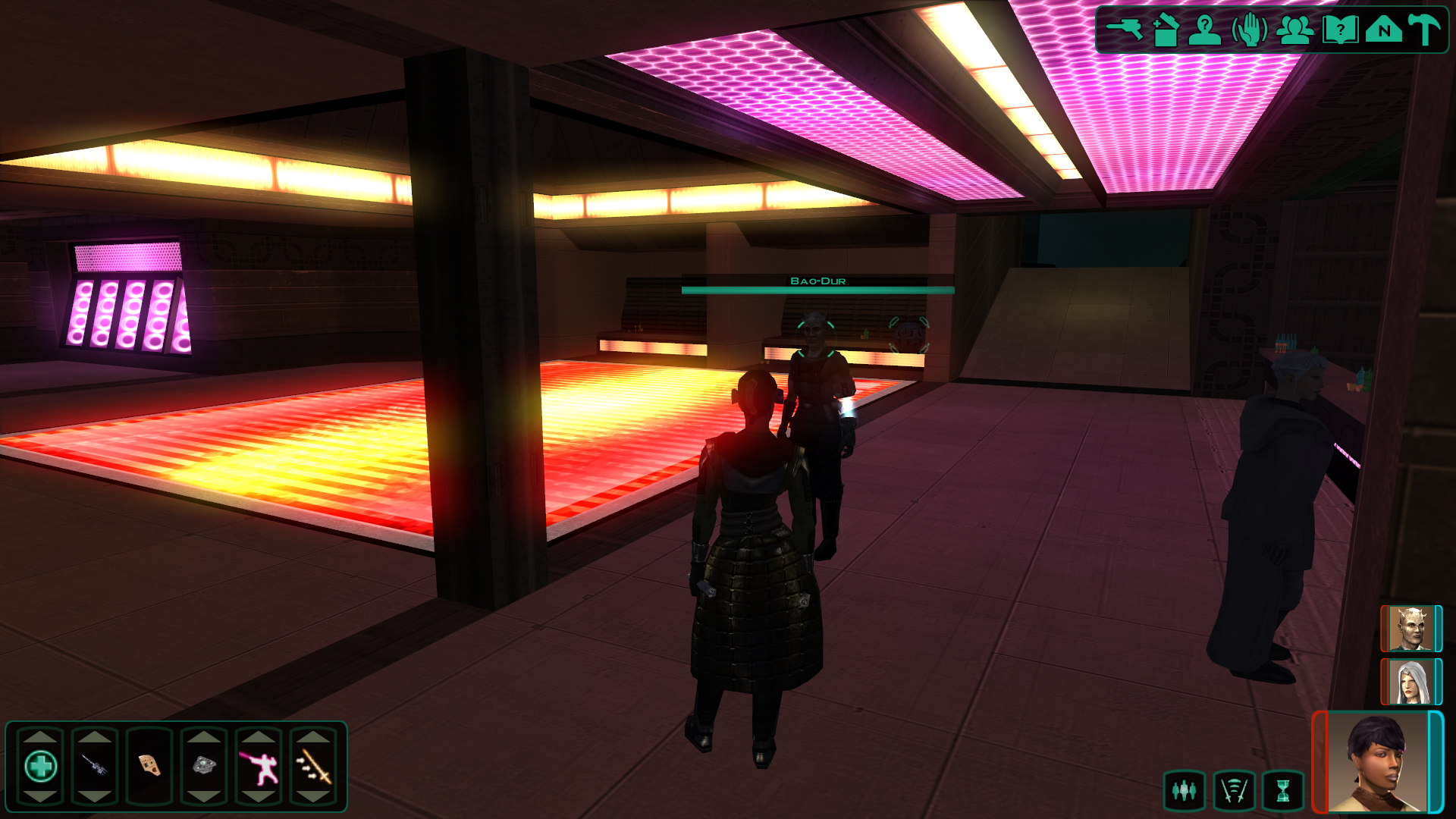
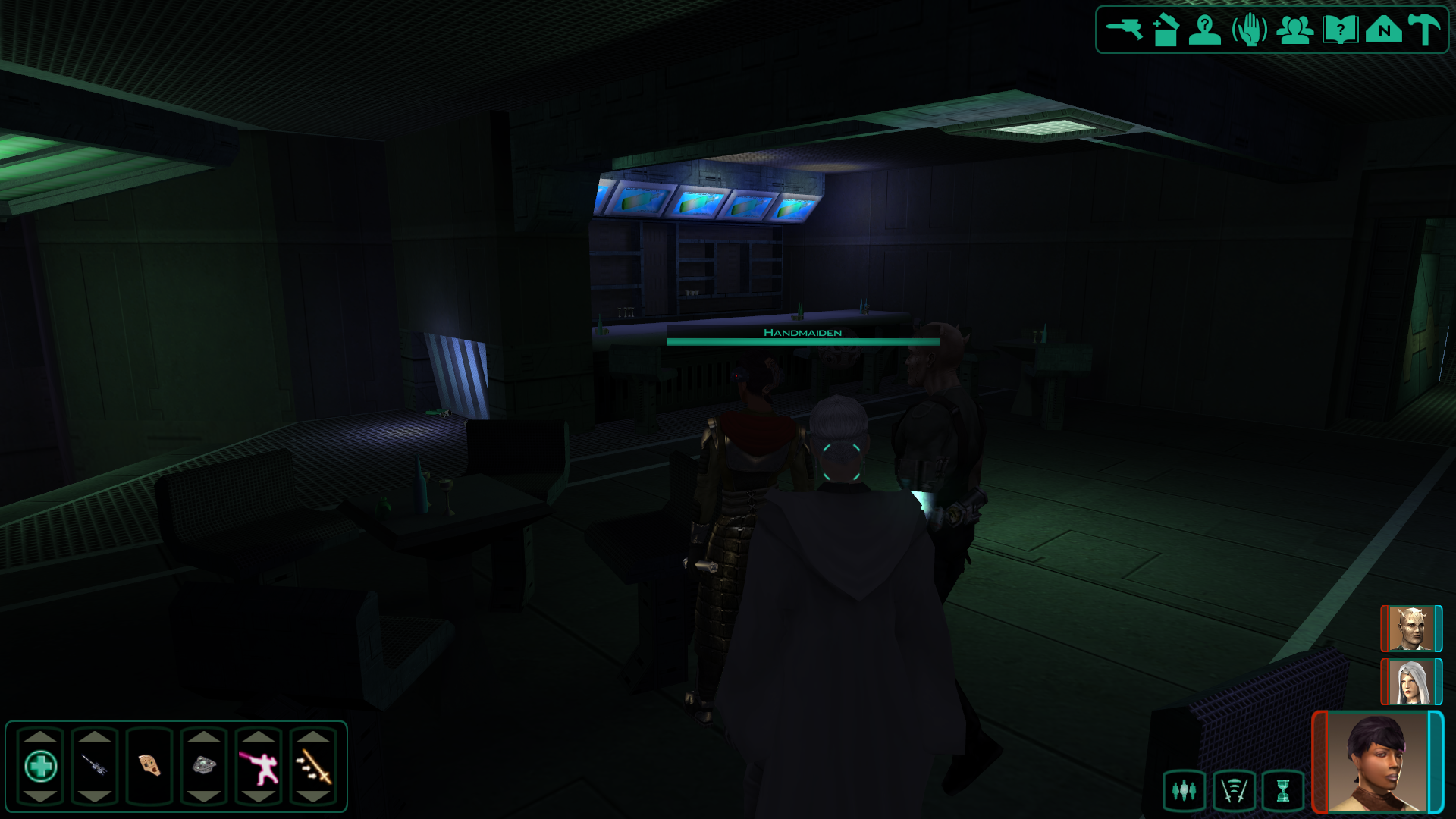 1 point
 -
Version 1.0.0
13 downloads
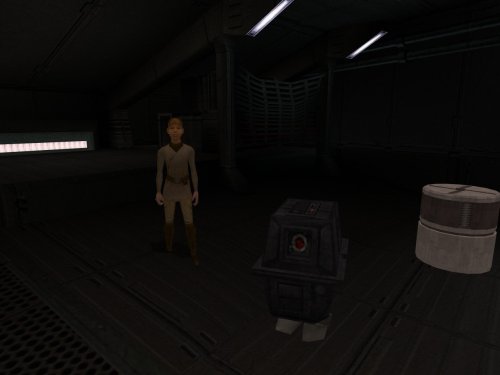
By popular demand (exactly one, looking at you @The_Chaser_One), I recreated my GONK and Loaded mod for KOTOR 1. Technically, this mod is a prequel that explains how the power droid we see in KOTOR 2 could even get on the Ebon Hawk in the first place. This is mostly the same mod, allowing you to obtain your very own GONK droid on the Ebon Hawk. Once restored, this little power pack becomes an infinite energy source, letting you recharge personal shields, droid shields, and droid utility items for free. The mod works only on saves where you have not dealt with a certain Strange Stowaway. Once you board the ship, you can find the droid at the same place as you find your new passenger. If you have already met her, but still yet to deal with her, you should try asking her questions until you get the opportunity to ask her about her droid. This will trigger a failsafe that brings the droid to you, if it isn't around anywhere. Bugs: The droid is a bit stupid (or is it me?), so he does not differentiate between your fully and partially charged items. You should have the exact amount of 1 of the item you want to recharge, or the droid will just do its thing at random. Plans: Adding a way to remove the droid along with Sasha, or keep them both. For variety. Installation: Use the HoloPatcher installer included in the archive. Credits: The_Chaser_One, for the request that only took me a year to finally get around to newbiemodder, for Modder's Tool: Power/Gonk Droid zbyl2, for M4-78 Enhancement Project Fred Tetra, for KOTOR Tool TK102, for DLGEditor Torlack, stoffe & TK102, for NWNSSCOMP JdNoa & Dashus, for DeNCS Cortisol, for Holocron Toolset1 point -
Version 1.0.1
3,379 downloads
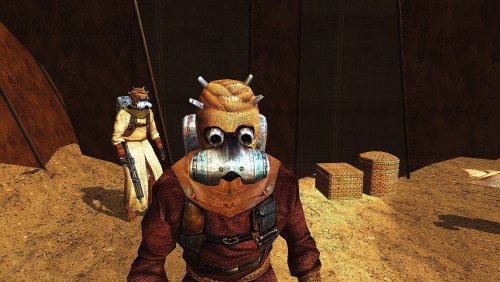
The demonization of the Sand People has always irritated me. Don't these wonderful characters deserve to at least have decent 2K textures? Installation: Move all files from the downloaded and opened archive to the Override folder of your game. Update: added .txi files1 point -
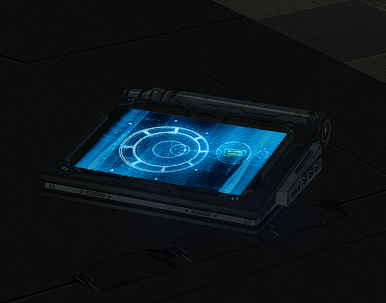
117 downloads
New models and textures for the datapad. Models created by DarthParametric. To Install 1. Download: DarthParametric's Datapad.rar 2. Copy all files to the Knights of the Old republic's Override folder. (Example location - C:\Program Files (x86)\Steam\steamapps\common\swkotor\Override) 3. When/if prompted to overwrite files, press okay. 4. If you like the mod; leave a comment or endorse! (It would be much appreciated) Made with love.1 point -
Mucha chakka pakka1 point
-
I wanted to take the model from Manaan (it has more polygons) and transfer it to Taris. No one took it on. I need to test how the texture looks on another model. The texture is still in development.1 point
-
1 point
-
Version 1.0.0
112 downloads
Hi everyone, Working on this mod has been a really exciting experience. I’ve said before — probably everywhere I’ve posted about it — that this project started simply as a result of my curiosity, and eventually I decided to share it with everyone. Game modding tutorials I’d like to thank all the people who left the first comments and showed interest in the mod. Your reactions were the exact push I needed to want to bring this project into a more complete state. Since then, the project has grown a lot, and the number of files involved has increased significantly. The mod is now in a working state and is still actively being developed, so I’ll be updating the description to reflect the project as it currently stands. Updated Overview of the Project Files 1. Original requirement You need the original Yavin 4 mod by MotOR Squad + Master Zionosis. 2. Yavin by jenkeee EN - installer.zip This is my fix package for the mod. It repairs several quests so the mod works properly on the modern Steam version of the game. I also changed the final fight with Trask and added Revan’s Mask as a loot drop. 3. Yavin Trask Head Universal Hotfix.zip During development, I encountered a bug where Trask could lose his head model. This installer is meant to overwrite Trask-related files in the Override folder and fix that issue. 4. kotor_stability01.zip This is a small legacy safe-mode launcher. Inside the package there is a text file where you need to specify the path to your kotor.exe. 5. Yavin Yav_93 Leviathan Terminal Hotfix.zip Thanks to the players who reported this bug. The terminal on level 93 uses two Leviathan terminal entries from the vanilla game. While restoring the terminal for the mod, my Override files unintentionally affected the Leviathan level as well. This hotfix corrects that problem. 6. veh1.1 - installer.zip This is the version of the mask with baked animations. The cloak is no longer static, and now moves slightly, as if it were fluttering in the wind. Savegame Reminder A quick reminder about how the KOTOR save system works: if an object with an error has already been written into your save, that error may remain stored in the save file itself. Because of that, when applying fixes, it is strongly recommended to load a save made before entering the location where the problem was found. Ideally, you should load a save from before your first visit to that location. That is the best way to ensure your installation remains valid. Why I Started Making These Posts I started making these posts because I wanted to talk to the Jedi still out there. The saga is going through difficult times, and the disturbances in the Force are stronger than ever. More than anything, I’m interested in what players think: is there really a need for a remake like the one Gothic 1 is getting? With KOTOR II, my opinion is absolutely clear — that game deserves a full remake. But KOTOR I is a different case. It is a complete and finished work, and in many ways it is still beautiful exactly as it is. KOTOR has always been a game for enthusiasts, and even today I still play it on the highest difficulty. For those who have read this far, from this point on I want to describe the technical side of the project. Technical Side of the Project BioWare removed the cloak and the mask from the release version of the game, leaving them only in cutscenes. Why? And more importantly — for what reason? Trying to answer that question is exactly why I began all these experiments with KOTOR resources, as a level-capped Jedi Consular digging into the game’s internals. I did not try to add more polygons to the cloak model. My goal was to preserve its original state as much as possible. I still had to redefine a few vertices, but I tried to stay as close to the original as I could. You can see the result of this work either by downloading the mod or by watching the short video below. The Main Question And that is really why I wrote this wall of text — to ask one question. Jedi friends, and Sith class enemies alike: should I continue this mod? DarthMouse and I have a lot of ideas. There is also a huge amount of work ahead, and this is not development in Unity or Unreal. I want to use my mod as an example and explain how I made the cloak move — and the reaction to this post will show whether this project deserves to live on. About the Technical Process First, we have to understand what is actually possible in the KOTOR environment. KOTOR is a true legacy dinosaur, and any developer understands that movement can, in theory, be handled either on the CPU or on the GPU. I do not want to turn this into a lecture — I’m only giving a broad overview of the technical process. In the end, the entire approach depends on that core decision: do we simulate cloak movement on the GPU, or on the CPU? After studying the engine — Aurora, Odyssey, KOTOR — I decided to stay with the kind of technology that would have been available to the original developers at the time. That means rigging the mesh and creating animations for the beautiful and terrible state mixer that KOTOR uses. To the modders who will keep experimenting with KOTOR after me: please study my work before you try to make cloth movement with bones and animation. I still hope that one day I will see a proper GPU-based solution, maybe even with a full ReShade-style injection. Why BioWare Probably Cut the Cloak I’ll answer the original question briefly: for anyone who has actually tried animating this cloak, the reason BioWare cut it from the release becomes obvious. First, without increasing the polygon count, it is extremely difficult to make the cloth look truly presentable. Second, the state mixer makes debugging much harder. Third, development time. I spent more than 36 hours just on the walking animation alone. And where I spent 36 hours today, twenty years ago I would have spent at least 300. That, more than anything else, is why the cloak and Revan’s mask were never fully completed for gameplay in the original release. Final Note In many ways, this entire reconstruction was made for this look. Media boss fight: short with new mask: Original walkthrough: https://www.youtube.com/watch?v=IcvhjSGpTnE&t=1s1 point -
![More information about "[KotOR] Swoop Bike Upgrades"](https://deadlystream.com/downloads/screens/monthly_2024_05/SwBi.thumb.jpg.7db72cba13fdee55057511d5166a1910.jpg)
Version 1.1
4,806 downloads
This modification comes from a (very reasonable) request made by Snigaroo, lamenting the fact that in the original game it's not possible to improve the performance of the game's swoop bike despite evidence that upgrades should be available. I introduced two of them and made them available in two different stores. They can be purchased to help those who struggle to make good times on Tatooine's and Manaan's race circuits. They don't come cheap, but they are certainly a great asset for any aspiring swoop racing champion.1 point -
 You should use the installer it came with, which is TSLPatcher. However, after taking a second look I noticed I was testing a previous version which I still had on my local and not the latest release. I'll see what's wrong with the latest version.1 point
 -
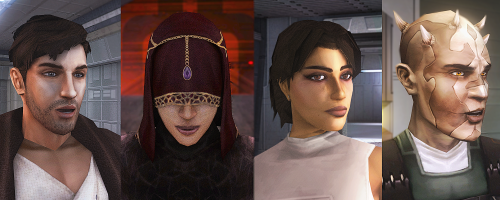 Excellent Work!1 point
 -
I suspect it's highly unlikely you'll find a save collection that did Manaan last. Trying to merge your globals into a different world state is just going to break things. If you're completely unwilling to start over, I'd suggest you'd be better off finding either a LS or DS run (to match whatever you did), skipping over Manaan altogether and pick it up from the point of no return after all the maps are done. Don't try to merge in anything, just edit the main character with KSE to change it to whatever yours was.1 point
-
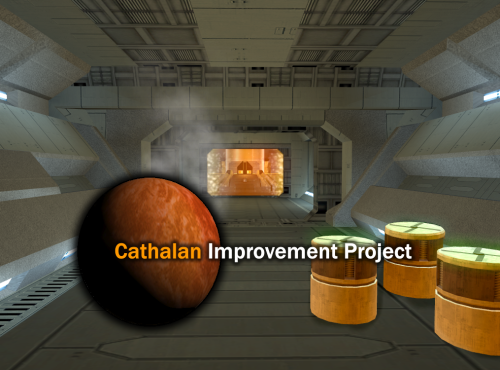 Hello, yeah potentially as one of the versions changes the Ebon Hawk console interface, however; I wouldn’t expect that to cause any crashes - especially on entry. You could try install the reveal map mod then Cathalan / Vice versa and see if either work Off the top of my head I’m not sure I’ve not touched it in a while! Cheers1 point
 -
@Mephiles550 No, my release is actually based on that older Yavin mod. This project started as a side effect of my experiments with KOTOR resources. First I took Sleheyron 2.1 and translated it into my native language. I wanted to see how more modern modders approached KOTOR modding, and it was a very enjoyable experience. That mod felt cleaner, better structured, and easier to read and work with. After that experiment, I decided to go in the opposite direction and try absolute legacy content, so I picked the old Yavin mod — the one with Exar Kun and Trask at the end. All I can say is that I really liked it. I was impressed by how elegantly modders of that time worked around the engine’s limitations and solved difficult problems with the tools they had. Unfortunately, those elegant solutions also made the mod very conflict-heavy, so I had to spend a lot of time making it stable and playable again. At the end of all that work, I was met with a very disappointing Trask fight. By that point, after gaining experience with the game’s resources, I decided to finally add something I had wanted to see in KOTOR since childhood: Revan’s Mask. I implemented it as a helmet, without using a full-body player model replacement. So that is really what this release is: a restoration of the old Yavin mod’s playability, plus a new final battle, plus Revan’s Mask as the reward.1 point
-

Version 1.5
252,742 downloads
Bubbling up from the font of dark knowledge, ndix UR presents KotOR High Resolution Menus, a UI mod package providing full high resolution menu and UI support for Knights of the Old Republic. The tyrrany of 640x480 menus and 6-item lists is over. Normally, when you increase the game's resolution using a widescreen patcher like UniWS, the menus stay very small in the middle of the screen and the borders get larger. This package is designed to be used *after* the widescreen patcher has done its work. It scales the menu screens up so that they fill the screen. This package requires modification of the swkotor.exe file using a supplied patcher, and is only known to work with GoG, 4-CD, and macOS (x86) versions of the game. It should be compatible with any Steam version that uses UniWS. The main content of the package are sets of GUI files (.gui), scaled for specific resolutions. The package contains GUI files for over 30 common resolutions with the following aspect ratios: 4:3, 16:10, 16:9, 21:9, and 32:9. Here is a list of the currently supported resolutions: Installation Find the gui.WxH folder matching your resolution, modify your executable using the supplied patcher, copy the GUI files to your Override/ folder. The details for this process can be found in the package README.pdf file. Read it. Follow the instructions therein. The documentation includes everything you need to know to manually patch your EXE if the patcher does not work for your version. Uninstallation Remove the GUI files, restore the original backed up version of your swkotor.exe file. IMPORTANT NOTES: This is not a resolution hack or widescreen patch, such as you get from using UniWS. You should already be successfully running the game at the resolution you are trying to get menus and UI for. Nothing in this package will give you any additional resolutions available. That is not what this does. If you are trying to get high-res menus for one of the resolutions supported by default (800x600, 1024x768, etc.) there is probably no point to using the GUI files named 'mipc*' provided by this package (mostly the in-game "HUD"), however, this scenario is untested. There are a few of the GUI files in this package you can use without modifying your executable. Here is that 'safe' list, in case you are unable to modify your executable: It gets you the main menu, some dialogs, and the in-game HUD elements. Thanks DarthParametric for testing, contributing a double-clickable thing for Windows users, and prompting me to finally figure out the needed EXE modifications. tk102 for GFF2XML and XML2GFF source code, which made it a lot easier to get this up and running. Known Issues The patcher is currently incredibly limited, making no effort to search for values, only looking at specific locations where they are in the executables I have access to. This package does not contain any higher resolution artwork. At high resolutions, menu backgrounds will be blocky, and the striped list backgrounds are unlikely to line up with list items. For numerous reasons, you will want to get a high resolution menu art package. The game's initial character selection screen does not lay out the selectable characters properly according to GUI file field values. It is useable, but not perfect. The blue hilight borders had to be removed from around the characters to maintain a clean look. The map screen is scaled up, but the map itself is not. Furthermore, the position of the map within the frame is somewhat random/poorly understood. The map, however, is completely useable, and the points of interest and player indicator are all positioned accurately relative to the map. Some of the 3D models in menus, such as on the character stats or character generation screens, display line artifacts over them. This is caused by the very low quality graphics being scaled up to provide the border overlays. Extracting the graphics as TGAs, scaling them up, and placing them into Override/ sometimes solves these problems. This package omits statussummary.gui and dialog.gui. Scaling them up cause problems. The files don't behave as expected, and it seems to not require a customized version in order for them to work as one would want. You might notice 1280x1080 in 21:9 even though it is not 21:9. It is for split-screen on 21:9 monitors. Rescaling the dialog/cut-scene letterbox (which is optional) seems to introduce occasional issues with letterbox placement, particularly when the letterbox animation happens. This may be fixed at some point in the future. There is no scaling on font size, and as far as I know no one has figured out how to do it, so users on TV/couch setups may not find the help they are looking for with this. Upgrading 1.4 to 1.5: If your resolution was not previously supported, copy new .gui files to your Override/ Upgrading 1.3 to 1.4: If you have Polish version, you can run EXE patching process If you have 32:9 display, copy new .gui files to your Override/ Upgrading 1.2 to 1.3: Copy all the .gui files to your Override/ Upgrading 1.1 to 1.2: Repeat the EXE patching process on a backup EXE if you want letterbox scaling Upgrading 1.0 to 1.1: Remove dialog.gui from your Override/ Copy 1.1 pazaakgame.gui to your Override/1 point -
If you installed this mod but still see the original Etti IV that leaves a few possibilities: 1) SH didn't include/forgot to include Etti IV, which I think is very unlikely. 2) You have not copied all of the files into the Override folder. Pressing Ctrl + A will select all files for you should that be an issue. 3) If you are copying all of the files, are you meet with the "Replace or Skip Files" window? Since TJM already has the original files in the Override and you are installing a mod which replaces the original files you NEED to have this pop up. 4) If you are being met with the "Replace or Skip Files" window are you selecting "Replace the files in the destination" option and NOT the "Skip these files" option? If you select "Skip these files" then you aren't replacing the TJM mod textures with the textures offered through this mod. 5) If you are not getting a "Replace or Skip Files" window but you have TJM's running are you using the Steam Workshop version of the mod? If you are then you may have to install SH's mod into the Steam Workshop verison of TJM.1 point
-
1 point
-
1 point
-
At the moment, I'm away and won't be able to check back with you, but of course I'll have you take a look at my changes and let you decide for yourself if anything is of any interest. But I made my changes straight into the single files rather than updating the installer. Locally, I had no need for that. Keep up the good work! 😀1 point
-
Good afternoon. It would be great if the V_FreightL02 model could be replaced with a higher quality one.
 1 point
 -
1 point
-
@AxConsortium, I would like to report something after thanking you for making this interesting small modification that for the most part neatly integrate itself into the original game. I have not yet tested it in-game because I am still verifying the content manually to refine some of the included text. In the dan15_nemocorpse.dlg file there is Entry 3 and Entry 4 as children to Reply 1. Entry 3 has the conditional script "c_dan_nemof_done" as trigger. The problem is that both Entry 3 and Entry 4 have identical purpose with no text and an active script ("dan15_takenemo") making them two identical entries. What is it you wanted to have different? The way it is now, having two entries that do exactly the same thing does not make any sense. EDIT: My bad, I did not at first notice that the Quest entry is what is different: 10 in one case and 11 in the other! The only problem I see is that returning Nemo's body to Deesra, rather than the Council, is convenient and smart as it does not require additional voice over acting for the Dantooine Jedi Masters, but is conceptually a bit weak because I don't see why Deesra should be the one to report to. Cheers!1 point
-
The Lightside ending has a script that equips a standard robe on the player: https://github.com/KOTORCommunityPatches/Vanilla_KOTOR_Script_Source/blob/master/K1/Modules/STUNT_57_Stunt_Lehon_Temple_(Light_Side_Ending)/k_donrobe.nss1 point
-
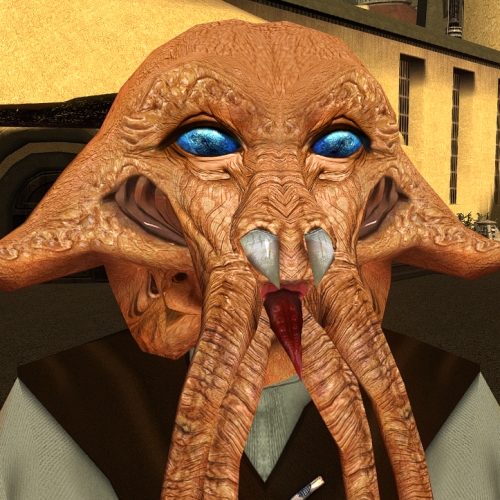 i could get lost in those eyes.1 point
 -
1. PLC_JnkSpdr2.tga is a different model. I'll be reworking it in the future. 2. PLC_spdrA01.tga has the default alpha channel. 3. The choice of "envmaptexture CM_Endar" is random, but I'm happy with the result.1 point
-
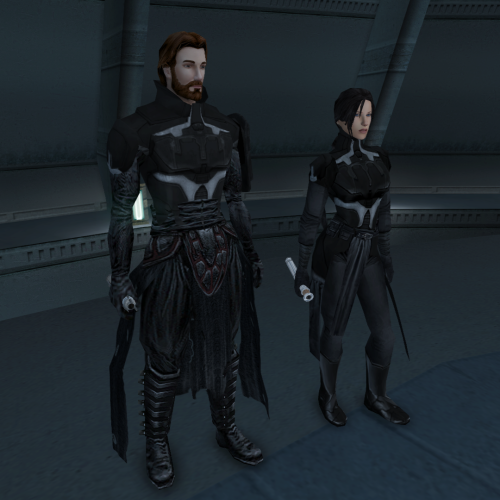 Thank you !!! 1. In short I don't have the skills. I only know how to work on existing textures. 2. Yes I know. I fixed it on one iteration but I didn't like how it looked, weierdly looks better with the clipping (in my opinion, don't know why, something about the body proportions). Now I don't have time to work on it and also I'm kind of burned out with modding. When I will have some time I will give another shot on fixing it.1 point
 -
Hey everyone! I'm ShaolinGhost, a second-year Game Design student at AAU finishing my bachelor's degree and moving onto my Masters this year. I'm working on both of these tools as part of my thesis project, and I'm super excited to share what I've been building. Why I'm Making This KotOR isn't just my favorite game. It literally shaped how I see video games and the world. I played it when I was a kid, and it's stuck with me ever since. That's the whole reason I want to do this: give modders and game devs a toolkit that actually feels like real game development software. Right now, modding KotOR is awesome, but the tools are spread all over the place. You bounce between different programs, learn different interfaces, and it's honestly kind of a pain. I want to fix that. My goal is to bring KotOR modding and the game itself to Unity with a professional-grade modding kit. Two tools that work together perfectly: GhostRigger-K1-K2 — Your all-in-one 3D model editor (import/export, rigging, texturing, the whole pipeline) GhostScripter-K1-K2 — Your IDE for writing quests, dialogues, scripts, and managing everything else Both tools are built to feel like actual game development software based purely off of my experience using things like RizomUV, Zbrush, Maya, Topogun, Acurig, UnrealEngine etc. clean dark theme, intuitive layouts, everything in one place. What GhostRigger Can Do Browse and load any KotOR model directly from your game files Real-time 3D viewport with orbit, pan, zoom, and wireframe view Import your own models from OBJ or FBX (sculpt in ZBrush/Maya, bring it in) Auto-rigging to KotOR skeleton templates Manual Rigging in the tool supported Export back to KotOR format, compile, and test in seconds Handle all your textures (TGA → TPC conversion, UV viewing, the works) Basically: Sculpt your stuff outside, import it clean, and let GhostRigger handle the KotOR technical stuff. What GhostScripter Can Do Script Editor — Write NWScript with full syntax highlighting, auto-complete, and a built-in function reference Dialogue Editor — Build dialogue trees visually with a node-based graph (way easier than text editors) Quest Builder — Templates that scaffold out quests automatically with the right variable names and structure 2DA Manager — Edit spreadsheets like globalcat.2da without pain One-Click Export — Push your mod straight to the override folder or package it as an ERF It all connects together. You can even rig models in GhostRigger, and GhostScripter will automatically pull them in. What I'm Looking For I want to make sure these tools actually solve real problems for modders. So I'm opening this up for feedback: For GhostRigger: What features would make rigging faster for you? Are there things you wish you could do that other tools make hard? What about the workflow? Does the architecture I stated so far feel natural? For GhostScripter: Should I add a visual quest state editor, or is the current form good? Would a script dependency checker (find broken references) be useful? What about integrating a decompiler so you can edit existing mods? Any other QoL features you'd want in an IDE? Drop your thoughts in the replies! I'm building this for the community, and I want to make sure it's something you'll actually use. Timeline & Release Right now, both tools are functional and I'm actively testing them. Once I've verified that all the core features work smoothly and reliably, I'll release them for public use and testing. I want to make sure they're stable and solid before I put them in your hands. I'll keep you posted on progress, and when they're ready, you'll be the first to know!


 1 point
 -
 Anyone looking to spice up their next playthrough should give this mod a shot. It provides an in-depth expansion of the vanilla Player crystal that returning players should definitely consider adding to their build(s). The quality-of-life improvements in-and-of themselves are worth the download.1 point
 -
![More information about "Restored Content for K1CP [DEMO]"](https://deadlystream.com/downloads/screens/monthly_2023_07/qWN6hjo.thumb.png.1cf440e0102f68db8e2dfeab747215b5.png)
Version 0.12.1
6,045 downloads
Restored Content for K1CP [DEMO] A Mod for Star Wars Knights of The Old Republic Author: N-DReW25 0.11.0 Demo Release Date: 04.07.2025 Installation: Please install the K1 Community Patch FIRST before this mod! No exceptions! Once you click on the INSTALL.exe, you'll be given five options. Main Mod- This is the installation which installs the RC-K1CP mod. Lite NPCs Restored- This restores the Lite NPCs that were removed in the K1CP, install this option if you want these back in your game. Restored Gloveless Clothing- Left over textures and pre-release screenshots suggests that the commoner clothing didn't always have gloves that hid the NPCs hands, with this option installed all the generic NPCs will have exposed hands that correspond with the skin color of that NPCs race (White, Black and Asian). This option is fully compatible with the K1 Clothing Pack but is incompatible with Dark Hope's Commoner Clothing reskins. Restored Sith Officer Uniforms- Restores the unused Sith Officer uniform variants throughout the game, this option is incompatible with Heyorange's Sith Uniform Reformation. Restored Party Dialogue- As of right now, this option restores unused lines for Canderous' dialogue about Korriban. This option is cripplingly incompatible with mods that edit "k_hcan_dialog.dlg" so don't install this option if that file is already in your Override folder. Restored Unique Blaster- Restores unused textures for Carth's Blaster and the Baragwin Ion-X Weapon. These are an optional install as they are incompatible with the High Quality Blasters mod by Sithspecter. Restored Jedi Appearances- Restores many unused Jedi appearances and soundsets on both Dantooine and the Star Forge. This option is most likely incompatible with the NPC Diversity Pack, Jedi Diversity on the Star Forge, Diversified Jedi Captives on the Star Forge, or KotOR 1 Twi'lek Male NPC Diversity. Description: The Kotor 1 Community Patch (K1CP) is the biggest bug fix mod for Kotor 1 and is arguably the number one go-to mod for Kotor 1, similar to TSLRCM for Kotor 2. The Kotor 1 Restoration (K1R) mod is NOT compatible with the K1CP and as such players have to pick between hundreds of bug fixes offered by the K1CP or the restored content of K1R, they couldn't pick both... until now! Restored Content for K1CP is a restoration mod for Kotor 1 which has been developed for use alongside the K1CP mod, with this mod installed you shall experience restored content alongside the bug fixes of the K1CP mod. This mod also does not follow the same "rules" as K1R, that means this mod might restore cut content that K1R didn't restore either because the original K1R Dev Team didn't want to restore it or because they didn't know about it. This mod is an INDEPENDENT project developed by a single modder (and any future contributors) with no connection to the original K1R mod, everything in this mod was developed from scratch as getting permission to use K1R assets is impossible due to the disappearance of the K1R team leader. This mod is a DEMO meaning it does not restore all the cut content that K1R restores, future updates shall add more content and fix any bugs present in the mod. Whilst this mod is a Demo, it is not necessarily incomplete... what little restored content this mod has to offer is complete and will not standout as unfinished (in terms of the mod itself, your opinion on the cut content might be different). If you have feedback or any bugs to report for the next update, I urge you to report these to me so that the Restored Content for K1CP mod may be the best it can be! Restorations: Item Restoration: Known Bugs: This mod shouldn't have any bugs but if there are please report them to me on Deadlystream. Incompatibilities: To be added! Permissions: Do NOT claim credit for this mod and do not use assets from this mod without my permission. Thanks to: SithRevan (RIP): Beginning the restoration effort for K1! K1R Team: For developing the original K1R mod! Leilukin: For granting me permission to integrate her Juhani Dialogue Restoration mod into the RC-K1CP! SpaceAlex: For making the Bastila's Extra Dialog on Tatooine and allowing modders to use it freely! A Future Pilot: For kickstarting the K1 Community Patch mod, for making the Sith Soldier Texture Restoration mod and for allowing modders to use it freely! Sekan and Seamhainn: For including the source scripts in their Garrum and Tar'eelok Restoration mod which allowed me to recreate the restoration of those characters in this mod! DarthParametric and JCarter426: For maintaining the K1 Community Patch with ongoing updates! DarthParametric, th3w1zard1 and Salk: For valuable feedback! Sith Holocron: For the mod logo! ElevenLabs Website: For the custom AI VO service! Bioware: For such an amazing game! Fred Tetra: For Kotor Tool! Stoffee: For TSLPatcher! Everyone who downloads the mod! Legal: THIS MODIFICATION IS NOT SUPPORTED BY BIOWARE/OBSIDIAN ENTERTAINMENT, LUCASARTS, DISNEY OR ANY LICENSERS/SPONSORS OF THE MENTIONED COMPANIES. USE OF THIS FILE IS AT YOUR OWN RISK AND THE ABOVE-MENTIONED COMPANIES OR THE AUTHOR IS NOT RESPONSIBLE FOR ANY DAMAGE CAUSED TO YOUR COMPUTER FOR THE USAGE OF THIS FILE.1 point -
Version 1.10.1
279,507 downloads
The K1 Community Patch (K1CP) is a compilation of previous bugfix mods and a multitude of new original fixes put together with the intention of resolving the many and various issues that KOTOR has. This includes some well-known game breaking bugs/softlocks, broken quests, inaccessible content, as well as lesser issues such as problems in conversations, visual inconsistencies, player annoyances, etc. The intention is for the changes to be as seamless as possible, fixing and improving things whilst still retaining the original developer intent. A huge thanks to all of the mod authors who created these mods, and allowed them to be included in this patch! Unfortunately, the individual list of changes has grown far too long to be included in this post. However, you can view a detailed breakdown of each author's individual contributions in the included readme file and a summary of the changes the current version has made since the previous release in the changelog file. List of Contributing Authors (alphabetical): A Future Pilot blennus danil-ch darthbdaman DarthParametric Ebmar Frykas Gimmick5000 jc2 JCarter426 Kainzorus Prime Kexikus KOTOR 1 Restoration Team Leilukin Markus Ramikin N-DReW25 ndix UR R2-X2 Red Hessian Salk th3w1zard1 Thrak Farelle WildKarrde Installation: Run INSTALL.exe and navigate to your K1 install folder. Generally speaking, this mod should be installed before anything else, except mods that do hard edits/overwrites of 2DA, TLK or MOD (module) files. Warning: Never run the installer from inside the archive! Always extract the archive onto your hard drive first. N.B.: With the advent of version 1.10.0, K1CP has migrated away from the use of TSLPatcher and switched to HoloPatcher. This allows for additional patching functionality and resolves some bugs encountered with TSLPatcher. HoloPatcher is also multi-platform. The bundled installer is the Windows version, but Mac and Linux users can download the appropriate installer for their system here. It is highly recommended that you do not install the game on your system's C drive, especially in Program Files. Windows can have permissions issues when trying to install the mod to a C drive destination. If you are using the Steam version of the game and have installed Steam in its default Program Files location, we advise creating a new Steam Library on a different drive and moving the game there via the game's Properties pop-up in Steam. Translation: The mod now has translations in French and Russian, available as separate patches. To use, first download the base K1CP v1.10.0 archive and extract it to your harddrive. Download your translation patch of choice and extract its contents into K1CP's tslpatchdata folder. Proceed to install the mod as normal. Traduction (Français - Harlockin): Le mod a maintenant des traductions en français et en russe, disponibles sous forme de patchs séparés. Pour l'utiliser, téléchargez d'abord l'archive de base de K1CP v1.10.0 et extrayez-la sur votre disque dur. Téléchargez le patch de traduction de votre choix et extrayez son contenu dans le dossier tslpatchdata de K1CP. Procédez à l'installation du mod comme d'habitude. Переводы (Русский - olegkuz1997): Мод теперь включает в себя переводы на французский и русский языки, доступные в виде отдельных патчей. Для использования сперва скачайте базовый архив K1CP v1.10.0 и распакуйте его на жесткий диск. Скачайте нужный вам патч с переводом и извлеките его содержимое с заменой в папку tslpatchdata K1CP. После чего приступите к установке мода как обычно. Compatibility/Known Issues: K1CP uses module injection in an attempt to remain as compatible as possible with other mods. This may result in issues with mods that simply put files in the Override folder. It is recommended that you consult the individual authors of any large scale mods, particularly those that edit DLGs and scripts, as to whether their work is compatible with K1CP. Some mods will likely require updates, some may need to be installed in a specific order, whilst others may be fundamentally incompatible. K1CP currently only supports the English language version of the game, and makes a number of edits to the TLK file in English. If anyone is able to provide translations of these changes to other languages, please let us know. The KOTOR 1 Restoration (K1R) mod is incompatible with K1CP, however there is ongoing work to re-create the K1R mod for K1CP: https://deadlystream.com/files/file/2345-restored-content-for-k1cp-demo/ These are the currently known bugs/issues with KOTOR or the mod that the K1CP is looking to resolve: https://github.com/KOTORCommunityPatches/K1_Community_Patch/issues If you find any others, especially with changes/additions K1CP makes, please report them on the Github issue page or here on Deadly Stream so they can be addressed. Be sure to include as much information as possible, including a list of all the other mods you have installed, the order you installed them in, steps to reproduce the problem, along with screenshots and save files, if appropriate. You may also be directed to provide the install log file, a list of the contents of your Override folder, and specific MOD files from your modules folder. Uninstallation: Given the complexity of this mod, a clean install of KOTOR is the recommended approach for uninstalling K1CP. However, HoloPatcher does provide uninstall Shell (Bash) and PowerShell scripts which will work as long as K1CP was the most recent mod installed. Permissions: Due to this mod being a compilation from many different authors, please do not distribute/rehost it. Acknowledgements: All of the mod authors who have helped make this patch a reality - thank you! - especially for agreeing to distribution outside of Deadly Stream Fred Tetra - For KOTOR Tool tk102 - For DLGEditor and K-GFF JdNoa/Dashus - For DeNCS stoffe - For TSLPatcher/ChangeEdit/TalkEd bead-v - For MDLEdit and KOTORMax ndix UR - For TGA2TPC, TPCView, and MDLOps v1.0+ seedhartha - For KOTORBlender fork for Blender 2.8+ Cortisol - For Holocron Toolset and HoloPatcher/PyKotor th3w1zard1 - For additional customisation and feature improvement of HoloPatcher Fair Strides - For various tools and updates to older tools DrMcCoy - For Xoreos Tools Snigaroo - For maintaining mod builds at https://kotor.neocities.org/modding/mod_builds/ danil-ch - For the original info.rtf template Many thanks to ebmar, Salk, and KnifeMaster for providing numerous bug reports and beta testing certain fixes THIS MODIFICATION IS PROVIDED AS-IS AND IS NOT SUPPORTED BY BIOWARE/OBSIDIAN ENTERTAINMENT, LUCASARTS, DISNEY OR ANY LICENSEES/SPONSORS OF THE MENTIONED COMPANIES. USE OF THIS MODIFICATION IS AT YOUR OWN RISK AND NEITHER THE ABOVE MENTIONED COMPANIES NOR THE AUTHORS ARE RESPONSIBLE FOR ANY DAMAGE CAUSED TO YOUR COMPUTER BY THE USAGE OF THIS MODIFICATION.1 point -
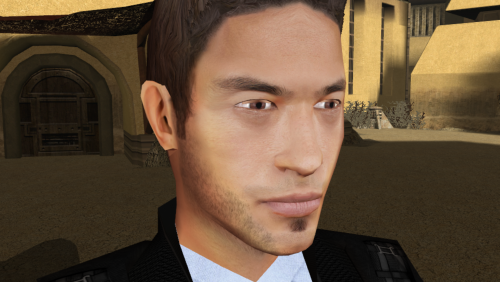
Version 1.0.0
22,264 downloads
Re-texture of PMHA05, for Star wars: Knights of the Old Republic. Texture Resolution 1024X1024. The archive contains 5 textures of the head. 3 textures for underwear. 5 icons and 2 .txi. To Install 1. Download: PMHA05 HD 2. Copy all files to the Knights of the Old republic's Override folder. (Example location - C:\Program Files (x86)\Steam\steamapps\common\swkotor\Override) 3. When/if prompted to overwrite files, press okay. 4. If you like the mod; leave a comment or endorse! (It would be much appreciated) Made with love.1 point -
 Can you add screenshots of these new stats in-game?1 point
 -
 uhh for some reason both the jedi robes and the sith robs look the same they both look jedi1 point
 -
 Can confirm the same bug is happening on my playthrough.1 point
 -
Hello! I'd like to report a bug regarding this mod: wanted to test it myself and came across a soft locking bug that keeps me from boarding the Ebon Hawk: once you get Calo low enough to do his dialogue of blowing them all to bits, a little in-game cinematic plays with the remaining party joining you in the hangar (what should presumably happen because of this mod): only the problem is that, instead of normally proceeding with the normal dialogue and showing Calo talking, getting bombed and having those bars crash down on him, thus most likely enabling a constant that allows you to board the Ebon Hawk, after the party joins in in the hangar, the dialogue never happens and all the NPCs stand around, not being able to talk to the party nor being able to interact with the Ebon Hawk. Clicking on Calo also resets the little cinematic with the party, but the same happens even after doing that.1 point
-
 Any chance for a 2560x1440 version?1 point
 -
![More information about "Darth Talon Pack [1K]"](https://deadlystream.com/downloads/screens/monthly_2021_11/391293559_20211025215413_1(1).thumb.png.0726c87ff13285163dfcb971a2437bf7.png)
Version 1.1.0
1,648 downloads
Darth Talon Pack [1K] A Mod for Star Wars Knights of The Old Republic Author: Bullobrien, 90SK and N-DReW25 1.1.0 Release Date: 19.01.2022 Installation: Simply click on the TSLPatcher.exe, select your option, click install and sit back and watch the TSLPatcher do its magic. Uninstallation: Depends on what you've chosen to install. Copy the files within the generated "backup" folder and place the file inside your modules folder, make sure you overwrite. Description: * Late 2006, Levi Davis (aka nineball) released the first Darth Talon mod for K2 as a playable head for females. * In 2007, Prime released his Darth Talon mod which replaced Yuthura Ban with Darth Talon. * In 2008, DarthParametric released his Darth Talon mod which replaced Mission Vao with Darth Talon. From about 2009, a third modder named Bullobrien began his own Darth Talon mod; completing the final texture in 2011. But, he was unable to properly setup the TSLPatcher or the associated 2da files and so he passed on the files to a modder named 90SK sometime between 2012-2015 and gave him permission to complete the project. In 2021, a decade since the texture was made, with collaboration with N-DReW25, the fourth Darth Talon mod was born. * Some of you new to Star Wars might be thinking "Who is Darth Talon?" Darth Talon was from the, now Legends, Star Wars: Legacy comic series. Darth Talon was a member of Darth Krayt's new Sith Order around 137 ABY, she is famous in the Star Wars Community as being the red Twi'lek with black Sith tattoos covering her body, head, and lekku; in a similar design to Darth Maul. She was trained by a fellow Twi'lek Sith named Darth Ruyn, whom she later killed on Krayt's command with a decapitating strike of her lightsaber. * What does this mod do?? Option 1) Darth Talon Player Head: Adds a playable female head in the form of Darth Talon, replaces the player's underwear and clothing to Darth Talon's attire. Option 2) Mission Vao as Darth Talon: Replaces Mission Vao's appearance with Darth Talon, gives her two red Short Lightsabers, makes her 25% Dark Side, changed her class to a Jedi Sentinel and gives her a handfull of basic Force powers, nothing else is changed. Option 3) Yuthura Ban as Darth Talon: Replaces Yuthura Ban's appearance with Darth Talon, replaces Yuthura's Sith Officer's outfit with Darth Talon's attire. All textures are in 1K resolution, providing the most high detailed Darth Talon mod to date in a Kotor mod. Known Bugs: This mod shouldn't have bugs but if there is report it on Deadlystream.com Incompatibilities: Mission Vao as Darth Talon is incompatible with any mods which alters Mission Vao's appearance, textures and/or character UTC file Yuthura Ban as Darth Talon is incompatible with any mods which alters Yuthura Ban's appearance and/or textures Report any incompatibilities to me on Deadlystream.com Permissions: Do NOT claim credit for this mod and do not use assets from this mod! Thanks: Bullobrien: For making the original Darth Talon skin back in 2011 90SK: For making the portraits N-DReW25: For fixing the broken 2da files and setting up the TSLPatcher Levi Davis (aka nineball): Starting the Darth Talon trend with his first playable Darth Talon mod Prime: For creating the Yuthura Ban to Darth Talon mod, thus giving us the idea of including the Yuthura Ban option DarthParametric: For creating the Mission Vao to Darth Talon mod, thus giving us the idea of including the Mission Vao option Darth Ty: Informing me of TSLPatcher bugs Effix: For going out of his way to fix up the player head installation for me! Fred Tetra: For Kotor Tool Stoffee: TSLPatcher Dark Horse: For creating the comic series which brought this awesome character to the community, and providing the inspiration for this mod. Bioware: For such an amazing game Obsidian: For such an amazing sequel Everyone who downloads the mod! Legal: THIS MODIFICATION IS PROVIDED AS-IS AND IS NOT SUPPORTED BY BIOWARE/OBSIDIAN ENTERTAINMENT, LUCASARTS, DISNEY OR ANY LICENSERS/SPONSORS OF THE MENTIONED COMPANIES. USE OF THIS FILE IS AT YOUR OWN RISK AND THE ABOVE-MENTIONED COMPANIES OR THE AUTHOR IS NOT RESPONSIBLE FOR ANY DAMAGE CAUSED TO YOUR COMPUTER FOR THE USAGE OF THIS FILE.1 point -

Version 1.3
5,809 downloads
Stylized Portraits TSL Created by Tinman888 by Sdub & Tinman888 Version: 1.3 Description: After seeing the release by @DylanRPG and the Portraits done by Tinman888 who is a magnificent artist. I reached out to Tinman888 and discovered that he had finished some TSL Portraits! After gaining permission by Tinmann888 to create a pack made from his TSL portraits I got to work. This pack included all main party members with dark side transitions, generic female portrait, and generic bearded/Non Bearded male portrait One thing to note, the Widescreen UI can be a bit wonky, especially for the Aspyr version on steam. So I highly suggest using a widescreen mod otherwise the Portraits can look stretched. I use a combination of these two. https://deadlystream.com/files/file/839-improved-widescreen-experience/ & https://deadlystream.com/files/file/332-widescreen-ui-fix-for-knights-of-the-old-republic-2-the-sith-lords/ Easy install, open the folders of the portraits you'd like to use and Just drop them into the override folder. To uninstall remove the implemented files. Big thanks to the KOTOR Discord & Deadlystream Tinman888 for the wonderful art, you can see more of his art here! https://brandon_chen.artstation.com/ and on Instagram at @bchen.art and DylanRPG for the original pack which led me to discover the TSL portraits.1 point -
Malachor V [R] Spare me? - Kreia puts Sion into a force choke and shows him that his strength is as meaningless as the strength of her cut-off hand. [R] Sion reports the Exile's arrival - After crash landing on Malachor V, Sion goes to Kreia and tells her that the Exile has arrived. Kreia tells Sion to bring her/him before her. [R] HK-47's interference - Depending on the choices in the HK factory, HK-47 shows up during the Remote/Goto confrontation. Either the HK50/51s come in and then HK blasts Goto or Goto would have taken control of HK and then HK would have blasted the Remote. [R] Atton's Grudge - Atton tells the Disciple how he lost what mattered to him. Disciple and Atton fight. Triggered by Atton's alignment. [R] A powerful crystal - When entering one of the cells, the player can find a crystal of a dead Jedi. [R] Handmaiden's Grudge - Handmaiden tells Visas how she seduced the Exile. Handmaiden/Visas fight. Triggered by whatever happened on the Ebon Hawk (if Handmaiden became angry at PC) [R] Two Paths - When the PC enters the academy, Kreia tells Sion of the PCs choices to save the party or just slaughter the way to Kreia. [R] Atton and Darth Sion - Atton and Darth Sion fight (player controlled). If wins, Atton lives. If lost, Atton was to have his arm chopped off and then Sion would torture him. Triggered if Atton is LS. [R] Atton's Death - Should Atton have lost to Sion, Atton dies in the players arms. Both male and female though the female version, he confesses his love. [R] Atton lives - Atton can live if he won the fight with Sion. He and the PC simply leave the Trayus Core together. [R] Handmaiden/Visas want to go - Handmaiden or Visas ask if she can go with the Exile wherever he is going. However, the PC tells them that they cannot. [R] The Party Attacks - The party plan an attack on Kreia. They attack Kreia who disposes of them easily after taunting them a bit. [R] In the Trayus academy - On the map under the start menu, the doors leading to the "Trayus Crescent" are labeled as "Trayus Prison Cells". [RM - 1.8] What Mandalore knows of Malachor - The player was once supposed to be able to take party member(s) with her to Malachor. The player could ask Mandalore what he knows of the planet. If player should "warp" to 902MAL with Mandalore in the party in a different location in the game, then it is still possible to hear his response. [NR - GenoHaradan or M4-78EP] Sion travels to the Smugglers Moon - Sion announces that he will travel to the Smugglers Moon (while observing a hologram of the Exile) himself to see if the Exile is truly dead. [NR] Mandalore walks the taboo world - Visas and Mandalore were supposed to walk Malachor V together based on the loading screen to module 901MAL. [NR - lack of animations] Hanharr and Mira - Hanharr was to slam Mira into the rock wall before their fight. If Mira was a Jedi, then Hanharr makes note of it and how the gray female told him that she claimed the title Jeedai. After the fight, Mira can ask Hanharr to lead her to Kreia. Hanharr says he will do so though he believes that Kreia will kill Mira and thus end both of his debts. [NR] Leaving the Republic to die - Another choice for the PC was to leave Malachor V and then leave the Republic to die. [NR] Darth Traya is Atris - Instead of Kreia being at the core, it'd be Atris in her dark robes. [NR - lack of animations] Hanharr's Sacrifice - Presumably, if the player has Hanharr in the party and Malachor V is being destroyed, Hanharr would throw the player onto the Ebon Hawk. Hanharr would then die with Malachor V (which players and fans may remember as Chewbacca dying a similar death to save Anakin Solo). Miscellaneous [R] "You look... different than the other women here." - There are things left in the game's programming, to suggest the Handmaiden Sisters were supposed to look different than Brianna. [NR - possibly M4-78EP] Bao-Dur's sacrifice - In the released audio demo, one of Bao-Dur's lines is "Make my sacrifice matter". Presumably, Bao-Dur dies at some point near the end-game.1 point