Database Explained | Simple Concepts and Uses
Published: 19 Sep 2024
A database is a system that helps us store and organize information in a structured way. Think of it like a digital filing cabinet where all your important data is kept safe and easy to find. Whether it’s a list of customer names, product details, or any other type of information, a database makes it simple to search, update, and manage everything in one place. Businesses, websites, and apps use databases to handle large amounts of data efficiently. This way, they can quickly get the information they need whenever they need it.
What is a Database?
A database is a system that stores and organizes data in a simple way. It helps users save, manage, and find information quickly. For example, a school uses a database to store student records like names, marks, and attendance. A bank uses a database to track accounts and transactions. Databases make data easy to access, update, and manage in real life applications.
How Does a Database Work?
- A database stores information in a structured way, like a digital filing system.
- It organizes data into tables with rows and columns, making it easy to find specific details.
- Users can search for, add, or update information using special tools or commands.
- The database software handles the processing and ensures the data stays accurate and up-to-date.
- It allows multiple users or programs to access and manage the data at the same time.
- Security features protect the data from unauthorized access or loss.
What are Databases used for?
Databases are used for many purposes to help manage information. Here are some common reasons for databases:
- Storing Customer Information: Businesses use databases to track customer details such as names, addresses, and purchase histories.
- Managing Products or Inventory: Companies use databases to organize products, track stock levels, and manage orders.
- Organizing Employee Data: Companies store information about employees, such as job roles, salaries, and contact details, in a database.
- Powering Websites and Apps: Websites and mobile apps use databases to store user data, like login information, preferences, and content.
- Tracking Financial Records: Databases help manage budgets, payments, and financial transactions for businesses and individuals.
- Healthcare Records: Hospitals and clinics use databases to store patient medical histories, prescriptions, and treatment records.
What are the Major Components of a Database System?
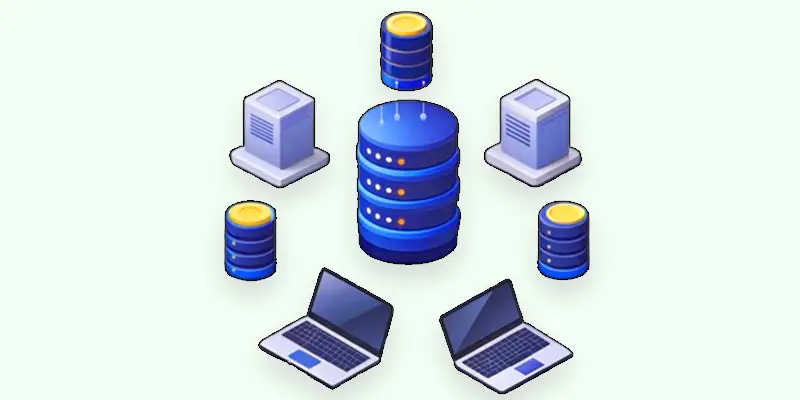
There are five main components of the database in DBMS:
- Data: The information stored in the database, such as names, numbers, or documents, is organized in a structured way.
- Hardware: The physical equipment, like computers and servers, where the database is stored and accessed.
- Software: Programs that help manage the database, like database management systems (DBMS), control how data is stored, organized, and retrieved.
- Users: The people who interact with the database, either by entering data, running reports, or managing the system.
- Procedures: The set of rules and instructions for how the database is operated, updated, and protected, ensuring everything runs smoothly.
What are the History and Evolution of Databases?
The evolution of databases has changed how we store and manage information over time.
Examples of Early Databases in Computing
In the 1960s and 1970s, databases were basic and stored data in large, simple files. They were hard to use and didn’t organize data very well.
Hierarchical and Network Databases
These early models improved how data was connected using tree-like structures. However, they were still limited and difficult to change or update.
How Relational Databases Changed Data Management
In the 1970s, relational databases were introduced. These databases allow data to be stored in tables with rows and columns, making it much easier to search and manage data. They became the most popular type of database, and many systems still use them today.
Benefits of Object-Oriented Databases in Software Development
Object-oriented databases, which combined data and processes, were developed in the 1980s and 1990s. This made them better for handling complex data, like images or video.
NoSQL Databases
NoSQL databases were developed in the 2000s to manage massive volumes of unstructured data, such as web content and social media posts. They are flexible and can scale easily, making them great for big data and cloud computing.
How Modern Databases are Used in the Cloud
Today, databases continue to evolve with cloud technology, making it easier to access and manage data from anywhere. Modern databases are faster, more secure, and can handle vast amounts of information, supporting advanced applications like artificial intelligence and machine learning.
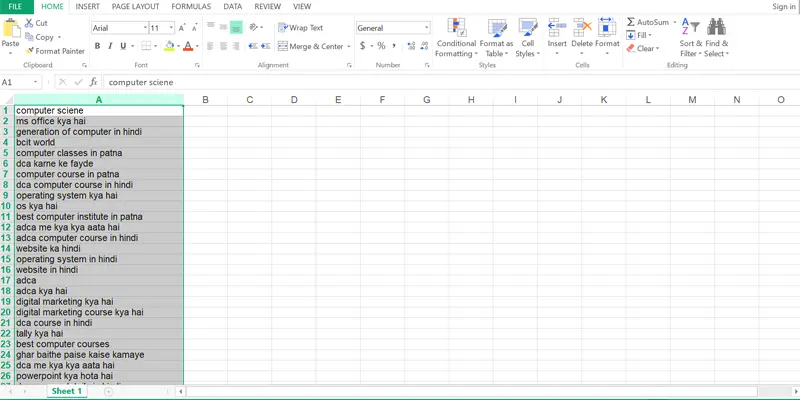
What is the Difference Between Database and Spreadsheet?
In the short term, spreadsheets are great for simple tasks with small amounts of data, while databases are designed for complex tasks and efficiently handling large amounts of data.
Database
A database is more powerful and can handle large amounts of information. Multiple people can access, search, and change the data simultaneously, thanks to the way it organizes it. Databases are better for bigger tasks like managing business information, customer data, or websites.
Spreadsheet
A spreadsheet is a tool for simple tasks like maintaining a list or budget. It arranges and stores data in rows and columns. It’s easy to use for basic calculations and charts, but it’s best for smaller amounts of data.
What is Database Software?
- Definition: Database software is a program that helps you create, manage, and use databases.
- Function: It stores data in an organized way so you can easily find, update, or delete information.
- Tools: It includes tools for searching, sorting, and analyzing data, making it easier to work with large amounts of information.
- User Interface: It offers an easy-to-use interface for interacting with the data, which is frequently done through reports, queries, and forms.
- Examples: Popular database software includes Microsoft Access, MySQL, Oracle, and SQL Server.
How to Create a MySQL Database Step by Step?
A MySQL database is a type of database software that helps store and manage information.
- Definition: The popular open-source database management system MySQL handles data using the SQL language.
- Function: It organizes data into tables, which makes it easy to search, update, and manage large amounts of information.
- Usage: MySQL is commonly used by websites, apps, and other systems to store data such as user accounts, product details, and more.
- Access: It allows multiple users or programs to access and work with the data at the same time.
- Advantages: It’s known for being reliable, fast, and flexible. It’s often used because it’s free to use and can be customized to fit different needs.
What is the Role of DBMS in Managing Large Data?
DBMS stands for (Database Management System), which is software that facilitates the arrangement and preservation of data within databases. Think of it as a tool that acts like a digital librarian, keeping track of all your information and making it easy to access, update, and manage.
The DBMS ensures that data is stored efficiently, allows multiple users to work with the data simultaneously, and provides tools for searching and sorting. It handles important tasks like maintaining data security, ensuring data consistency, and managing backups. Examples: Oracle, MySQL, and Microsoft SQL Server are a few well-known DBMSs.

How can using Databases Enhance Business Performance and Support Decision-making?
Using databases can boost business performance and help with decision-making in several ways:
- Organize Data: Databases keep all your important information in one place, making it easier to find and use.
- Improve Efficiency: They automate tasks like data entry and reporting, saving time and reducing errors.
- Analyze Trends: Databases allow you to analyze data to see patterns and trends, helping you make better decisions.
- Access Real-Time Information: With up-to-date data, you can quickly respond to changes and opportunities in the market.
- Support Collaboration: Multiple people can access and work with the same data at the same time, improving teamwork and decision-making.
What are the Common Database Management Challenges in Companies?
Here are some common challenges with databases:
- Data Security: It might be challenging to prevent unwanted access or security breaches to sensitive information.
- Data Quality: It can be difficult to make sure all the data is correct and current, particularly when there is a lot of it.
- Performance Issues: Databases can slow down if they are not properly maintained or if they handle too much data at once.
- Backup and Recovery: Regularly backing up data and being able to recover it if something goes wrong can be complex and needs careful planning.
- Scalability: As a business grows, the database needs to handle more data and users, which can be tricky to manage without affecting performance.
- Compatibility: Integrating the database with other software or systems can sometimes cause problems or require extra work.
How Do Autonomous Databases Work with AI Technology?
Autonomous technology is improving database management by making it smarter and easier to use. Here’s how:
- Automatic Maintenance: It can perform regular tasks like updating and fixing issues on its own, reducing the need for manual work.
- Self-Optimization: It helps the database run faster by automatically adjusting settings and improving performance.
- Error Detection: It can quickly find and correct problems or inconsistencies in the data without human intervention.
- Security Enhancements: It monitors for security threats and automatically updates protections to keep data safe.
- Easy Management: It simplifies the overall management of the database, making it more user-friendly and less complex to handle.
What is Structured Query Language Used For?
A unique language used to communicate with databases is called Structured Query Language (SQL).
- Purpose: SQL helps you communicate with a database to perform tasks like retrieving, adding, updating, or deleting data.
- Commands: It uses specific commands to manage data. For example, “SELECT” is used to find information, and “INSERT” is used to add new data.
- Structure: SQL has a set of rules and formats that make it easy to write and understand commands for handling data.
- Usage: It is widely used to manage information efficiently in many database systems, such as MySQL, Microsoft SQL Server, and Oracle.
Conclusion
A database is a powerful tool for storing and organizing information. It helps keep data in a structured way, making it easy to access, manage, and update. Whether you’re tracking customer details, managing inventory, or handling any other type of information, a database makes it simpler and more efficient to handle large amounts of data. By keeping everything organized and accessible, databases play a crucial role in both personal and professional settings.
FAQs
Why do we use databases?
We use databases to store and organize large amounts of data efficiently. They help us easily find, update, and manage information, making it simpler to keep track of things like customer details, products, or financial records.
Where is the master database located?
The master database is typically located on a server, which is a powerful computer that stores and manages the database. It is the main database that holds crucial information and is usually kept in a secure data center.
What types of languages are used in a DBMS?
The main language used in a DBMS is SQL (Structured Query Language), which helps manage and interact with the data. Depending on the DBMS, other languages and tools, like PL/SQL or T-SQL, might also be used.
What is the difference between a database and a DBMS?
A database is the actual collection of data kept in tables or other structures. A DBMS (database management system) is a program that controls and communicates with the database, helping in the effective storage, retrieval, and organization of data. In other words, the DBMS is the tool, and the database is the content it manages.
Why is a database important?
A database helps keep data safe, organized, and easy to find. It saves time and reduces errors in managing information.


- Be Respectful
- Stay Relevant
- Stay Positive
- True Feedback
- Encourage Discussion
- Avoid Spamming
- No Fake News
- Don't Copy-Paste
- No Personal Attacks
- Be Respectful
- Stay Relevant
- Stay Positive
- True Feedback
- Encourage Discussion
- Avoid Spamming
- No Fake News
- Don't Copy-Paste
- No Personal Attacks
