Types and Classification of a Computer (Size and Capacity Based)
Published: 5 Feb 2024
Have you ever wondered why there are so many different computers in the market, and which one is right for you? Many people feel confused when they see laptops, desktops, tablets, and even powerful servers. Choosing the wrong system can waste money and slow down your work or studies. It can also make simple tasks feel harder than they should be.
This confusion is very common, especially for beginners and students who are not familiar with technology. But don’t worry, there is a simple way to understand it all. In this guide on computer types and classification, you will learn how computers are grouped based on size, power, and usage. You will also understand which type is best for home, office, education, and business needs.
By the end, you will feel confident in choosing the right computer for your needs. Let’s make computer learning simple, clear, and stress-free for you. Without proper guidance, people often buy the wrong device and regret it later. That is why understanding computer types is so important today. Different computers serve different purposes, from basic use to advanced computing tasks.
What are the Types of Computer?
Computers come in different shapes, sizes, and power levels. Each type is designed for a specific task. In this guide on computer types and classification, you will learn the main categories in a very simple way.
Knowing these types makes it easier to pick the right device for studying, office tasks, business needs, or everyday activities. Let’s explore them step by step.
- Supercomputer
- Mainframe Computer
- Minicomputer
- Microcomputer
- Desktop Computer
- Laptop Computer
- Tablet Computer
- Server Computer
Supercomputer
Supercomputers are extremely fast and highly powerful machines. They are built to handle very complex problems and give results in a very short time.
Example uses:
- Weather forecasting
- Scientific research
- Space studies
Mainframe Computer
Mainframe computers are large systems that handle huge amounts of data at once. Many users can work on them at the same time.
Example uses:
- Banks for transaction processing
- Airline booking systems
- Government data management
Minicomputer
Minicomputers are smaller than mainframes but still powerful. They support multiple users and are used in medium-level organizations.
Example uses:
- University labs
- Small business systems
- Research centers
Microcomputer
Microcomputers are the most common type of computer. They are designed for personal use and are affordable.
Example uses:
- Home use
- School work
- Office tasks
Desktop Computer
A desktop computer is a microcomputer that stays in one place. It is not portable but offers good performance.
Example uses:
- Offices
- Computer labs
- Gaming setups
Laptop Computer
A laptop is a portable computer. You can carry it anywhere and use it on battery power.
Example uses:
- Online classes
- Remote work
- Travel work
Tablet Computer
A tablet is a touch-screen device. It is smaller than a laptop and very easy to use.
Example uses:
- Reading e-books
- Watching videos
- Basic browsing
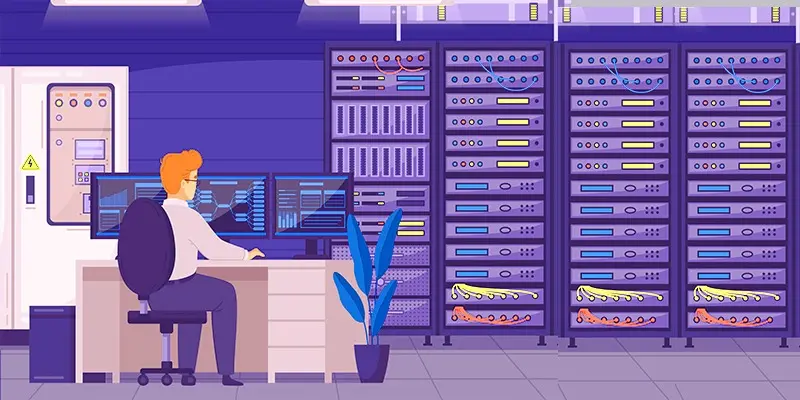
Server Computer
A server is a high-performance computer that delivers data and services to other computers through a network connection.
Example uses:
- Websites hosting
- Cloud storage
- Email systems
How are Computers Classified Based on Their Capacity?
The following types of computer categories are analog, digital, and hybrid.

Analog Computers
Unlike digital computers, which employ discrete binary codes (0s and 1s), analog computers process information using continuous signals. These quantities continuously exist physically, such as electrical voltages, currents, or mechanical motions; how do analog computers represent data? These computers are meant to manipulate these continuous impulses to solve mathematical tasks.
Digital Computers
A digital computer is a versatile electronic device that processes information using discrete binary code represented by 0s and 1s. Digital computers operate with distinct values, allowing for precise calculations and reliable data storage. An important part is a central processing unit (CPU) for carrying out instructions, memory for storing temporary data, and storage media for storing data for an extended period.
Hybrid Computers
Hybrid computers combine digital and analog computing elements to the advantage of each technology. These systems combine discrete and continuous data processing capabilities to handle various jobs.

Final Thoughts
Understanding computer types and classification helps you choose the right device for your needs. From personal laptops and desktops to powerful servers, each type has a clear role. This knowledge saves money, improves performance, and makes your work easier. Now you can make smarter decisions when buying or using a computer. Keep learning about different computer systems and stay updated with technology. Start exploring and choose the right computer with confidence today.
FAQs
How can we divide computers into three basic types?
Computers are divided into three primary categories: desktop computers, laptops, and mobile devices such as tablets and smartphones.
Which is not a computer classification?
The option not typically considered a primary computer classification is “Refrigerators.”
How many types of classification of a computer?
There are various ways to classify computers, but the most common classifications are based on size. The primary types include personal computers, laptops, tablets, workstations, servers, mainframes, supercomputers, embedded systems, microcontrollers, and wearable computers.
Write the definition of a mini computer?
A minicomputer is a moderate-sized computing device that balances larger mainframe computers and smaller personal computers.


- Be Respectful
- Stay Relevant
- Stay Positive
- True Feedback
- Encourage Discussion
- Avoid Spamming
- No Fake News
- Don't Copy-Paste
- No Personal Attacks
- Be Respectful
- Stay Relevant
- Stay Positive
- True Feedback
- Encourage Discussion
- Avoid Spamming
- No Fake News
- Don't Copy-Paste
- No Personal Attacks
