What are the Basic Components of Computer System?
Published: 7 Feb 2024
Have you ever looked inside a computer and felt confused by all the parts? You are not alone. Many beginners struggle to understand basic computer component names. This can feel frustrating, especially when you want to learn computers or fix simple issues on your own.
Think about this. How can you upgrade your PC or choose the right system if you don’t know the parts? It becomes hard, right? That’s why learning these components is so important today. Computers are part of daily life. We use them for study, work, and even fun.
The good news is you don’t need to be a tech expert to understand them. In this guide, you will learn all the important computer components in a simple way. We will break down each part with easy examples. By the end, you will feel confident and clear. Ready to explore what’s inside your computer? Let’s get started.
What are Computer Component Names?
Do you ever wonder what makes a computer work? Understanding computer component names is the first step. It helps you use your system better and fix small problems on your own. Let’s break it down in a simple way.
- Central processing unit – CPU
- Random Access Memory – RAM
- Hard Disk Drive – HDD
- Motherboard
- Graphics Processing Unit – GPU
- Power Supply Unit – PSU
- Cooling System
- Input Devices
- Output Devices
- Expansion Cards
- Keyboard
- Monitor
- Storage
- Mouse
- Hardware
- Memory Unit
- Operating System

Central processing unit – CPU
The CPU, or central processing unit, is like the computer’s brain. It reads instructions, does math, and controls all its activities. Just as a conductor leads an orchestra, the CPU ensures all its parts work smoothly. Without the CPU, the computer wouldn’t be able to do anything.
Random Access Memory (RAM)
RAM is similar to the short-term memory on your computer. It stores temporary data so the computer can swiftly access and process data. Think of it as your computer workspace; it can handle more tasks together.
Hard Disk Drive (HDD)
This is your computer’s long-term memory. Storage devices permanently store data, all your files, programs, and operations. They allow the computer to access where you keep everything organized and safe when needed.

Motherboard
The motherboard is like your computer’s nervous system. The main circuit board connects and enables communication between the computer’s internal parts, including the CPU, RAM, and storage.
Graphics Processing Unit (GPU)
The GPU handles graphics rendering images on your computer screen. It’s an important task for video editing, gaming, and graphic design.
Power Supply Unit (PSU)
Your computer’s PSU can be thought of as its heart. It provides power to every component of the computer. It converts wall outlet electricity into your computer’s voltage and current.
Cooling System
Just as you need to stay cool while working hard, so does your computer. The cooling system includes fans, heatsinks, and sometimes liquid cooling systems to keep the components cool and stop overheating.
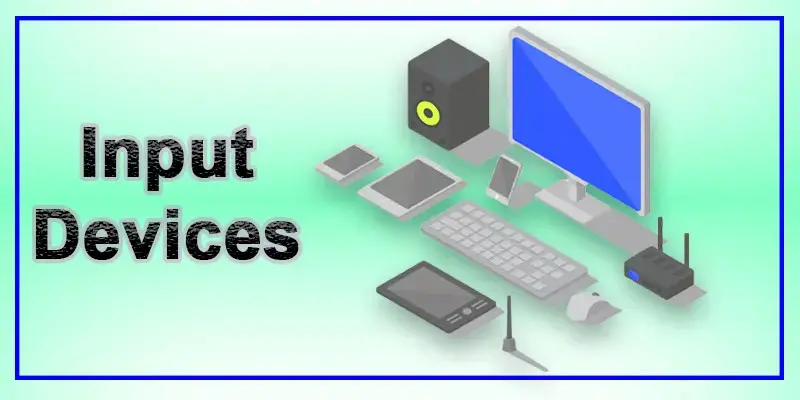
Input Devices
These are the same devices you use to interact with your computer, keyboard, and mouse. They let you interact with files and programs and enter commands. Other input devices include touchscreens, styluses, and game controllers.
Devices for Output
These devices show or produce the outcomes of the computer’s operations. Printers (for creating tangible copies of documents), speakers, or headphones (for audio output) are examples of common output devices. They let you see and hear what your computer is doing.
Expansion Cards
Extra hardware components, or expansion cards, can be installed on the motherboard to add more capability. Examples include sound cards for audio output, graphics cards for improved graphical performance, and network interface cards (NICs) for networking.
Memory Unit
A memory unit stores data and instructions for the computer. It includes primary memory, like RAM, and secondary storage, like hard drives. It helps the system process and recall information quickly. For example, when you open an app, the memory unit stores data for fast access. It improves speed and performance.
Mouse
A mouse is a small input device used to control the cursor on the screen. It helps you click, select, and open files easily. You move the mouse on a flat surface to guide the pointer. For example, clicking on an icon opens a program. It makes computer use simple and fast for beginners.
Operating System
An operating system (OS) is software that controls the computer and manages hardware. It allows you to run programs and perform tasks easily. Examples include Windows and Linux. For example, when you open a browser, the OS manages the process. It acts as a bridge between the user and the computer system.
Keyboard
A keyboard is an input device used to type data into a computer. It has keys for letters, numbers, and commands. You use it to write emails, search online, or create documents. For example, when you type a message, the keyboard sends that input to the computer. It is one of the most common and essential computer components.
Monitor
A monitor is an output device that displays visual information. It shows text, images, and videos from the computer. Without a monitor, you cannot see what the system is doing. For example, when you watch a video or open a file, the monitor displays it clearly. It acts like a screen for all computer activities.
Storage
Storage is where a computer saves data for long-term use. It includes devices like hard drives and SSDs. Storage keeps files safe even when the computer is turned off. For example, your photos, videos, and documents are stored here. It plays a key role in managing data and keeping your information organized and accessible.
Hardware
Hardware refers to all the physical parts of a computer that you can touch. This includes the keyboard, monitor, CPU, and mouse. Hardware works together to run the system. For example, when you press a key, the hardware processes that action. It forms the foundation of any computer system.
Final Thoughts
Understanding computer component names helps you use and manage your system better. You learned about key parts like CPU, RAM, and storage in a simple way. This knowledge saves time and avoids confusion. Now take action. Explore your own computer and identify each part. Want to learn more about hardware basics and PC components? Keep practicing and stay curious. You’ve got this!
FAQs
What is a computer component?
A computer component refers to a physical part or element of a computer system.
4 major components of a computer?
The four major components of a computer motherboard are the graphics card (GPU), power supply, and various input/output devices.
How many components are in a computer?
A computer system consists of several parts, such as software and hardware, that cooperate to perform tasks.
What are the various parts of a computer?
A computer’s various parts include the CPU, memory, storage, motherboard, graphics card, power supply, and other input/output devices.


- Be Respectful
- Stay Relevant
- Stay Positive
- True Feedback
- Encourage Discussion
- Avoid Spamming
- No Fake News
- Don't Copy-Paste
- No Personal Attacks
- Be Respectful
- Stay Relevant
- Stay Positive
- True Feedback
- Encourage Discussion
- Avoid Spamming
- No Fake News
- Don't Copy-Paste
- No Personal Attacks
