Search the Community
Showing results for tags 'scope'.
Found 2 results
-
Version 1.1.0
38 downloads
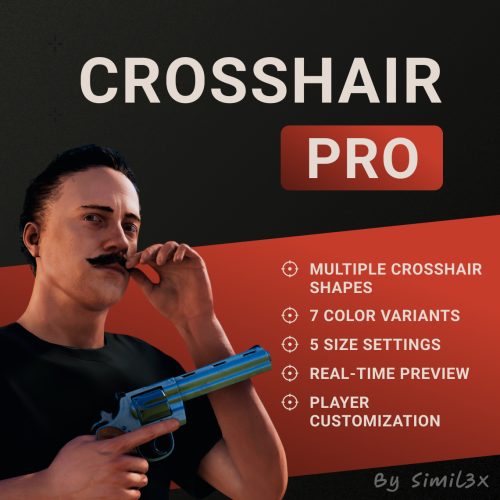
Crosshair Pro Crosshair Pro is a customizable crosshair system for Rust that stays visible at all times. Players can enable or disable the crosshair, choose from several shapes, adjust the color and size - all through an intuitive in-game interface. Changes apply instantly and are saved between sessions. Currently, the plugin includes 5 crosshair styles, 5 size levels, and 7 color options. You can also add your own PNG crosshairs via a simple console command. Crosshair Pro works independently of weapons, allowing players to always have a visible reference point — even with empty hands or melee tools. It's especially useful for PvP, bow users, or just for aiming comfort. No manual configuration required - everything works out of the box. The plugin automatically saves player preferences and manages crosshair data behind the scenes. Player Command: /ch - Opens the crosshair settings menu. Admin Console Commands: add.crosshair <filename.png> <DisplayName> - Adds a custom crosshair remove.crosshair <DisplayName> - Removes a custom crosshair Permissions: crosshairpro.use - Allows players to use the system crosshairpro.admin - Allows admins to add or remove crosshairs Quick Setup: 1. Extract the plugin archive into your oxide/ folder 2. Done - ready to use$12.00- 5 comments
-
- 2
-

-
- #crosshair
- #scope
- (and 5 more)
-
Version 1.3.2
1,284 downloads
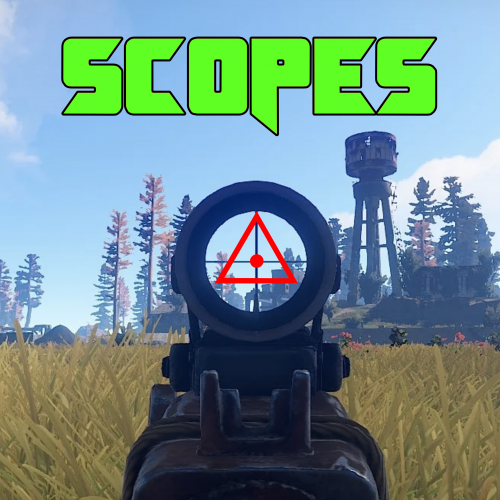
Scopes is an on screen crosshair solution for all your rusty shooting needs. Features Selection of 6 Scopes that are customisable via the config. Permissions Scopes.Toggle << Required to use Scopes. Commands /Scope << Tells players to use the following: /Scope 1 << Scope1 (Default is 「」 /Scope 2 <<Scope2 (Default is + /Scope 3 <<Scope3 (Default is ◊ /Scope 4 <<Scope4 (Default is ◬ /Scope 5 <<Scope5 (Default is ・ /Scope 6 <<Scope6 (Default is Ⓧ /NoScope <<Disables the Scope. Configuration The settings and options for this plugin can be configured in the Scopes.json file under the oxide/config directory. The use of a JSON editor or validation site such as jsonlint.com is recommended to avoid formatting issues and syntax errors. { "symbols": [ "「」", "+", "◊", "◬", "・", "Ⓧ" ], "Colour": "1 0 0 1" } SPECIAL CAUTION NEEDS TO BE TAKEN WHEN EDITING THE CONFIG. USE NOTEPAD++ OR VSC. SOME PLAIN TEXT EDITORS (Like the one built into WinSCP) CANNOT LOAD THE SYMBOLS AND REPLACES THEM WITH GARBAGE! Variables As you can see to change a symbol you just type in your favourite character Within Rusts abilities (Some symbols are not supported as they are not included in Rusts Language packs... can be a little bit trial and error) Symbol Color is in the RGBA format Examples below.. Color Examples blackSolid black. RGBA is (0 0 0 1). blueSolid blue. RGBA is (0 0 1 1). clearCompletely transparent. RGBA is (0 0 0 0). cyanCyan. RGBA is (0 1 1 1). grayGray. RGBA is (0.5 0.5 0.5 1). greenSolid green. RGBA is (0 1 0 1). greyEnglish spelling for grey. RGBA is the same (0.5 0.5 0.5 1). magentaMagenta. RGBA is (1 0 1 1). redSolid red. RGBA is (1 0 0 1). whiteSolid white. RGBA is (1 1 1 1). The Last digit dictates Alpha channel... so for an opaque appearance select a value below 1 E.g. 0.7Free