App Lock, Hide App & Lock Apps1.6
Publisher Description


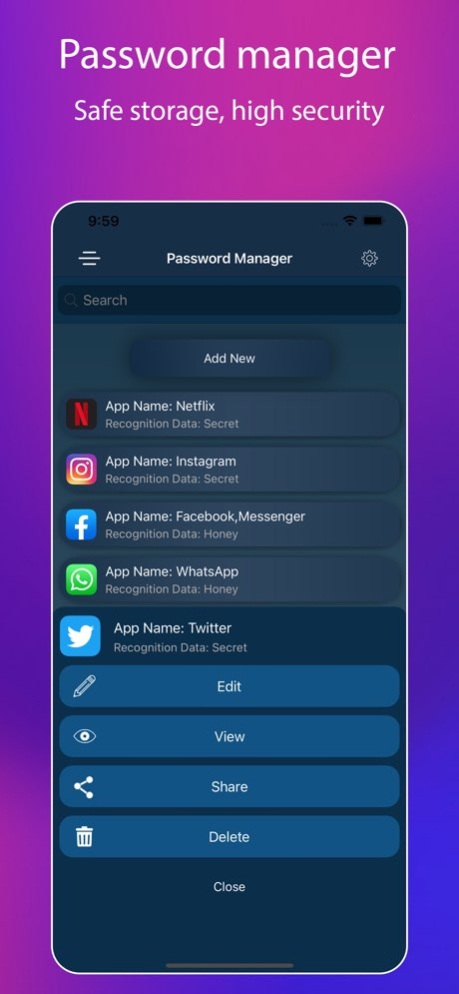
An application integrated with many elite features has just been released, that main is App Lock, Hide App & Lock Apps.This application will help you manage all your documents as well as personal information in a confidential manner, you will use a separate password that only you know.Best features of the app:- Photos Lock- Videos Lock- Detailed application lock instructions- Hide apps- Secret Password Manager- Confidential information data (bank, account, notes, address, contact...)- Generate random passwordIn addition, we will provide you with the best support 24/7 for problems arising, please email us or contact us on the support website(https://lockdatamanager.kingsmen.website/).-----------------------------------Information about the auto-renewable nature of the subscription- Subscription period is monthly or yearly. Every month or year your subscription renews.- Prices for subscriptions depends on which package you choose and will be seen in payment screen.- Payment will be charged to iTunes Account at confirmation of purchase.- Subscription automatically renews unless auto-renew is turned off at least 24-hours before the end of the current period.- Account will be charged for renewal within 24-hours prior to the end of the current period, and identify the cost of the renewal.- Subscriptions may be managed by the user and auto-renewal may be turned off by going to the user's Account Settings after purchase.- Any unused portion of a free trial period, if offered, will be forfeited when the user purchases a subscription to that publication, where applicable.- You can cancel your subscription via this url: https://support.apple.com/en-us/HT202039- Privacy policy: https://lockdatamanager.kingsmen.website/privacy-policy.html- Term of use: https://lockdatamanager.kingsmen.website/terms-conditions.html-----------------------------------Thank you
Version History Fixed some minor bugs.Optimize the features that are popular with users.Remove the quick login with fingerprint or face. 1.6 11/09/2022 Optimize features such as: Hide apps, Lock apps.Fixed some important bugs.Fix some bugs of user feedback. 1.5 04/25/2022 Optimize features such as: Hide apps, Lock apps.Fix some bugs of user feedback. 1.4 04/13/2022 Optimize features such as: Hide apps, Lock apps.Fix some bugs of user feedback. 1.3 04/11/2022 Added new detailed instructions on how to hide apps.Support hide apps through direct contact support.Optimize some features.Fixed some minor bugs. 1.2 04/06/2022 Fixed some minor bugs.Optimized for hiding apps and locking data security. 1.1 04/01/2022 1.0 03/30/2022
About App Lock, Hide App & Lock Apps
The company that develops App Lock, Hide App & Lock Apps is KINGSMEN VIETNAM COMPANY LIMITED. The latest version released by its developer is 1.6.
To install App Lock, Hide App & Lock Apps on your iOS device, just click the green Continue To App button above to start the installation process. The app is listed on our website since 2026-07-01 and was downloaded 6 times. We have already checked if the download link is safe, however for your own protection we recommend that you scan the downloaded app with your antivirus. Your antivirus may detect the App Lock, Hide App & Lock Apps as malware if the download link is broken.
How to install App Lock, Hide App & Lock Apps on your iOS device:
- Click on the Continue To App button on our website. This will redirect you to the App Store.
- Once the App Lock, Hide App & Lock Apps is shown in the iTunes listing of your iOS device, you can start its download and installation. Tap on the GET button to the right of the app to start downloading it.
- If you are not logged-in the iOS appstore app, you'll be prompted for your your Apple ID and/or password.
- After App Lock, Hide App & Lock Apps is downloaded, you'll see an INSTALL button to the right. Tap on it to start the actual installation of the iOS app.
- Once installation is finished you can tap on the OPEN button to start it. Its icon will also be added to your device home screen.
Program Details
System requirements
Download information
Pricing
Version History
version 1.6
posted on 2026-07-01
Version History Fixed some minor bugs.
Optimize the features that are popular with users.
Remove the quick login with fingerprint or face. 1.6 11/09/2022 Optimize features such as: Hide apps, Lock apps.
Fixed some important bugs.
Fix some bugs of user feedback. 1.5 04/25/2022 Optimize features such as: Hide apps, Lock apps.
Fix some bugs of user feedback. 1.4 04/13/2022 Optimize features such as: Hide apps, Lock apps.
Fix some bugs of user feedback. 1.3 04/11/2022 Added new detailed instructions on how to hide apps.
Support hide apps through direct contact support.
Optimize some features.
Fixed some minor bugs. 1.2 04/06/2022 Fixed some minor bugs.
Optimized for hiding apps and locking data security. 1.1 04/01/2022 1.0 03/30/2022
version 1.6
posted on 2022-11-09
Nov 9, 2022
Version 1.6
Fixed some minor bugs.
Optimize the features that are popular with users.
Remove the quick login with fingerprint or face.
version 1.6
posted on 2022-11-09
Fixed some minor bugs.
Optimize the features that are popular with users.
Remove the quick login with fingerprint or face.