
Spring Security provides authentication and authorization features for Spring Boot applications. By default, it generates a login page with a temporary username and password. We can customize the login process by creating our own users, roles, and security configurations.
- Provides secure authentication and authorization for applications.
- Protects applications from attacks like CSRF, session fixation, and clickjacking.
- Supports custom login pages, role-based access, and password encoding.
Step by Step Implementation of Spring Security Custom Login
Step 1: Create a Spring Boot Project
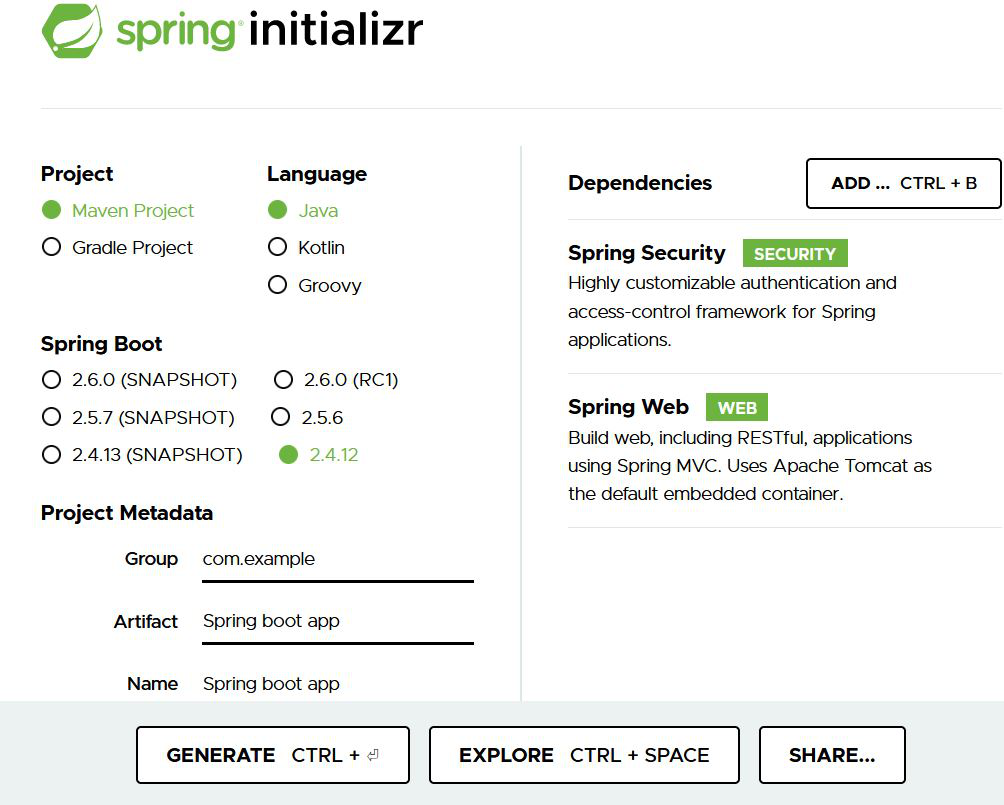
Create a Spring Boot project using Spring Initializr.
Project Configuration
- Project: Maven
- Language: Java
- Spring Boot: 2.2.8 or later
- Packaging: JAR
- Java: 8 or later
Add Dependencies
- Spring Web
- Spring Security
Step 2: Open the Project in IDE
Extract the downloaded project and open it in any IDE such as IntelliJ IDEA or Eclipse.

Note: In the Import Project for Maven window, make sure you choose the same version of JDK which you selected while creating the project.
Step 3: Create Controller Class
Controller handles incoming client requests and returns responses. Create a controller class inside:
src/main/java/com/gfg/springbootapp
controller.java
@RestController
public class controller {

    @GetMapping("/delete") public String delete()
    {
        return "This is the delete request";
    }
}
The above java file is used to set the controller for handling the incoming request from the client-side. Now we have to configure the request for that we will use the config.java file.
Step 4: Create Security Configuration Class
Create a configuration class to customize Spring Security behavior. This config file is used for creating custom security in the Spring project.
config.java
@EnableWebSecurity
public class config extends WebSecurityConfigurerAdapter {

    // Adding the roles
    @Override
    protected void configure(AuthenticationManagerBuilder auth) throws Exception {
        auth.inMemoryAuthentication()
                .withUser("Zack")
                .password("aayush")
                .roles("admin_role")
                .and()
                .withUser("Aayush")
                .password("Saini")
                .roles("student_role");
    }

    // Configuring the api
      // according to the roles.
    @Override
    protected void configure(HttpSecurity http) throws Exception {
        http.
                httpBasic()
                .and()
                .authorizeRequests()
                .antMatchers("/delete").hasRole("admin_role")
                .and()
                .formLogin();
    }

      // Function to encode the password
      // assign to the particular roles.
    @Bean
    public PasswordEncoder getPasswordEncoder(){
        return NoOpPasswordEncoder.getInstance();
    }
}
The WebSecurityConfigureAdapter class is used for configuration the incoming requests mainly two methods are used for configurations. The first method is used for adding the roles for a spring application server and the other method is used to distinguish the request according to the roles.
Step 5: Run the Spring Boot Application
Run the main Spring Boot application class.

Note: There is no default password is generated because we have already used external configuration for handling the user credentials.
Step 6: Test the API
Testing the API in Postman. Go to the postman and type localhost:8080/delete
Using the admin roles:

Output:

Using the student role:
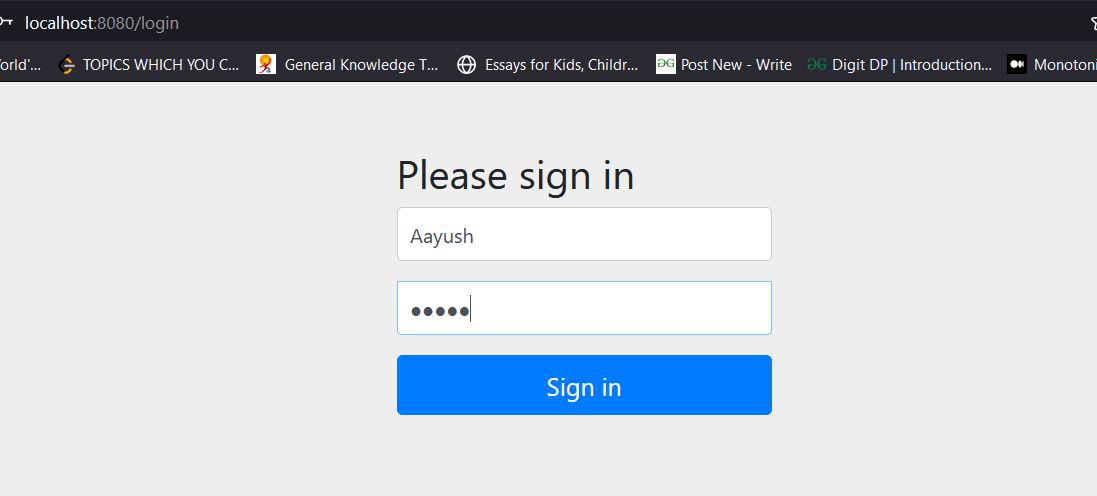
Output:

This way we can create a custom login in the Spring Application.
Advantages of Spring Security Custom Login
- Provides a personalized login page that matches application branding.
- Allows custom usernames, passwords, and roles.
- Supports role-based access control for different users.
- Improves security by restricting access to authorized users only.
- Enables integration with databases for user authentication.
- Supports password encoding for secure credential storage.