
Description
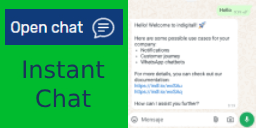
Two solutions in one plugin: Communicate with your website visitors through:
✅ Instant Messaging Chat – Click to Chat
✅ Push notifications
This plugin helps you add a chat floating button to your website and send push notifications to subscribers based on location or interactions.
Use it to communicate with visitors and manage engagement from your WordPress admin.
What you can do with IURNY plugin
1.- INSTANT CHAT
⭐ 1.1 Insert a Instant Chat floating button on your website
⭐ 1.2 Set your ‘web Chat’ number and let your visitors contact you easily:
📱 On mobile, launch web Chat Mobile app
💻 On desktop, launch web Chat Desktop app or web Chat Web, 🤳 show QR Code to scan from phone
⭐ 1.3 We love freedom and flexibility. Set up and customize your Instant Chat:
🤩 Decide the web position for the chat floating button
🤩 Choose a color and we customize the entire visual theme of the widget. New! Upload your own brand image
🤩 Define your core message writing the text for the bubble and welcome message on the chat and header
🤩 Customize delay time selecting exactly when you want your new Instant Chat logo and chat window to display on the screen
⭐ 1.4 Analytics Integration: Automatically send events to Google Analytics, Google Tag Manager and Facebook Pixel when the user opens web Chat. Google Analytics 4 integration with the recommended “iurny_lead” event. You can also create your own custom events or add event parameters.
⭐ 1.5 Fast & Light: We only load what is needed. iurny is lightweight.
2.- PUSH NOTIFICATIONS
Segment and send customized and automated messages according to location, behavior and profile.
⭐ 2.1 Send welcome message to new web visitors creating friendly user experiences and community feeling
⭐ 2.2 Segment your messages by geotargeting improving your business results
⭐ 2.3 Create call-to-action messages: Use custom CTAs to encourage visitors with customized offers and discounts including retargeting actions with reminder and promotional messages to recover abandoned carts
⭐ 2.4 Support customers and help them in the sales process with the product update information
⭐ 2.5 Keep in touch with your users building loyal relationships with them
⌁ FEATURES 👏
Automatic Notifications – Send web push notifications to customers every time you publish a new update, or you have a new offer. Or set up a reminder that gets automatically sent to them if they haven’t visited for a few days.
Targeting Segments – Send notifications to specific customers based on language, section, number of times they’ve visited your web, or even set up your own user attributes that you can target.
Supports Chrome (Desktop & Android), Safari (Mac OS X), Microsoft Edge (Desktop & Android), Opera (Desktop & Android), Firefox (Desktop & Android) and Samsung Browser (Android).
Real Time Analytics – See your notifications being delivered in real time and set up events for Google Analytics.
A/B Testing – Try out different messages to a smaller set of your visitors to figure out which messages are more effective and then send the more effective message to the rest of your visitors!
Scheduled Notifications – Schedule notifications to be delivered in the future.
Rich Media and personalized message – Connect to our console and use the full potential of our push technology. Include images, video and animated GIF within your messages.
Premium add-on
Extend the plugin with additional features:
CREATE SEVERAL AGENTS: The Premium add-on allows you to add multiple phone numbers and monitor their availability. If none of your agents are available, users can see when to expect an answer.
AVOID OVERLOADING: Reduce response delays by distributing chats among available agents.
⌁ HAVE YOUR SAY! 🤟
- Please let us know all your comments and rate us with ⭐⭐⭐⭐⭐.
- Help us with the translation in your language
- Keep an eye on the indigitall blog with all news and latest marketing trends
- Discover our solutions and how to use them easily
External services
This plugin relies on external services provided by INDIGITALL to deliver Web Push notification and analytics functionality. Below is a detailed description of each service, what data is sent, when it’s sent, and links to the relevant terms of service and privacy policies.
1. INDIGITALL API Services
Service Provider: INDIGITALL
Service Website: https://indigitall.com
1.1 Main API (api.indigitall.com)
- Purpose: User authentication, account management, and campaign management for Web Push notifications.
- When it’s used: When you log in to the plugin, create an account, or manage notification campaigns from the WordPress admin panel.
- Data sent:
- Email address and password (for authentication)
- User domain preference
- Campaign data (title, message, target audience)
- Application configuration settings
1.2 Device API (device-api.indigitall.com)
- Purpose: Device registration and management for Web Push notifications.
- When it’s used: When a visitor to your website subscribes to push notifications.
- Data sent:
- Device ID (unique identifier generated by the browser)
- Browser information
- Push subscription endpoint
- User preferences (e.g., notification topics)
- Location data (only if the user grants permission)
1.3 In-App API (inapp-api.indigitall.com)
- Purpose: Delivery of in-app messages and content to website visitors.
- When it’s used: When displaying personalized messages or content to users who have subscribed.
- Data sent:
- Device ID
- Application key
- User interaction events
1.4 Inbox API (inbox-api.indigitall.com)
- Purpose: Message inbox functionality for storing and retrieving notification history.
- When it’s used: When users access their notification history.
- Data sent:
- Device ID
- Application key
- Message read/unread status
1.5 Analytics API (wpdata.indigitall.com)
- Purpose: Collect anonymous usage statistics to improve the plugin.
- When it’s used: During plugin activation, deactivation, and certain configuration changes.
- Data sent:
- WordPress version
- PHP version
- Plugin version
- Site URL (anonymized)
- Anonymous usage events (e.g., “plugin activated”, “settings changed”)
2. Web Chat Service
- Purpose: Provides WhatsApp integration for live chat functionality.
- When it’s used: When visitors click the WhatsApp chat button on your website.
- Data sent: This feature redirects users to WhatsApp with your configured phone number. No data is sent to INDIGITALL servers. All communication occurs directly through WhatsApp.
- Note: WhatsApp integration is subject to WhatsApp’s Terms of Service and WhatsApp’s Privacy Policy.
3. Third-Party IP Geolocation Service
- Service: ipinfo.io
- Purpose: Determine the visitor’s country for analytics purposes.
- When it’s used: During certain administrative operations to identify the user’s location.
- Data sent: IP address
- Terms of Service: https://ipinfo.io/terms-of-service
- Privacy Policy: https://ipinfo.io/privacy-policy
Note on Privacy: All INDIGITALL services comply with GDPR and data protection regulations. For detailed information about data handling and privacy practices, please visit https://indigitall.com/en/privacy-policy/ or contact support@indigitall.com.
JavaScript Components in Distribution
This plugin includes JavaScript files from external and proprietary sources. Details for each distributed file are documented below:
1. INDIGITALL Service Components — serviceware (sdk.min.js and worker.min.js)
- Purpose: These files are the client-side runtime of the INDIGITALL Web Push notification service. They handle device registration, push subscription management, and notification delivery by connecting to the external INDIGITALL platform.
- Distributed files:
public/views/webPush/js/sdk.min.jsandpublic/views/webPush/js/worker.min.js - Documentation: https://documentation.indigitall.com/reference/sdk-setup
- Source availability: These are runtime components of the INDIGITALL SaaS platform (serviceware). They connect to and operate through the external INDIGITALL push notification service, similar to how other serviceware plugins (e.g., Disqus, YouTube embeds) include client-side runtime files from their respective platforms. The source code is maintained internally by INDIGITALL as part of their commercial service infrastructure.
- License: Proprietary — provided by INDIGITALL as part of their SaaS service
2. External Open-Source Component (qrcode-v2.js)
- Distributed file:
includes/qr-code/qrcode-v2.js - Purpose: Generates QR codes for the WhatsApp Web integration feature, allowing desktop users to scan and open WhatsApp on their mobile devices.
- Human-readable code: The distributed file is included in readable (non-minified) form.
- Source Code Repository: https://github.com/davidshimjs/qrcodejs
- License: MIT License
- Note: This is a well-known open-source library for QR code generation.
Note: All distributed files are reviewed and updated as part of plugin releases.
Screenshots


Installation
Option A) From your WordPress admin dashboard:
- On your sidebar menu, navigate to Plugins > Add New
- Type in search bar: iurny
- Install > Activate.
- Follow instructions.
Option B) Download and install:
- Download and Upload the plugin files to the /wp-content/plugins/indigitall-web-push directory.
- After installed, navigate to the Plugin> Installed Plugins section and activate the “iurny by indigitall” plugin.
- Follow instructions.
FAQ
Explore the correct answers for you clicking on the Documentation website
Reviews


Contributors & Developers
“IURNY by INDIGITALL – Instant Chat, Web Push Notifications” is open source software. The following people have contributed to this plugin.
Contributors
Translate “IURNY by INDIGITALL – Instant Chat, Web Push Notifications” into your language.
Interested in development?
Browse the code, check out the SVN repository, or subscribe to the development log by RSS.
Changelog
3.3.3
- [FIX] Resolved admin routing issue for Web Push/Web Chat section selection
- [FIX] Preserved custom tooltip attribute during admin view sanitization
3.3.2
- [UPDATE] Naming cleanup and consistency updates for Web Chat
- [FIX] Minor compatibility and maintenance fixes
3.3.1
- [SECURITY] Improved data sanitization for all user inputs
- [UPDATE] Enhanced WordPress.org compliance and security standards
- [UPDATE] Comprehensive documentation of external services and APIs
- [UPDATE] Added documentation for third-party libraries
3.3.0
- [UPDATE] Fixed License and Trademark violation conflicts
3.2.6
- [UPDATE] Updated compatibility with version 6.5
3.2.5
- [FIX] Minor bug fixes
3.2.4
- [FIX] Minor bug fixes
3.2.3
- [UPDATE] Security fixes
3.2.2
- [FIX] Minor bug fixes
- [UPDATE] Updated description videos
3.2.1
- [FIX] Minor bug fixes
3.2.0
- [UPDATE] Removed onboarding
- [UPDATE] Added default options in web Chat Chat
- [UPDATE] Hide advance options in web Chat Chat
- [UPDATE] QR code option in web Chat Chat
- [UPDATE] Moved login to Web Push
- [FIX] Minor bug fixes
3.1.0
- [FIX] Minor bug fixes
- [UPDATE] New description
- [UPDATE] Security fixes
3.0.5
- [FIX] Minor bug fixes
3.0.4
- [FIX] Minor bug fixes
3.0.3
- [FIX] Minor bug fixes
3.0.2
- [FIX] Minor bug fixes
3.0.1
- [FIX] Minor bug fixes
3.0.0
- [UPDATE] New interface design
- [NEW] Groups of interest option in the posts widget
- [NEW] Use of image in the Welcome Push
- [NEW] New previews in web Chat Chat
- [NEW] New options in web Chat Chat
- [UPDATE] Security fixes
- [FIX] Minor bug fixes
2.8.1
- [FIX] Fixed image creation at media when sending push with widget
2.8.0
- [FIX] Minor bug fixes
- [FIX] Fixed quotes in web push
- [FIX] Topics modal function
2.7.0
- [FIX] Minor bug fixes
- [UPDATE] Security by integration WordPress
- [ADD] Image on post widget
2.6.1
- [FIX] Minor bug fixes.
2.6.0
- [UPDATE] Layout and styles
- [UPDATE] web Chat tooltips
2.5.0
- [ADD] 2FA
- [ADD] web Chat Chat
- [UPDATE] web-sdk to 3.11.6
2.4.1
- [FIX] Login error with special characters (&)
- [FIX] Footer breaks when plugin is activate
- [FIX] Send notification fails when a new Post is published
- [FIX] Garbled text when login fails
2.4.0
- Added custom domain option to login
2.3.2
- Fixed logout button
2.3.1
- Minor language fixes
2.3.0
- Rebranding to iurny by indigitall
2.2.5
- Fixed SiteGround Optimizer compatibility
2.2.5
- Minor fixes
2.2.4
- Minor fixes
2.2.3
- Updated web-sdk to 3.7.2
- Fixed login scaped values
2.2.2
- Updated web-sdk to 3.5.2
2.2.1
- Minor fixes
2.2.0
- Updated SDK version to 4.5.1
- Added developer mode
2.1.3
- Fixed setup modal
2.1.2
- Fixed setup modal
2.1.1
- Fixed jQuery error
2.1.0
- Removed jQuery from plugin
2.0.1
- Fixed minor bugs
2.0.0
- New interface redesigned
- New setup process
- Create notification on publish
1.7.0
- Better usability with basic and advanced configuration
- Added Welcome push configuration
- Added pagination to Topics
1.6
- Fixed Topics popup error
1.5
- Fixed Topics popup error
1.4
- Modified Headers
1.3
- Support multilingual
1.2
- Support maintenance of topics
1.1
- Support login indigitall cloud
1.0
- Initial release.