外掛說明
This plugin is for content that is copy pasted into Gutenberg editor edited as html in classic block editor.
Purpose of this plugin is to allow a WordPress publisher administrator to manually surround html tags such as p, div, br for interpretation by Gutenberg editor as html blocks.
This plugin also allows parsing and surrounding of line spaced content in classic editor.
A WordPress admin can use this plugin as a manual way to parse for line spaces (\n), <p> </p>, <div> </div>, and <br>. Turning them into html blocks.
螢幕擷圖

Suppose you have a Wordpress post with paragraph lines from a classic editor 
Using this plugin you search for post title select paragraph tags and press encapsulate html tags 
This plugin converts html tags into html blocks in Gutenberg editor. 
Location of plugin’s configuration page. 
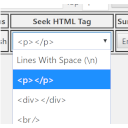
Configuration page selecting a tag for searching through.
安裝方式
- Download the plugin
- Unzip and Upload the wp-post-html-to-blocks.zip folder to your site’s wp-content/plugins directory
- Activate the plugin in the WordPress Admin Panel
- Visit plugin’s config page under settings side menu in your WordPress dashboard
- On config page in admin. Locate a post based on it’s title by typing in keywords from a post’s title. Minimum of two words are required to do a proper search.
- Select number of desired results from Top drop down
- Press search
常見問題集
-
Why there isn’t a option to search contents of all posts?
-
Although all searches of posts are user initiated. Searching for key phrases in contents of each post would compromise the performance of a WordPress installation.
-
Sorry, This plugin allows parsing of external surrounding tags. Not tags inside of tags. Tags inside tags will be treated by Gutenberg as requiring repairs and Gutenberg editor will alert post editor.
-
Does this plugin edit posts with publish status by default?
-
You have a choice to select the post with status you prefer.
使用者評論
這個外掛目前沒有任何使用者評論。
參與者及開發者

變更記錄
1.0
- First version of the plugin.
1.0.1
- added default dashbaord styles to table and search form
1.1
- Fixed undefined index bugs
- new screenshots for readme
1.2
- Welcome panel color to grey
- Use the word markup in welcome message