
Featured in this tutorial is Aurora Store with installation instructions for popular media devices such as Firestick, Fire TV, Google TV, and Android Boxes.

Aurora Store is a 3rd party app store that hosts thousands of entertainment apps readily available for download on your Android based device.
Many have used alternative app stores such as this in the past and one of the most popular is Aptoide TV. Aurora works in the same fashion and is gaining popularity among those who want to find apps outside of the Google Play Store.
Users will find extensive options for popular applications across a variety of categories including some of the Most Popular Streaming APKs.
Tons of Firestick and Android Box users are tired of being restricted to only installing apps from their official app store and that is why most are turning to alternatives such as this.
Downloading an option like Aurora Store is a much easier process and best of all, most of the apps that are available in Google Play are also available in Aurora Store (as well as hundreds of additional choices).
In order to install Aurora, we must sideload the application which is a simple process outlined below. This is the key to unlocking your Fire TV or Android TV device and the first step to “jailbreaking”.
In our guide, we are using an Amazon Fire TV Stick 4K Max but those of you who prefer Google or Android Boxes such as the onn. Google TV Box can also follow these instructions step-by-step.
Table of Contents
Hide Your Digital Fingerprint
Aurora Store Highlights
- Contains thousands of apps
- Excellent variety of app categories
- Has many apps that aren’t available in the Amazon App Store or Google Play
- Works great with our #1 VPN
- Compatible with any device that runs Android OS such as the Firestick, Fire TV, Android, Google TV Boxes
- Free to install
- Quick and simple installation process
For these reasons and more Aurora Store is included as one of TROYPOINT’s Best Firestick Apps.
IMPORTANT NOTE: One of the problems with installing android apps like Aurora Store onto the Firestick/Android Box is that navigation issues can occur with the remote.
Because of this, you may need to use a free application called Mouse Toggle that will allow you full functionality to browse the APK.
This is available for both Fire TV as well as Google/Android TV using the corresponding links below.
How to Install Mouse Toggle on Firestick/Fire TV
Screenshots
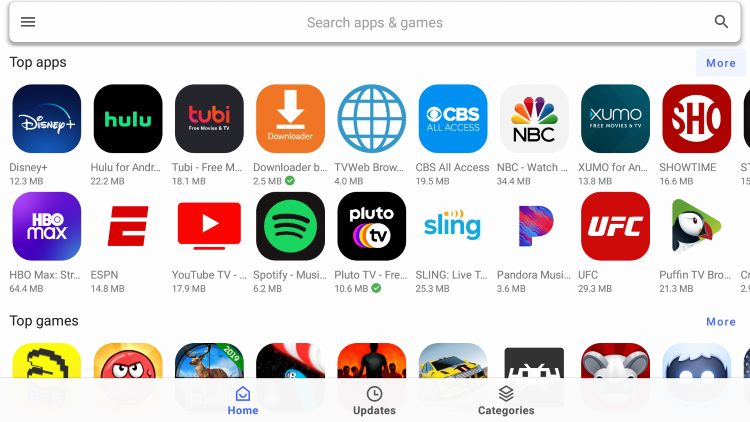
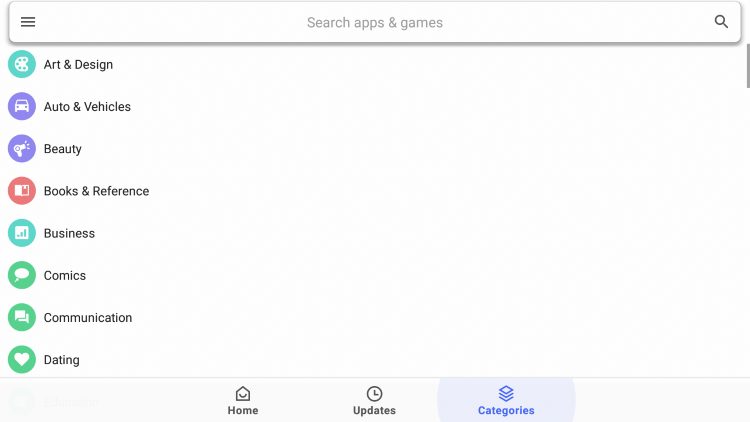

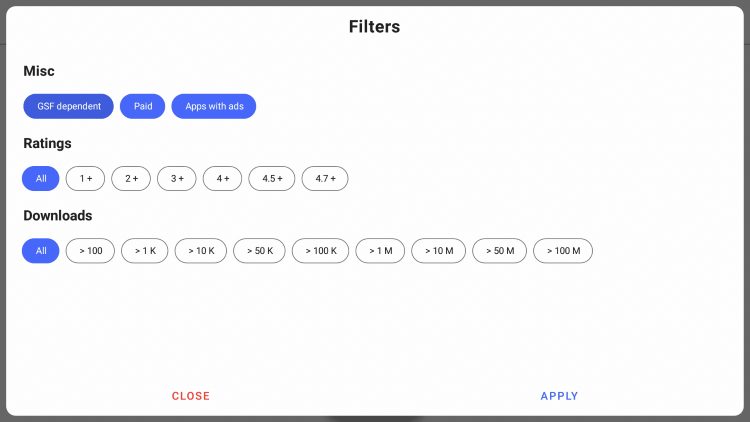
The step-by-step guides below will show you how to install Aurora Store on both Firestick and Android devices.
How to Install Aurora Store (Firestick/Android/Google Box)
1. Install the free Downloader App from Amazon App Store or Google Play. Within Settings, enable Unknown Sources for Downloader.

2. Launch Downloader.
Exclusive Surfshark Discount
Your online activity is currently monitored by your ISP, app/addon/IPTV developers, government agencies, and the websites you visit.
- Become 100% anonymous while streaming and downloading.
- Use on Unlimited Devices & share 1 account with the entire family.
- Save 85% with the 24-Month Plan + Get 3 FREE Months.

3. Open the URL bar to launch your keyboard.

4. Type 250931 and click Go. This is the Downloader Code for the TROYPOINT Toolbox.

5. A Redirect Page will appear.

6. Now in the TP Toolbox, scroll down to find APKTime and click Download.

7. Select Install.

8. Click Done after app installs.

9. Select Delete.

10. Choose delete again.

11. We must now enable Unknown Sources for APKTime like we did for Downlaoder. This is available within Settings.

12. Now, find APKTime in your Apps list and open it.

13. Click the search bar (located in the upper right hand corner).

14. Type Aurora and click Next.

15. Locate Aurora Store latest version and select Download.

16. Click Install.

17. Choose Open.

18. When prompted, make sure to select Anonymous.

19. You are now ready to install apps using Aurora Store. Enjoy!

Aurora Store Details & Features
Aurora Store holds thousands of applications that are available for download with the click of a button. There are endless options within this alternative app store.
Whether you want to watch movies/tv shows, listen to music, play games, use external video players, social media, or web browsers, this Google Play Store alternative has it all!
Listed below are some of the most popular applications you can install from the Aurora Store:
- Disney Plus
- Peacock TV
- Tubi TV
- Pluto TV
- XUMO
- HBO Max
- YouTube TV
- YouTube Kids
- Sling
- Puffin TV Browser
- Spotify
- Pandora
- Hulu
- Netflix
Some of the app categories include Art & Design, Business, Communication, Comics, Dating, Books & Reference, Beauty, and more.

Overall, Aurora Store APK is one of the most popular 3rd party app stores downloaded today!
Installation of apps within this alternative app store is quick and easy and works on your favorite streaming device.
Give Aurora Store APK a try today!
Is Aurora Store Safe to Use?
Before we install this app, I will scan the official Android APK installation file with VirusTotal.
Here is the screenshot of the scan results:

VirusTotal did not find any suspicious files or malware within the Aurora Store APK file.
However, this does not mean we shouldn’t protect ourselves when streaming content from this unverified app.
The best way to do this is with a VPN that will secure your identity and anonymity when using Aurora Store or other applications.
How to Install Best VPN on Firestick & Android TV Box
Final Notes
Most of us know how annoying it can be to only have one app store to find streaming options and tools/utilities for the most popular media devices such as Google TV or Fire TV.
However, with the help of Aurora Store, you can find numerous different applications that you wouldn’t normally find in the Amazon App or Google Play Store.
Oftentimes, users will find APKs that feature free content for viewing films, shows, live programming, sporting events, and much more.
We suggest installing and testing it as you won’t be disappointed with what it has to offer. For more information, visit the official site that hosts Download Links and much more information including details on App Warden to get the most out of Aurora Store.
Do you use Aurora Store or have you in the past? If so, what is your favorite application you found there? Let us know in the comments below!
This page includes affiliate links where TROYPOINT may receive a commission at no extra cost to you. Many times, visitors will receive a discount due to the special arrangements made for our fans. Learn more on my Affiliate Disclaimer page.


