98

On many websites that require login, those annoying Google login prompts appear:
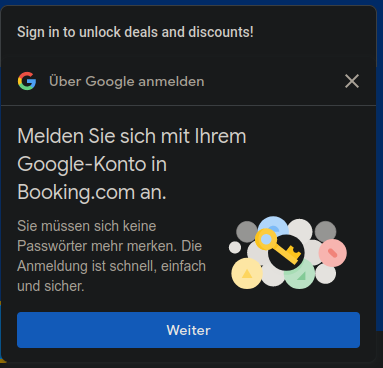
"Sign in to unlock deals and discounts!" popup

There are several tutorials on the Internet on how to avoid this, for example, this one on How-To Geek, which suggest disabling an option in the Google account. However, this doesn't work, since mine is not enabled and never was:

"Allow Google to offer a faster way to sign in with your Google Account on supported third-party sites" (in German)

Note, that this only happens with Firefox (110.0.1 (64-bit), AdBlocker ultimate v 3.7.21 installed); if I use the Brave browser (version 1.49.120 Chromium: 111.0.5563.64 (Official Build) (64-bit)), which is known to block ads by default, they are not displayed. I'm on Ubuntu 22.04.2 LTS (Jammy Jellyfish) with Linux kernel 5.19.0-35-generic x86_64.

3
  • 12
    Note that the "disabling an option in the Google account" is not a possibility if you use firstparty-isolate or any other privacy features that prevent embeds like this from seeing your Google session cookie. This is another motivation to want a way to block it browser-side. Commented Mar 11, 2023 at 21:18
  • 7
    Does this answer your question? How to disable Google One Tap sign-up prompts? Commented Mar 13, 2023 at 11:01
  • 1
    I don't think this should be closed as a duplicate. The linked question's top answer involves signing into Google. Commented Mar 24 at 14:40

1 Answer 1

131

uBlock Origin worked better for the poster, with this added to the filters section:

accounts.google.com/gsi/*

Click on the three gears in uBlock Origin, then go over to "Options" and then "My Filters" and paste the above line into the page below and then click "Apply Changes".

8
  • 15
    Thank you so much for this answer - many of the answers to this problem start by saying "well, first, you sign in to your google account..." :sigh: This seems to work for me. Commented Mar 23, 2023 at 11:09
  • 14
    For those new to this, click on the three gears in uBlock Origin, then go over to "My Filters" and paste the above line into the page below and then click "Apply Chnages" Commented May 14, 2023 at 20:02
  • 5
    This answer makes the actual internet as a whole better. What a gem. Commented Oct 28, 2023 at 17:37
  • 3
    If you don't (or don't want to) have uBlock or any other 3rd party extension, and would like to accomplish using built-in OS tools, and are willing to go extreme on this, you can add 0.0.0.0 accounts.google.com to your hosts file, it's /etc/hosts on a Mac and C:\Windows\System32\drivers\etc\hosts on Windows. And if you ever need to actually change something on your Google account, you can temporarily unblock it. Commented Apr 4, 2024 at 9:06
  • 3
    Not only can I confirm that this works but I can also confirm that it works on this page. Commented Sep 3, 2024 at 15:33

Start asking to get answers

Find the answer to your question by asking.

Ask question

Explore related questions

See similar questions with these tags.