I am learning CSS and understanding how pixels work . Suppose I have an HTML :
            <div id='first' class='float-child'>
            <p>The img element tells the browser, “Place an image here.” You’ve already gotten
a glimpse of it used to place banner graphics in the examples in Chapter
4, Creating a Simple Page. You can also place an image element right in the
flow of the text at the point where you want the image to appear, as in the
following example. Images stay in the flow of text, aligned with the baseline
of the text, and do not cause any line breaks (HTML5 calls this a phrasing
element), as shown in FIGURE 7-2:</p>
            </div>
Now I set the div to 1200 px:
#first {
    background-color: blueviolet;
    width:1200px;
}
If I measure the div with any pixel ruler in Chrome I see it to be 1200 px allright (first photo) but if I use the chrome dev tool and measure the div by shrinking the browser window the div appears to be 1093 px ( second img).
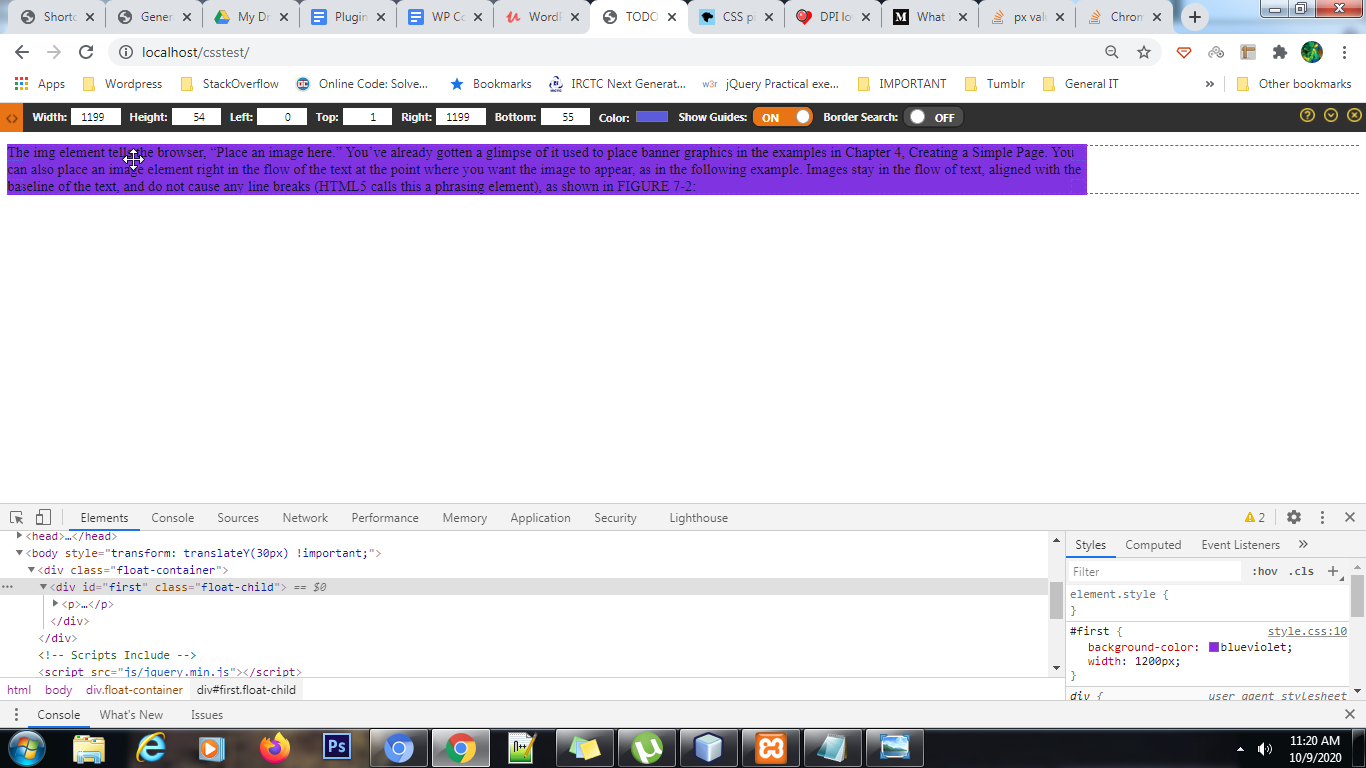

I fail to understand why is Chrome Dev Tool is reporting about 100px less or is there something wrong with my understanding of pixels ?


