Tag Archives: Sql

How to check if an Index exists in Sql Server

Many a time we come across a scenario where we need to execute some code based on whether an Index (Clustered/Non-Clustered) exists or not. This article explains how we can check the existence of Index with extensive list of examples.

[ALSO READ] How to find all the tables with no indexes at all in Sql Server?

To demonstrate how we can check the existence of a Index, let us create a sample demo database with a Customer table having a Clustered and Non-Clustered indexes by executing the following script:

--Create Demo Database
CREATE DATABASE SqlHintsIndexExists
GO
USE SqlHintsIndexExists
GO
--Create Customer Table
CREATE TABLE dbo.Customer
(
	Id INT NOT NULL, Name NVARCHAR(100)
)
GO
--Create Clustered Index IX_Customer_Id
CREATE CLUSTERED INDEX IX_Customer_Id ON dbo.Customer(Id) 
GO
--Create Non-Clustered Index PK_Customer
CREATE NONCLUSTERED INDEX IX_Customer_Name 
    ON dbo.Customer(Name) 

Executing the above script creates a Customer table with a Clustered and a Non-Clustered indexes as shown in the below image:

Table with Indexes

Let us now understand the various approaches of checking the existence of an index:

[ALSO READ] How to get all the Tables with or without Non-Clustered Indexes in Sql Server?

Approach 1: Check the existence of Index by using catalog views

sys.indexes catalog view a record for each Clustered and Non-Clustered indexes. We can execute a query like below to check the existence of a Clustered Index IX_Customer_Id on the Customer table created with a default schema (i.e. dbo).

IF EXISTS (SELECT 1
			FROM sys.indexes I
				INNER JOIN sys.tables T
					ON I.object_id = T.object_id
				INNER JOIN sys.schemas S
					ON S.schema_id = T.schema_id
			WHERE I.Name = 'IX_Customer_Id' -- Index name
				AND T.Name = 'Customer' -- Table name
				AND S.Name = 'dbo') --Schema Name
BEGIN
	PRINT 'Index Exists!'
END

RESULT:
Check existence of a Clustered Index by using sys indexes catalog view

[ALSO READ] How to find all the filtered indexes or all the tables having filtered indexes in Sql Server?

We can execute a query like below to check the existence of a Non-Clustered Index IX_Customer_Name on the Customer table created with a default schema (i.e. dbo). This query is same as the previous query only difference is the name of the index passed to it.

IF EXISTS (SELECT 1
			FROM sys.indexes I
				INNER JOIN sys.tables T
					ON I.object_id = T.object_id
				INNER JOIN sys.schemas S
					ON S.schema_id = T.schema_id
			WHERE I.Name = 'IX_Customer_Name' -- Index name
				AND T.Name = 'Customer' -- Table name
				AND S.Name = 'dbo') --Schema Name
BEGIN
	PRINT 'Index Exists!'
END

RESULT:
Check existence of a Non-Clustered Index by using sys indexes catalog view

[ALSO READ] How to get all HEAP Tables or Tables without Clustered Index in Sql Server?

Approach 2: Check the existence of Index by using sys.indexes catalog view and OBJECT_ID function

We can execute a query like below to check the existence of a Clustered Index IX_Customer_Id on the Customer table created with a default schema (i.e. dbo).

IF EXISTS (SELECT 1
			FROM sys.indexes I				
			WHERE I.Name = 'IX_Customer_Id' -- Index name
			 AND I.object_id = OBJECT_ID('dbo.Customer'))
BEGIN
	PRINT 'Index Exists!'
END

RESULT:
Check existence of a Clustered Index by using sys indexes catalog view and object id function

[ALSO READ] How to find all the indexes that have included columns in it and the name of the table to which the index belongs to?

We can execute a query like below to check the existence of a Non-Clustered Index IX_Customer_Name on the Customer table created with a default schema (i.e. dbo). This query is same as the previous query only difference is the name of the index passed to it.

IF EXISTS (SELECT 1
	   FROM sys.indexes I				
	   WHERE I.Name = 'IX_Customer_Name' -- Index name
	    AND I.object_id = OBJECT_ID('dbo.Customer'))
BEGIN
	PRINT 'Index Exists!'
END

RESULT:
Check existence of a Non-Clustered Index by using sys indexes catalog view and object id function

[ALSO READ]
How to check if a Database exists in Sql Server
How to check if a Table exists in Sql Server
How to check if Temp table exists in Sql Server
How to check if a Stored Procedure exists in Sql Server
How to check if a Function exists in Sql Server
How to check if a VIEW exists in Sql Server
How to check if a Trigger exists in Sql Server
How to check if a record exists in table in Sql Server

How to check if a Trigger exists in Sql Server

Many a time we come across a scenario where we need to execute some code based on whether a Trigger exists or not. This article explains how we can check the existence of Trigger with extensive list of examples.

To demonstrate how we can check the existence of a Trigger, let us create a sample demo database with an Inline Table Valued function by executing the following script:

--Create Demo Database
CREATE DATABASE SqlHintsTriggers
GO
USE SqlHintsTriggers
GO
--Create Customer Table
CREATE TABLE Customer 
( CustomerId INT IDENTITY (1, 1) NOT NULL ,
  FirstName NVARCHAR(50), LastName NVARCHAR(50))
GO
--Create an After Trigger
CREATE TRIGGER AfterTriggerExample
ON Customer
FOR INSERT, UPDATE, DELETE
AS
BEGIN
     PRINT 'AFTER Trigger AfterTriggerExample executed!'
END
GO
--Create a Server Scoped DDL Trigger
CREATE TRIGGER DDLServerSopedTrigger
ON ALL SERVER
FOR DDL_DATABASE_EVENTS
AS
BEGIN
 PRINT 'Disable trigger DDLServerSopedTrigger to 
		Create , Alter or Drop database'
 ROLLBACK
END
GO

[ALSO READ] Data Manipulation Language (DML) Triggers in Sql Server

Checking the existence of a Database Scoped Triggers using sys.triggers

We can use the sys.triggers catalog view to check the existence of a Database scoped triggers. DML triggers are Database scoped triggers, where as DDL triggers can be DATABASE scoped or SERVER scoped. The DDL triggers with Server level scope gets fired in response to a DDL statement with server scope like CREATE DATABASE, CREATE LOGIN, GRANT_SERVER, ALTER DATABASE, ALTER LOGIN etc. Where as DATABASE scoped DDL triggers fire in response to DDL statement with database scope like CREATE TABLE, CREATE PROCEDURE, CREATE FUNCTION, ALTER TABLE, ALTER PROCEDURE, ALTER FUNCTION etc.

Example 1: Check the existence of a Database scoped Trigger using sys.triggers

We can write a query like below to check if the DML trigger AfterTriggerExample exists in the current database.

USE SqlHintsTriggers
GO
IF EXISTS (SELECT 1 FROM sys.triggers 
           WHERE Name = 'AfterTriggerExample')
BEGIN
    PRINT 'Trigger Exists'
END

RESULT:
Check IF Trigger Exists Example 1

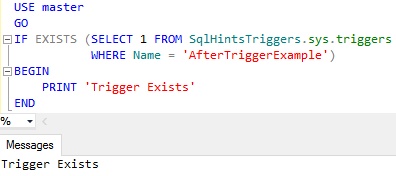
If you want check the existence of a database scoped trigger in a database other than the contextual database then we can re-write the above query as below where sys.triggers is specified by three part name:

USE master
GO
IF EXISTS (SELECT 1 FROM SqlHintsTriggers.sys.triggers 
           WHERE Name = 'AfterTriggerExample')
BEGIN
    PRINT 'Trigger Exists'
END

RESULT:
Check IF Trigger Exists Example 2

From the above results we an see that even though the current database is MASTER database, we can check the existence of a Trigger in another database by using three part naming convention for the sys.triggers catalog view.

[ALSO READ] Data Definition Language (DDL) Triggers in Sql Server

Example 2: Try to check the existence of a Server scoped Trigger using sys.triggers

Try to execute the following query to see whether we can use the sys.triggers catalog view to check the existence of the Server scoped DDL trigger DDLServerSopedTrigger

IF EXISTS (SELECT 1 FROM sys.triggers 
           WHERE Name = 'DDLServerSopedTrigger')
	BEGIN
		PRINT 'Trigger Exists'
	END
ELSE
	BEGIN
		PRINT 'Trigger doesn''t exists'
	END

RESULT:
Check IF Trigger Exists Example 3

From the result it is clear that sys.triggers catalog view can’t find a server scoped DDL trigger even though it is present. To find server scoped DDL triggers or LOGON Triggers we can use the sys.server_triggers catalog view.

[ALSO READ] Logon Triggers in Sql Server

Example 3: Check the existence of a Server scoped Trigger using sys.server_triggers

We can write a query like below to check the existence of a Server scoped DDL trigger DDLServerSopedTrigger using the sys.server_triggers catalog view.

IF EXISTS (SELECT 1 FROM sys.server_triggers 
           WHERE Name = 'DDLServerSopedTrigger')
BEGIN
	PRINT 'Trigger Exists'
END

RESULT:
Check IF Trigger Exists Example 4

Conclusion:

From the above examples it is clear that we can use the sys.triggers catalog view to check the existence of the Database scoped triggers (i.e. DML Triggers and Database scoped DDL Triggers). Where as we need to use the sys.server_triggers catalog view to check the existene of the Server scoped triggers like Server Scoped DDL Triggers and LOGON triggers.

[ALSO READ]
How to check if a Database exists in Sql Server
How to check if a Table exists in Sql Server
How to check if Temp table exists in Sql Server
How to check if a Stored Procedure exists in Sql Server
How to check if a Function exists in Sql Server
How to check if a VIEW exists in Sql Server
How to check if a record exists in table in Sql Server

How to check if a Function exists in Sql Server

Many a times we come across a scenario where we need to execute some code based on whether a User Defined Function exists or not. There are different ways of identifying the Function existence in Sql Server, in this article will list out the commonly used approaches. Let me know which approach you use and reason for the same.

To demonstrate these different approaches let us create a sample database with an Inline Table Valued function by executing the following script:

CREATE DATABASE SqlHintsFunctionExists
GO
USE SqlHintsFunctionExists
GO
--Create Inline Table Valued function
CREATE FUNCTION dbo.GetEmployeeDetail()
RETURNS TABLE
AS
RETURN (SELECT 1 AS Id, 'Basavaraj' AS Name)
GO

[ALSO READ] How to check if a Stored Procedure exists in Sql Server

Approach 1: Using sys.objects catalog view

We can write a query like below to check if a GetEmployeeDetail User Defined Function exists in the current database in any schema.

USE SqlHintsFunctionExists
GO
IF EXISTS (SELECT 1 FROM sys.objects 
           WHERE Name = 'GetEmployeeDetail' 
             AND Type IN ( N'FN', N'IF', N'TF', N'FS', N'FT' ))
BEGIN
    PRINT 'User defined function Exists'
END

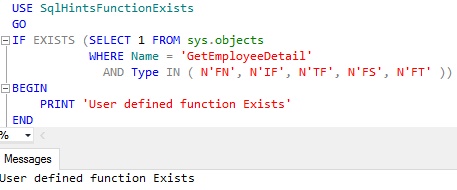
RESULT:
Function Exists Usig Sys Objects Example 1

The above query checks the existence of the object whose name is GetEmployeeDetail across all the schemas in the current database which is one of the below function type:

Type Type Description
FN Scalar function
IF Inline table-valued function
TF Table-valued-function
FS Assembly (CLR) scalar-function
FT Assembly (CLR) table-valued function

In Sql Server object names are unique, so it is really not required to mention the type in the where clause of the sys.objects query. But it is always better practice to mention type, reason is sys.objects contains the rows for not just function it also has records for views, stored Procedures etc
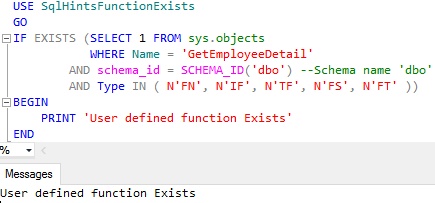
If you want to check the existence of the User Defined Function in a specified Schema, then we can re-write the query like below:

USE SqlHintsFunctionExists
GO
IF EXISTS (SELECT 1 FROM sys.objects 
           WHERE Name = 'GetEmployeeDetail' 
	    AND schema_id = SCHEMA_ID('dbo') --Schema name 'dbo'
	    AND Type IN ( N'FN', N'IF', N'TF', N'FS', N'FT' ))
BEGIN
    PRINT 'User defined function Exists'
END

RESULT:
Function Exists Usig Sys Objects Example 2

If you want check the existence of a user defined function in a database other than the contextual database then we can re-write the above query as below where sys.objects is specified by three part name:

IF EXISTS (SELECT 1 FROM SqlHintsFunctionExists.sys.objects 
           WHERE Name = 'GetEmployeeDetail' 
            AND schema_id = SCHEMA_ID('dbo') --Schema name 'dbo'
            AND Type IN ( N'FN', N'IF', N'TF', N'FS', N'FT' ))
BEGIN
    PRINT 'User defined function Exists'
END

RESULT:
Function Exists Usig Sys Objects Example 3

[ALSO READ] How to check if a Database exists in Sql Server

Approach 2: Using OBJECT_ID() function

We can use OBJECT_ID() function like below to check if a GetEmployeeDetail function exists in the current database.

USE SqlHintsFunctionExists
GO
IF OBJECT_ID(N'dbo.GetEmployeeDetail') IS NOT NULL
BEGIN
    PRINT 'User defined function Exists'
END

RESULT:
Function Exists Usig OBJECT ID Example 1

Specifying the Database Name and Schema Name parts for the Function Name is optional. But specifying Database Name and Schema Name provides an option to check the existence of the user defined function in the specified database and within a specified schema, instead of checking in the current database across all the schemas. The below query shows that, even though the current database is MASTER database, we can check the existence of the GetEmployeeDetail function in the dbo schema in the SqlHintsFunctionExists database.

USE MASTER
GO
IF OBJECT_ID(N'SqlHintsFunctionExists.dbo.GetEmployeeDetail')
           IS NOT NULL
BEGIN
    PRINT 'User defined function Exists'
END

RESULT:
Function Exists Usig OBJECT ID Example 2

OBJECT_ID() function also accept the type of the object as a parameter. We can specify one of the type of the function listed in the approach 1. In the below example we are checking whether GetEmployeeDetail Table-Valued function (i.e type IF) existing in the SqlHintsFunctionExists database within the dbo schema.

USE MASTER
GO
IF OBJECT_ID(N'SqlHintsFunctionExists.dbo.GetEmployeeDetail'
             , N'IF') IS NOT NULL
BEGIN
    PRINT 'User defined function Exists'
END

RESULT:
Function Exists Usig OBJECT ID Example 3

Let us modify the above statement and specify the type as ‘FN’ (i.e. Scalar function):

USE MASTER
GO
IF OBJECT_ID(N'SqlHintsFunctionExists.dbo.GetEmployeeDetail'
             , N'FN') IS NOT NULL
	BEGIN
		PRINT 'User defined function Exists'
	END
ELSE
	BEGIN
		PRINT 'User defined function doesn''t Exists'
	END

RESULT:
Function Exists Usig OBJECT ID Example 4

From the result we can see that the function GetEmployeeDetail doesn’t exists in the SqlHintsFunctionExists database. This is because we have specified the type of the object as FN (i.e. scalar function) in OBJECT_ID function instead of IF (i.e. Table-Valued function).

[ALSO READ] How to check if a Table exists in Sql Server

Approach 3: Using INFORMATION_SCHEMA.ROUTINES View

We can use the INFORMATION_SCHEMA.ROUTINES view to check the existence of the function as shown below:

USE SqlHintsFunctionExists
GO
IF EXISTS (SELECT 1 FROM INFORMATION_SCHEMA.ROUTINES 
           WHERE ROUTINE_NAME = 'GetEmployeeDetail' 
            AND ROUTINE_TYPE = 'FUNCTION') 
	BEGIN
		PRINT 'User defined function Exists'
	END
GO

RESULT:
Function Exists Using Information Schema Routine Example

This view does has the ROUTINE_SCHEMA column, but as suggested in MSDN we should avoid using it for identifying the schema of the object.

[ALSO READ] How to check if Temp table exists in Sql Server?

Approach 4: Avoid Using sys.sysobjects System table

We should avoid using sys.sysobjects System Table directly, direct access to it will be deprecated in some future versions of the Sql Server. As per Microsoft BOL link, Microsoft is suggesting to use the catalog view sys.objects instead of sys.sysobjects system table directly to check the existence of the function.

USE SqlHintsFunctionExists
GO
IF EXISTS(SELECT * FROM sys.sysobjects  
     WHERE name = 'GetEmployeeDetail' 
      AND Type IN ( N'FN', N'IF', N'TF', N'FS', N'FT' ))
BEGIN
	PRINT 'User defined function Exists'
END

RESULT:
Function Exists Using sys sysobjets Example