
WordPress powers 43% of all websites on the internet (W3Techs, 2025) and a large portion of those sites run on Elementor. Most Elementor users still build pages from scratch and spend hours on layouts that already exist as ready to import template kits. This guide covers what elementor template kits are, how they work and where to find the best free options in 2026.
Whether you are building your first site or your fiftieth client project, a well chosen kit saves significant build time.
What are Elementor template kits?
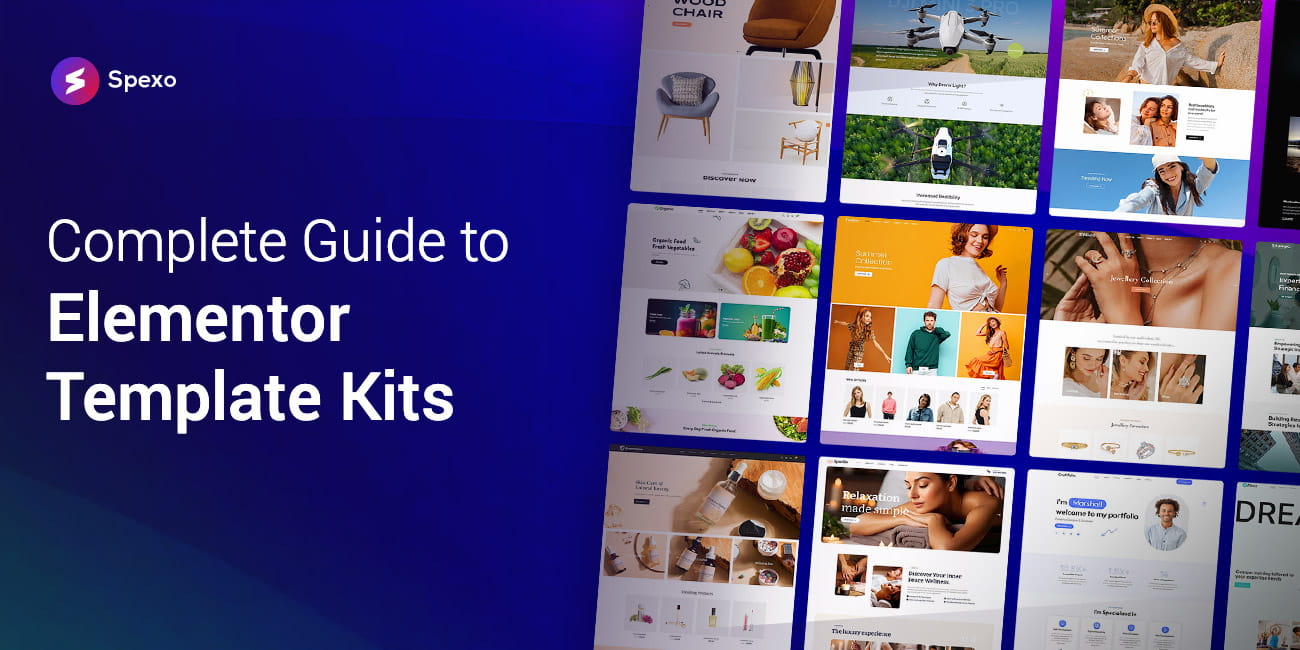
Elementor template kits are sets of professionally designed page layouts for WordPress sites built with the Elementor page builder. Each kit includes a homepage and multiple inner pages that share consistent typography, colors and spacing. Spexo Addons offers 50+ free kits across 40+ niches with one click import and no Elementor Pro required.
Key Takeaways
- Elementor template kits are sets of pre-designed page layouts you import and customise inside Elementor. They are separate from your WordPress theme.
- Template kits cut average site build time by 60-80% compared to building from scratch.
- Elementor powers 5%+ of all WordPress websites, which has created demand for kits across dozens of niches.
- Spexo Addons offers 50+ completely free template kits with no Elementor Pro requirement.
- The right addons extend what template kits can do by adding widgets the default Elementor install does not include.
What Are Elementor Template Kits?
Elementor template kits are collections of pre-designed page layouts built as a coordinated set inside Elementor. A kit provides a homepage and multiple inner pages including an about page, a services page and a contact page. Elementor powers 5%+ of all WordPress websites (Elementor published data), which has driven demand for kits covering dozens of niches.
A single Elementor template is one page layout. A kit is a design system. Every page in the kit shares the same typography scale, color palette and spacing logic. That consistency is what saves real time at scale.
Kits come in two broad types. First party kits live inside the Elementor editor, accessible through the Template Library. Third party kits come from addon plugins like Spexo Addons and extend the library with niche specific designs that Elementor’s own marketplace does not always cover.
In practice, a kit import replaces a blank canvas with a working multi page site in minutes. You swap out the logo, text and images. The layout, spacing and structure are already done.
Elementor is installed on more than 5% of all WordPress websites worldwide according to Elementor’s own published data. That market penetration has driven the creation of thousands of niche specific template kits from both Elementor and third party plugin developers.
How Are Template Kits Different from WordPress Themes?
This is one of the most common points of confusion for new WordPress users. A WordPress theme controls the fundamental structure of your site: the HTML framework, PHP template files and core styling. An Elementor template kit is a set of page designs that sits on top of that theme.
Think of it this way. The theme is the building’s frame and foundation. The template kit is the interior design. You can redecorate by swapping kits without ever touching the foundation or the theme.
You do not need a new theme for every project. Install a lightweight theme once, then use different template kits for each site or client.

How Do You Import an Elementor Template Kit?
Importing a template kit takes less time than most people expect. Industry estimates suggest template kits reduce average site build time by 60-80% compared to building from scratch. The import step itself is a major reason why.
Here is how the process works:
- Install your kit source. This is either the template library inside the Elementor editor or a plugin like Spexo Addons.
- Browse and select a kit. Filter by niche or style to find the right match for your project.
- Click import. The plugin creates pages, imports sections and maps them to your site navigation.
- Customise your content. Replace placeholder content with your own logo, text and brand colors.
- Publish. Your site is live.
For a full walkthrough of all three import methods, see the step-by-step guide to importing an Elementor template kit in WordPress.
What Are the Best Free Elementor Template Kits in 2026?
The free kit market has matured significantly. Spexo Addons offers 50+ professionally designed template kits covering 40+ niches. All of them are free with one click import and no Elementor Pro required..
When choosing a free kit, check for design consistency across all pages. The kit should also be mobile responsive and built with lightweight code. A clear update or support path from the developer matters too.
For Agencies and Portfolios
Agency and portfolio sites need strong credibility in their visual presentation. The layout should communicate professionalism before the visitor reads a word. Spexo Addons includes agency and creative portfolio kits that lead with strong hero sections, project grids and clean service layouts.
A well built agency kit includes a homepage, inner pages and project portfolio sections. Imported in one click, that full structure means a freelancer can have a professional site live in under an hour.
For eCommerce and WooCommerce
WooCommerce stores need more than a homepage. They need product pages, category archives and checkout flows that all feel cohesive. eCommerce template kits for Elementor are designed with WooCommerce integration in mind and give you shop layouts, product cards and promotional section templates that work with WooCommerce’s default page structure.
The key differentiator in eCommerce kits is how they handle WooCommerce template overrides. Better kits style the WooCommerce pages to match the overall kit design rather than leaving them as plain WooCommerce defaults.
For Restaurants and Food Businesses
Restaurant websites have a specific set of needs. The site needs a strong visual hero with food photography, an accessible menu layout and a clear reservation call to action. Generic kits often miss one or more of these requirements.
A well built restaurant kit includes a menu page that is easy to update without coding, a contact page with a map embed and a homepage that leads with appetite driving imagery. Spexo Addons includes restaurant specific template kits designed around this real world content structure.
Elementor Addons and Widgets: What Else Do You Need?
Template kits define your layout but widgets define your functionality. The free version of Elementor ships with a solid set of core widgets. Many site types need more. Pricing tables, testimonial sliders and advanced forms are common examples. That is where Elementor addons come in.
Elementor runs on 5% of all websites built with WordPress according to Elementor’s own published data. That scale has produced a large ecosystem of addon plugins that extend Elementor’s widget set well beyond what the base install provides.
In practice, the most efficient workflow pairs a quality template kit with a capable addon plugin. The kit handles visual structure and the addon fills in advanced functionality. Using a kit without addon support often means hitting a wall when a page needs a widget that Elementor’s free tier does not include.
Elementor widgets vs addons explained covers exactly how the two interact if the distinction is new to you.
Best Elementor Addons in 2026
The addon ecosystem for Elementor is crowded and not all plugins are worth installing. The criteria that matter most are widget quality, code efficiency and update frequency. A bloated addon can slow your site more than the template kit it is supposed to enhance.
For a vetted list of the top options this year, our guide to the best elementor addons covers the leading plugins with an honest assessment of each.
Spexo Addons ships with 90+ widgets covering common and advanced use cases. It includes tabs, accordions and pricing tables among many other widget types. The widgets are built to match the design language of Spexo’s template kit library, which is something ad hoc plugin combinations often miss.
Free Elementor Addons That Cost Nothing
The free tier of Elementor addons has improved considerably in recent years. Several plugins now offer 40 to 90+ widgets on their free plan with no Pro upgrade required. Spexo Addons is one example: the free plan includes the full widget library and the full template kit library.
Do You Actually Need Elementor Pro?
Most sites do not need Elementor Pro. The free version of Elementor covers basic page building and a good third party addon fills most widget gaps. Elementor Pro’s main genuine advantages are its Theme Builder for custom headers and its Form widget with direct integrations.
If you need those features, Pro is worth it. If you do not, a quality free addon handles the rest.
How Do You Build Your First WordPress Site with Elementor?
For someone starting from scratch, the path from zero to a published website involves a handful of steps. You need a domain, a host and a WordPress installation before you touch Elementor. After that you install a lightweight theme, add Spexo Addons and import a template kit for your niche.
The template kit shortcut matters here more than anywhere. A first time builder who starts with a kit skips the most difficult part of site building: making visual design decisions on a blank canvas. The kit provides a professional structure to react to rather than asking you to invent one from scratch.
Frequently Asked Questions About Elementor Template Kits
Many Elementor template kits are completely free. Third party plugins like Spexo Addons offer 50+ professionally designed kits at no cost. You do not need Elementor Pro to use most third party free kits.
A WordPress theme controls your site’s structural framework including fonts, colors and global header and footer settings. An Elementor template kit is a set of pre-designed page layouts built inside Elementor that sits on top of your theme. You can swap kits without changing your theme.
Not always. Many free template kits from third party plugins work with the free version of Elementor. Kits from Elementor’s own marketplace often require Elementor Pro, so always check the kit requirements before importing.
Most template kits import in under five minutes using a one click import feature. You choose the kit, click import and the plugin builds your pages automatically. Customisation time depends on how much you change from the default design.
Yes. Most free template kits including those from Spexo Addons have no restriction on commercial or client use. Agencies commonly use template kits to cut build time by 60-80% per project making them a practical tool for delivering sites faster at lower cost.
The Takeaway: Build Smarter, Not from Scratch
Elementor template kits exist because rebuilding standard page structures from scratch on every project wastes time. The quality of free kits in 2026 means there is very little reason to do it. Whether you are setting up your first personal site or delivering a client project under deadline, a well chosen kit gives you a professional foundation in minutes.
The practical workflow is straightforward. Choose a lightweight theme, install Elementor free and add an addon plugin that extends your widget set and brings a quality kit library. Import the right kit for your niche, customise and publish. The entire setup takes less than 30 minutes for an experienced user and under an hour for a first timer.
The pages linked throughout this guide go deeper on each decision point. Start with whichever question is most pressing for your current project.


