| Operation Mode | ON-OFF |
|---|---|
| Current Rating | 2 Amps |
| Operating Voltage | 12 Volts (DC) |
| Contact Type | Normally Open |
| Connector Type | Plug In |
| Brand | TESmart |
| Terminal | Solder |
| Item dimensions L x W x H | 11.81 x 4.33 x 1.18 inches |
| Circuit Type | 2-way |
| Mounting Type | Surface Mount |
| Actuator Type | Push Button |
| Contact Material | Metal |
| International Protection Rating | IP54 |
| Number of Positions | 3 |
| Controller Type | Push Button |
| Control Method | Push Button, Remote |
| Connectivity Protocol | IR, Button |
| Color | Black |
| Wattage | 24 watts |
| Unit Count | 1 Count |
| Manufacturer | TESmart |
| UPC | 745695280367 |
| Product Dimensions | 11.81 x 4.33 x 1.18 inches |
| Item Weight | 1 pounds |
| ASIN | B083MZSVFM |
| Item model number | HKS202-E23 |
| Is Discontinued By Manufacturer | No |
| Date First Available | January 8, 2020 |
Buy new:
EUR172.39EUR172.39
EUR 18.70 delivery Thursday, February 5
Ships from: Amazon Sold by: TESmart
Save with Used - Like New
EUR175.84EUR175.84
EUR 18.70 delivery Wednesday, January 28
Ships from: Amazon Sold by: TESmart
Sorry, there was a problem.
There was an error retrieving your Wish Lists. Please try again.Sorry, there was a problem.
List unavailable.-
-
-
-
-
-
-
6 VIDEOS -
Image Unavailable
Color:
-
-
-
- To view this video download Flash Player
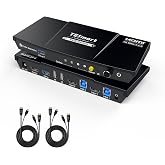
TESmart HDMI KVM Switch 2 Monitors 2 Computers 4K@60Hz, USB 2.0, Dual Monitor KVM Switch HDMI 2 Port Extended Display, EDID emulators, L/R Audio, Hotkey Switch, Button Switch with Input Cables
Shipping & Fee Details
| Price | EUR 172.39 | |
| AmazonGlobal Shipping | EUR 18.70 | |
| Estimated Import Fees Deposit | EUR 38.38 | |
| | ||
| Total | EUR 229.47 | |
Shipping & Fee Details
| Price | EUR 175.84 | |
| AmazonGlobal Shipping | EUR 18.70 | |
| Estimated Import Fees Deposit | EUR 39.10 | |
| | ||
| Total | EUR 233.64 | |
Purchase options and add-ons
| Operation Mode | ON-OFF |
| Current Rating | 2 Amps |
| Operating Voltage | 12 Volts (DC) |
| Contact Type | Normally Open |
| Connector Type | Plug In |
| Brand | TESmart |
| Switch Type | Push Button |
| Terminal | Solder |
| Material | Metal |
| Item dimensions L x W x H | 11.81 x 4.33 x 1.18 inches |
About this item
- Support 2 * (HDMI+HDMI+USB-B) In and 2 * HDMI Out: Ideal for access 2 desktops or laptops with 2 monitors and 1 set of keyboard mouse. You can easily have a dual monitor setup per system or switch it to a single monitor system showing both systems (one on each monitor) and then easily toggle the keyboard/mouse between the 2 systems. Got something you need to keep an eye on that's running on system A but you work on system B? SCRL→SCRL→3 followed by double right-alt. Boom! You can see A while working on B
- High Compatibility with Your Keyboard and Mice: 2 In 2 Out KVM Switches suitable for most keyboards and mice on the market because of the newest upgraded pass-through mode (Semi-DDM USB). Support wired, wireless, mechanical, multimedia, and gaming K&M (Not support wireless bluetooth K&M)
- Ultra HD 4K@60Hz and EDID Emulators: The Resolution is up to 3840x2160 (4K) @60hz, 3440x1440@100hz and downward compatible, Support 3D, HDR10, HDCP2.2, and Dolby Vision delivering more exquisite and authentic video on your screen. With EDID emulators in each input port, your computers always receive the correct display information and preventing displays setting change while switching inputs in display mode 1. Free you from the hassle of constantly adjusting display settings
- Stable Video Output: TESmart KVM switch 2 computers 2 monitors supports various operating systems including Unix, Windows, Debian, Ubuntu, Fedora, Mac OS X, Raspbian, Ubuntu for Raspberry Pi and other Linux basic systems, making it a versatile selector for multiple devices to be used flexibly with different OS without the need for additional software or drivers. NOTE: Please make sure your laptop is capable of dual monitors before purchasing
- Switching with Efficiency and Ease: HDMI 2 monitor KVM provides 3 switching options to suit your needs. Whether you prefer using the IR remote(AAA batteries not included), button, hotkeys, you can easily switch between HDMI sources and manage your devices with ease. Get rid of the hassle of constantly swapping cables between PC, desktop, laptop, monitor, gaming console and streaming device. Experience the convenience and efficiency of multi-device management
- Enjoy Immersive Sound: 4K monitor KVM switch comes with a 3.5mm Audio Jack port with a built-in DAC chip for stereo audio output that delivers high-quality sound to your connected headphones. You can inserted into a 3-segment 3.5mm earpiece device to the L/R port and enjoy crystal clear audio without any distortion or interference
- Keyboard and Mouse Seamless Switching: No delay, zero latency keyboard and mouse switching makes your use smooth and enhance your work efficiency or gaming experience. No more tangled wires or juggling multiple keyboards and mice.Note:This only be achieved when the keyboard and mouse are plugged into the dedicated port for K&M
- Effortless Peripheral Connectivity: In addition to the keyboard and mouse dedicated ports, there is also a USB 2.0 port. You can share USB hub, USB drive, printer or scanner across multiple devices. Provide you with great flexibility in complicated computer environment. Note: It could not support hotkey switching when the keyboard connected to the USB 2.0 port
- Convenient Hot Plug: Easy to set up. Plug and play, no software required. Easily add or remove devices without needing to power off the KVM switch or other connected devices, saving your time and hassle. Ideal for multi-tasking professionals and gamers who need to access multiple devices quickly and efficiently
- Ultimate Service: This KVM Switch kit comes with 1* 2X2 HDMI KVM Switch, 2* 5ft (HDMI+USB-B) cables, 2* 5ft HDMI cables, 1* IR remote control, 1* DC 12V power adapter, 1* User manual. Plus, enjoy 1-year warranty. You can reach out to our customer experience design team if you have any questions or concerns
There is a newer version of this item:
Customers who viewed this item also viewed
AV Access KVM Switch Dock 2 Monitors 2 Laptops, 4K KVM Switch Dual HDMI Monitor, 2 USB-C MST Ports, 60W PD for Each PC, 1G Ethernet, EDID Emulation, 2K@144Hz,1080P@240Hz,Ideal for Home Office & Gaming20% offLimited time dealEUR 19.28 shippingGet it as soon as Wednesday, Jan 28
Product description
TESmart 2 Port Dual Monitor HDMI KVM Switch (HDMI+HDMI)
2 computers / PCs share one set of keyboard, mouse and 2 monitors
1.Dual monitors output support up to 3840x2160@60Hz RGB 4:4:4 for extended, mirrored or respective display.
2.Compatible with Unix/Windows/Debian/Ubuntu/Fedora/Mac OS X/Raspbian/Ubuntu for Raspberry Pi and other Linux basic system.
3.Support hot plug, disconnect or connect devices to the KVM at any time without turning off PCs.
4. With EDID emulators in the extended display mode, keep PCs always have correct information, prevent displays setting change while switching inputs.
5.Include all cables except cable for monitor.
Find Your Fit: Looking for more options? Click on our brand name above to "Visit the TESmart Store"— there's always something that suits your setup.
The Advantages Of Our Dual Monitor KVM Switch
2 Display Modes
Our dual monitor KVM switch supports dual -screen mode to expand work or entertainment space.
The device also comes with the ability to cross-display so that you have one monitor display device A and the other monitor display device B. Got something you need to keep an eye on that's running on system A but you work on system B!
Key Features
True Ultra HD 4k Visual Enjoyment
This 4K HDMI KVM switch dual monitor max supports 3840x2160 RGB 4:4:4 downward compatible. You can enjoy the most luxurious video with this HDMI KVM dual monitor Switch.
2 PCs Share 3 USB Devices
This Dual Monitor KVM has dedicated mouse and keyboard ports.
An extra standard USB 2.0 port works with printers, jump drives, USB headsets or webcams for teleconferencing. Meet more demands at work.
Audio Output
KVM Switch with a 3.5mm Audio Jack port with a DAC chip inside, which can be inserted into a 3-segment 3.5mm earpiece device.
Keyboard and Mouse Seamless Switching
Available to use keyboard and mouse without any delayafter switching input sources. No delay, zero delay, no need to reinstall the driver. Use it smoothly and improve your work efficiency or gaming experience.
3 Convenient Switch Modes
1. Button Switching: Switch 2 signal sources in the extended mode by the panel button.
2. Hotkey Switching:Press scroll lock+ scroll lock+... or the right ctrl+ the right ctrl+...
3. IR Remote Control( without AAA battery).
A Higher Level of Keyboard and Mouse Compatibility
Keyboard and mouse pass-through mode (Semi-DDM USB) makes it compatible with more keyboard and mouse devices. Supports wired, wireless, mechanical, multimedia, and gaming K&M (not support wireless bluetooth keyboard and mouse).
What makes the TESmart Dual Monitor KVM Switch HKS0402A1U unique?
It not only supports Extended and Mirror display modes (Display Mode 1), but also allows each monitor to display output from two different computers independently (Display Mode 2) — ideal for multitasking and dual-system setups.
Does this KVM support seamless switching?
Keyboard and mouse switch seamlessly, while video switching completes within 2–3 seconds—typically under 1 second in lab tests. Actual time may vary by cable quality, port oxidation, or transmission distance.
Will switching between computers cause window resets or resolution issues like on other KVMs?
No. HKS0402A1U features TESmart’s advanced EDID emulation technology. This ensures resolutions and window layouts stay stable, preventing screen resets or window repositioning on KVMs without EDID.
Can I use the KVM right out of the box, and are cables included?
Yes, it is plug-and-play with no drivers required. We provides four HDMI 2.0 cables and two USB A-B cables. Monitor HDMI cables are not included to reduce waste, as monitors typically come with cables.
Unique Features
Seamless Switching
EDID Emulation
plug-and-play
HKS0402A1U
|
HKS0202A2U
|
HKS202-M24
|
HKS0403A1U
|
DKS202-M24
|
|
|---|---|---|---|---|---|
|
Add to Cart
|
Add to Cart
|
||||
| Customer Reviews |
3.5 out of 5 stars 623
|
3.2 out of 5 stars 97
|
3.9 out of 5 stars 20
|
3.1 out of 5 stars 64
|
3.8 out of 5 stars 64
|
| Price | EUR 172.39EUR172.39 | EUR 224.11EUR224.11 | EUR 309.27EUR309.27 | EUR 475.80EUR475.80 | EUR 267.89EUR267.89 |
| Connected Devices | 2 Computers | 2 Computers | 2 Computers | 4 Computers | 2 Desktops(NOT for Laptop) |
| Computer Ports | 2× HDMI+HDMI | 2× HDMI+HDMI | 2× HDMI+HDMI | 4× HDMI+HDMI+HDMI | 2× DP+DP |
| Display Setup | Dual Monitor | Dual Monitor | Dual Monitor | Triple Monitor | Dual Monitor |
| Video Resolution | 4K@60Hz, 2K@144Hz, 1080P@240Hz | 4K@60Hz, 2K@144Hz, 1080P@240Hz | 8K60Hz,4K144/165Hz,1080P@240Hz | 4K@60Hz, 2K@144Hz, 1080P@240Hz | 8K60Hz,4K144/165Hz,1080P@240Hz |
| Shared USB Devices | 1x USB2.0, 2×USB1.1 | 2x USB3.0(2 charging),2×USB1.1 | 2x USB3.0(2 charging),2×USB1.1 | 3x USB3.0(2 charging),2×USB1.1 | 2x USB 3.0,2×USB1.1 |
| Control | Button/IR Remote/Hotkeys | Button/IR Remote/Hotkeys | Button/IR/Hotkeys/Mouse Wheel | Button/IR Remote/Hotkeys | Button/IR/Hotkeys/Mouse Wheel |
| Gigabit Ethernet | × | × | 1000Mbps (on/off) | 100Mbps | 1000Mbps (on/off) |
| EDID Emulation | √ | √ | √ | √ | √ (on/off) |
| Audio & Mic Support | ONLY L/R audio output | √ | √ | √ | √ |
| Included Cables | 2×USB B-A, 4×HDMI cables | 2×USB B-A, 4×HDMI cables | 2×USB B-A, 4×HDMI cables | 4×USB B-A, 12×HDMI cables | 2×USB B-A, 4×DP |
Product information
Technical Details
Additional Information
| Best Sellers Rank |
|
|---|
Feedback
From the brand
-
-
-
-
For 2 3 4 PCs 1 Monitor
-
For 2 PCs 2 Monitors
-
For 2 PCs 3 Monitors
-
For 3/4 PCs 2 Monitors
-
For 3/4 PCs 3 Monitors
-
For 4 PCs 4 Monitors
Safety and product resources
Safety documents
Customer reviews
Customer Reviews, including Product Star Ratings help customers to learn more about the product and decide whether it is the right product for them.
To calculate the overall star rating and percentage breakdown by star, we don’t use a simple average. Instead, our system considers things like how recent a review is and if the reviewer bought the item on Amazon. It also analyzed reviews to verify trustworthiness.
Learn more how customers reviews work on AmazonCustomers say
Generated from the text of customer reviewsSelect to learn more
Reviews with images
Very easy to set up and work with
Top reviews from the United States
There was a problem filtering reviews. Please reload the page.
- Reviewed in the United States on November 28, 2022I have a Surface Pro and Surface Dock at home, hooked to a dual monitor. When I decided to add a gaming PC, I picked this switch partially due to its matrix feature.
After using it for a month or so, I'm pretty impressed. It was very easy to set up, and enables me to easily switch between the Surface and gaming PC in dual monitor mode, or to put one computer on each monitor. When in matrix mode, a simple keystroke is all that's needed to move the mouse and keyboard control from one monitor to the other. I can also choose which PC shows on which monitor using the remote. Works like a charm!
My only complaints (nitpicks really): The remote works fine, but the buttons aren't intuitive and there are several that do nothing - I assume the remote was really built for a different device, and simply reused. Also, the device itself has a comically large logo on top that would really bother me if the Surface dock didn't sit on top and cover it completely. Otherwise I'm very happy with this purchase and glad I spent the extra money on this device relative to some of its less-featured competitors.
- Reviewed in the United States on September 5, 2020After living for 5 months with speaker problems, I just discovered today that this KVM is swapping my left and right audio output.
Yep, if I plug my speakers into this KVM, Left and Right are on opposite sides from what they are if I plug them directly into my PC tower.
Do not buy this device. It looks okay, but it has a huge pile of problems lurking beneath the surface.
--- previously written review follows ---
TLDR:
The Good: hardware seems pretty good, happy with the bundled cables and the size of the device (fits underneath my monitors). Remains to be seen how it stands the test of time & extended usage.
The Bad: Firmware is meh. Monitor switching isn't that fast, and the extra modes for using 1 monitor per PC also adds screen swap overhead time when swapping keyboard+mouse, for no good reason. If I try to use my mouse to change Chrome Tabs (I have my mouse wheel mapped to shift+tab), the computer freaks out as if the "tab" key is being held down, no way to fix the issue without unplugging and replugging. Good news is a workaround is to plug the mouse into the generic USB slot instead of the mouse slot.
2 stars:
-1 for having features that don't work well
-3 for eating mouse inputs and basically making it unusable
+2 for having a workaround (just don't use the mouse port)
-1 for being so expensive which means I expect better.
--details--
I've only had it for a day so far, so I can't speak towards long-term stability. Obviously I'll be very disappointed if this turns out to break soon, but I don't have any indication yet that might be the case.
Otherwise, product seems to be pretty high quality. Works fine with my 4k TV and 1080p monitor (after some initial concern where my computer wasn't allowing me to set 60hz on my 4k display at first, it seems to be working now). Package includes 4 cables, including a nice HDMI+USB joined cable, which is great for cable management. Nice to have 4, clearly labled 4K HDMI cables included, since it's otherwise hard to tell which of my old cables would be 4K compatible, which can make working through issues a -huge- pain.
The downside: the firmware isn't great.
#1: The device advertises that it emulates the display for the non-connected computer, the assumption being that this should make switching between computers faster, and should prevent windows from moving around. This doesn't seem to do anything -- responsiveness for switching between Computer 1 and Computer 2 is about on-par with regular KVM switches (about 5 second delay between pressing the button and the monitors showing the new computer), and the computer still plays the standard "hardware connected" sound, so this seems to be transparent for the computer as well.
#2: The device listens to your keyboard and mouse input. This is so that you can use your keyboard to switch displays (you can press scroll lock twice and a number button to change the display mode), but unfortunately this seems to cause new problems. For example, I'm using a mouse with extra buttons, and I have a mapping where I have a mouse button to switch chrome tabs (this emulates the shift+Tab, and Ctrl+shift+Tab buttons). When I use this with the KVM, the KVM mangles the input and keeps the "tab" key held down, meaning that I basically can't use my computer anymore until I unplug and plug back in the mouse. This alone would have forced me to return the device, but the good news is I found a workaround by plugging my mouse into the generic "usb" slot available on the switch, instead of plugging my mouse into the slot dedicated for keyboard and mouse. (My other concern about this feature, which I have not verified, is that this might add more latency to my keyboard or mouse input, potentially making this device bad for gaming)
#3: this device ships with a feature where you can pick to use 2 monitors on one computer, or 1 monitor per computer. In theory this is great, but in practice the mode isn't implemented very well. How I imagine this feature would work, is computer #1 would show up on monitor #1, computer #2 would show up on monitor #2, and I could use the KVM to quickly switch my keyboard and mouse between computer #1 and computer #2. Instead, how this works is your Keyboard and Mouse -always- work on monitor #1, and changing modes switches which computer is shown on monitor#1, and which is shown on monitor #2. This wouldn't be so bad, except for the fact that I have a 4k display and a 1080p display, which means that if I want to switch keyboard&mouse, both computers have to change their display resolution, move windows around, and reinitialize the connection for the other display, adding a ton of friction and extra time staring at black screens for what should have been a fast, simple operation.
- Reviewed in the United States on July 7, 2021Note: This is a day 1 review, and I will be sure to update this review if anything changes.
I work from home and wanted a solution to toggle between my home PC and work laptop with as little fuss as possible. Prior to purchasing this KVM switch I had been using a single monitor setup with each PC using a different input to the monitor, and a cheap USB switch for the keyboard and mouse. When switching between the two I would have to switch inputs on the monitor and then press the button on the USB switch. Not the best setup, but it worked. I wanted to add a second monitor and decided to give this product a try as it seemed like it had everything I was looking for.
I read through everything on the product page as well as many reviews prior to making my purchase and took special note of the adapter requirements. My GPU has several DisplayPort outputs but only a single HDMI out. My laptop docking station also has 1 DisplayPort and 1 HDMI. So I went onto the manufacturer's website and purchased two of the adapter they have linked there.
First impressions were very positive. Product construction seems solid, cables included, instructions are easy to understand. When I first hooked everything up the second monitor flashed on and off which was worrisome, however I turned the unit off and back on and it hasn't done it since then, so I am not going to worry about it.
I did notice that the picture quality was not nearly as good on the 2nd monitor as it was on the first (same brand and model). It seemed like the gamma was way off, darks were too dark, not a lot of gradient. At first I thought to blame the unit, but I tested both monitors directly into the PC and got the same result so I assumed I must be losing quality when using the DisplayPort to HDMI adapter. However, I did some searching on the web and found a post on a site that suggested to go into the NVidia control panel and change the dynamic range from limited to full, which I did for both monitors and that resolved the issue -the picture now looks identical on both monitors.
I really like that it has hardware emulation so when you switch between PCs, the PC still thinks the devices are connected and your display resolution doesn't change, and the same goes for the keyboard and mouse - windows no longer acts like you are plugging and unplugging USB devices - this is a common limitation of cheap KVM switches (I had the same issue with my USB switch) and it can be very annoying.
I was also very impressed that it works well with my gaming keyboard and mouse (Corsair K55 RGB keyboard and Steelseries Rival 300) - I have had cheap KVM switches in the past that did not work well with anything other than very basic keyboard and mouse, so this is a big plus.
The only thing I don't like about it is that the LED lights are very bright. I like to work in a dimly-lit office and they can be a bit distracting.
Overall I am very pleased with the product so far. I truly hope that it holds up over time.
UPDATE 7/30/2021: After nearly 1 month, I have experienced the flashing monitor issue an additional 2-3 times and have had to power the unit off and back on in order to resolve it. So far it's only a minor inconvenience and does not change my overall rating. I am still very happy with the product. I will continue to post updates to this review if anything changes.
Top reviews from other countries
-
PanteraReviewed in Mexico on August 13, 20233.0 out of 5 stars No pude regresar el producto
Esta bien el aparato, llego todo bien pero cuando lo quise regresar por que no era para lo que mi hijo pensaba, te mandan unas etiquetas como de correo de mexico, y creo que les a pasado que es pesimo servicio por la paqueteria,aveces no llegan los paquetes, y como hiba a las vegas de regreso, la paqueteria no se hacia responssble si llegaba y decidi quedármelo, por que si yo lo regreso por otra paqueteria de la republica mexicana alas vegas cobran 1500 por llevarlo y uno corre con el gasto, y no recomiendo si tienes problemas de algo, por que para regresarlo si es muy conflictivo regresar el paquete el cual mejor opte por quedarmelo.... Sin que lo necesitara.. Pero de perderlo o pagar mas pues no! Yo creo que la mejor paqueteria es la que viene de bodega de amazone..
AnonymousReviewed in Canada on November 16, 20221.0 out of 5 stars Flakey connection and broken within 5 months of using it
Had a lot of success using the kvm within the first month but started experiencing issues with the first display “flickering” and losing signal. I reached out to the seller for help, there was a lot of back and forth to diagnose the issue but ultimately I stopped contact with them when it resolved by itself. About three months later the first display port is completely useless and kvm is no longer able to support dual monitors. I can’t request a refund through Amazon and now have a useless 300$ box.
Product summary presents key product information
Keyboard shortcut
shift
+
alt
+
opt
+
D
Product Summary: TESmart HDMI KVM Switch 2 Monitors 2 Computers 4K@60Hz, USB 2.0, Dual Monitor KVM Switch HDMI 2 Port Extended Display, EDID emulators, L/R Audio, Hotkey Switch, Button Switch with Input Cables
From TESmart
About this Item
- Support 2 * (HDMI+HDMI+USB-B) In and 2 * HDMI Out: Ideal for access 2 desktops or laptops with 2 monitors and 1 set of keyboard mouse. You can easily have a dual monitor setup per system or switch it to a single monitor system showing both systems (one on each monitor) and then easily toggle the keyboard/mouse between the 2 systems. Got something you need to keep an eye on that's running on system A but you work on system B? SCRL→SCRL→3 followed by double right-alt. Boom! You can see A while working on B
- High Compatibility with Your Keyboard and Mice: 2 In 2 Out KVM Switches suitable for most keyboards and mice on the market because of the newest upgraded pass-through mode (Semi-DDM USB). Support wired, wireless, mechanical, multimedia, and gaming K&M (Not support wireless bluetooth K&M)
- Ultra HD 4K@60Hz and EDID Emulators: The Resolution is up to 3840x2160 (4K) @60hz, 3440x1440@100hz and downward compatible, Support 3D, HDR10, HDCP2.2, and Dolby Vision delivering more exquisite and authentic video on your screen. With EDID emulators in each input port, your computers always receive the correct display information and preventing displays setting change while switching inputs in display mode 1. Free you from the hassle of constantly adjusting display settings
- Stable Video Output: TESmart KVM switch 2 computers 2 monitors supports various operating systems including Unix, Windows, Debian, Ubuntu, Fedora, Mac OS X, Raspbian, Ubuntu for Raspberry Pi and other Linux basic systems, making it a versatile selector for multiple devices to be used flexibly with different OS without the need for additional software or drivers. NOTE: Please make sure your laptop is capable of dual monitors before purchasing
- Switching with Efficiency and Ease: HDMI 2 monitor KVM provides 3 switching options to suit your needs. Whether you prefer using the IR remote(AAA batteries not included), button, hotkeys, you can easily switch between HDMI sources and manage your devices with ease. Get rid of the hassle of constantly swapping cables between PC, desktop, laptop, monitor, gaming console and streaming device. Experience the convenience and efficiency of multi-device management
- Enjoy Immersive Sound: 4K monitor KVM switch comes with a 3.5mm Audio Jack port with a built-in DAC chip for stereo audio output that delivers high-quality sound to your connected headphones. You can inserted into a 3-segment 3.5mm earpiece device to the L/R port and enjoy crystal clear audio without any distortion or interference
- Keyboard and Mouse Seamless Switching: No delay, zero latency keyboard and mouse switching makes your use smooth and enhance your work efficiency or gaming experience. No more tangled wires or juggling multiple keyboards and mice.Note:This only be achieved when the keyboard and mouse are plugged into the dedicated port for K&M
- Effortless Peripheral Connectivity: In addition to the keyboard and mouse dedicated ports, there is also a USB 2.0 port. You can share USB hub, USB drive, printer or scanner across multiple devices. Provide you with great flexibility in complicated computer environment. Note: It could not support hotkey switching when the keyboard connected to the USB 2.0 port
- Convenient Hot Plug: Easy to set up. Plug and play, no software required. Easily add or remove devices without needing to power off the KVM switch or other connected devices, saving your time and hassle. Ideal for multi-tasking professionals and gamers who need to access multiple devices quickly and efficiently
- Ultimate Service: This KVM Switch kit comes with 1* 2X2 HDMI KVM Switch, 2* 5ft (HDMI+USB-B) cables, 2* 5ft HDMI cables, 1* IR remote control, 1* DC 12V power adapter, 1* User manual. Plus, enjoy 1-year warranty. You can reach out to our customer experience design team if you have any questions or concerns
Product Description
TESmart Dual Monitor HDMI KVM Switch 2 Port is designed to control 2 dual-output computers or laptops and other applicable devices, using one set of keyboard, mouse and 2 monitors for extended, duplicated or spliced display at the same time.
How to Get Dual Monitor Display and Keyboard & Mouse Work
Make sure to connect both HDMI ports from each computer to the KVM Switch .
Make sure the USB of Cable A /B is plugged into each computer and KVM switch.
Scenario 1: Standard wired or wireless 104-key keyboard and 3-button mouse. Plug them into the port indicated for " keyboard and mouse" respectively. Wireless adapter goes to USB 2.0 port (could not support hot keys on the keyboard switching the input sources )
KVM support K&M pass Through Mode,greatly improving the keyboard and mouse compatibility of the KVM keyboard and mouse dedicated port.
Buying USB2.0 hubs with power adapter for connecting your special keyboard, mouse and other USB devices.
What’s in the Box:
1* 2 Port dual KVM (HDMI + HDMI)
2* ( KVM cable A /B + HDMI 2.0 cable ) 4.92 ft
2* HDMI cable 4.92 ft
1* English User manual
1* Remote control (AAA battery not included)
1* DC 12V power adapter (US plug)
Note: Monitor cables are not included.
Newer Version Available
TESmart 8K@60Hz HDMI KVM Switch 2 Monitors 2 Computers USB 3.0, HDMI KVM Switch Dual Monitor 4K@144Hz for Gaming Dock, Support EDID, Gigabit Network, Hotkey Switch, Audio & Mic with All Input CablesEUR 309.27 , 3.9 out of 5 stars, 20 ratings
In Stock
Feedback
Did you find this product summary feature useful?