Changeset 3250453
- Timestamp:
- 03/04/2025 01:51:15 PM (13 months ago)
- File:
-
- 1 edited
-
html5-videochat/trunk/readme.txt (modified) (2 diffs)
Legend:
- Unmodified
- Added
- Removed
-
html5-videochat/trunk/readme.txt
r3125354 r3250453 1 1 === HTML5 Chat === 2 2 Contributors: cstsoftwarecorp 3 Tags: chat, tchat, webcam, videochat, visiochat 4 Requires at least: 6. 45 Tested up to: 6. 46 Stable tag: 1.053 Tags: chat, tchat, webcam, videochat, visiochat, 123 flash chat, camgirl, guadagna con la chat, integrazione jwt, videochat italiana, videochat inglese, videochat spagnola, videochat francese, videochat tedesca, videochat araba, videochat russa, videochat cinese, videochat polacca, videochat danese, videochat olandese 4 Requires at least: 6.7 5 Tested up to: 6.7 6 Stable tag: 21.5 7 7 License: GPL-2.0+ 8 8 License URI: http://www.gnu.org/licenses/gpl-2.0.html … … 11 11 ## Description 12 12 13 The HTML5 Chat plugin enables you to embed video chat from html5-videochat.com directly into your WordPress blog. Upon activating the plugin, you will receive an email containing your password.13 The **HTML5 Chat** plugin enables you to embed video chat from [html5-videochat.com](https://www.html5-videochat.com/) directly into your WordPress blog. Once activated, you will receive an email containing your password. 14 14 15 To integrate audio and video chat into your blog, simply insert the provided shortcode into your page or post.15 To integrate audio and video chat, simply insert the provided shortcode into your page or post. 16 16 17 The HTML5 Chat plugin leverages the powerful video chat functionality provided by the external service html5-videochat.com. When the plugin is activated and configured, iframes are embedded in your website, connecting to the following external service: 17 ### Watch the demo videos: 18 - **English Presentation:** [](https://www.youtube.com/watch?v=9uV-lPN2uHA) 19 - **Italian Presentation:** [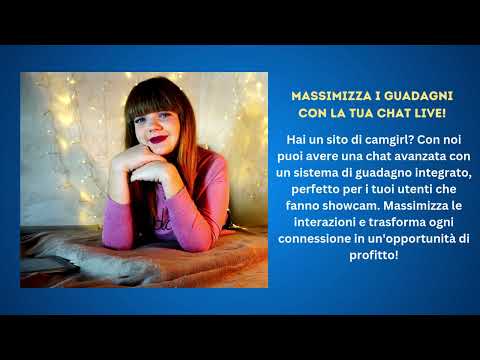](https://www.youtube.com/watch?v=C6w-7oIreOE) 20 21 The plugin leverages the powerful video chat functionality provided by the external service **html5-videochat.com**. When activated and configured, iframes are embedded in your website, connecting to the following external service: 18 22 19 23 - **Video Chat Service:** [https://www.html5-videochat.com/](https://www.html5-videochat.com/) 20 24 21 To ensure transparency and inform users about practices related to the use of this service, please carefully read the following documents:25 To ensure transparency and inform users about the data usage, please carefully read the following documents: 22 26 23 - **Terms of Service for the Video Chat Service:** [Terms of Service](https://www.html5-videochat.com/index.php?/info-collegamenti/terms-and-conditions/) 24 - **Privacy Policies for the Video Chat Service:** [Privacy Policies](https://www.html5-videochat.com/index.php?/info-collegamenti/privacy-policy/) 25 26 These links provide details on the terms and data management related to the use of the video chat. Please review this information carefully to ensure full user awareness. 27 - **[Terms of Service](https://www.html5-videochat.com/index.php?/info-collegamenti/terms-and-conditions/)** 28 - **[Privacy Policy](https://www.html5-videochat.com/index.php?/info-collegamenti/privacy-policy/)** 27 29 28 30 ## Installation 29 31 30 1. Make sure to enable the `allow_url_fopen` and `opcache` options in the php.ini configuration file to ensure proper PHP environment functionality.31 2. Activate the plugin. Upon activation, an account will be automatically created on [https://www.html5-videochat.com/](https://www.html5-videochat.com/), and login credentials will be sent to your email address.32 3. Upon activation, you will automatically receive your password via email.33 4. Insert the `[HTML5VIDEOCHAT width=100% height=640px]` shortcode into your page or post.34 5. T o make the chat fullscreen, use `height=fullscreen`. Example: `[HTML5VIDEOCHAT width=100% height=fullscreen]`35 6. The chat requires users to specify their gender, as it distinguishes between males, females, or couples. By default, WordPress does not include a user gender field in the profile fields. Therefore, we recommend installing the BuddyPress plugin available at [https://it.wordpress.org/plugins/buddypress/](https://it.wordpress.org/plugins/buddypress/). Once installed, please refer to the tutorial on how to manage gender fields at the following link: [https://www.html5-videochat.com/index.php?/blogs/entry/52-to-properly-add-the-plugin-to-your-wordpress-site-follow-these-steps/](https://www.html5-videochat.com/index.php?/blogs/entry/52-to-properly-add-the-plugin-to-your-wordpress-site-follow-these-steps/).32 1. Ensure `allow_url_fopen` and `opcache` are enabled in the php.ini configuration file. 33 2. Activate the plugin. An account will be automatically created on [html5-videochat.com](https://www.html5-videochat.com/), and login credentials will be sent to your email. 34 3. Insert the shortcode `[HTML5VIDEOCHAT width=100% height=640px]` into your page or post. 35 4. To make the chat fullscreen, use `height=fullscreen`: `[HTML5VIDEOCHAT width=100% height=fullscreen]` 36 5. The chat requires users to specify their gender. Since WordPress does not include a gender field by default, we recommend installing **BuddyPress**: [BuddyPress Plugin](https://it.wordpress.org/plugins/buddypress/). 37 6. Follow the tutorial for managing gender fields: [Setup Guide](https://www.html5-videochat.com/index.php?/blogs/entry/52-to-properly-add-the-plugin-to-your-wordpress-site-follow-these-steps/). 36 38 37 39 ## Frequently Asked Questions 38 40 39 41 - **Can I see a demo?** 40 Sure! You can check out a demo here [https://www.html5-videochat.com/index.php?/videochat/1/](https://www.html5-videochat.com/index.php?/videochat/1/).42 Yes! Visit: [Live Demo](https://www.html5-videochat.com/index.php?/videochat/1/) 41 43 42 - **How do I change the width and height of the chat?**43 You can adjust the size by editing the `[HTML5VIDEOCHAT width=100% height=640px]` tag.44 - **How do I change the chat size?** 45 Modify the shortcode: `[HTML5VIDEOCHAT width=100% height=640px]` 44 46 45 - **Which WordPress roles match the chat groups?** 46 Here are the corresponding groups: 47 Administrator will be assigned the admin role. 48 Editor will be assigned the moderator role. 49 Author will be assigned the premium role. 50 Contributor will be assigned the deejay role. 51 Subscriber will be assigned the user role. 47 - **Which WordPress roles match the chat groups?** 48 - **Administrator** → Admin 49 - **Editor** → Moderator 50 - **Author** → Premium 51 - **Contributor** → Deejay 52 - **Subscriber** → User 52 53 53 - **How do I set the chat in full 54 You can make the chat fullscreen by editing the `[HTML5VIDEOCHAT width=100% height=fullscreen]` tag.54 - **How do I set the chat in fullscreen?** 55 Use `[HTML5VIDEOCHAT width=100% height=fullscreen]` 55 56 56 - **Can I set up a earning system?**57 Absolutely! The video chat is designed to provide you with various earning opportunities. Firstly, you can receive donations directly through the integrated button in the video chat. Additionally, there's a profile chat system that allows you to earn 50% from shows created by users. It's an ideal option for camgirl sites or profile shows.57 - **Can I earn money with the chat?** 58 Yes! You can receive donations via the integrated button and earn 50% from user-created shows. Ideal for camgirl and profile-based chats. 58 59 59 - **How do I earn with activated profile rooms?**60 By activating profile rooms, users who enter will automatically see the webcam activated. Users who enter a profile room of a user will need to send tokens to privately message, send whispers, and reach the goals of the user who is broadcasting. It's a real camgirl system that allows you to earn real money, both for you and the user who is broadcasting!60 - **How do profile rooms generate revenue?** 61 Users in profile rooms must send tokens to chat privately, send whispers, or reach broadcaster goals, creating a revenue system for both the site owner and users. 61 62 62 63 - **How can I moderate my chat?** 63 Login to your chat through your WordPress admin. If you are the admin of your WordPress blog, you are automatically the admin of the chat.64 If you are the WordPress admin, you automatically become the chat admin. 64 65 65 - **How do I c hange the look and feel ofmy chat?**66 Customize the appearance and settings of your chat directly from the administrator control panel at [https://www.html5-videochat.com/](https://www.html5-videochat.com/). Once the chat is activated on your WordPress site, an account will be automatically created for you. You will receive an email with login credentials, giving you the ability to tailor the look of your chat to match your preferences.66 - **How do I customize my chat?** 67 Use the admin panel at [html5-videochat.com](https://www.html5-videochat.com/). Your account will be created automatically upon activation. 67 68 68 - ** How many languages are available for video chat? And how many of these languages do you have installed?**69 The currently available languages are English, Spanish, Chinese, German, French, Italian, Arabic, Polish, Russian, Danish, Dutch (Netherlands). If you don't find your language in the list, we will translate it into your language shortly. 69 - **What languages are supported?** 70 Available languages: English, Spanish, Chinese, German, French, Italian, Arabic, Polish, Russian, Danish, Dutch. More coming soon! 70 71 71 - **Who can I contact for support if I encounter issues with my chat?** 72 If you encounter any issues with the chat, please do not hesitate to contact us at ilfreeif@gmail.com or via WhatsApp at +393713892039. Our support team is available 24/7. Feel free to reach out for any information. 72 - **Who can I contact for support?** 73 Email: ilfreeif@gmail.com 74 WhatsApp: +39 371 389 2039 (24/7 support) 73 75 74 76 ## Screenshots 75 77 76 78 1.  77 78 79 2.  79 80 80 3.  81 82 81 4.  83 84 85 82 86 83 ## Domain and Third-Party Service Documentation 87 84 88 - ** Domain Mentioned in README:** [https://www.html5-videochat.com/](https://www.html5-videochat.com/)85 - **Plugin Domain:** [https://www.html5-videochat.com/](https://www.html5-videochat.com/) 89 86 - **Third-Party Service Endpoint:** [https://www.html5-videochat.com/index.php?/wordpress/get-json-wp/](https://www.html5-videochat.com/index.php?/wordpress/get-json-wp/) 90 87 91 For transparency and to enhance understanding, this plugin utilizes the following third-party service endpoint: 88 This endpoint is responsible for retrieving and processing user data, integrating WordPress users with **html5-videochat.com**. It handles POST requests, user authentication, and profile synchronization. 92 89 93 - **Endpoint for WordPress Integration:** [https://www.html5-videochat.com/index.php?/wordpress/get-json-wp/](https://www.html5-videochat.com/index.php?/wordpress/get-json-wp/) 94 95 This endpoint is responsible for retrieving and processing user data from the WordPress environment. It handles the reception of POST requests, extracts essential user information, interacts with existing JSON files, and performs operations such as generating unique user identifiers and creating or updating user-specific JSON files. The endpoint is integral to the seamless integration of user data between WordPress and the html5-videochat.com service. 96 97 98 ## Questions 99 100 Feel free to contact us at ilfreeif@gmail.com for further assistance. 90 ## Contact 91 For further assistance, email **ilfreeif@gmail.com**.
Note: See TracChangeset
for help on using the changeset viewer.