
ਵੇਰਵਾ
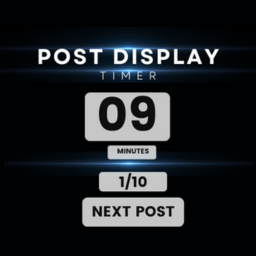
Post Display Timer is a powerful WordPress plugin that allows you to control how long visitors spend reading each post on your website. Perfect for research studies, timed reading exercises, or controlled content presentation.
🔥 Key Features
- Set custom timer duration for posts
- Enable/disable countdown display
- Optional start button for user control
- Set number of posts to display
- Random post order option
- Completion code generation
- Multiple tab prevention
- Custom post URL support
- Mobile-friendly and responsive
ਸਕਰੀਨਸ਼ਾਟ


ਸਥਾਪਤੀਕਰਨ
- Upload the plugin files to the
/wp-content/plugins/post-view-timerdirectory, or install the plugin through the WordPress plugins screen directly - Activate the plugin through the ‘Plugins’ screen in WordPress
- Go to ‘Post View Timer’ in your WordPress admin menu to configure the settings
ਅਕਸਰ ਪੁੱਛੇ ਜਾਂਦੇ ਸਵਾਲ
-
Can I customize the timer duration?
-
Yes, you can set any custom duration in seconds for how long each post should be displayed.
-
Does it work with any post type?
-
Yes, the plugin works with standard posts and custom post types.
-
Can I prevent users from opening multiple tabs?
-
Yes, there’s a built-in feature to prevent users from viewing posts in multiple tabs simultaneously.
-
Is it possible to randomize the post order?
-
Yes, you can enable random post ordering in the plugin settings.
ਸਮੀਖਿਆਵਾਂ
There are no reviews for this plugin.
ਯੋਗਦਾਨੀ ਤੇ ਵਿਕਾਸਕਾਰ
“Post Display Timer” is open source software. The following people have contributed to this plugin.
ਯੋਗਦਾਨੀ
“Post Display Timer” ਦਾ ਆਪਣੀ ਭਾਸ਼ਾ ਵਿੱਚ ਅਨੁਵਾਦ ਕਰੋ।
ਵਿਕਾਸ ਕਾਰਜ ਵਿੱਚ ਰੁਚੀ ਰੱਖਦੇ ਹੋ?
Browse the code, check out the SVN repository, or subscribe to the development log by RSS.
ਤਬਦੀਲੀ-ਚਿੱਠਾ
1.0.0
- Initial release